
Introduction: Finding the Perfect Match for Your Garage
Scanning your car is easy. Choosing the scanner? That’s the hard part.
The difference between a pocket-sized Bluetooth adapter and a pro-level tablet comes down to one thing: Capability. Do you just need to check an engine light, or do you need to bleed brakes and reset sensors?
This guide solves the puzzle. We focus on Vehicle Coverage and Feature Sets, helping you avoid tools that don't fit your car. We also break down the hidden costs of ownership, including update fees and protocol support, so you know exactly what you're paying for.
Official Site: THINKCAR
Core Foundations
1) Coverage depth: the real definition of compatibility
Most buyers read "works on 150+ brands" and assume success. In practice, coverage has three layers:
- Vehicle identification coverage: can the tool correctly identify the car (AutoVIN), or can you select it accurately by year, engine, and market.
- Module access coverage: can it enter the ECU you care about (ECM, TCM, ABS, SRS, BCM, TPMS, SAS, IMM, and more).
- Function coverage inside a module: can it do only code reading, or can it run special functions, bidirectional tests, and adaptations.
Coverage is why the "most important factor" is not screen size or the number of menu items. If the scanner cannot talk to your target modules, every other feature becomes irrelevant.
2) Function tiers: code readers vs. scanners vs. bidirectional tools
A clean way to think about feature tiers is:
- Code Readers: engine/emissions DTCs, freeze frame, I/M readiness, and basic data. These are ideal for quick OBD2 Intelligent Diagnosis and emissions triage.
- Multi-system scanners: add ABS/SRS/BCM/TCM scans, richer live data, and better reports.
- Bidirectional scanner tools: add active tests, actuator commands, and relearn routines. This tier reduces parts swapping because you can command components and confirm response.
Within THINKCAR and MUCAR, these tiers show up as families like the ThinkScan Series for tablet-style scan tools and app-driven tools like THINKDIAG.
3) Protocol support: CAN, CAN-FD, and DoIP
Protocol support matters more each model year because diagnostics rides on the same communication methods that modern ECUs use.
- CAN (Controller Area Network): the baseline for most vehicles for many years.
- CAN-FD: a higher data-rate variant used on many newer platforms.
- DoIP (Diagnostics over Internet Protocol): diagnostics over Ethernet on newer architectures.
A tool that advertises CAN-FD and DoIP can be a stronger long-term choice, especially if you work on late-model fleets.
4) Ownership cost and lifecycle: updates, subscriptions, warranty
Most scanners are not a one-time purchase in real life. The ongoing reality includes:
- Software Subscription vs. lifetime model: some tools require annual renewals for coverage and new functions.
- Software Download and installation flow: how easy it is to keep the tool current.
- Warranty and support: plans like a 1 Year Extended Warranty can matter more than a small feature difference.
Even if you love a device on day one, it must stay current as coverage and security changes roll out.
OBD2 Basics And Compliance Data
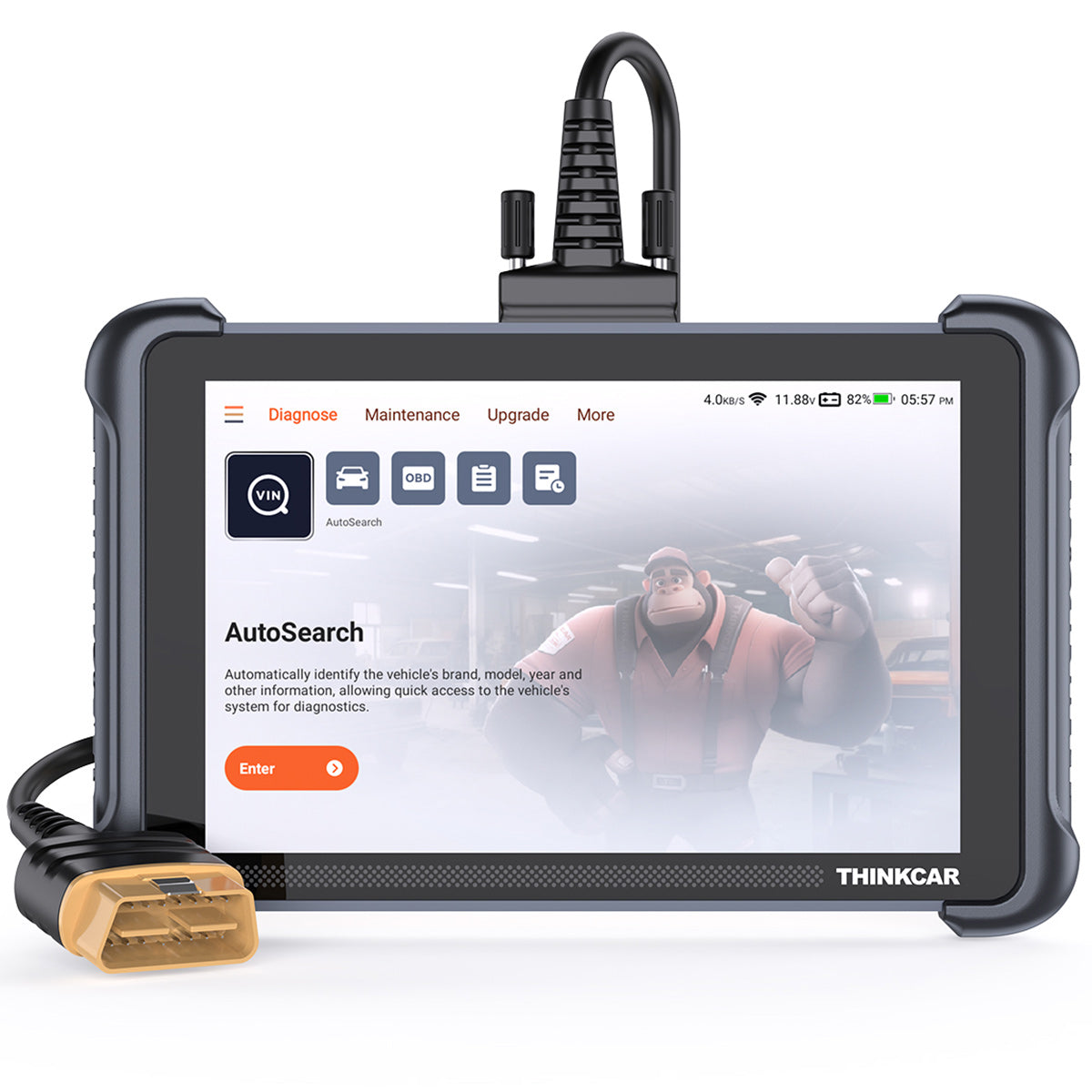
OBD2 basics are where almost every diagnostic workflow starts, even in professional shops. Standardized OBD services let you:
- Read and clear powertrain-related DTCs.
- Capture freeze frame to see conditions when a fault is set.
- Check I/M readiness monitors to support emissions decisions.
- Review live data PIDs to validate sensor and fuel control behavior.
This tier is not "too basic". It is the fastest way to triage drivability problems and decide whether you need deeper module work. For example, a rough idle may point to misfire data and fuel trims on OBD2. Then, if it persists, you escalate to EVAP tests, MAF plausibility checks, or module-level diagnostics.
A practical coverage-first workflow looks like this:
- Confirm the vehicle is OBD2-compliant (most US-market 1996+ vehicles are).
- Run a quick scan for codes and readiness.
- Decide whether the symptom is likely powertrain-only or multi-system.
For buyers who want a single tool that does OBD2 well but still scales upward, a tablet-style ThinkScan Series unit can reduce friction. For instance, THINKSCAN 689 includes AutoVIN and AutoScan for quick entry and broader system checks, so you can start with OBD2 Intelligent Diagnosis and expand immediately when needed.
Shop: THINKSCAN 689
Full-System Scanning And Module Coverage
Full-system scanning is where most generic code readers stop, but real repair work often begins. Modern cars spread faults across many controllers. A simple brake warning light can involve:
- ABS module codes.
- Steering angle sensor calibration status.
- BCM logic for warning lamps.
- Low voltage history stored in multiple modules.
A full scan that includes ABS, SRS, BCM, and TCM reduces "missed fault" risk. It also speeds up intake because you can map the fault landscape before you start disassembly.
In the ThinkScan Series, THINKSCAN 689 is positioned as an "OE-level full system diagnostic" tool and lists access to modules such as ECM, TCM, ABS, SRS, BCM, IMM, BMS, TPMS, and SAS. It also highlights AutoVIN/AutoScan, which matters because manual vehicle selection is a common source of wrong-coverage outcomes.
A simple coverage-check method you can apply before you buy:
- List the top 5 modules you must access (for example: ABS, SRS, BCM, TCM, TPMS).
- Confirm the tool can enter those modules on your exact target vehicles.
- Confirm it can do at least live data and code functions in each module.
This is also where competitor tools can look similar on paper. Many brands promise "all-system" scans, but the practical test is whether your specific platform returns meaningful data, not just a list of module names.
Bidirectional Control And Active Tests

A Bidirectional scanner changes your diagnostic style because you stop guessing and start commanding.
Instead of asking, "Is the fuel pump weak?" you can often:
- Command actuators on and off.
- Run functional tests that force a component state.
- Verify the module sees the expected feedback.
This matters because many symptoms are not caused by a single failed sensor. They are caused by wiring issues, stuck actuators, weak motors, or module logic. Active tests help you isolate which layer is failing.
Bidirectional control also pairs naturally with live data graphing. A reliable pattern is:
- Watch the relevant PID.
- Command the actuator.
- Confirm PID response and physical response.
- Decide whether the issue is mechanical, electrical, or control-side.
In THINKCAR naming, the THINKSCAN 689 and THINKSCAN 689BT are presented as bidirectional tools with "Bi-Directional/Active test" and ECU coding support. For some users, that combination is the bridge from a diagnostic tools guide mindset into real repair execution.
A fair competitor note: Innova markets bidirectional-capable products and also provides a coverage checker flow, which is aligned with the coverage-first rule in this guide. The difference to focus on is not the marketing term "bidirectional" but whether your exact vehicle functions (actuations, relearns) are supported in practice.
Shop: THINKSCAN 689BT
Service Resets, TPMS, And Maintenance
Service functions are where ownership and workflow friction show up. Many repair steps now require an electronic routine after the mechanical work is done.
Common examples include:
- Oil maintenance reset after service.
- EPB service mode for rear brake work.
- Battery matching/registration after battery replacement.
- SAS reset after alignment-related work.
- TPMS reset and sensor workflows.
If you do maintenance jobs, your scanner should match the jobs you actually perform, not a generic list. A short "must-have" list for many DIYers and small shops is:
- Oil reset
- EPB reset
- ABS bleeding (when supported)
- Battery matching
- TPMS routines
TPMS Service: when a dedicated tool makes the job easier
TPMS jobs often fail for one reason: the shop cannot reliably activate, program, and relearn sensors across many brands.
The THINKCAR VENU 90 TPMS Activation & Diagnostic Tool is positioned as an independent TPMS tool (no app required) and supports THINKCAR sensors in 315MHz and 433MHz workflows. It also supports repeat programming and WiFi/SD card upgrade. That "independent tool" approach can be useful if you want TPMS Service capability without tying up your main scanner.
For a more integrated path, THINKTPMS VENU iPro adds activation, programming, learning, and TPMS fault code work, and it can be used alongside THINKTOOL series products and Thinkdiag+ app workflows. It also explicitly calls out reading pressure, temperature, and battery status during activation, which is practical when you are deciding whether to replace a sensor or just relearn it.
If you want TPMS & Sensor capability to feel predictable, match the tool to your sensor ecosystem and your workflow:
- If you want a standalone, pick a dedicated TPMS tool.
- If you want a combined workflow, pair TPMS tooling with a scanner that can access TPMS module functions.
Shop: THINKCAR VENU 90 TPMS Activation & Diagnostic Tool
Modern Vehicle Access And Security
The modern reality is that access is not only technical. It is also security-driven. Secure gateways can restrict certain functions even when the tool can physically connect.
FCA SGW and authentication workflows
FCA/Stellantis-era Secure Gateway (SGW) is a common example. The point is cybersecurity: protect critical modules behind an access control layer.
A practical impact is:
- You might still read basic diagnostic data.
- But you may be blocked from some high-level actions unless the tool and user are authenticated.
Some aftermarket tools use AutoAuth workflows for SGW access. Aftermarket documentation for SGW access often describes registration and login steps to authorize the scan tool for secured vehicles. If you service 2018+ FCA-family vehicles, this should be a coverage checklist item, not a surprise in the bay. (boschdiagnostics.com)
Why "coverage" now includes security and update readiness
Security access tends to be update-sensitive. That means your Software Update Notice and update cadence matter because:
- A previously working routine can break after a vehicle update.
- An authentication workflow can change.
- New models can require new app versions.
This is also where protocol support (CAN-FD, DoIP) and stable updates intersect. Newer architectures tend to change faster, so the scanner lifecycle must match the vehicle lifecycle.
According to [NHTSA], vehicle cybersecurity is a continuing safety and risk-management topic, which is part of why secure gateways and access controls are becoming more common. (nhtsa.gov)
Selection/Decision Guide
Coverage is the top factor. This section helps you turn that principle into a buying decision that fits your workflow and your update tolerance.
1) Vehicle coverage: confirm VIN-level support
Before you buy, collect:
- Exact year, make, model
- Engine and transmission variant
- Region/market (US, Canada, EU)
Then verify that the scanner supports:
- The modules you need (ABS/SRS/BCM/TCM/TPMS)
- The functions you need (active tests, resets, coding)
If you work across many makes, prioritize breadth and frequent updates. If you work on a narrow set of vehicles, prioritize depth on those vehicles.
2) Needed functions: match jobs, not hype
Use a job list approach:
- Emissions and drivability triage: OBD2 Intelligent Diagnosis, readiness, freeze frame.
- Brake and stability work: ABS codes, SAS reset, EPB service.
- Electrical complaints: BCM access, data stream, active tests.
- TPMS: activation/programming/relearn and TPMS fault diagnosis.
This approach prevents overbuying a feature tier you will not use.
3) Workflow fit: tablet vs handheld vs Bluetooth
Your working environment matters:
- Tablet tools are easier for longer sessions, data review, and guided workflows.
- Handheld tools are quick for code checks and basic service.
- OBD2 Scanner Bluetooth dongles pair with a phone and can be convenient, but you should verify stability, app experience, and deep function support.
Decision table
| Scenario | Key coverage risk | Recommended tier | Main trade-off |
|---|---|---|---|
| State inspection prep, emissions light | Readiness and OBD mode support | Code Readers / OBD2 | Limited module access |
| DIY maintenance (oil, EPB, battery) | Service routine availability | Multi-system scanner | Not all resets on all makes |
| Repair-focused diagnostics | Active tests, live data depth | Bidirectional scanner | Higher learning curve |
| TPMS-heavy workflow | Sensor ecosystem support | TPMS Service tool + scanner | Two-device workflow |
| Late-model fleets | CAN-FD, DoIP, security access | Advanced Scanner tablet | Updates become critical |
Shop: THINKSCAN 689
Conclusion
The most important factor when choosing a diagnostic tool is coverage for your exact vehicles and your real jobs. Coverage includes module access, function depth, protocol support (CAN-FD and DoIP), and secured-vehicle workflows like SGW authentication.
Next, match the feature tier to your workflow: OBD2 basics for compliance and triage, full-system scanning for missed-fault prevention, and a Bidirectional scanner tier for component isolation. Then confirm the update and support model so your tool remains reliable as vehicles and security requirements evolve.
Official Site: THINKCAR
Frequently Asked Questions
How do I choose the right diagnostic tool for my vehicle?
Start by confirming your exact year, make, model, and engine are supported, because "brand coverage" claims do not guarantee module-level access. Next, list the top modules you need (for example ABS, SRS, BCM, TCM, TPMS) and verify the scanner can enter them. Then match the feature tier to your work: basic OBD2 for emissions and drivability triage, or full-system and active tests for repairs. Finally, check how updates are delivered so your coverage stays current.
Should I buy a universal or car-specific diagnostic tool?
Universal tools make sense when you service many makes, because you can standardize workflow and reports across a mixed fleet. Car-specific tools can offer deeper routines on fewer brands, especially for coding, adaptations, and guided functions. If you do mostly one platform, depth may save time because it reduces workarounds. If you switch between many vehicles each week, broad universal coverage tends to be the safer choice.
What’s the difference between basic and advanced automotive diagnostic tools?
Basic tools typically focus on OBD2 engine and emissions data, such as DTCs, freeze frame, readiness monitors, and limited live data. Advanced tools add full-system module access, meaning ABS, SRS, BCM, and transmission functions become available. They also often include bidirectional controls, so you can command actuators and run active tests. In practice, advanced tools reduce guesswork because they let you verify component behavior instead of only reading codes.
Which features are essential in an automotive diagnostic tool?
Coverage accuracy is essential, meaning the tool must support your exact vehicle and the modules you actually troubleshoot. Strong live data with graphing and clear code definitions is the next foundation because it supports verification and confirmation. If you repair rather than only inspect, bidirectional tests and service routines (oil, EPB, battery, SAS, TPMS) become essential. For late-model vehicles, protocol support like CAN-FD and DoIP can also move from optional to required.
Should I prioritize speed or depth of diagnostics when choosing a tool?
Depth usually wins because missing a module or function can waste more time than a slower scan. A deeper tool helps you scan all relevant controllers and then drill into live data and active tests when needed. Speed becomes more important when you scan many vehicles per day, such as in a busy shop intake lane. In that case, look for stable AutoVIN and efficient system health checks, but do not trade away critical module coverage.
Table of Contents
- Introduction: Finding the Perfect Match for Your Garage
- Core Foundations
- OBD2 Basics And Compliance Data
- Full-System Scanning And Module Coverage
- Bidirectional Control And Active Tests
- Service Resets, TPMS, And Maintenance
- Modern Vehicle Access And Security
- Selection/Decision Guide
- Decision table
- Conclusion
-
Frequently Asked Questions
- How do I choose the right diagnostic tool for my vehicle?
- Should I buy a universal or car-specific diagnostic tool?
- What’s the difference between basic and advanced automotive diagnostic tools?
- Which features are essential in an automotive diagnostic tool?
- Should I prioritize speed or depth of diagnostics when choosing a tool?

Share:
Scanning OBD-II Fault Codes: What’s the Best Cost-Effective Tool? (Top 5 List)
Scanning OBD-II Fault Codes: What’s the Best Cost-Effective Tool? (Top 5 List)