
Remote-Capable OBD2 Scanners vs. Basic Bluetooth Adapters: Where Do Diagnostic Functions Differ?
Which type of scan tool actually saves you from a bad diagnosis?

A remote-capable OBD2 scanner and a basic Bluetooth OBD2 adapter may plug into the same port, but they do not solve the same problem. If your goal is only to read a check-engine code, clear it, and confirm inspection readiness, a compact adapter can be enough. Once you need full-system visibility, service resets after repair, active commands, or cleaner report sharing, the gap gets real fast. That is where the decision gets expensive. A cheap tool can make a repair look simpler than it is, while a deeper scanner can show you the relevant module, system relationships, and service functions you actually need.
That difference matters even more on newer vehicles. OBD-II was built around emissions-related diagnostics, so basic readers naturally handle only a narrow slice of the car’s electronics. NHTSA materials on readiness checks also make clear that monitor status can change after battery replacement or module work, which is one reason a tool that only reads generic codes often leaves you with half the picture. (static.nhtsa.gov)
Why the wrong tool costs more than the right one
- A basic adapter may show a powertrain code but miss body, chassis, or comfort-module faults.
- A deeper tool can confirm whether a repair needs a reset, adaptation, or active test.
- Phone-based workflows are easy to carry, but long sessions can get interrupted by calls, pairing issues, battery drain, or app switching.
- If you work around moving vehicles or energized systems, diagnosis still needs shop safety discipline, including proper PPE and protection around exposed electrical parts under OSHA rules. (osha.gov)
Is MUCAR 892BT the real step-up from a basic adapter?

Yes, if your bottleneck is repair depth rather than simple code checks. MUCAR 892BT sits in a different class from a basic Bluetooth reader because Thinkcar positions it as a full-system diagnostic tool with ECU coding, bidirectional control, AI fault analysis, lifetime updates, and 34+ maintenance functions. The workflow also changes because you are not relying on your phone as the main screen during every step. On Thinkcar’s current scanner listings, the 892BT is described as a dedicated scanner with an AI diagnostic system, bidirectional testing, and a broad service-function set intended for more complete repair sessions.
For a serious DIY owner or a small shop, that means fewer dead ends. You can stay inside one tool while scanning multiple systems, reviewing live data, performing supported commands, and handling maintenance functions after parts replacement. That is a very different day-to-day experience from carrying a small dongle that depends on your phone for every screen and every connection.
Shop: MUCAR 892BT
Where MUCAR 892BT fits best
- Longer diagnostic sessions in the garage or service bay
- Jobs that require active tests or bidirectional commands
- Repairs that need more than one or two service resets
- Users who want less phone dependence during troubleshooting
What do BT200 MAX and BD6 really add beyond a cheap dongle?
They both go further than a bare-bones Bluetooth adapter, but they do it at different depths. MUCAR BT200 MAX is the phone-first advanced option. Thinkcar’s current product page describes it with bidirectional control, actuation testing, AI report parsing, CAN-FD support, and 15+ maintenance reset functions. That makes it more than a code reader. It is built for users who like the convenience of a smartphone workflow but still want serious function coverage.
THINKCAR BD6 is the lighter option. Its current official page lists full-system diagnostics, AutoVIN, full OBD2 functions, five lifetime-free resets, report functions, and lifetime updates. In practical terms, BD6 covers the everyday owner who wants more than emissions-only scanning but does not need the broader service depth or active-test emphasis of the higher models.
Shop: MUCAR BT200 MAX
Shop: THINKCAR BD6
Where do the diagnostic functions split the most?
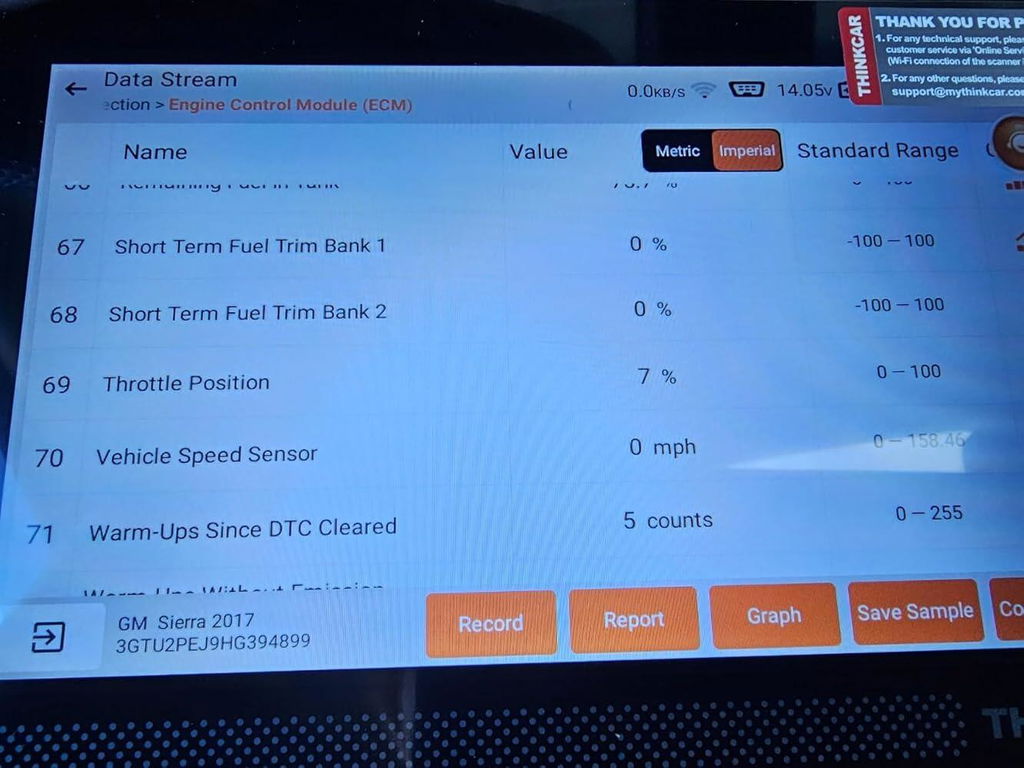
The biggest split is not Bluetooth range. It is how much authority the tool has over the vehicle and how much guidance it gives you once a fault appears. That starts with system access, then spreads into active tests, maintenance resets, and fault interpretation.
Full-system access vs. basic OBD2
Basic Bluetooth adapters usually do best with generic OBD2 work: reading and clearing emissions-related codes, viewing a small set of live data, and checking readiness monitors. That is useful, but it is also the floor. BD6, BT200 MAX, and 892BT are all positioned by Thinkcar as full-system tools, which means they are intended to reach beyond the engine computer into modules such as ABS, SRS, transmission, body, and other supported systems. The practical gain is that you can chase the real fault path instead of assuming every warning light starts in the powertrain.
Can they run active tests?
Here the separation gets sharper. MUCAR 892BT and MUCAR BT200 MAX are both positioned with bidirectional control, which means the tool can send supported commands to certain vehicle systems rather than only reading data back. That matters when you need to trigger a component, verify response, or narrow down whether the issue is wiring, a failed part, or command logic. BD6, by contrast, is marketed more around full-system diagnostics, reports, and five reset functions than around deeper active-test work.
Service and reset depth changes the repair outcome
Service depth often decides whether a tool helps finish the job or just identify it. Thinkcar currently lists MUCAR 892BT with 34+ maintenance functions, BT200 MAX with 15+ reset functions, and BD6 with five lifetime-free resets. If you regularly handle oil reset, EPB service, ABS bleed, throttle adaptation, steering angle work, or battery-related procedures, that spread matters a lot more than form factor alone.
AI help and fault interpretation
Thinkcar also separates these tools by how much built-in guidance they offer. The 892BT is described with AI intelligent diagnostic support and real-time Q&A, while BT200 MAX emphasizes AI report parsing and guided analysis. BD6 takes a more traditional approach, with report generation and record functions but without the same AI-forward positioning. For less experienced users, that can reduce the time spent searching for what a code probably means before testing the vehicle.
A quick comparison of remote-capable OBD2 scanner options vs. a basic adapter
| Dimension | MUCAR 892BT | MUCAR BT200 MAX | THINKCAR BD6 | Basic Bluetooth Adapter |
|---|---|---|---|---|
| Primary workflow | Dedicated scanner session | Phone-first advanced app | Compact everyday app | Generic code checks |
| System coverage | Full-system | Full-system | Full-system | Usually powertrain-focused |
| Active tests | Yes | Yes | Limited emphasis | Often none |
| Service functions | 34+ | 15+ | 5 free resets | Rare or minimal |
| AI guidance | Yes | Yes | Traditional workflow | Usually none |
| AutoVIN | Yes | App-led support | Yes | Varies |
| Updates | Lifetime free | Lifetime free | Lifetime free | App-dependent |
| Best use | Deep repairs | Mid-tier serious DIY | Everyday enhanced checks | Basic CEL reading |
| Limitations | Larger than dongles | Depends on phone | Narrower service depth | Limited repair authority |
Why remote use is about workflow, not just wireless range
If you hear “remote-capable,” it is easy to think only about Bluetooth connection distance. In real use, the better question is whether the tool supports a workflow that lets you share results, ask for help, review scans later, and keep the session moving without losing context. That is where these three tools separate themselves from a basic adapter.
Can any of these scanners support remote help or report sharing?
Yes, but not in the same way. Thinkcar’s current and recent materials describe MUCAR 892BT with technician-community support and AI interaction, while BT200 MAX is built around app-driven workflows that make report review and sharing more natural from a phone. BD6 also includes vehicle health report and record functions, but the sharing experience is more basic. So if your idea of remote use means sending results to a tech, customer, or second pair of eyes, all three can help, but 892BT and BT200 MAX are the stronger fits.
Device independence changes long repair sessions
A dedicated screen solves more than convenience. Thinkcar’s recent articles on smartphone tools versus handhelds point out the usual friction points: calls, notifications, pairing delays, storage limits, battery drain, and app instability. Those are small issues during a five-minute code check, but they become real interruptions when you are graphing live data, stepping through resets, or repeating tests during a longer diagnosis. That is the strongest practical case for 892BT over a phone-led setup.
Updates and long-term ownership
All three featured Thinkcar tools currently emphasize lifetime free updates on their official pages. That matters because vehicles keep changing protocols and module behavior. NIST materials discussing CAN FD also reflect how newer vehicle communication standards raise the bar for tools that want to stay useful on modern platforms. A tool that updates over time is simply a safer bet than a generic adapter with uncertain app support.
What separates entry-level tools from professional-style diagnostics?
The short answer is system authority. Entry-level tools tell you what code is present and may show a little live data. Professional-leaning tools do more of the job after the code appears. They scan more modules, run supported commands, help with resets after parts replacement, and keep the workflow stable through a longer repair session. That is the difference between confirming a symptom and actively working toward the fix.
You can see that ladder clearly in this Thinkcar lineup. BD6 covers affordable enhanced diagnostics with full-system access and five free resets. BT200 MAX adds bidirectional control, stronger app-led diagnostics, and more service depth. MUCAR 892BT pushes further with a dedicated scanner workflow, 34+ maintenance functions, ECU coding, and a less distracting interface for extended work. For many users, that means the choice is not “basic vs. advanced” in theory. It is whether your tool can keep up once a repair leaves generic OBD2 territory.
Which tool fits your work best?
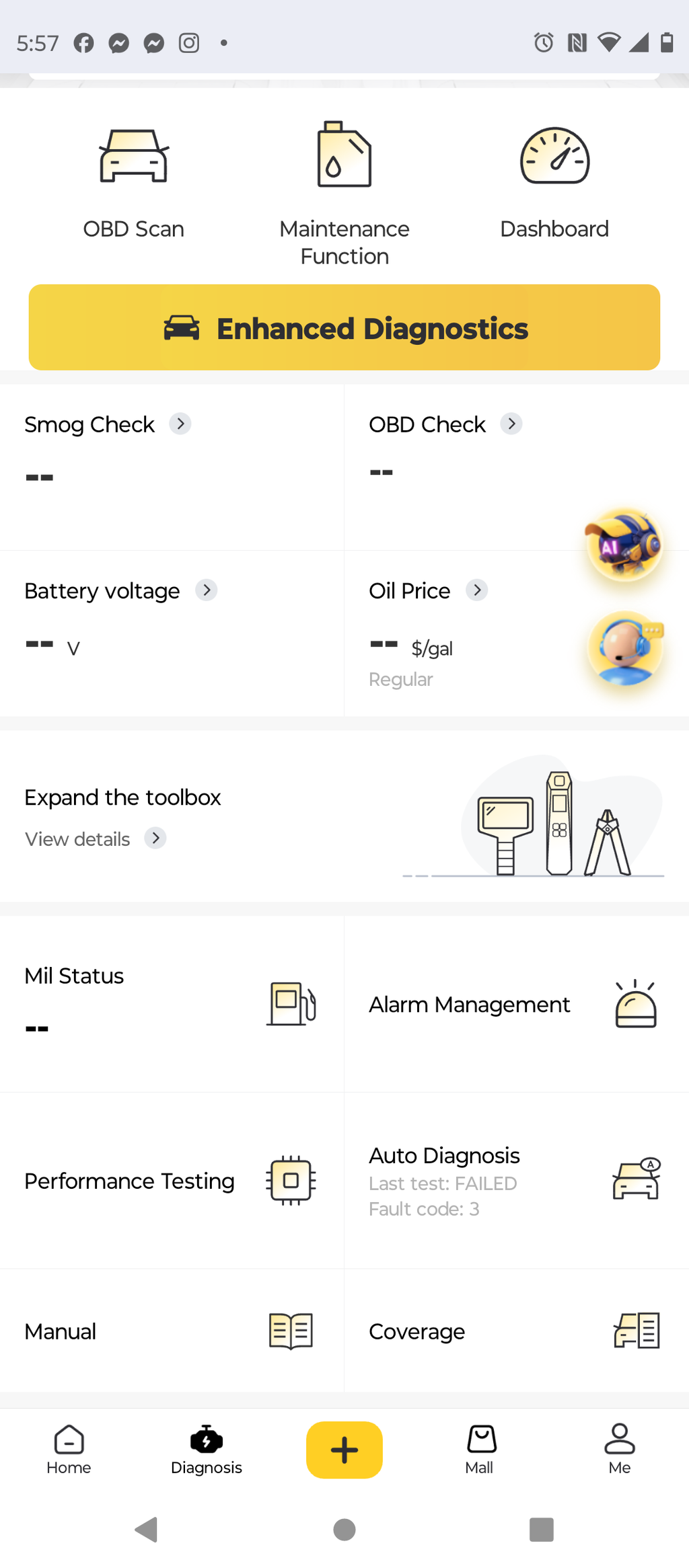
No single model is a winner for every garage. In any comparison, the right call is the best fit for your job, your workflow, and how often you move beyond simple code reading.
Choose MUCAR 892BT for deeper diagnostic workflow
Pick MUCAR 892BT if you want the closest thing here to a dedicated repair workstation. It makes the most sense when you need full-system access, bidirectional control, heavier service-function coverage, and less phone dependence. If your scans often turn into actual repair sessions rather than quick checks, this is the model that reduces friction the most.
Choose MUCAR BT200 MAX for a serious phone-first setup
BT200 MAX is the sweet spot for users who want advanced diagnostics without moving to a larger dedicated scanner. It gives you bidirectional functions, AI-assisted interpretation, 15+ resets, and an app-centered workflow that still goes far beyond a basic adapter. If portability matters but you still need real diagnostic depth, this is the most flexible upgrade.
Choose THINKCAR BD6 for affordable enhanced diagnostics
BD6 works best when you want a compact daily-carry tool for routine checks, full-system scans, basic reporting, and a handful of common resets. It is a meaningful upgrade from a generic code reader, especially for owners who want more vehicle insight without stepping into heavier shop-style workflows. The tradeoff is that its service depth is narrower than the other two models.
Conclusion
The best fit comes down to how often you need your scan tool to do more than read a fault. If you mostly confirm lights, check health reports, and handle occasional service needs, THINKCAR BD6 covers the basics-plus tier well. If you want a phone-led remote-capable OBD2 scanner with stronger diagnostics, MUCAR BT200 MAX is the most balanced option. If your work routinely includes bidirectional testing, deeper maintenance functions, and longer troubleshooting sessions, MUCAR 892BT is the strongest fit in this comparison.
For most people upgrading from a basic Bluetooth OBD2 adapter, the right next move is to match the tool to repair depth, not marketing language. Thinkcar’s current lineup gives you a clear ladder: BD6 for lighter work, BT200 MAX for flexible serious DIY, and 892BT for the deepest workflow in this set. If you already know your current adapter is leaving gaps, start with the model that removes those gaps instead of buying another tool that only reads symptoms.
FAQ
How do different diagnostic tools compare in features?
Advanced scan tools differ because they do more than read and clear generic trouble codes. In everyday use, they can reach more vehicle systems, support more maintenance functions, and often provide better live data, reports, and guided troubleshooting. A basic adapter is fine for a quick check-engine-light scan, but it often stops short when a repair needs ABS work, EPB service, battery registration, or active commands. The practical difference is whether your tool only tells you a fault exists or helps you finish the repair.
What are the differences between entry-level and professional scan tools?
Entry-level scanners usually focus on emissions-related OBD2 functions, readiness checks, and simple code reading. Professional-style tools add full-system access, more stable workflows, active tests, and a wider set of service functions that matter after parts replacement. In this lineup, THINKCAR BD6 sits closer to the enhanced entry level, while MUCAR 892BT is much closer to a professional-style workflow. MUCAR BT200 MAX lands in the middle for users who want serious features without moving to a larger dedicated screen.
Can any OBD2 scanners support remote assistance or remote report sharing?
Yes, you can share scan results remotely, but the experience depends on the model and the workflow. Phone-led tools like MUCAR BT200 MAX are naturally convenient for sharing app-based reports, while MUCAR 892BT adds a more collaborative, technician-oriented workflow for deeper sessions. THINKCAR BD6 can also store and export reports, but it is better suited to simpler review and recordkeeping. If remote sharing is part of your normal process, the stronger choices are BT200 MAX and 892BT.
Can a smartphone-based diagnostic tool replace a dedicated scanner for most users?
Yes, it can replace one for many casual owners, especially if the main jobs are code checks, live data viewing, and readiness status. The limit appears when diagnostics get longer or more complex, because your phone also handles calls, messages, app updates, and battery load at the same time. A dedicated scanner is easier to live with when you need repeated tests, service resets, and fewer interruptions during repair. In this group, BT200 MAX is the better phone-first choice, while MUCAR 892BT is the better fit for dedicated diagnostic sessions.
What should you buy if you are upgrading from a basic Bluetooth reader?
If you are upgrading from a basic Bluetooth reader, the best choice depends on what frustrated you about the old tool. Choose THINKCAR BD6 if you want a compact step up with full-system scanning and a few common resets. Choose MUCAR BT200 MAX if you want the clearest feature jump while staying in a smartphone-based workflow, especially for bidirectional testing and broader reset coverage. Choose MUCAR 892BT if your real goal is a deeper diagnostic workflow with less phone dependence and more service-function depth.
Table of Contents
-
Remote-Capable OBD2 Scanners vs. Basic Bluetooth Adapters: Where Do Diagnostic Functions Differ?
- Which type of scan tool actually saves you from a bad diagnosis?
- Is MUCAR 892BT the real step-up from a basic adapter?
- What do BT200 MAX and BD6 really add beyond a cheap dongle?
- Where do the diagnostic functions split the most?
- A quick comparison of remote-capable OBD2 scanner options vs. a basic adapter
- Why remote use is about workflow, not just wireless range
- What separates entry-level tools from professional-style diagnostics?
- Which tool fits your work best?
- Conclusion
-
FAQ
- How do different diagnostic tools compare in features?
- What are the differences between entry-level and professional scan tools?
- Can any OBD2 scanners support remote assistance or remote report sharing?
- Can a smartphone-based diagnostic tool replace a dedicated scanner for most users?
- What should you buy if you are upgrading from a basic Bluetooth reader?

Share:
Best Wireless OBD2 Scanners for Easy Setup and Fast Reports
Remote Pre-Checks: 3 Scan Tools for Faster Troubleshooting