
What makes a mobile repair scanner worth carrying every day
Misread one code in a driveway, and the whole job can slide sideways. Mobile repair gives you less room, less time, and fewer chances to walk back to a bigger tool cart. That is why selecting diagnostic tools for mobile repair starts with workflow, not hype. A compact car diagnostic scanner may look great on a product page, but if it cannot run the right active tests, export a clean report, or stay current with software support, it can slow paid work instead of helping it.
For most field jobs, you need three things to happen fast: identify the fault, confirm the system response, and send results to the next person without rewriting notes. That is where the gap shows between a simple car code reader and a true automotive diagnostic tool. THINKCAR, which also supports MUCAR products through its official retail and support ecosystem, is useful here because its catalog, support center, downloads, and coverage tools let you compare devices by real repair workflow instead of just screen size or headline features. OSHA also reminds technicians to manage battery-related hazards carefully during vehicle electrical work, which matters anytime you are scanning or commanding systems on-site.
Start with the workflow your scanner must support

A mobile repair scanner earns its place when it supports the whole job from first scan to final handoff. Before comparing tablet units, Bluetooth OBD2 scanner options, or app-led tools, define the work the device must do for you every week.
Define the three jobs before comparing tools
Most mobile workflows come down to three jobs:
- Read and verify faults across more than the engine module
- Command components during testing when a code alone is not enough
- Share results without retyping so a shop, advisor, or customer can review them quickly
That is the practical line between a basic OBD2 scanner and a deeper vehicle scanner. A basic reader may pull emissions-related engine codes, but mobile repair often needs full-system access to ABS, SRS, transmission, body, and comfort modules. A stronger auto repair scanner should also provide live data, freeze-frame information, and code definitions so you can see what happened when the fault set. THINKCAR’s support and report-sharing materials repeatedly frame structured reports as more useful than isolated screenshots because they can include fault details, context, and system-wide scan results.
Why bidirectional control changes the repair workflow
Bidirectional control matters because it lets the tool do more than watch. In plain language, the scanner can command supported components or systems to respond, which helps you confirm whether a part actually works before you replace it.
What this changes in the field:
- You can move from code reading to command-and-verify testing
- You can check whether an actuator responds before ordering parts
- You can cut down on guesswork when the symptom is intermittent
- You can separate reset functions from true active testing
This is especially useful on mobile calls involving fans, throttle response, window motors, door locks, or relearn-related checks. THINKCAR’s own product and blog content consistently distinguishes active tests from basic reset functions, which is a key buying filter. If a tool only performs service resets, that does not mean it offers true bidirectional control. For late-model emissions and readiness-related checks, the EPA also notes how OBD monitor readiness affects inspection and maintenance workflows, so being able to read complete scan context matters beyond one warning light.
What a usable report should include
A report only helps if another person can act on it. In mobile repair, that usually means a shop foreman, a second technician, or a customer who needs a clear next step.
Look for reports that include:
- Trouble codes with plain-language definitions
- Freeze-frame data, which is the saved snapshot from when the fault set
- Full-system scan results, not engine-only output
- Live-data references or graph support when available
- Clean formatting that can be sent by email, text, or messaging
THINKCAR’s recent report-sharing articles describe this as structured scan output rather than casual screenshots. That distinction matters because a receiving shop can forward a file, open it quickly, and understand the diagnostic path without re-entering codes by hand.
Which functions matter most once you leave the shop

Portability matters in mobile work, but portability without depth becomes a false economy. The right wireless OBD2 scanner or self-contained device should let you move around the vehicle easily while still giving you the functions that save labor time.
Portability only helps when the functions travel with it
A small device is not automatically the better device. In a driveway or parking lot, wireless pairing and compact storage are valuable only if the scanner still reaches the modules and functions you need.
What to check:
- Connection style: Bluetooth or self-contained tablet
- System depth: engine, ABS, SRS, transmission, body, and more
- Live data handling: graphing, recording, and readability
- Protocol support: especially for newer vehicles
- Report workflow: can you save and send results in minutes?
This is where the difference between a simple Bluetooth dongle and a professional automotive diagnostic tool becomes obvious. THINKDIAG 2, for example, is positioned by THINKCAR as a phone-led tool with full-system diagnostics, ECU coding, bidirectional active tests, Auto VIN, 15 maintenance functions, and CAN-FD support on supported vehicles. That makes it a better fit for users who want app-based portability without dropping to code-reader depth.
Shop: THINKDIAG 2
Report sharing should fit a real handoff
Once you leave the shop, communication becomes part of the repair. If you diagnose a vehicle in the field and someone else will approve, quote, or finish the job, the scan report needs to travel cleanly.
A practical handoff workflow should let you:
- Export a file directly from the app or device
- Send it through email, text, or messaging
- Preserve code definitions and system context
- Reduce back-and-forth explanations
THINKCAR’s support FAQ confirms that report sharing exists within the ecosystem, and its support videos and blog content show that sharing is treated as part of the normal operating workflow, not an afterthought (api.mythinkcar.com). That is useful for mobile inspectors and independent technicians because it turns the scanner into a communication tool as well as a testing tool.
Self-contained device or phone-led tool?
This choice usually comes down to how you work, not which format sounds more advanced.
| Workflow need | Better fit | Why |
|---|---|---|
| Fast setup with fewer moving parts | Self-contained tablet scanner | Easier to hand to another tech and simpler to update on-device |
| Maximum portability | Phone-led scanner | Smaller kit, easier movement around the vehicle |
| Frequent remote sharing | Phone-led or hybrid app workflow | Easier file export through standard phone channels |
| Longer service sessions | Tablet-style scanner | Larger screen reduces fatigue during live-data review |
If you often work alone and text results to a shop, a wireless OBD2 scanner tied to a strong app may feel faster. If you spend more time in longer diagnostic sessions, a self-contained screen may be easier to live with over a full week.
How to judge software updates before the first renewal arrives
Update policy is part of ownership cost, even when the hardware itself looks like the main purchase. Many buyers focus on the device, then realize too late that software coverage, feature access, or update procedures were not as clear as they expected.
The sticker price is not the ownership cost
Older software may still run, but that does not mean it will stay equally useful. In mobile repair, update gaps can affect newer vehicle coverage, bug fixes, protocol support, and sometimes cloud-connected or account-based features.
Check these points before you buy:
- Included update period
- Renewal path after the included term ends
- What still works if updates lapse
- How updates are delivered: Wi-Fi, app, PC tool, or device software
- Whether your real job mix includes enough newer vehicles to justify ongoing software spend
THINKCAR’s support center explains that some software features may require continued subscription support, while its update-policy materials advise buyers to separate firmware updates, app updates, vehicle coverage updates, and cloud-service access instead of treating “updates included” as one simple promise.
What to verify on the official THINKCAR site
A scanner is easier to trust when support paths are visible before purchase. THINKCAR’s official support ecosystem includes a Support Center, compatibility guidance, software downloads, update notices, manuals, videos, and contact options. That gives mobile users a practical checklist for due diligence before they commit to a tool or add-on software.
What to verify before checkout:
- Coverage for your common makes, years, and systems
- Whether the device is account-bound or uses one-click activation
- Where manuals and update tools are hosted
- Whether software notices are posted clearly
- How to contact support with a VIN if coverage is uncertain
That last step matters more than many buyers think. A good support structure reduces surprise costs and helps you avoid assumptions about activation, add-on functions, or post-lapse behavior.
Match update policy to vehicle age and mix
Your fleet of jobs should drive the update decision. If you mostly work on older vehicles with stable protocols, a lapse may be manageable for a while. If your weekly work includes newer domestic, European, or Asian vehicles, especially models using newer communication layers like CAN-FD, ongoing software support becomes more important.
THINKCAR positions several devices around newer protocol readiness, including THINKDIAG 2 with CAN-FD support on its product page and THINKSCAN 672 in current buying-guidance content with CAN-FD support and broad brand coverage. That suggests a simple rule: the newer and more mixed your job flow, the more important update clarity becomes. EPA continues to update OBD regulatory requirements, which is another reminder that diagnostics is not a static environment.
THINKCAR product paths that fit common mobile repair jobs
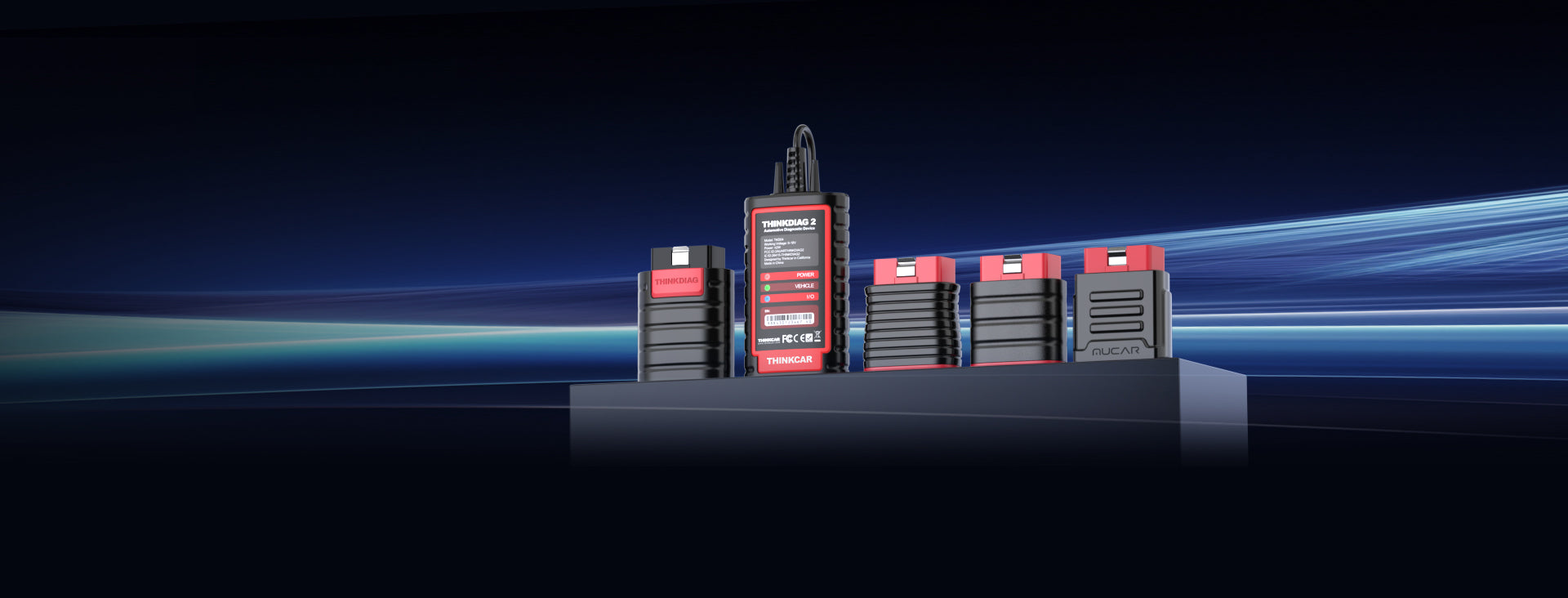
The right tool path becomes clearer when you stop asking which scanner has the longest feature list and start asking which one supports your normal day. For mobile work, THINKCAR offers a few clear directions.
Where the buying decision usually becomes clear
By this point, the best choice is usually less mysterious. Start with the repair tasks you do most often. Then look at how you share results, how often you need updates for newer vehicles, and only after that decide whether you want a tablet-style scanner or a phone-led setup.
That order keeps you from overbuying the wrong features. For many users, the decision comes down to three THINKCAR paths: a daily-use self-contained tool like THINKSCAN 672 for stronger on-device workflow, a phone-led option like THINKDIAG 2 for portability and app-based flexibility, or a report-centered path for technicians who regularly send scan results to a shop. Workflow fit beats feature inflation almost every time.
FAQ
How much do software renewals really matter when choosing a diagnostic tool?
Software renewals matter a lot if your paid work includes newer vehicles, newer communication protocols, or manufacturer coverage that changes often. If your tool falls behind, you may still read older vehicles well but lose bug fixes, added model support, or smoother special-function performance. A practical rule is to review your last 3 to 6 months of jobs and see how many vehicles were late-model enough to make newer coverage important. If that share is high, renewal clarity should be part of your buying decision from day one.
Which diagnostic scanner has the clearest update and subscription policy?
The easiest update policy is the one you can explain in one minute before you buy: what is included, how long it lasts, what stops updating after a lapse, and how renewals are handled. For many buyers, THINKCAR is a good place to start because its support center, downloads, and update notices make those checks more visible than they would be from a short listing. A tablet-style tool can feel simpler if you want direct Wi‑Fi updates, while an app-led tool may be fine if you already manage subscriptions comfortably on your phone. The best fit depends on whether you want predictability first or maximum portability first.
What’s the best entry-level bidirectional tool for a real repair workflow?
A good entry-level bidirectional tool should move beyond code reading into full-system diagnostics, active tests, and usable report output. In this lineup, THINKSCAN 672 is a strong direction when you want a dedicated device with broader daily workflow support, while THINKDIAG 2 fits better if you prefer phone-led portability. The better choice depends on whether your jobs mostly involve confirmation work, regular resets, or repeated command testing on-site. If active tests are central to your week, do not settle for a reset-focused tool that only sounds advanced.
Which scanner gives the best mix of portability and professional functions?
The best balance usually comes from a phone-led wireless tool if you move constantly and share reports often, or a compact tablet unit if you spend more time reviewing live data on the spot. THINKDIAG 2 is the more portable path because it uses an app workflow with full-system diagnostics, CAN-FD support, and active tests on supported vehicles. THINKSCAN 672 is the stronger middle-ground choice if you want a larger built-in screen and less dependence on a separate phone. Either way, portability only counts if the scanner still gives you full-system access and practical report sharing.
Which diagnostic tool works best for sending scan results to a shop remotely?
The best remote-sharing tool is one that creates a structured report with code definitions, freeze-frame context, and full-system results rather than just a screenshot of one fault. In this ecosystem, THINKCAR models positioned around full-system diagnostics and report sharing are the better fit, because they support cleaner handoff to another technician or advisor. That matters when a shop needs to review results in under a minute and decide whether to approve, quote, or continue diagnosis. If remote handoff is a weekly need, test the report export flow before you fully commit to any scanner.
Do mobile repair users really need bidirectional control, or are resets enough?
Mobile repair users need bidirectional control whenever the job requires confirming component behavior before replacing parts. Resets are enough for routine service items like oil reminders or certain maintenance procedures, but they do not tell you whether a fan, actuator, lock, or throttle command actually works. Once your work moves beyond quick warning-light checks, active tests start saving real labor time. That is why bidirectional control becomes more valuable as your jobs shift from simple code reading to true fault confirmation.
Table of Contents
- What makes a mobile repair scanner worth carrying every day
- Start with the workflow your scanner must support
- Which functions matter most once you leave the shop
- How to judge software updates before the first renewal arrives
- THINKCAR product paths that fit common mobile repair jobs
- Where the buying decision usually becomes clear
-
FAQ
- How much do software renewals really matter when choosing a diagnostic tool?
- Which diagnostic scanner has the clearest update and subscription policy?
- What’s the best entry-level bidirectional tool for a real repair workflow?
- Which scanner gives the best mix of portability and professional functions?
- Which diagnostic tool works best for sending scan results to a shop remotely?
- Do mobile repair users really need bidirectional control, or are resets enough?

Share:
2026 Portable AI Diagnostic Scanner List: 3 Worthwhile Bidirectional Tools for Mobile Mechanics
2026 Portable AI Diagnostic Scanner List: 3 Worthwhile Bidirectional Tools for Mobile Mechanics