
At first glance, the MUCAR 892BT and MUCAR 892BT PRO look almost identical. They share the same hardware platform, the same core diagnostic capabilities, and the same lifetime free software updates.
So what exactly are you paying for when you choose the PRO model?
The 892BT PRO isn't designed to replace the 892BT.
Instead, it's built for technicians whose workflow has outgrown a traditional diagnostic scanner.
Both models offer the same core diagnostic functions expected from a professional bidirectional scan tool, including OE-level full-system diagnostics, ECU coding, bi-directional control, and more than 35 maintenance services. Where they begin to differ is in workflow.
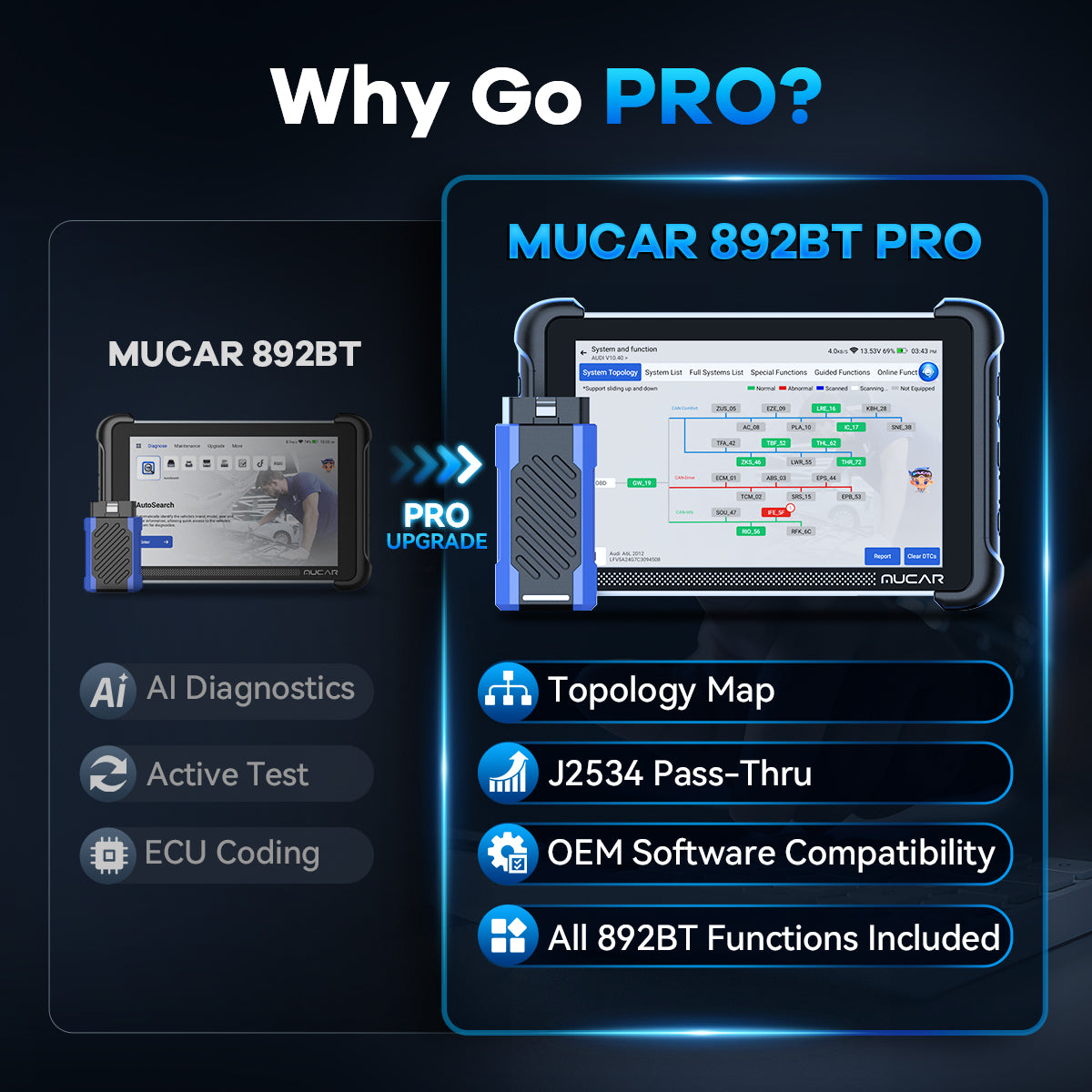
The PRO model introduces two professional workflow features—Vehicle Topology Map and J2534 Pass-Thru—that help technicians diagnose complex electrical problems more efficiently and support compatible OEM programming workflows.
If your work focuses on fault diagnosis, maintenance, and everyday repair, the 892BT already provides nearly everything you'll need in a professional diagnostic scanner. If you regularly diagnose complex vehicle networks or perform OEM programming, the 892BT PRO is built for that next level of workflow.
In this comparison, we'll explain exactly where the two scanners differ, who each model is designed for, and whether upgrading to the PRO model is the right choice for your workshop.
Same Diagnostic Power, Different Workflow
Before looking at the differences, it's important to understand that both scanners are built on the same professional diagnostic foundation.
Both scanners include:
| Capability | MUCAR 892BT | MUCAR 892BT PRO |
|---|---|---|
| OE-Level Full-System Diagnostics | ✅ | ✅ |
| ECU Coding | ✅ | ✅ |
| Bi-Directional Control | ✅ | ✅ |
| 35+ Maintenance Services | ✅ | ✅ |
| MUAI AI Diagnostics | ✅ | ✅ |
| CAN-FD & DoIP Support | ✅ | ✅ |
| Lifetime Free Software Updates | ✅ | ✅ |
| Vehicle Topology Map | — | ✅ |
| J2534 Pass-Thru | — | ✅ |
| Compatible OEM Programming Workflow | — | ✅ |
| Best For | Advanced DIYers & Repair Shops | Professional Workshops & OEM Programming |
Both models are powerful professional diagnostic scanners capable of handling everyday diagnostics, advanced maintenance, ECU coding, and active testing.
The difference isn't in what they can diagnose—it's in how professional technicians work with that information.
The 892BT PRO extends the diagnostic workflow with Vehicle Topology Map for faster fault analysis and J2534 Pass-Thru to support compatible OEM programming workflows.
A Faster Diagnostic Workflow with Vehicle Topology Map
One of the biggest differences between the MUCAR 892BT and the 892BT PRO is the addition of Vehicle Topology Map.

MUCAR 892BT System List View

MUCAR 892BT PRO Vehicle Topology Map View
With the standard 892BT, scanned control modules are displayed in a conventional system list. Technicians can open each module individually to check fault codes, live data, ECU information, and available functions.
The 892BT PRO offers another way to view the same information. Instead of a list, it displays supported control modules as a visual network map, making it easier to understand how different vehicle systems are connected.
A Topology Map helps technicians quickly identify:
- Which control modules are installed
- Which modules are communicating normally
- Which modules contain fault codes
- How different ECUs are connected
- Which area of the vehicle network may require further diagnosis
The advantage becomes much clearer when diagnosing modern vehicles with multiple warning lights or communication faults.
For example, imagine a vehicle arrives with the ABS, EPS, and Transmission warning lights all illuminated. A technician using the 892BT can still diagnose the problem, but they'll typically enter each module one at a time, read the fault codes, and determine whether the issues are related.
With the 892BT PRO, the Topology Map provides a visual overview of the vehicle network first. If several modules are highlighted at the same gateway or communication branch, the technician can immediately recognize that the faults may share the same root cause—such as a CAN communication issue, gateway failure, wiring problem, or power supply fault—instead of treating each warning light as a separate repair.
This doesn't replace fault-code analysis, live data, or active testing. Those diagnostic functions remain the same on both scanners.
Instead, Vehicle Topology Map helps technicians understand the overall condition of the vehicle before diving into individual modules, making complex diagnostics faster, more organized, and more efficient.
For routine maintenance and straightforward fault-code diagnosis, the 892BT already provides everything most users need. However, for workshops that regularly diagnose electrical faults, communication problems, or modern vehicles with increasingly complex electronic systems, the 892BT PRO offers a more efficient diagnostic workflow.
Expand Your Capabilities with J2534 Pass-Thru
The second major difference between the MUCAR 892BT and the 892BT PRO is J2534 Pass-Thru support.
Like Vehicle Topology Map, J2534 isn't designed to replace the scanner's existing diagnostic functions. Instead, it extends what technicians can do after the diagnosis is complete.
With the 892BT, technicians can perform OE-level diagnostics, ECU coding, active tests, and maintenance services for supported vehicles. For many repair shops, these capabilities are sufficient for everyday diagnostics and repairs.

The 892BT PRO adds another layer of capability by allowing the scanner to function as a J2534 Pass-Thru interface, providing a professional J2534 interface for compatible OEM programming workflows. When used with compatible OEM software and a valid manufacturer subscription, it can communicate directly with the vehicle for supported OEM programming and software update procedures.
For example, imagine replacing a control module on a late-model vehicle. The fault has already been diagnosed, and the replacement module has been installed. However, the repair can't be completed until the new module is programmed using the manufacturer's software.
With the 892BT, the diagnostic process ends after identifying the problem. A technician may need to outsource the programming job or use a separate J2534 pass-through device, adding extra equipment, cost, and time to the repair process.
With the 892BT PRO, the same device can continue into the OEM programming workflow, allowing the workshop to continue the repair workflow without relying on an additional dedicated J2534 pass-through device.
This doesn't mean every workshop needs J2534. Many independent repair shops rarely perform OEM programming, and the 892BT remains an excellent choice for diagnostics, maintenance, and general repair work.
However, if your business regularly handles module replacement, OEM programming, software updates, or manufacturer-specific repair procedures, the 892BT PRO provides the flexibility to keep more of those jobs in-house instead of sending customers elsewhere.
By combining OE-level diagnostics, Vehicle Topology Map, and J2534 Pass-Thru in a single platform, the 892BT PRO supports a more complete professional workflow—from identifying the fault to completing the repair.
Can You Upgrade the MUCAR 892BT to the 892BT PRO?
One of the most common questions buyers ask is whether they can purchase the MUCAR 892BT today and upgrade it to the 892BT PRO later.
The short answer is no.
Although the two scanners share the same hardware platform and many of the same diagnostic capabilities, they are designed as two different products from the beginning. The 892BT PRO combines exclusive software features such as Vehicle Topology Map with a J2534-capable GVCI, making it a different platform rather than a software upgrade.
Because of this, the 892BT cannot be upgraded into the 892BT PRO through a software update, paid activation, or by replacing the VCI alone.
If you think your workshop may need Vehicle Topology Map or J2534 Pass-Thru in the future, it's worth choosing the 892BT PRO from the start. Otherwise, the 892BT remains an excellent choice for professional diagnostics, maintenance, and everyday repair.
Final Verdict
The MUCAR 892BT and MUCAR 892BT PRO share the same foundation of OE-level diagnostics, ECU coding, bi-directional control, AI assistance, and comprehensive service functions.
For most technicians and advanced DIY users, the 892BT already delivers the capabilities expected from a professional bidirectional scan tool for everyday maintenance and repair.
The 892BT PRO isn't designed to replace the 892BT—it's designed to extend the professional repair workflow. With Vehicle Topology Map for faster network diagnostics and J2534 Pass-Thru for compatible OEM programming, it helps workshops handle more complex repair jobs using a single professional platform.
If your work focuses primarily on diagnostics, maintenance, and general vehicle repair, the MUCAR 892BT offers outstanding value. If your workshop regularly performs module replacement, OEM programming, or advanced electrical diagnostics, the MUCAR 892BT PRO is the better long-term investment.
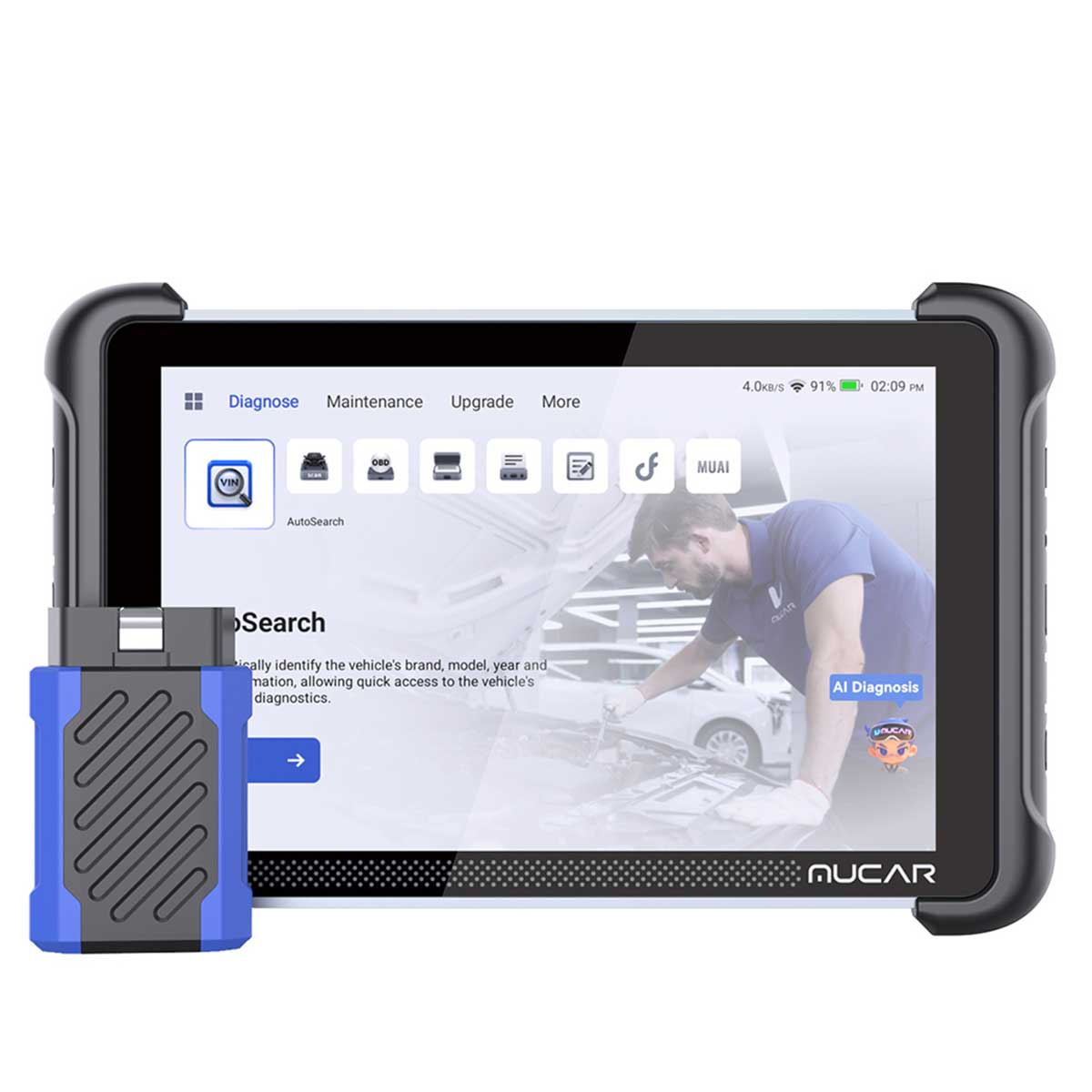
MUCAR 892BT
Best for Advanced DIYers & Repair Shops
A professional diagnostic scanner with OE-level full-system diagnostics, ECU coding, bi-directional control, AI assistance, and 35+ maintenance services for everyday repair workflows.
Buy MUCAR 892BT
MUCAR 892BT PRO
Best for Professional Workshops
A professional diagnostic platform with Vehicle Topology Map and J2534 Pass-Thru support, designed for advanced network diagnostics and compatible OEM programming workflows.
Buy MUCAR 892BT PROUltimately, the decision isn't about choosing the scanner with more features—it's about choosing the one that best matches the work you do today and the capabilities you want for the future.
Frequently Asked Questions
What is the biggest difference between the MUCAR 892BT and MUCAR 892BT PRO?
The biggest difference is that the MUCAR 892BT PRO adds Vehicle Topology Map and a J2534 Pass-Thru interface. Both scanners provide OE-level full-system diagnostics, ECU coding, bi-directional control, AI assistance, and service functions, but the PRO is designed for technicians who need a more advanced diagnostic and OEM programming workflow.
Can I upgrade the MUCAR 892BT to the MUCAR 892BT PRO?
No.
Although the two scanners share the same tablet platform and many diagnostic capabilities, they use different VCI hardware. The standard MUCAR 892BT cannot be upgraded to the 892BT PRO through software updates, firmware upgrades, paid activation, or VCI replacement.
Does the MUCAR 892BT PRO include OEM software?
No.
The 892BT PRO functions as a J2534 Pass-Thru interface, serving as a compatible J2534 interface for supported OEM programming workflows.
But OEM software, manufacturer subscriptions, security access, and related services must be obtained separately from the vehicle manufacturer or an authorized provider.
Can the MUCAR 892BT PRO program every vehicle?
No.
J2534 programming support depends on the vehicle manufacturer, model year, OEM software, subscription requirements, security authorization, and specific programming procedures. Always verify compatibility before performing OEM programming.
What is topology on a scan tool and how does it help?
A Vehicle Topology Map is a visual representation of the vehicle's electronic control modules and their communication network. Instead of checking each module individually, technicians can quickly identify faulted modules and understand how they are connected, helping speed up diagnostics on complex multi-module faults.
Do both scanners support ECU coding?
Yes.
Both the MUCAR 892BT and 892BT PRO support ECU coding on compatible vehicles. Available coding functions vary depending on the vehicle make, model, model year, and system.
Do both scanners support active tests?
Yes.
Both models support bi-directional control (active tests) on compatible vehicles, allowing technicians to command components such as fans, fuel pumps, relays, windows, and other actuators to assist with fault diagnosis.
Do both scanners include lifetime free updates?
Yes.
Both scanners include lifetime free diagnostic software updates, so there are no annual update fees for supported diagnostic functions.
Which model is better for advanced DIY users?
For most advanced DIY users, the MUCAR 892BT offers the best value. It provides OE-level diagnostics, ECU coding, active tests, AI assistance, and comprehensive service functions without paying for professional features such as J2534 Pass-Thru and Vehicle Topology Map that many DIY users may never need.
Which model is better for a small repair shop?
It depends on the shop's workload. The MUCAR 892BT is an excellent choice for routine diagnostics, maintenance, and everyday repair. If your shop regularly performs module replacement, OEM programming, or diagnoses complex network communication faults, the MUCAR 892BT PRO offers a more complete professional workflow with Vehicle Topology Map and J2534 Pass-Thru support.

Share:
What Is J2534? A Complete Guide to SAE J2534 Pass-Thru and ECU Programming
What Is a J2534 Pass-Thru Device? A Complete Guide to J2534 Interfaces and Vehicle Communication