
Which Tool Fits Your Workflow Fastest?
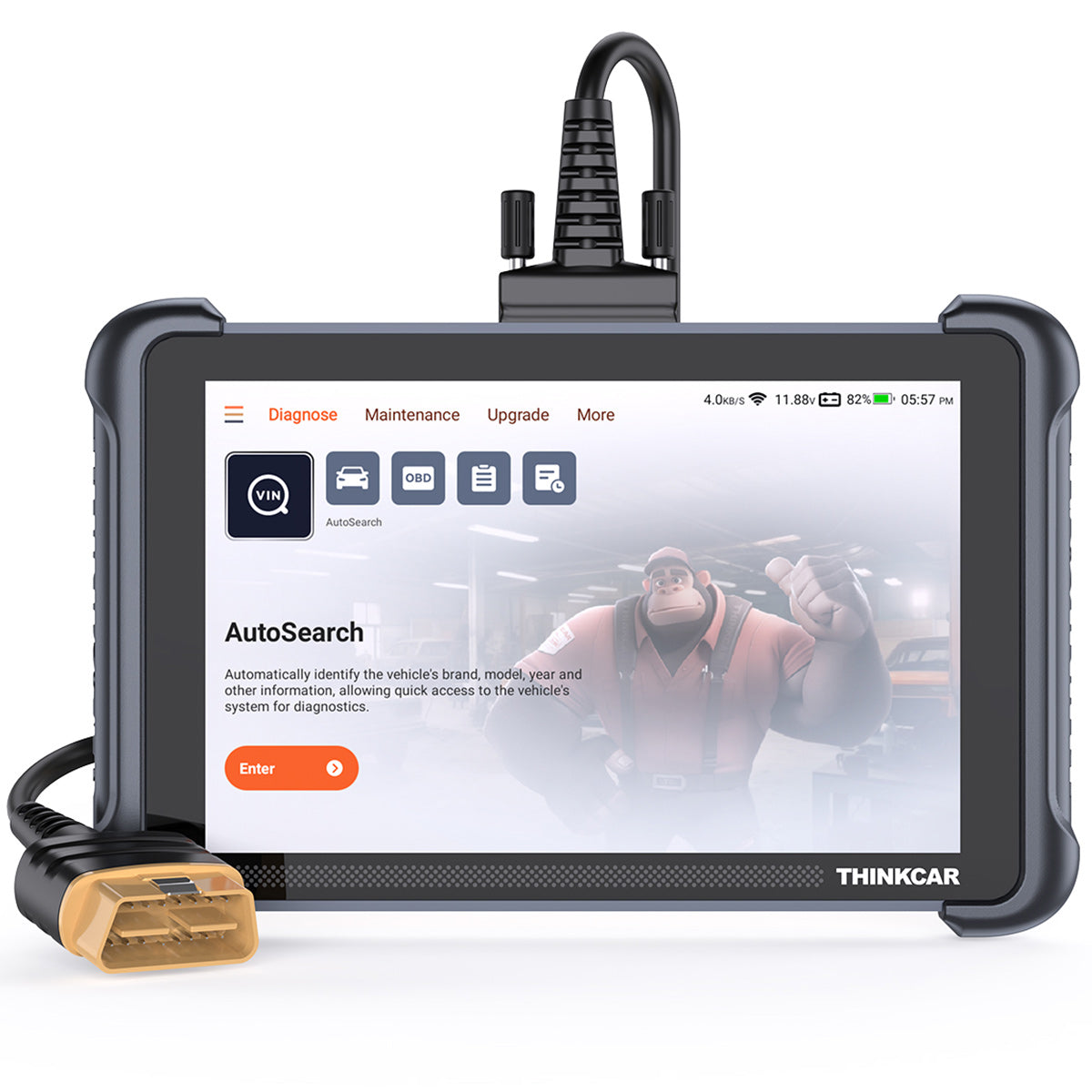
If you are shopping for the Best Scan Tools Under $1,000, the fastest answer is this: choose the tool that matches how often you diagnose cars, how many systems you touch per week, and whether you want a dedicated screen or phone-based workflow. A strong Bidirectional Scan Tool should not only read and clear codes. It should also run active tests, handle common service resets, and keep up with newer vehicle communication standards. That matters more now because late-model vehicles rely on more networked electronics, while NHTSA continues to emphasize the growing role of electronic vehicle systems in safety and reliability. At the same time, NIST highlights how vehicle electronics, communications, and software complexity keep expanding, which makes protocol support and system coverage more important in everyday diagnostics.
Fast diagnosis matters in real jobs
A slow scanner costs you more than a few extra minutes. It stretches intake time, delays confirm-and-fix work, and makes routine resets feel harder than they should. In a one-bay shop, that means fewer completed tickets. For a mobile technician, it means more time standing at the car with a phone in one hand and repair notes in the other.
This lineup solves four different needs:
- THINKSCAN 689BT for frequent multi-system diagnostics
- THINKDIAG 2 for portable app-based work
- MUCAR 682 for value-focused service coverage
- MUCAR BT200 MAX for pocketable guided checks
Start with workflow priorities
Before you compare features, decide what slows you down most now:
- Need a larger display and faster navigation?
- Need broad resets and active tests across many cars?
- Need something compact for driveway or mobile work?
- Need low-friction ownership with fewer ongoing costs?
If your answer is “I do a little of everything,” the more complete tool usually wins. If your answer is “I mostly scan my own cars and help friends,” a dongle can be enough.
Why THINKSCAN 689BT Leads This Lineup
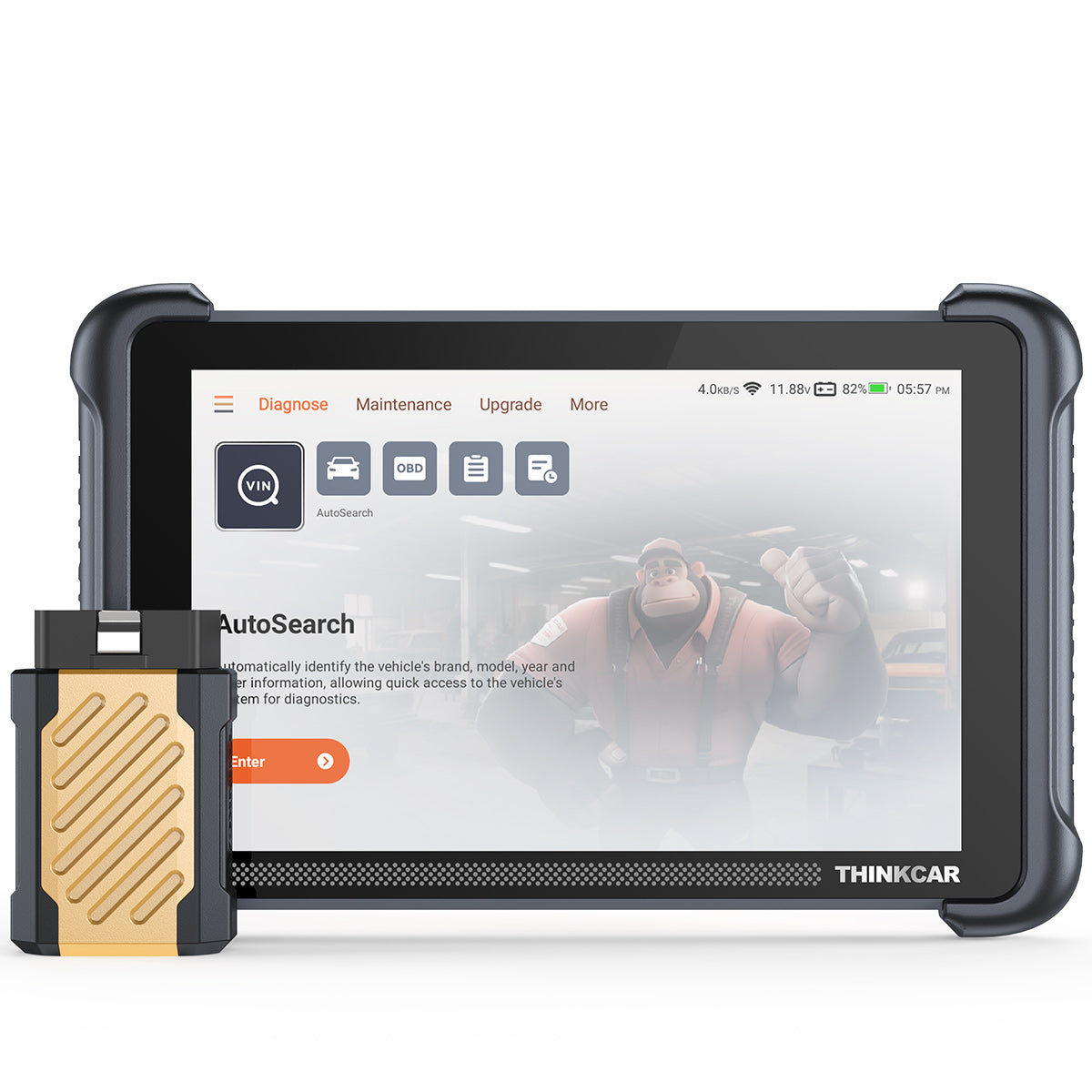
For most readers comparing the Best Scan Tools Under $1,000, the THINKSCAN 689BT is the most complete fit. It is built around an 8-inch dedicated tablet, a Bluetooth dongle connection, full-system diagnostics, ECU coding, active tests, and 34+ maintenance functions. ThinkCar also lists CAN-FD, DoIP, FCA AutoAuth, AutoVIN, AutoScan, 4 GB RAM, and 64 GB ROM on the product page, which is a strong feature stack for mixed shop and advanced DIY use.
Wireless tablet with full-system focus
The biggest advantage here is workflow speed. You are not borrowing screen space from your phone, dealing with texts popping up, or jumping between apps. The 8-inch display and tablet layout make long live-data sessions easier, especially when you need to move around the vehicle while the Bluetooth dongle stays connected.
In practical terms, the THINKSCAN 689BT suits:
- frequent full-system scans
- reset work after repairs
- active tests during no-start and drivability checks
- late-model vehicles that may need CAN-FD or DoIP support
Its listed strengths include 34+ maintenance functions, bidirectional control, ECU coding, and broad protocol support. That gives it a wider ceiling than the smaller tools in this comparison.
Best for frequent multi-system work
If your week includes ABS bleeding, EPB service mode, throttle relearns, battery registration, injector coding, or DPF-related service, the 689BT reduces tool switching. It is also easier to hand to another tech because the interface lives on dedicated hardware instead of a personal phone.
The tradeoff is simple: it is bulkier than a dongle. You get better navigation, more comfortable viewing, and a more shop-like experience, but it takes more room in a bag and feels like a real device rather than a backup adapter.
Shop: THINKSCAN 689BT
Is THINKDIAG 2 Better for Portable Diagnostics?
Yes, if portability matters more than screen size, THINKDIAG 2 is the easier carry. It is an app-based dongle aimed at individual owners, DIY users, and smaller repair workflows. ThinkCar lists CAN-FD support, ECU coding, bidirectional active tests, full-system diagnostics, Auto VIN, IMMO key matching, and 15 maintenance functions.
App-based dongle with active tests
THINKDIAG 2 gives you a lot in a compact form. The product page positions it as a Reset Tool For Cars with 15 standard special functions, including oil reset, EPB reset, DPF regeneration, SAS calibration, ABS bleeding, injector coding, IMMO matching, and TPMS reset. It also lists active tests such as cooling fan actuation, window commands, mirror operation, lights, horn, and door-lock functions.
That makes it more than a basic code reader. In fact, for many DIY users, THINKDIAG 2 covers the jump from passive scanning to real diagnostic interaction without requiring a separate tablet.
Best for DIYers and light shops
This tool works best when your jobs are occasional but still serious. You want active tests and resets, but you do not need a larger dedicated interface every day. It is also easier to keep in a glove box, backpack, or mobile tool pouch than a tablet-style unit.
The caution point is ownership model scrutiny. Since it is app-centered, you should always confirm what functions, brands, and update terms apply to your use case before buying. App-based scanners can be excellent, but they depend more heavily on phone compatibility and software ecosystem comfort than a standalone unit.
Shop: THINKDIAG 2
MUCAR 682 Covers Value-First Buyers
If your main goal is to get solid bidirectional capability without moving into a larger tablet price tier, MUCAR 682 is the practical middle choice. ThinkCar lists lifetime free updates, bidirectional testing, 20+ reset functions, CAN-FD support, FCA AutoAuth, full-system diagnostics, and a 6.2-inch anti-glare touchscreen.
Budget bidirectional tool with updates
MUCAR 682 stands out because it keeps dedicated hardware while staying simpler than the 689BT. You still get a real screen, plug-and-play setup, and more workshop-friendly ergonomics than a phone dongle. The page also highlights support for 125+ vehicle brands, OE-level full-system diagnostics, and common actuation checks for mirrors, horn, headlights, wipers, and windows.
That makes it a credible Active Test Scan Tool for users who want better day-to-day practicality than a phone-based adapter but do not need the fuller hardware and protocol stack of the 689BT.
Best for cost-conscious service work
MUCAR 682 fits small bays, side-work technicians, and owners who do regular maintenance jobs on multiple vehicles. The 6.2-inch screen is easier to use than a phone, and the 20+ reset menu covers a useful range of service scenarios.
Its limitation is positioning. It feels less premium than the 689BT, and on paper it offers fewer reset functions. So, if you regularly work across more systems and newer protocols, the 689BT still has the stronger long-term case.
Shop: MUCAR 682
What Makes BT200 MAX Different?
MUCAR BT200 MAX is the smallest and most portable option here, but it still reaches beyond entry-level scanning. ThinkCar lists AI-guided diagnostics, lifetime free updates, bidirectional control, CAN-FD, ELM327 app compatibility, 15+ resets, full-system diagnostics, and Bluetooth 5.2 support.
Bluetooth dongle with AI layer
The real difference is not just size. It is how the tool tries to guide the user. ThinkCar positions BT200 MAX around AI-assisted diagnostics and actuation testing, with claims of 3000+ bidirectional commands and support for tasks like mirror, window, wiper, headlight, EVAP, purge solenoid, injector, A/C clutch, ABS pump, and fan control tests.
For users who want a compact Bidirectional Scan Tool that can live in a pocket, this is the easiest model to carry. It also adds practical touches such as intelligent sleep mode and ELM327 app compatibility, which may matter if you already use third-party apps.
Best for guided mobile checks
BT200 MAX works best for quick checks, mobile appointments, and app-comfortable users who value portability over interface size. It is especially appealing if you move from vehicle to vehicle and want something lighter than even a compact tablet.
Still, the smaller interface limits workflow speed. On longer live-data sessions or deeper system work, a dedicated screen remains easier to manage. That is why BT200 MAX is strong as a guided portable tool, but not the best all-around replacement for a larger scanner.
Shop: MUCAR BT200 MAX
Resets and Active Tests: Head-To-Head
Here is the fastest comparison view if you are narrowing the Best Scan Tools Under $1,000 by real-world use.
| Dimension | THINKSCAN 689BT | THINKDIAG 2 | MUCAR 682 | MUCAR BT200 MAX |
|---|---|---|---|---|
| Format | 8-inch tablet | Bluetooth dongle | 6.2-inch tablet | Bluetooth dongle |
| Active tests | Yes, broad | Yes, app-based | Yes | Yes |
| Reset functions | 34+ | 15 | 20+ | 15+ |
| ECU coding | Yes | Yes | Not emphasized | Not emphasized |
| CAN-FD | Yes | Yes | Yes | Yes |
| DoIP | Yes | Not clearly listed | Not clearly listed | Not clearly listed |
| FCA support | Yes | Not highlighted | Yes | Yes |
| Updates | Lifetime free | App-policy dependent | Lifetime free | Lifetime free |
| Best use case | Mixed shop work | DIY and light shop | Budget bay work | Mobile spot checks |
| Limitations | Bulkier than dongles | Phone-first workflow | Less premium depth | Smaller interface |
Which tool gives broader service coverage?
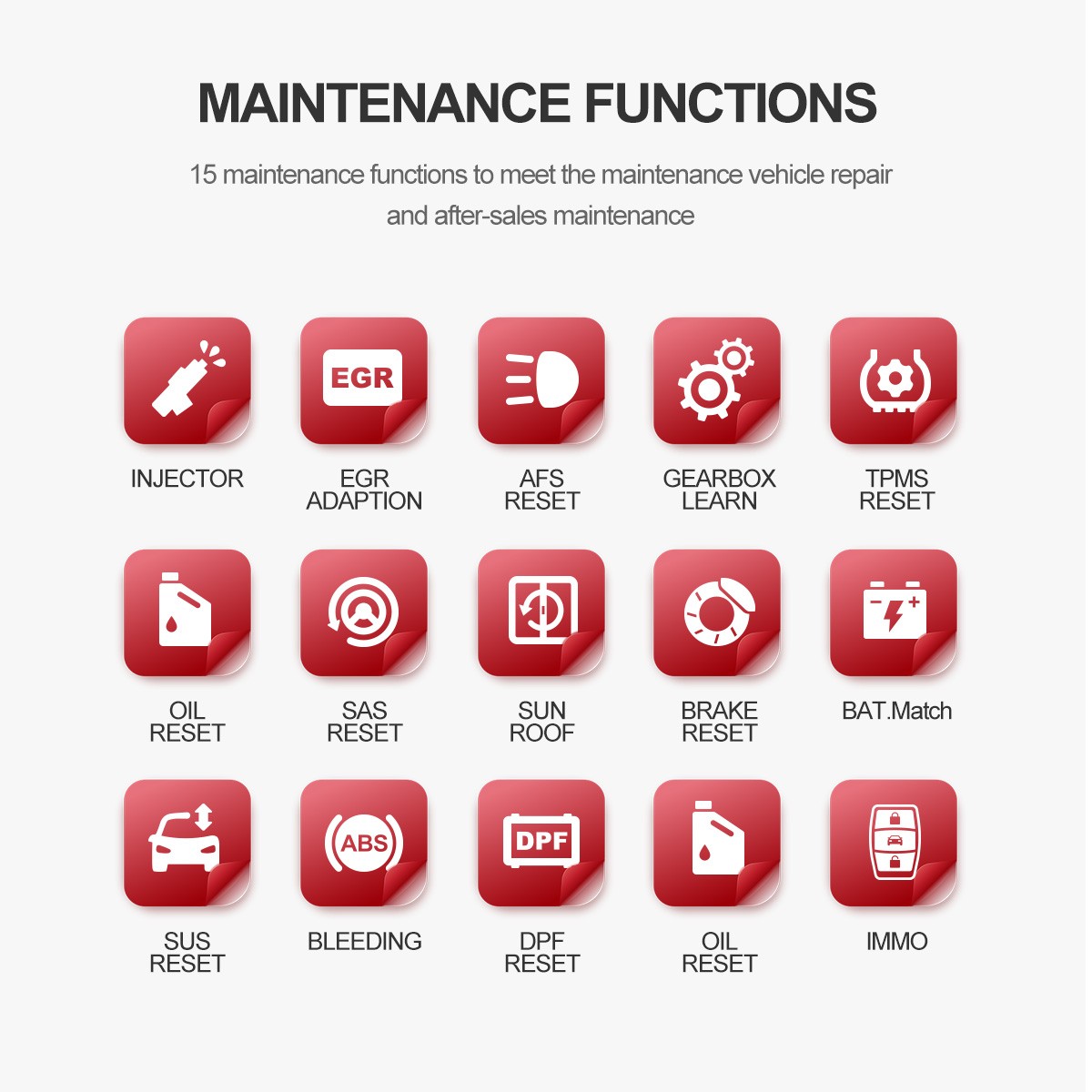
THINKSCAN 689BT: ThinkCar lists 34+ maintenance functions, which is the broadest stated reset coverage in this lineup. That matters if your work shifts between brake service, battery registration, relearns, DPF work, and calibration jobs across multiple makes.
Others: THINKDIAG 2 lists 15 maintenance functions, BT200 MAX lists 15+ resets, and MUCAR 682 lists 20+ resets. Those are still useful numbers, but they point to narrower out-of-box service breadth than the 689BT.
Best Fit: If reset depth is the first filter, the 689BT is the strongest choice. MUCAR 682 is the value compromise, while THINKDIAG 2 and BT200 MAX are better if portability matters more than menu depth.
Active tests in daily repairs
THINKSCAN 689BT: The 689BT is positioned for bidirectional and active-test work alongside ECU coding, which makes it the most workshop-oriented option here. It is better suited to repeat use when you need to command components and confirm faults quickly.
THINKDIAG 2, MUCAR 682, and BT200 MAX: All three support active tests, but their workflow style differs. THINKDIAG 2 and BT200 MAX lean into app-driven use, while MUCAR 682 keeps a dedicated screen and therefore feels more natural for repeated daily checks.
Best Fit: Choose the 689BT for frequent active testing, MUCAR 682 for budget-minded bay work, THINKDIAG 2 for flexible app users, and BT200 MAX for guided mobile diagnostics.
Wireless workflow or tablet speed?
THINKSCAN 689BT: The dedicated 8-inch tablet is the easiest to live with over long sessions. You get more comfortable graph viewing, quicker menu access, and less friction than a phone screen.
The dongle models: THINKDIAG 2 and BT200 MAX win on portability and storage. However, they depend on your phone or tablet, which can be less convenient when notifications, battery life, or screen size become part of the job.
Best Fit: For throughput, the tablet units are better. For portability, the dongles win.
Newer vehicle protocol readiness
THINKSCAN 689BT: ThinkCar clearly lists CAN-FD and DoIP support on the 689BT product page. That is a major strength if you work on newer vehicles where communication standard support can be the difference between limited access and full-system workflow.
Other tools: THINKDIAG 2, MUCAR 682, and BT200 MAX clearly show CAN-FD support. DoIP is not presented as clearly on their core product pages, so they feel less future-ready on paper for late-model heavy use.
Best Fit: If newer vehicle protocol readiness is a buying filter, the 689BT is the safest pick in this lineup.
Who Is Each Tool Really For?
Once you stop comparing spec bullets and start matching tools to actual jobs, the choices get clearer.
For independent repair shops
If your bay sees multiple systems per ticket, THINKSCAN 689BT is the best fit. The larger screen, 34+ resets, ECU coding, active tests, CAN-FD, and DoIP support all support faster throughput. MUCAR 682 also makes sense if you need a lower-cost dedicated unit for a second bay or lighter service lane.
For mobile mechanics
For road calls and driveway diagnostics, the best answer depends on how much screen you want to carry. MUCAR BT200 MAX stays the most pocketable. THINKSCAN 689BT is still portable enough for many mobile techs, but it gives you a more comfortable interface once you arrive on site.
For DIYers who want more
If you want more than code reading but do not want a bigger tablet, THINKDIAG 2 is the easiest step up. It covers full-system diagnostics, active tests, and 15 maintenance functions in a compact app-based format. BT200 MAX is also attractive if AI-guided help and extreme portability matter more than a larger interface.
Best Fit Summary Before You Buy
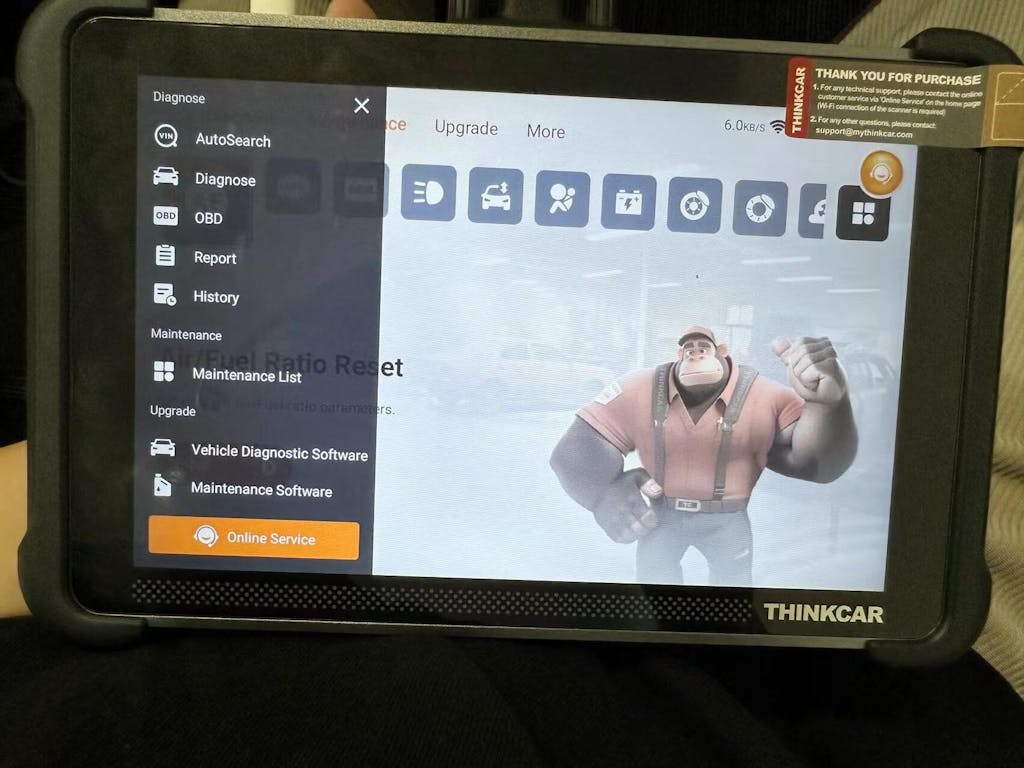
If you want one short answer, here it is: the THINKSCAN 689BT is the broadest all-around tool in this internal comparison, but each model wins in a different lane.
Best-fit breakdown
- THINKSCAN 689BT: best for serious versatility and mixed repair volume
- THINKDIAG 2: best for app-first users who want strong portable diagnostics
- MUCAR 682: best for budget-minded buyers who still want dedicated hardware
- MUCAR BT200 MAX: best for guided portability and quick mobile checks
What to prioritize before buying
Choose by job frequency first, then by feature list. If you work mostly on newer vehicles, protocol support matters more than a long reset list alone. If you do repeated diagnostic work, screen size and workflow speed matter more than pocketability.
Conclusion
For most users comparing the Best Scan Tools Under $1,000, the THINKSCAN 689BT is the best fit because it balances dedicated hardware, broad reset coverage, bidirectional control, ECU coding, and stronger protocol readiness than the smaller options. That said, this is an internal comparison, so the right answer depends on your daily workflow rather than a single universal winner.
If you want the most complete shop-to-driveway tool, start with the THINKSCAN 689BT. If you prefer app-based portability, look at THINKDIAG 2. If value matters most, MUCAR 682 is the practical middle choice, while MUCAR BT200 MAX fits guided mobile checks best. Match the tool to how often you run resets and active tests, and you will make the better long-term buy.
FAQ
What matters most in a bidirectional scan tool?
The most important factors are system coverage, active test depth, reset coverage, protocol support, and update policy. A proper bidirectional tool should command components like fans, windows, pumps, and relays, not just read and clear codes. You should also check whether it supports newer protocols such as CAN-FD and, if relevant to your work, DoIP. Finally, choose a screen format that matches your use style, because workflow speed matters as much as feature count.
How many reset functions do most users actually need?
Most owners regularly use only 4 to 8 functions, such as oil reset, EPB, SAS, battery matching, ABS bleeding, and TPMS reset. However, small shops and multi-car households benefit from broader coverage because service needs change by vehicle and repair type. A tool with 15 functions can be enough for routine work, while 20+ or 34+ functions gives you more flexibility across brands. The key is not just the number of resets, but whether your specific make, model, and year are supported.
Are active tests the same on every vehicle?
No, active tests are not the same on every vehicle because availability depends on the module, software access, and communication support for that make and year. One scanner may offer broad bidirectional capability, but the exact commands can still vary between a 2018 sedan and a 2025 SUV. That is why you should treat active tests as vehicle-dependent, even when the tool itself is capable. In daily use, common checks like fan control, window operation, injector testing, and ABS pump actuation may work on some vehicles and be limited on others.
Is a Bluetooth dongle enough for serious diagnostics?
Yes, a Bluetooth dongle can be enough for serious diagnostics if your work is occasional, mobile, or centered on a few familiar vehicles. Many dongle-based tools now support full-system scans, active tests, and 15 or more reset functions, which covers a lot of real jobs. However, a dedicated tablet usually feels faster and easier during long sessions because the screen is larger, the interface is more stable, and you are not relying on your phone. If you diagnose several vehicles each week, dedicated hardware is usually the better fit.
Do newer cars require CAN-FD or DoIP support?
Increasingly, yes, especially if you work on newer GM and other late-model platforms where communication standards have changed. CAN-FD matters because it supports faster and larger data transmission than older CAN setups, which can affect module access and diagnostic speed. DoIP becomes important when vehicle communication moves over IP-based networks and you need stronger support for modern system access. If you expect to keep the tool for several years, protocol support is one of the smartest ways to future-proof your purchase.
Which ThinkCar model is the best fit for most users?
For most mixed-use buyers, the THINKSCAN 689BT is the best fit because it combines a dedicated 8-inch screen, 34+ reset functions, active tests, ECU coding, and support for CAN-FD and DoIP. THINKDIAG 2 is the better choice if you prefer a portable app-based scanner and do not mind phone-centered workflow. MUCAR 682 makes sense for value-focused buyers who still want dedicated hardware, while BT200 MAX is best when pocketability and guided checks are the priority. In short, buy for your workflow first, not just the longest feature list.
Table of Contents
- Which Tool Fits Your Workflow Fastest?
- Why THINKSCAN 689BT Leads This Lineup
- Is THINKDIAG 2 Better for Portable Diagnostics?
- MUCAR 682 Covers Value-First Buyers
- What Makes BT200 MAX Different?
- Resets and Active Tests: Head-To-Head
- Who Is Each Tool Really For?
- Best Fit Summary Before You Buy
- Conclusion
- FAQ

Share:
A Useful Guide to Choosing Scan Tools With Clear Update and Subscription Policies
Top 10 Best OBD2 Scanners (Bidirectional Scan Tools) in 2026 – Complete Buying Guide