
Which scan tool ownership style actually fits you?
If you are comparing scan tools because a warning light just came on, the fastest answer is this: your best car diagnostic tool is the one whose update rules still make sense a year from now. That is why scan tool update policy and OBD2 scanner subscription terms matter almost as much as bidirectional tests or reset menus. A tool that feels cheap and flexible on day one can become annoying if core software depends on app renewals, while a simpler handheld can feel like the better long-term buy if you only scan your own cars a few times a month. For U.S. vehicles, generic OBD-II access has been standard on 1996 and newer cars, but full-system access still depends on the tool, the software, and the exact vehicle modules you need to reach, as the EPA and NHTSA explain.
So, start with the ownership tradeoff instead of the spec sheet. If you want a grab-and-go device with fewer policy surprises, a handheld unit often feels safer. If you want a portable app-based workflow across multiple vehicles, a Bluetooth dongle can be the smarter fit, but only if you are comfortable managing accounts, updates, and software access over time.
Which ThinkCar tool fits your ownership style?
For this internal comparison, the short answer is simple. ThinkDiag 2 vs ThinkScan 672 comes down to flexibility versus predictability, while MUCAR BT200 MAX vs ThinkDiag 2 is really a choice between expandable app-based depth and value-focused wireless ownership. All three can move past basic code reading, but they behave differently once you factor in screen style, update flow, and long-term access.
Here is the side-by-side view that matters most for real ownership.
| Dimension | THINKDIAG 2 | THINKSCAN 672 | MUCAR BT200 MAX |
|---|---|---|---|
| Format | Bluetooth dongle + app | Handheld scanner | Bluetooth scanner + app |
| Screen setup | Uses your phone | Built-in 7-inch screen | Uses your phone |
| Core workflow | Mobile and portable | Self-contained and direct | Wireless and app-led |
| Full-system diagnostics | Yes | Yes | Yes |
| Bidirectional control | Yes | Yes | Yes |
| Reset functions | 15+ | 28+ | 15+ |
| ECU coding mention | Yes | Limited focus | Not highlighted here |
| Protocol note | CAN-FD | CAN-FD | CAN-FD highlighted |
| Update model | Included period, then subscription | Lifetime free updates | Marketed lifetime updates |
| Ownership friction | App/account dependent | Lower friction | App dependent |
| Best fit | App-first flexible users | Predictability-focused owners | Value-seeking wireless DIYers |
| Limitations | Ongoing software considerations | Less pocketable than dongles | Feature depth varies by vehicle |
The table shows why many buyers get stuck. On paper, the tools can look similarly capable. In practice, your workflow changes everything. If you hate using your phone in the garage, THINKSCAN 672 will likely feel easier. If you want one compact tool to move between vehicles with more advanced functions, THINKDIAG 2 stays compelling. If you want wireless convenience with a simpler value story, MUCAR BT200 MAX deserves a close look.
ThinkDiag 2 offers flexibility but has ongoing software considerations
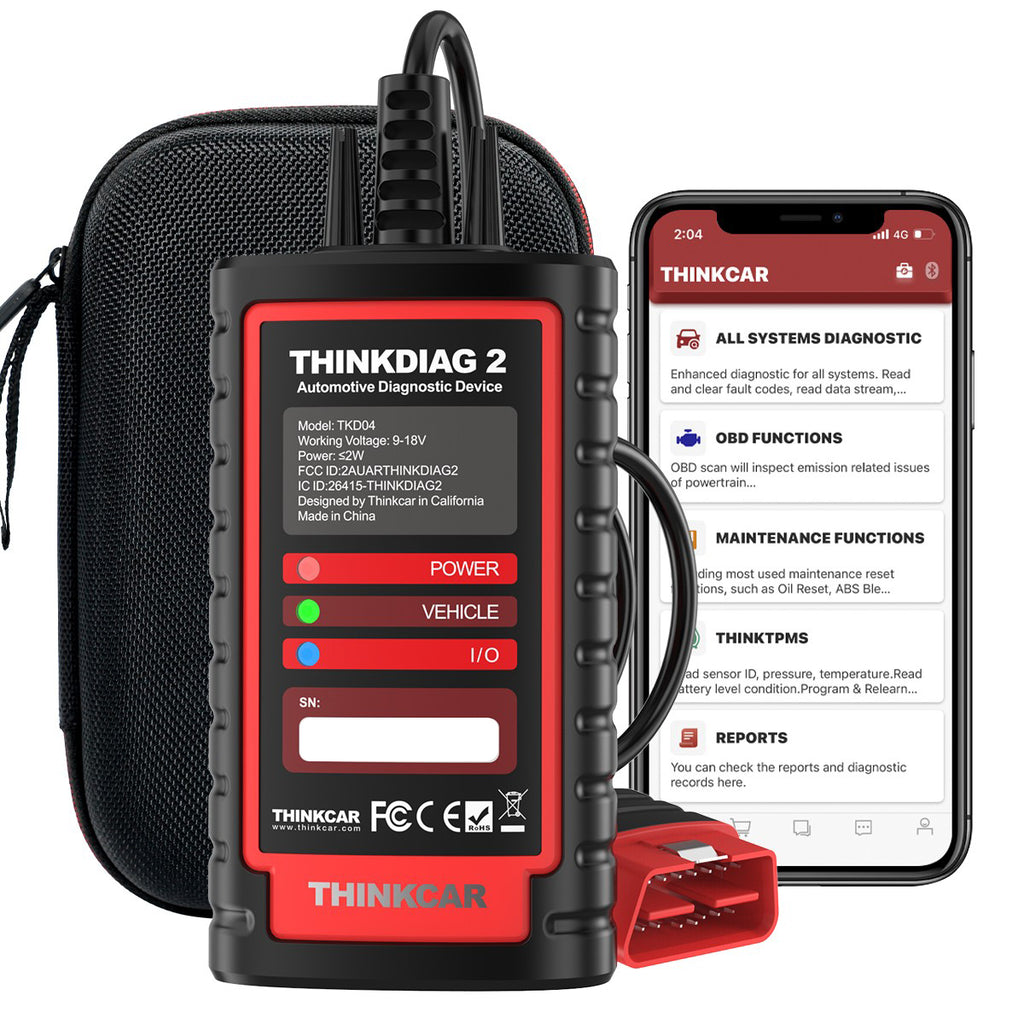
THINKDIAG 2 is the most expandable option here if you like a phone-based workflow and want advanced functions in a compact form. On the official product page, ThinkCar positions it as a Bluetooth diagnostic scanner with CAN-FD support, ECU coding, bidirectional or active tests, full-system diagnostics, 15 maintenance functions, Auto VIN, IMMO key matching, and support for 98% of car models in the market. It also supports 15+ languages and is framed for individual owners, DIY users, and smaller repair environments. That makes it the most flexible tool in this comparison when you value portability and deeper software-led diagnostics over a dedicated device screen.
The catch is the ownership model. ThinkCar also sells a separate THINKDIAG2 1 Year Software Subscription, and that renewal page states the T-code is software only for the standalone THINKDIAG 2 device. In plain terms, this is why OBD2 scanner subscription terms matter: the hardware is only part of the cost story. If you scan different vehicles often, need newer coverage, or want the platform to stay current, the renewal path may still make sense. If you only clear codes a few times a year, the idea of ongoing software management may feel like unnecessary friction.
Why THINKDIAG 2 works well in real garages
THINKDIAG 2 makes the most sense when your garage routine already centers on a phone or tablet.
- It is easy to carry between vehicles.
- Auto VIN helps speed up initial identification.
- Bidirectional testing can shorten troubleshooting time.
- ECU coding support gives it room to grow with your skill level.
- Full-system access is a real upgrade over engine-only readers.
That combination is why ThinkDiag 2 vs ThinkScan 672 is not just a handheld-versus-dongle argument. It is a question of whether you want a fixed device or a software platform that travels with you.
Shop: THINKDIAG 2
Does ThinkScan 672 keep costs simpler?
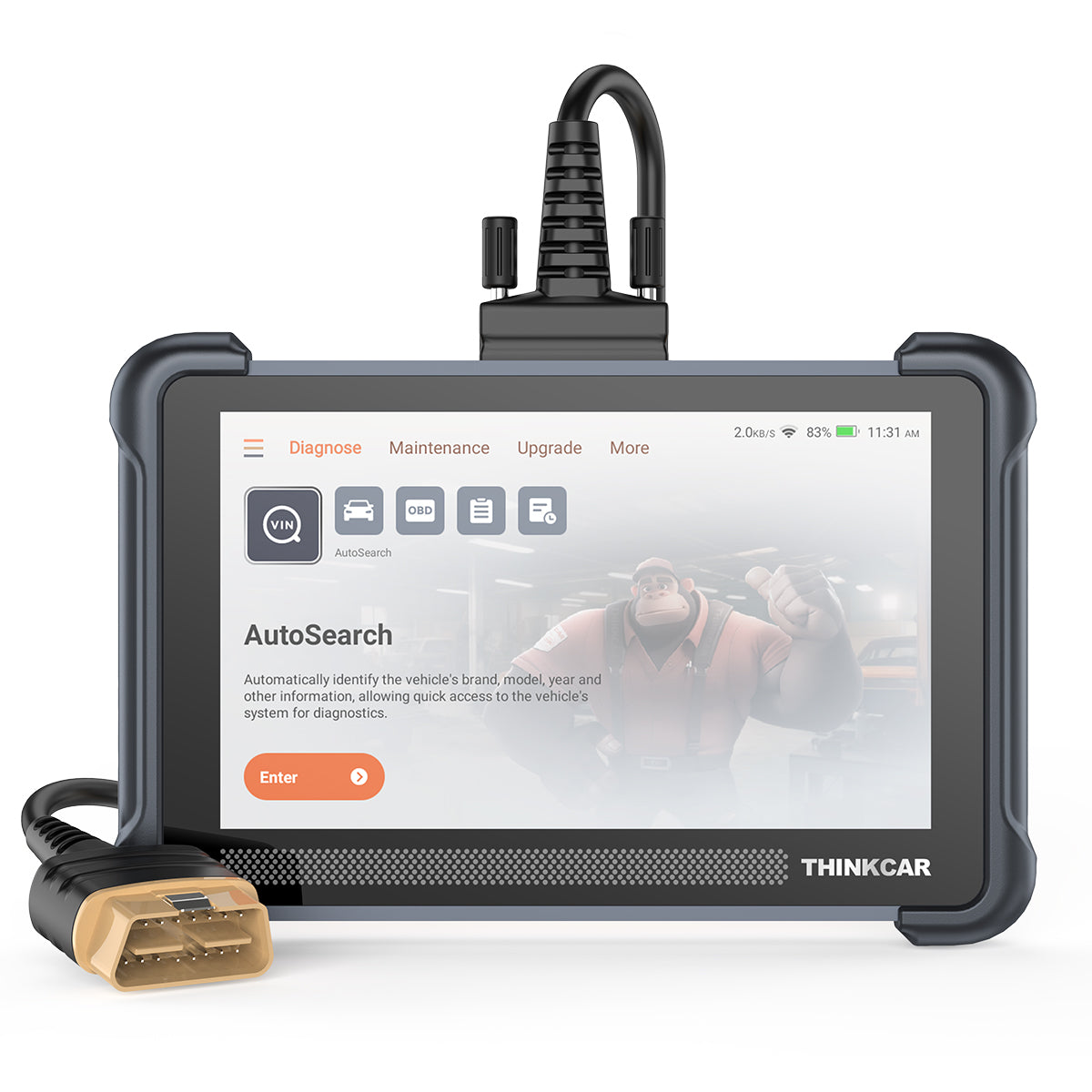
Yes, and that is the main reason many casual owners will prefer it. THINKSCAN 672 is a handheld scan tool with a built-in 7-inch touchscreen, 2.4G and 5G Wi-Fi updating, full-system diagnostics for 140+ brands, bidirectional control, CAN-FD support, IMMO key matching, AutoVIN and AutoScan, plus 28+ reset services. ThinkCar also describes it as working for most vehicles built in 1996 or later and highlights protocol coverage including KWP2000, CAN, ISO 9141-2, UDS, SAE J1850, and CAN-FD. In day-to-day use, that means less setup friction: you grab one device, plug in, and start scanning.
The bigger ownership advantage is policy clarity. ThinkCar’s official product index and product descriptions position THINKSCAN 672 with free lifetime updates and no subscription fees. That matters because scan tool update policy is often where buyers either save money over time or end up regretting the purchase. A handheld with lifetime updates is easier to understand, easier to hand to another person in the shop, and usually easier to revisit after a few months away. You do give up some of the app-style portability of a dongle, but in exchange, you get a more self-contained workflow with fewer account-based moving parts.
What stands out on THINKSCAN 672
If you want predictability, THINKSCAN 672 has the clearest long-term ownership story in this comparison.
- Built-in 7-inch display reduces phone dependence.
- 28+ reset services go beyond basic maintenance tasks.
- 3000+ active test functions are highlighted on the product page.
- Full-system diagnostics cover engine, chassis, body, A/C, and more.
- Wi-Fi updating is simpler than juggling app permissions and pairing issues.
For many households, this is the most balanced answer to the best car diagnostic tool question because it keeps both capability and update policy easy to understand.
Shop: THINKSCAN 672
MUCAR BT200 MAX leans wireless and value-focused
MUCAR BT200 MAX sits between the other two options in a useful way. It keeps the wireless, phone-based convenience of a Bluetooth scanner, but its positioning is more value-focused and more guided. ThinkCar’s 2025 launch material and later comparison content describe the BT200 MAX as a Bluetooth scanner with full-system diagnostics, bidirectional control, 15+ essential resets, CAN-FD support, and an AI-assisted layer meant to help users interpret findings faster. The same materials market it with a lifetime software update angle, which is one reason MUCAR BT200 MAX vs ThinkDiag 2 is such a relevant comparison for buyers who want wireless use without automatically accepting a renewal-heavy ownership model.
That said, the right expectation is important. AI hints can speed up triage, but they do not replace vehicle-specific diagnostic judgment. A code explanation is only the beginning. Even strong scanners still depend on the exact make, model, year, and module support available on that vehicle. ThinkCar also notes that feature depth can vary by vehicle, so you should treat BT200 MAX as a smart value pick rather than assuming every advanced function will behave identically across every platform.
Where BT200 MAX makes the most sense
This tool fits buyers who want strong wireless capability but do not want the most complex ownership path.
- Good match for advanced DIY users.
- Helpful when you prefer phone mobility over a separate handheld.
- AI-led guidance may reduce hesitation for less experienced users.
- Bidirectional control keeps it useful beyond code reading.
- Lifetime-update marketing improves the long-term value story.
So, if MUCAR BT200 MAX vs ThinkDiag 2 is your real dilemma, ask yourself whether you need the extra expansion path of THINKDIAG 2 or you simply want a capable wireless scanner that feels easier to justify long term.
Shop: MUCAR BT200 MAX
Update policy breakdown that actually affects ownership
This is the section most buyers skip, and it is usually the one they regret skipping. Scan tool update policy determines whether your tool stays satisfying after the excitement of the first few weeks wears off. A scanner can have strong hardware and still become annoying if software access is unclear, renewal steps are clunky, or key functions depend on account status.
Which tool has the clearest long-term access?
THINKSCAN 672 has the clearest long-term access in this group because ThinkCar presents it with lifetime free updates and no subscription fees. That is easy to budget, easy to explain, and easy to revisit after long gaps between uses. THINKDIAG 2 is more flexible, but its separate one-year software subscription listing makes the long-term model more conditional. MUCAR BT200 MAX is marketed with lifetime software updates in current ThinkCar materials, which makes it more appealing than many app-based scanners for buyers who want fewer recurring ownership questions.
Are ongoing fees a dealbreaker?
Not always. An OBD2 scanner subscription can be worth paying if you diagnose many vehicles, need fresh model coverage, or rely on deeper platform-level features often enough to justify the renewal. That said, subscriptions feel much harder to defend for occasional home use. If your typical job is checking a check-engine light, viewing live data, and confirming a repair, lifetime-update tools usually feel safer and easier to own over three to five years.
According to Reuters, software-defined vehicle features and digital service models are becoming more common across the auto industry, which is exactly why buyers should read update rules carefully before choosing a scan tool. The hardware purchase is no longer the whole ownership story.
How much policy friction should you expect?
Policy friction is simply the amount of effort it takes to keep the tool useful. THINKSCAN 672 keeps that low because it is device-led and update expectations are straightforward. THINKDIAG 2 has more policy friction because it depends on app access, account state, and software renewal choices. MUCAR BT200 MAX sits in the middle: it is still app-driven, but its marketed lifetime-update angle makes the long-term value story easier to accept than some other dongle-style tools.
Features matter, but workflow changes everything
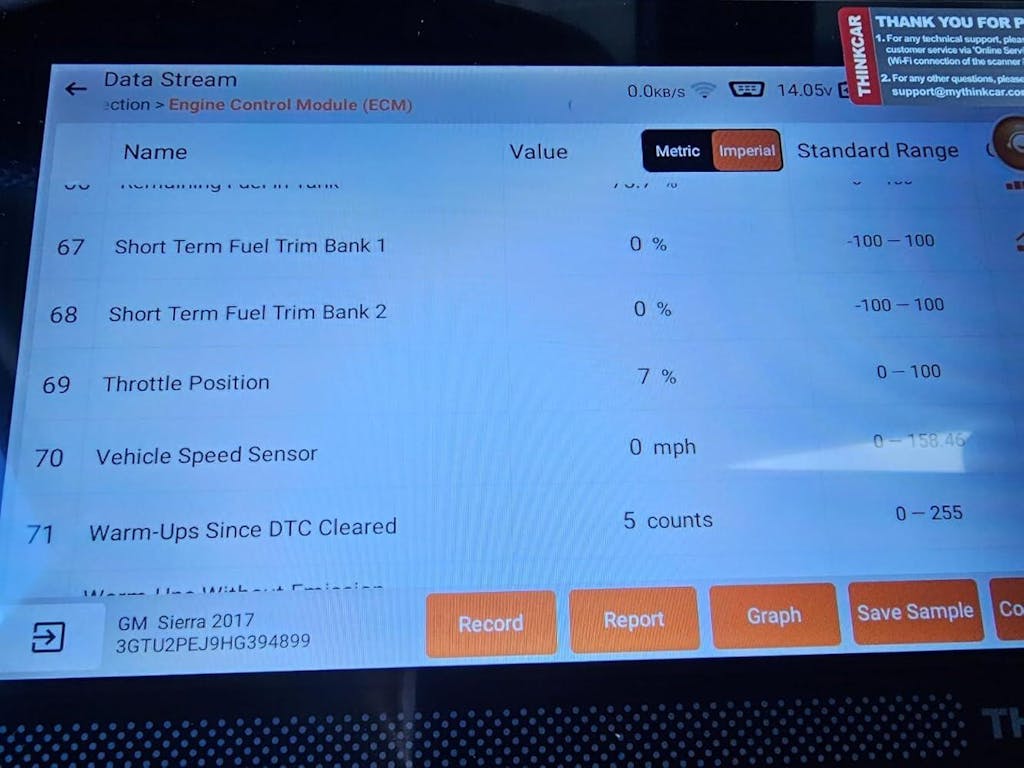
Here is the practical truth: most buyers do not return a scan tool because it lacks one more reset function. They stop using it because the workflow feels annoying. That is why ThinkDiag 2 vs ThinkScan 672 is really a user-experience question before it becomes a feature question.
Bi-directional control or basic diagnostics?
All three tools are positioned above basic engine-code readers. THINKDIAG 2 highlights bidirectional testing, ECU coding, and full-system diagnostics. THINKSCAN 672 goes even harder on active-test depth, with ThinkCar claiming 3000+ bidirectional functions and 28+ hot reset services. MUCAR BT200 MAX also emphasizes bidirectional control and full-system diagnostics, so none of these are simple read-and-clear devices.
Still, you should keep expectations realistic. As many current OBD-II buying guides note, full-system and active-test support vary by vehicle platform, and generic OBD-II support alone does not guarantee access to ABS, SRS, transmission, or body modules. That is why coverage checking by make, model, year, and system matters more than headline feature counts.
Which format feels better in real use?
A handheld usually feels faster when you are under time pressure. THINKSCAN 672 gives you one dedicated screen, built-in controls, and no need to unlock your phone, manage battery drain, or deal with app permissions. That makes it a strong fit for repeated garage use, shared household use, or anyone who wants a tool that behaves like a tool.
A dongle wins when space and mobility matter more. THINKDIAG 2 and MUCAR BT200 MAX are easier to carry, easier to store, and easier to move across vehicles. If you already use your phone for service manuals, repair videos, and note-taking, a Bluetooth scanner may feel natural instead of inconvenient.
Does AI guidance help or distract?
It helps when it shortens your first decision, and it distracts when you treat it like a final diagnosis. That is the fairest way to view MUCAR BT200 MAX’s AI-led approach. Good guidance can save time by explaining what a code likely points to and what systems deserve attention first. However, no AI summary can replace freeze-frame review, live-data checks, and basic mechanical verification.
The safety angle matters too. NHTSA materials note how diagnostic trouble codes are only one piece of vehicle diagnostic access, not a full repair conclusion. In other words, use scanner guidance to narrow the search, then confirm with actual tests before you order parts or clear faults.
Best fit by user type, not hype
If you want the quickest recommendation, here it is. No single model wins every category in this internal comparison. The better approach is to match the scanner to your ownership style, your tolerance for update friction, and the kinds of jobs you actually do.
For casual DIY ownership
Best Fit: THINKSCAN 672. It is the strongest fit when you want low policy anxiety, a built-in screen, and a more predictable long-term value story. You get full-system diagnostics, bidirectional functions, 28+ resets, and lifetime-update positioning without making your phone part of every diagnostic session. For many households, that makes it the easiest tool to keep using correctly.
For app-first flexible diagnostics
Best Fit: THINKDIAG 2. Choose it when portability and expandable software matter more than policy simplicity. It is the best match if you like working from your phone, want ECU coding and active tests in a compact package, and expect to diagnose multiple vehicles often enough that software renewal still feels justified.
For value-seeking wireless buyers
Best Fit: MUCAR BT200 MAX. This is the sweet spot for buyers who want wireless convenience and stronger long-term value than many subscription-heavy dongles. Its AI-guided approach and lifetime-update marketing make it especially appealing for advanced DIY users who want more than basic OBD-II without stepping up to a full handheld platform.
Conclusion
The best answer in this guide is not about raw features alone. It is about total ownership. If scan tool update policy clarity is your top priority, THINKSCAN 672 is the strongest all-around pick because it combines broad function depth with a simpler lifetime-update story. If you want the most flexible app-based platform and can accept an OBD2 scanner subscription after the included period, THINKDIAG 2 remains a powerful option. If you want a wireless value play with helpful guidance and a less intimidating long-term update story, MUCAR BT200 MAX is the most balanced alternative.
Before you buy, verify your exact make, model, year, and target systems, especially if you care about ABS, SRS, service resets, or active tests. Then choose the tool that fits how you really work, not the one with the longest feature list. If you want the safest low-friction path, start with THINKSCAN 672. If you prefer portable depth, THINKDIAG 2 is the better fit. If wireless value is your priority, MUCAR BT200 MAX is the one to shortlist.
FAQ
Why do update policies matter on scan tools?
Update policies matter because they directly change the tool’s long-term value and usefulness. A scanner with strong hardware can still become frustrating if software renewals affect vehicle coverage, module access, or advanced functions after the first year. In practical terms, you should separate three things before buying: hardware ownership, update access, and whether key functions stay unlocked without ongoing payment. That simple check prevents surprises later.
What is the difference between free updates and free functions?
Free updates usually mean software improvements, bug fixes, and newer vehicle coverage are added without extra cost. Free functions means the tool’s core diagnostic and service features remain available to use without paying again. Those two terms are not always the same, which is why buyers should confirm them separately on the product page. A tool can receive update support but still have certain advanced functions tied to a different access model.
Is a Bluetooth dongle better than a handheld scanner?
A Bluetooth dongle is better when portability and phone-based convenience matter most to you. A handheld scanner is better when you want a dedicated screen, quicker startup, and fewer moving parts during a repair session. In real use, dongles work well for mobile users and multi-car households, while handheld tools feel more comfortable for longer garage sessions and repeat diagnostics. The better choice depends less on specs and more on whether you like app workflows or self-contained devices.
How can I tell if a tool supports my vehicle systems?
You can tell by checking support at the level of make, model, year, and system instead of relying on generic OBD2 claims. Basic compatibility with engine codes does not guarantee access to ABS, airbags, transmission modules, service resets, or active tests. Before buying, confirm the exact functions you need, such as EPB reset, SAS calibration, DPF regeneration, or injector coding, against your vehicle. That step matters even more if you own a newer platform using CAN-FD or if you need manufacturer-specific modules.
When is a subscription actually worth paying for?
A subscription is worth paying for when you diagnose often enough that fresh software access changes outcomes, not just convenience. That usually means you work on multiple vehicles, need newer model coverage, or rely on advanced platform functions that go beyond occasional code reading. For light home use, lifetime-update tools usually feel easier to justify because they reduce ownership stress and keep the total cost easier to predict. The tipping point is frequency: the more often you use the tool, the easier renewal is to defend.
What should I compare besides price?
You should compare update rules, function access, vehicle coverage, workflow, and how quickly the tool helps you make the next decision. Also check whether the scanner offers full-system diagnostics, bidirectional control, reset depth, Auto VIN, and a format you will actually enjoy using. In many cases, a simpler device with a clearer policy is the better long-term buy than a more impressive tool with higher software friction. The best car diagnostic tool is the one you keep using correctly when the warning light comes back six months later.
Table of Contents
- Which scan tool ownership style actually fits you?
- Which ThinkCar tool fits your ownership style?
- ThinkDiag 2 offers flexibility but has ongoing software considerations
- Does ThinkScan 672 keep costs simpler?
- MUCAR BT200 MAX leans wireless and value-focused
- Update policy breakdown that actually affects ownership
- Features matter, but workflow changes everything
- Best fit by user type, not hype
- Conclusion
-
FAQ
- Why do update policies matter on scan tools?
- What is the difference between free updates and free functions?
- Is a Bluetooth dongle better than a handheld scanner?
- How can I tell if a tool supports my vehicle systems?
- When is a subscription actually worth paying for?
- What should I compare besides price?

Share:
Upgrading From a Basic Bluetooth Reader: What to Buy
Best Scan Tools Under $1,000 for Resets and Active Tests