
The Ultimate Guide to Smartphone Scan Tools for Serious DIY and AI-Guided Diagnostics
Which smartphone scan tool setup actually fits serious DIY diagnostics?
A warning light can send you down an expensive path fast. You read one code, buy the first part that seems related, clear the light, and then the same problem comes back. That is the real difference between a basic phone dongle and a serious smartphone scan tool: one gives you a clue, while the other gives you a workflow.
What matters most is not whether the tool connects to your phone. It is whether that app-powered scan tool can reach the systems you need, show usable live data, save reports, and help you confirm a repair instead of guessing. In the sections below, you will sort out what a Bluetooth OBD2 scanner can really do, where AI-assisted diagnostics genuinely help, and how to match ThinkCar, Autel, and ANCEL category options to the jobs in your driveway. According to NHTSA, the OBD-II connector has been mandated on U.S. passenger cars and light trucks since model year 1996, but that standard connector does not guarantee deep access to every module or service function. (nhtsa.gov)
What a phone-based scanner must do before it earns glove-box space
A smartphone scan tool only makes sense if it reduces repeat work. The useful dividing line is not wired versus wireless. It is basic emissions access versus deeper diagnostic access.
Definitions that keep buyers from mismatching tools
A few terms decide whether you buy the right tool or a frustrating one. A smartphone scan tool is the hardware-and-app combination: a Bluetooth adapter plugs into the OBD-II port, and your phone becomes the display and control screen. A code reader is the most limited version. It usually focuses on generic powertrain faults and emissions readiness. A full-system phone scanner reaches more modules, such as ABS, SRS, transmission, body, battery, or steering, depending on vehicle support. Bidirectional OBD2 scanner capability means the tool can command components or actuators during testing instead of only reading data. AI-assisted diagnostics add guided interpretation on top of the raw scan results, but they still depend on the data the scanner can actually access. ThinkCar’s recent guides repeatedly make that distinction between simple code access and deeper diagnostic depth.
Core concept map for this topic
If you remember one framework, use this one:
- Generic OBD2 is the baseline, not the finish line.
- Full-system depth varies by vehicle, year, and brand.
- Active tests help confirm faults instead of only suggesting them.
- App design matters because you will live inside the workflow.
- Coverage and update policy matter before checkout, not after.
That last point gets missed all the time. A scanner may physically connect to your car yet still fall short on the exact reset, module, or protocol you need. ThinkCar’s MUCAR BT200 MAX product page highlights full-system diagnostics, bidirectional control, CAN-FD support, and 15+ reset functions, while the MUCAR BT200 is positioned more as a compact full-system entry option with lifetime free core diagnostic functions and limited reset coverage.
Main categories you should separate early
Before you compare brands, separate the tool classes:
- Basic engine-light readers: good for generic codes, readiness, and quick ownership checks.
- Full-system Bluetooth app scanners: better for serious DIY users who want access beyond the engine.
- Bidirectional app-driven tools: stronger for fault confirmation when you need active tests.
- Tablet scanners: better for long sessions, heavier workflow, and repeated multi-vehicle work.
In practice, most home users upgrade too late. They buy an engine-code dongle first, then discover it cannot help with electronic parking brake service, battery registration, or steering-angle work. That is why the serious DIY car diagnostic tool conversation starts with repair depth, not price or app screenshots.
How a smartphone scan tool works in a real driveway workflow

The best phone-based setup feels simple on day one and still useful six months later. You want fast setup, clean reports, and enough depth to move from symptom to evidence.
From plug-in to first useful diagnosis
A good workflow looks like this:
- Plug the adapter into the OBD-II port.
- Pair the app with the dongle.
- Confirm the vehicle automatically or select it manually.
- Run a full-system scan before clearing anything.
- Save the codes, freeze frame, and live data.
- Use active tests or resets only after you understand the fault.
That order matters because clearing too early erases clues. Freeze frame is the saved sensor snapshot from when the code set. Live data is the stream of values, such as RPM, fuel trims, coolant temperature, or battery voltage, that helps you decide whether the code points to a real failed part or a condition problem. ThinkCar’s DIY guidance emphasizes saving reports and scanning all modules first, while its current BT200 MAX page lists full OBD2 functions that include code reading, clearing, freeze frame, live data, and emissions readiness.
Where phone-based tools usually win
For serious DIY users, a smartphone scan tool has clear advantages:
- It stores easily in a glove box or tool bag.
- Your phone screen is already familiar.
- Reports and screenshots are easy to share.
- Setup is often quicker than hauling out a tablet.
- The app can improve over time through updates.
That is the strongest case for a Bluetooth OBD2 scanner. You can do a quick pre-purchase scan, save a fault report, and send it to a friend or shop without moving files between devices. On the product side, ThinkCar positions MUCAR BT200 as the compact full-system baseline, while MUCAR BT200 MAX adds more serious DIY depth with bidirectional control and AI-guided support in the same phone-first format.
Where they can still fall short
Even a strong app-powered scan tool has tradeoffs:
- Phone notifications can interrupt long sessions.
- A smaller screen makes graphing multiple PIDs harder.
- Bluetooth pairing can be annoying in some environments.
- Deep repeated work is usually easier on a dedicated tablet.
- Coverage claims may be broad, but your exact vehicle still needs checking.
This is where fair competitor context helps. Autel’s MaxiAP AP2500 is also an app-based Bluetooth diagnostic option with Android and iOS support, report storage, Auto VIN, and service functions, but its flyer notes all-systems diagnostics on the first vehicle brand with added coverage available through in-app purchase. That is a different ownership model from ThinkCar’s BT200 MAX page, which currently promotes lifetime free updates on that product. (autel.com)
What separates a casual app scanner from a serious DIY diagnostic setup
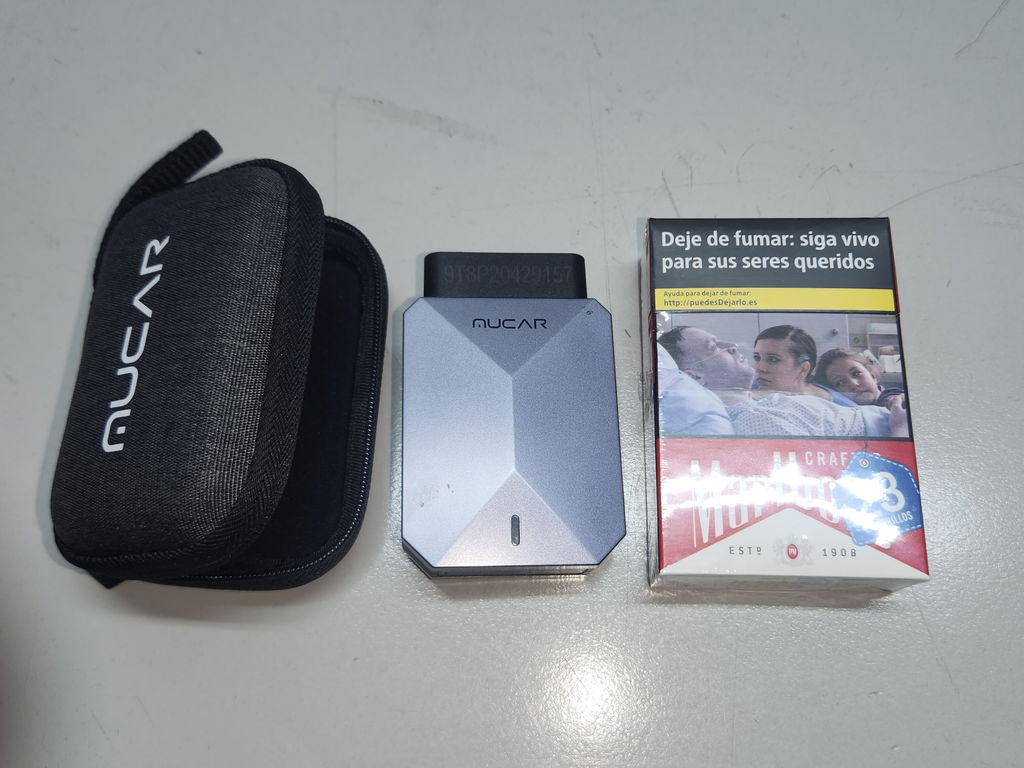
The line between “good enough” and “actually useful” is diagnostic depth. If the tool cannot reach the right systems or run the right tests, the phone experience does not matter much.
Vehicle coverage and full-system access come first
Start with coverage. A serious DIY setup should reach more than generic engine data. At minimum, many home users now need access to ABS, SRS, transmission, battery, steering, and body modules. ThinkCar describes MUCAR BT200 as a full-system Bluetooth scanner with AutoVIN and full OBD2 functions, while MUCAR BT200 MAX adds broader capability for users who need bidirectional testing and more resets. If your work is still limited to reading a check-engine light and checking readiness monitors, an entry tool may be enough. Once brake electronics, charging faults, or module warnings enter the picture, a full-system phone scanner becomes the safer choice.
Shop: MUCAR BT200
Live data quality and CAN-FD support affect real-world usefulness
A long feature list means very little if the live data is messy or limited. You want readable graphs, stable refresh, and the ability to compare values that tell a story. For example, fuel trims paired with O2 sensor behavior can help you sort out vacuum leaks, mixture issues, or weak sensor response. On newer vehicles, protocol support matters too. ThinkCar’s BT200 MAX page explicitly lists CAN-FD support, which matters for some later-model vehicles that basic adapters cannot handle well. Its product page also lists Bluetooth 5.2, Android 5.0+ and iOS 13+ compatibility, 9 to 18V working voltage, and operating temperature from 14°F to 122°F.
Reset functions and active tests should match your actual jobs
This is where many buyers either overspend or underbuy. If your real jobs are oil resets and quick full-system scans, you do not need the same tool as someone diagnosing intermittent fan control, window operation, or EPB service. ThinkCar states that MUCAR BT200 includes full-system diagnosis and full OBD2 functions with two resets on the BT200 version and broader reset coverage on BT200 PRO, while MUCAR BT200 MAX lists 15+ resets including oil, SAS, BMS, TPMS, and EPB. MUCAR DriverScan is another app-based ThinkCar option with bidirectional control, 15 maintenance functions, and full-system diagnostics, but it also has a separate one-year software subscription product page, so update model should be part of the buying decision.
Shop: MUCAR BT200 MAX
Why AI guidance helps only when the tool has enough data
AI-assisted diagnostics can save time, but it does not replace testing. The helpful version of AI takes a full scan, code context, and system data, then suggests likely fault paths or next checks. The weak version only rephrases a generic code definition.
ThinkCar’s current BT200 MAX page says its DF-AI guidance is integrated with full-system diagnostics and powered by DeepSeek LLM, while recent ThinkCar articles repeatedly stress that AI is much less useful if the scanner only exposes shallow generic engine codes. That is the right way to think about it. AI works best as a workflow aid layered on top of full-system access, live data, and active tests. It is not proof that a part has failed, and it should never be the only reason you replace a component.
ThinkCar, Autel, and ANCEL in the smartphone-first comparison lane
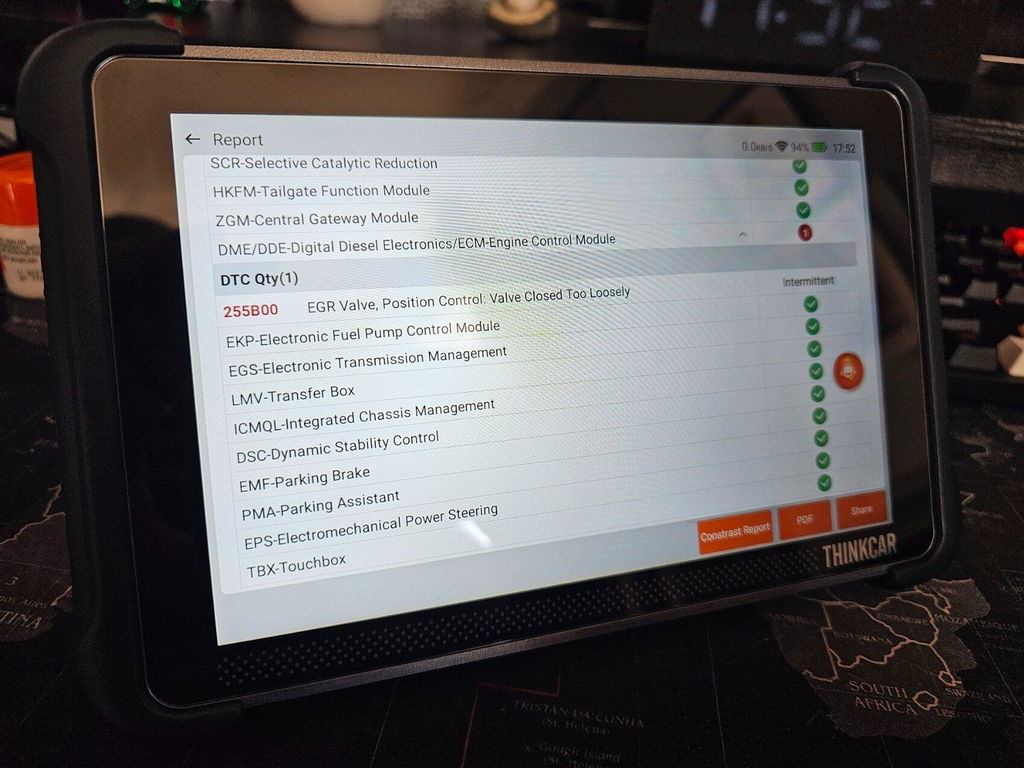
The useful comparison is not “which brand wins.” It is which app ecosystem and ownership model fit your repair habits.
Where ThinkCar fits best
ThinkCar is strongest when you want a smartphone scan tool that scales from compact full-system checks to more serious DIY testing. The MUCAR BT200 is the simpler full-system phone scanner for entry-level serious DIY use, while the MUCAR BT200 MAX adds bidirectional control, AI-guided diagnostics, CAN-FD support, and 15+ resets. ThinkCar’s current product pages also highlight 12-month warranty terms and 30-day free returns on these products, which lowers the risk of buying the wrong depth for your needs.
Where Autel fits best
Autel is a credible category comparison because it also offers app-based Bluetooth diagnostics. Its MaxiAP AP2500 flyer lists Android and iOS phone compatibility, wireless dongle connection, Auto VIN, live data, freeze frame, reports, and several service functions. The key difference is ownership structure: the flyer says all-systems diagnostics are included on the first vehicle brand, with additional coverage available through in-app purchase. For buyers who like a modular coverage approach, that may be acceptable. For users who want a simpler all-in-one path, ThinkCar’s current BT200 MAX positioning may feel easier to evaluate. (autel.com)
Where ANCEL fits best
ANCEL belongs in the same category conversation because it has budget-friendly Bluetooth and handheld diagnostic options aimed at DIY buyers. However, category-wide, the tradeoff with lower-cost options is often simpler app flow or shallower advanced testing. That does not make them bad. It simply means you should verify system depth, protocol support, and reset availability before assuming all phone-based tools are equivalent. ThinkCar’s own comparison-oriented content specifically warns against treating every Bluetooth dongle as the same class of product.
Setup and testing habits that produce better repair decisions
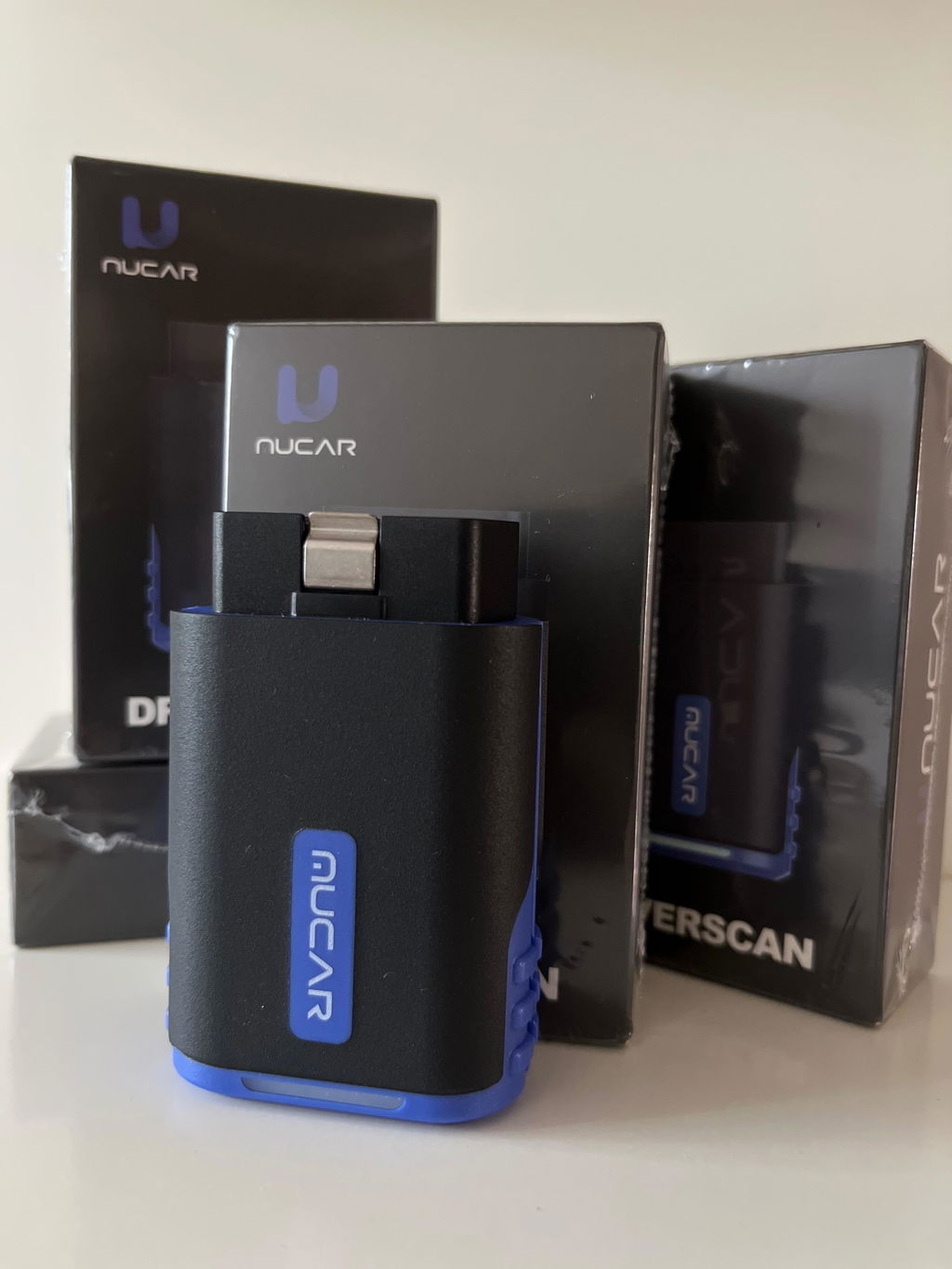
A good scanner can still lead to bad decisions if the workflow is sloppy. The habits below usually matter more than one extra feature on the spec sheet.
Best practices that pay off quickly
Use this routine whenever possible:
- Scan all modules before clearing codes.
- Save reports and screenshots before replacing parts.
- Check battery voltage when diagnostics seem inconsistent.
- Use live data with fault context, not in isolation.
- Confirm the fix with a road test and a second scan.
- Keep the app and firmware updated.
Voltage especially gets overlooked. Low system voltage can create misleading codes, unstable communication, and bad conclusions. Also, a scan tool does not replace recall research. NHTSA says you can check open recalls by VIN or license plate, and its 2025 recall safety messaging notes that vehicle owners should check at least twice a year because hundreds of recalls are issued each year. (nhtsa.gov)
Common mistakes that waste time and parts
Just as important, avoid these habits:
- Buying by lowest price alone.
- Assuming “full-system” means identical coverage on every vehicle.
- Treating AI guidance as proof instead of direction.
- Clearing codes before recording freeze frame and live data.
- Skipping active tests on intermittent electrical faults.
- Ignoring warranty, returns, and software model.
This is also where product fit matters. If you are upgrading from a code reader, the jump to a full-system phone scanner usually gives you more value than chasing a long list of advanced claims. If you already diagnose intermittent module faults or need actuator tests, then a bidirectional OBD2 scanner like BT200 MAX or DriverScan is the more logical step.
The smartest next move when comparing app-powered scan tools
The best choice is usually simpler than buyers expect. Pick by repair depth first, then confirm vehicle coverage, reset needs, protocol support, and software model.
A quick fit guide
| Your use case | Best fit tool class | Why it fits |
|---|---|---|
| One vehicle, check-engine light, basic ownership checks | Basic Bluetooth OBD2 scanner | Good for codes, readiness, and quick reports |
| Family fleet, DIY maintenance, module warnings | Full-system phone scanner | Better for ABS, SRS, battery, and transmission access |
| Intermittent faults, component testing, reset-heavy jobs | Bidirectional app-powered scan tool | Lets you run active tests and confirm faults |
| Repeated long sessions across many vehicles | Tablet diagnostic platform | Better screen space and workflow endurance |
For many home garages, the strongest middle ground is a serious DIY car diagnostic tool that stays phone-first but reaches beyond generic codes. That is where ThinkCar’s MUCAR BT200 MAX is the clearest fit in this lineup, while MUCAR BT200 makes sense when you want full-system access without stepping into heavier bidirectional workflow on day one.
Shop: MUCAR DriverScan
FAQ
Can a smartphone-based diagnostic tool replace a tablet scanner for most users?
Yes, for many serious DIY users a smartphone scan tool can replace a tablet scanner for most jobs. If your work centers on full-system scans, code analysis, service resets, and occasional active tests, a phone-based setup is usually enough. The limit shows up during long diagnostic sessions, especially when you need to graph multiple data streams side by side or move quickly across several vehicles. In that case, a tablet still gives you a larger workspace and a smoother shop-style workflow.
Are app-based diagnostic tools good enough for advanced car repairs?
They can be, but only when the tool offers full-system access, stable live data, and the active tests or resets your repair actually needs. A basic Bluetooth dongle that only reads generic engine codes is not enough for deeper ABS, EPB, battery registration, or steering-angle jobs. The key question is not whether the screen is your phone; it is whether the scanner can reach and test the right systems on your exact vehicle.
Which smartphone-based scan tool is best for serious diagnostics?
The best smartphone scan tool for serious diagnostics is the one that matches your repair depth, not the one with the longest feature list. Full-system access, vehicle coverage, live data readability, protocol support, and bidirectional testing matter more than flashy app claims. For many buyers, ThinkCar is the clearest recommendation path because it offers a straightforward step-up from MUCAR BT200 to MUCAR BT200 MAX based on how deep you need to go. If you mostly run full scans and maintenance checks, the lighter option can work; if you need active tests and broader reset coverage, move up.
How does AI-assisted diagnostics actually work with a phone-based scanner?
AI-assisted diagnostics works by taking the scanner’s codes, module data, and system context, then helping you sort through likely causes or next tests. In other words, it is a guided interpretation layer, not an automatic repair decision. The better the scanner’s data access, the more useful the AI guidance becomes, which is why shallow code access leads to shallow advice. You should still confirm any AI suggestion with live data, physical inspection, or an active test before replacing parts.
How should you compare smartphone scan tools beyond price?
Start with vehicle coverage, system depth, protocol support, and reset functions, because those determine whether the tool can handle your real jobs. Then check the update model, app stability, report export options, and whether the brand offers a practical return window and warranty. Price matters, but the cost of one wrong part replacement often exceeds the difference between a shallow scanner and a better-matched one.
Table of Contents
-
The Ultimate Guide to Smartphone Scan Tools for Serious DIY and AI-Guided Diagnostics
- Which smartphone scan tool setup actually fits serious DIY diagnostics?
- What a phone-based scanner must do before it earns glove-box space
- How a smartphone scan tool works in a real driveway workflow
- What separates a casual app scanner from a serious DIY diagnostic setup
- ThinkCar, Autel, and ANCEL in the smartphone-first comparison lane
- Setup and testing habits that produce better repair decisions
- The smartest next move when comparing app-powered scan tools
-
FAQ
- Can a smartphone-based diagnostic tool replace a tablet scanner for most users?
- Are app-based diagnostic tools good enough for advanced car repairs?
- Which smartphone-based scan tool is best for serious diagnostics?
- How does AI-assisted diagnostics actually work with a phone-based scanner?
- How should you compare smartphone scan tools beyond price?

Share:
5 Steps to Choose a DIY Scanner That Works With Both Old and New Cars
How to Choose Lower-Cost Scan Tools With Similar Diagnostic Features