
Which Cheap Diagnostic Tools With Lifetime Updates Fit Your Garage?
Reader Hook
Cheap Diagnostic Tools With Lifetime Updates matter most when the check-engine light appears on a Friday night and you want real direction before Monday. A Budget OBD2 Scanner can read codes, show freeze-frame data, and help you decide whether the vehicle is safe to drive, needs a simple reset, or deserves deeper testing.
The bigger risk is guessing. A part-swap repair can waste a weekend, while a shop visit for a simple code check can feel avoidable. Independent OBD-II scanner testing from Car and Driver also shows why setup speed, live data, freeze-frame data, I/M monitors, and interface quality affect real DIY use, not just spec-sheet appeal. (caranddriver.com)
Article Promise
This guide compares three MUCAR choices as an internal Best Fit decision:
- MUCAR BT200 MAX for the lowest connected entry point.
- MUCAR 632 for focused four-system diagnosis.
- MUCAR 682 for broader standalone full-system work.
The goal is not to buy the most functions. Instead, you will match update policy, system depth, reset functions, bidirectional testing, and workflow style to your repairs. That is how a Scan Tool With Lifetime Updates becomes a Low Ownership Cost Scanner rather than another tool that sits unused.
Selection Path
Start with your skill level and vehicle needs, then move from price thinking to capability thinking. If you only handle codes, oil resets, battery registration, and occasional live data, you do not need the deepest standalone unit. However, if you plan to test actuators, run ABS bleeding, or scan modules beyond the engine, a Bidirectional Diagnostic Tool with wider system access gives you more room to grow.
SAE International revised its OBD-II scan tool recommended practice in April 2026, describing diagnostic services a scan tool provides to exercise SAE J1979 services. That matters because newer vehicles keep pushing scanner compatibility, protocol support, and software updates higher on the buying checklist. (saemobilus.sae.org)
Is MUCAR BT200 MAX The Budget Anchor?
Product Snapshot

Yes. MUCAR BT200 MAX is the budget anchor if you want Cheap Diagnostic Tools With Lifetime Updates without giving up full-system scanning. It is a Bluetooth AI diagnostic scanner that uses a phone-based workflow, supports free lifetime updates with monthly vehicle coverage expansion, and includes full-system diagnostics across major modules such as engine, transmission, ABS, SRS, battery, and more.
Its best fit is the DIY user who already likes phone apps and wants a compact scanner in the glove box. The page lists Bluetooth 5.2, Android 5.0 or iOS 13 or newer support, 9 to 18V working voltage, 14°F to 122°F operating temperature, CAN-FD support, FCA support, ELM327 app compatibility, smart sleep mode, and more than 15 reset functions. Those resets include oil, SAS, BMS, TPMS, EPB, DPF, brake, injector, EGR adaptation, and gearbox learning functions, though actual support depends on the vehicle.
Shop: MUCAR BT200 MAX
How Do The Other MUCAR Options Fit?
MUCAR 632 Best Fit

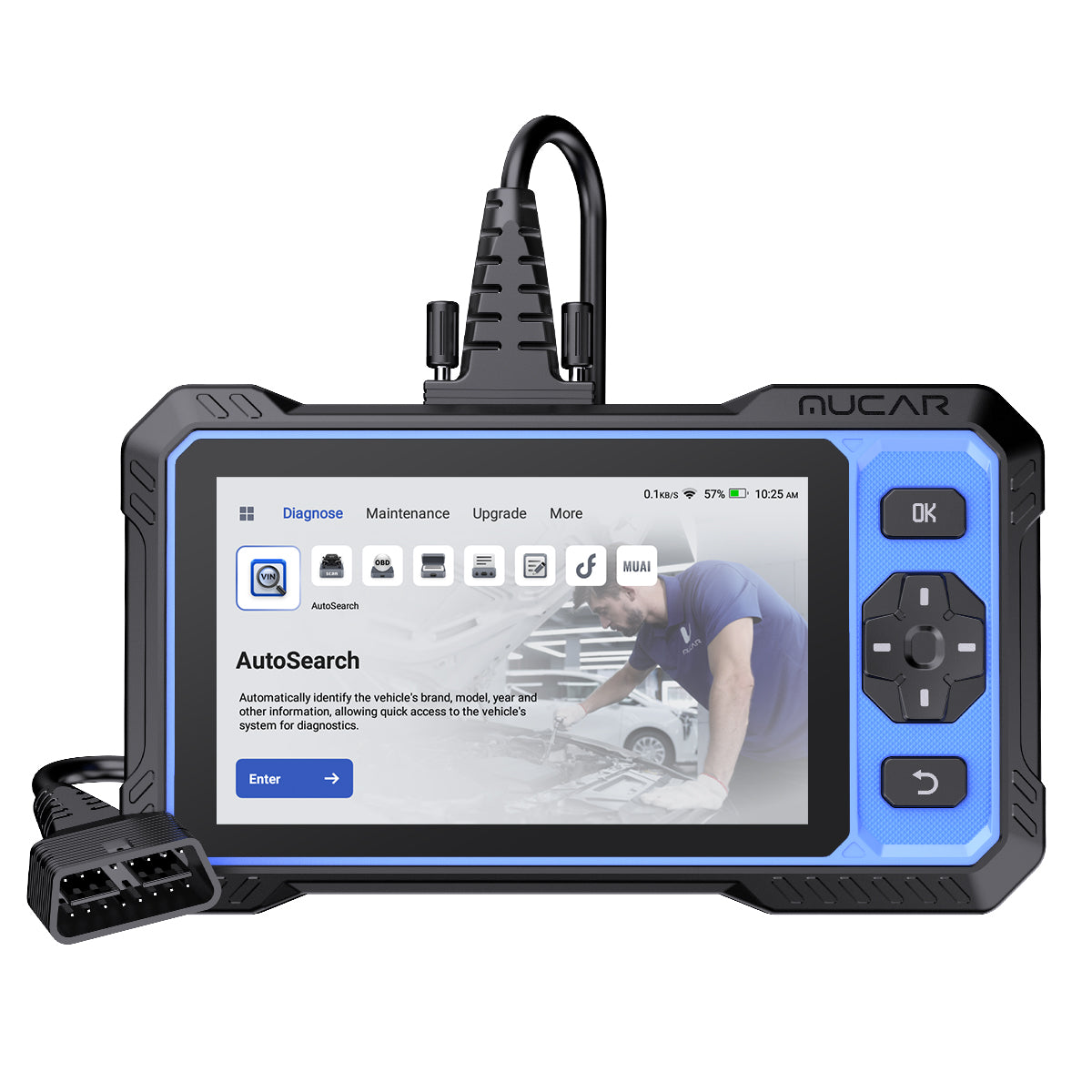
MUCAR 632 is the better fit when you want a handheld screen and core module coverage instead of a phone-first scanner. It covers four key systems: ECM, TCM, ABS, and SRS. That makes it practical for engine faults, transmission clues, brake system warnings, and airbag-related diagnosis without paying for every deeper full-system path.
The product page lists lifetime free updates, AI fault-code analysis, real-time Q&A, bidirectional control, active tests, 15 essential service resets, CAN FD, FCA AutoAuth access, support for more than 150 brands, 28-plus languages, and an enhanced interface. Hardware specs include a 6.2-inch touchscreen, 1024 by 600 resolution, 4150mAh battery, 9 to 18V working voltage, and 32°F to 122°F working environment.
Best fit: choose MUCAR 632 if your repairs stay near the four high-value systems and you prefer a standalone DIY Car Repair Scanner.
MUCAR 682 Best Fit
MUCAR 682 is the strongest fit when you want the broadest standalone coverage in this group. It adds full-system diagnostics, full OBD2 functions, bidirectional testing, and more than 20 reset functions. It also keeps lifetime free updates with monthly software and vehicle coverage expansion.
The workflow is more workshop-like than phone-based. Its listed hardware includes a 6.2-inch anti-glare touchscreen, 1024 by 600 resolution, 4150mAh battery, 9 to 18V working voltage, and 32°F to 122°F working environment. It also supports CAN FD and FCA AutoAuth access for newer-vehicle coverage needs. Pick it when you expect to work across more modules and want fewer limits as your repair confidence grows.
Shop: MUCAR 632
Shop: MUCAR 682
Best Fit Summary For Cheap Diagnostic Tools With Lifetime Updates
Quick Decision Map
Here is the short answer: BT200 MAX is the lowest connected entry, MUCAR 632 is the balanced four-system handheld, and MUCAR 682 is the deepest standalone choice. Each is a Scan Tool With Lifetime Updates, so the decision turns on workflow and diagnostic depth rather than update fees alone.
| Dimension | MUCAR BT200 MAX | MUCAR 632 | MUCAR 682 |
|---|---|---|---|
| Best Fit | Phone-based DIY diagnostics | Four-system handheld work | Full-system standalone repairs |
| Update Policy | Lifetime free updates | Lifetime free updates | Lifetime free updates |
| System Coverage | Full-system Bluetooth scans | ECM, TCM, ABS, SRS | OE-level full systems |
| Reset Functions | 15-plus resets | 15 essential resets | 20-plus resets |
| Bidirectional Tests | Yes, app workflow | Yes, handheld workflow | Yes, standalone workflow |
| Display | Phone or tablet | 6.2-inch touchscreen | 6.2-inch anti-glare touchscreen |
| Vehicle Protocols | CAN-FD, ELM327 | CAN FD, FCA access | CAN FD, FCA access |
| Limitations | Depends on phone/app | Four-system ceiling | More tool than casual users need |
A good rule is simple: buy the narrowest tool that covers your next 12 months of work. Then add depth only when you can name the jobs that need it, such as ABS bleeding, active component tests, or full-module scans.
Head-To-Head Comparison By Ownership Value
Which Tool Keeps Update Costs Lowest?
MUCAR BT200 MAX: It lists free lifetime updates and monthly compatible vehicle coverage expansion. That makes it useful for DIY owners who keep a scanner for several vehicles over time.
MUCAR 632: It also lists lifetime free updates with monthly software and vehicle coverage expansion. Its value is strongest when four-system coverage is enough for your garage.
MUCAR 682: It follows the same lifetime-update model while adding full-system coverage and more reset functions. Best Fit: all three protect ownership cost well, but BT200 MAX gives the lowest connected entry while MUCAR 682 gives the most growth space.
Diagnostic Depth And System Coverage
MUCAR BT200 MAX: This compact budget OBD2 scanner supports true full-system diagnostics through a Bluetooth connection. It can scan major systems beyond basic powertrain codes, which makes it stronger than a simple code reader.
MUCAR 632: This handheld unit focuses on ECM, TCM, ABS, and SRS. That is enough for many common warning lights, but it is intentionally less broad than a full-system tool.
MUCAR 682: This model is a deeper standalone tool because it combines full-system diagnostics with full OBD2 functions. Best Fit: choose BT200 MAX for portable full-system scans, 632 for core systems, and 682 for the widest module access.
Which Scanner Handles More Maintenance Resets?
MUCAR BT200 MAX: It lists more than 15 critical maintenance resets, including oil, steering angle, battery matching, TPMS, brake, DPF, and injector-related functions. This is enough for many weekend maintenance jobs.
MUCAR 632: It lists 15 essential service resets and notes that the exact reset support varies by vehicle model and software version. That note is important because reset menus can differ across brands, years, and control modules.
MUCAR 682: It lists more than 20 critical maintenance resets. Best Fit: BT200 MAX and 632 cover common maintenance well, while 682 is better if reset coverage is a major buying reason.
Usability, Screen, And Workflow
MUCAR BT200 MAX: It uses a phone-based Bluetooth 5.2 workflow and works with Android 5.0 or iOS 13 or newer. That is convenient if you want app dashboards, saved reports, and pocket-size storage.
MUCAR 632: It uses a compact 6.2-inch touchscreen with a 4150mAh battery. This feels more direct when you do not want to pair a phone before every session.
MUCAR 682: It uses a 6.2-inch anti-glare touchscreen, which helps when you work outside or near bright shop lights. Best Fit: pick BT200 MAX for connected convenience, 632 for focused handheld simplicity, and 682 for the clearest standalone workflow.
Buying Criteria That Prevent Overspending
Practical Selection Checklist
The smartest way to shop Cheap Diagnostic Tools With Lifetime Updates is to define the repair before choosing the tool. If you cannot name the systems or resets you need, you may overbuy. If you know your target repairs, the choice becomes much clearer.
Use this checklist before checkout:
- Confirm vehicle coverage for your exact make, model, year, and engine.
- Match reset functions to planned jobs, such as oil, battery, EPB, TPMS, DPF, SAS, or ABS bleeding.
- Prioritize bidirectional testing only when you understand actuator safety.
- Choose full-system access if you need body, chassis, safety, or network module data.
- Choose four-system access if your work stays near engine, transmission, ABS, and SRS.
- Pick phone-based Bluetooth if portability matters more than a built-in screen.
- Pick standalone hardware if you want a dedicated shop-style workflow.
The EPA finalized OBD regulation updates in 2026 that included harmonizing malfunction thresholds and required EPA OBD systems to evaluate the full emission control system, including EVAP. That is one reason emissions readiness, live data, and coverage updates remain useful even for basic DIY diagnosis. (epa.gov)
Security also belongs among the buying criteria. NHTSA describes modern vehicles as connected systems with wired and wireless entry points that can be vulnerable, so pair Bluetooth tools only with trusted apps, keep phone software current, and avoid leaving unknown devices connected. (nhtsa.gov)
Conclusion: Choose Lifetime Value, Not Sticker Price
Key Takeaway And Next Action
The best Low Ownership Cost Scanner is the one that covers your real repairs without adding unused depth. MUCAR BT200 MAX is the Best Fit for the lowest connected entry, full-system Bluetooth scans, 15-plus resets, and phone-based diagnosis. MUCAR 632 is the Best Fit for drivers who want a dedicated handheld unit focused on ECM, TCM, ABS, and SRS. MUCAR 682 is the Best Fit for users who want full-system standalone coverage, more than 20 resets, and an anti-glare touchscreen workflow.
Your next action is simple: list your top five planned jobs, then match them to system coverage and reset support. If your list is mostly codes, live data, and routine resets, start with BT200 MAX. If it includes four major warning-light systems, consider 632. If it includes broader module scans and more service functions, choose 682.
Shop: MUCAR BT200 MAX
Shop: MUCAR 632
Shop: MUCAR 682
FAQ
How to select a diagnostic tool that offers lifetime updates for cheap?
Select a diagnostic tool with lifetime updates by checking update policy, vehicle coverage, and included functions in that order. First, confirm that software updates are free for the life of the tool, not only for the first year. Next, verify your exact vehicle make, model, year, and engine because reset and module access can vary. Finally, compare the tool against your planned jobs, such as oil reset, battery registration, EPB service, TPMS reset, or ABS bleeding.
Should I buy a scanner with lifetime updates or one with annual renewals?
You should buy a scanner with lifetime updates if it already covers your vehicle and repair needs. Annual renewals can make sense for high-volume professional work, but they raise long-term ownership cost for many DIY users. A lifetime-update scanner is usually easier to justify when you maintain multiple family vehicles over several years. Still, do not choose updates alone; confirm system coverage, reset functions, and bidirectional controls before deciding.
Which scan tools are best if I want to avoid expensive yearly subscriptions?
The best scan tools for avoiding yearly subscriptions clearly state lifetime software updates and include the functions you need without add-on fees. Look for full OBD2 functions, live data, freeze-frame data, I/M readiness, service resets, and module coverage. If you only need common repairs, a four-system tool may be enough. If you want deeper troubleshooting, choose a full-system scanner with bidirectional testing and broad reset support.
What Factors Impact Diagnostic Tool Longevity?
Diagnostic tool longevity depends on software support, protocol coverage, hardware durability, and workflow stability. Lifetime updates help the tool stay useful as vehicle coverage expands, especially for newer models. CAN FD and FCA access can improve compatibility with many modern vehicles, while a stable app or clear touchscreen reduces daily frustration. Also consider working voltage range, operating temperature, cable quality, battery size, and whether the tool can save reports for repeat troubleshooting.
How Should DIY Users Compare Scanner Features?
DIY users should compare scanner features by starting with the repairs they actually perform. Basic diagnosis needs code reading, code clearing, live data, freeze-frame data, and emissions readiness. Maintenance work may require oil, EPB, battery, steering angle, TPMS, DPF, or ABS bleeding functions. Bidirectional testing is valuable when you need to command components, but it should be used carefully because actuators such as fans, pumps, windows, and ABS motors can move during tests.
Table of Contents
- Which Cheap Diagnostic Tools With Lifetime Updates Fit Your Garage?
- Is MUCAR BT200 MAX The Budget Anchor?
- How Do The Other MUCAR Options Fit?
- Best Fit Summary For Cheap Diagnostic Tools With Lifetime Updates
- Head-To-Head Comparison By Ownership Value
- Buying Criteria That Prevent Overspending
- Conclusion: Choose Lifetime Value, Not Sticker Price
-
FAQ
- How to select a diagnostic tool that offers lifetime updates for cheap?
- Should I buy a scanner with lifetime updates or one with annual renewals?
- Which scan tools are best if I want to avoid expensive yearly subscriptions?
- What Factors Impact Diagnostic Tool Longevity?
- How Should DIY Users Compare Scanner Features?

Share:
Affordable Scan Tools With Features Similar to Costlier Models
What's the Best OBD2 Scanner for Your Repair Shop? Three Tiers, Three Tools