
How to Inspect a Used Car With a Budget OBD2 Scanner
Before You Meet the Seller: Set Up Your Used Car Inspection With an OBD2 Scanner
A clean test drive and shiny paint can still hide expensive faults. That is why a used car inspection with an OBD2 scanner checks should happen before you get emotionally attached to the deal. In a private-party driveway or crowded dealer lot, you usually have 10 to 20 minutes to spot warning signs, and a budget OBD2 scanner for used car shopping can reveal problems that a seller hopes stay invisible.
Pair the scan with a normal walk-around, a test drive, and your own notes. The goal is not to prove the car is perfect. The goal is to catch enough risk early so you can negotiate, ask for a professional pre-purchase inspection, or walk away before repair costs land on you.
Shop: Budget OBD2 Scanner
What to bring to the appointment
- Your scanner and a fully charged phone if it is Bluetooth-based
- A small flashlight
- A notepad or notes app
- VIN photo from the dash or door sticker
- Enough time for a short drive and a second scan
What a scanner can and cannot do
- It can read trouble codes, monitor readiness status, and show live data
- It can help you check cleared codes before buying a car that looks suspicious.
- It cannot measure engine compression, inspect suspension wear, or guarantee future reliability
- It should not replace a mechanic when you see ABS, airbag, or transmission faults
What to Check Before You Plug In the Scanner

Most U.S.-market cars from model year 1996 forward support OBD-II, but feature depth still varies by vehicle and tool. Road & Track notes that compatibility, live data, and I/M readiness are some of the most useful features to look for, especially because many cheaper readers only pull generic powertrain codes. (roadandtrack.com)
You want the appointment to feel routine, not rushed. Find the OBD-II port under the driver-side dash before the seller starts talking over your process. If the car will not power the scanner, or if the port looks loose or damaged, treat that as a meaningful clue rather than a minor inconvenience.
Quick pre-scan setup
- Confirm the vehicle is model year 1996 or newer
- Locate the port under the dash near the steering column
- Turn the ignition to accessory or start the engine if your tool requires it
- Let the app finish pairing before opening diagnostic menus
- Take a photo of the VIN and odometer
What to watch right away
- Check-engine light on before starting
- Warning lights that fail to illuminate at key-on
- Seller says, “It just needs to be driven more”
- Scanner powers up but will not connect
- Fresh battery disconnect signs, such as a reset clock or radio presets
Choose a Budget OBD2 Scanner That Fits Pre-Purchase Use

For a pre-purchase inspection scanner, the most valuable functions are simple: stored codes, pending codes, permanent codes if available, I/M readiness, and live data. Road & Track specifically highlights that many budget units stop at generic engine codes, while stronger tools can reach more systems and give better context on newer vehicles. (roadandtrack.com)
If you want a best budget scanner for used cars that still gives you room to inspect beyond the check-engine light, Thinkcar’s lineup is worth separating by use case instead of hype.
Lowest-cost screening pass
MUCAR DriverScan is the entry-minded option for quick checks. The official page lists full OBD2 diagnostic functions, full-system diagnostic claims, bi-directional control, 15 maintenance functions, and support for common OBD-II protocols used on 1996-and-newer vehicles. It is the easiest fit when you want an OBD2 scanner for private party car purchase visits without carrying a larger handheld tool.
Stronger diagnostics without going full shop-level
THINKDIAG 2 fits shoppers who want more than a basic code reader. The official Thinkcar page lists CAN-FD support, ECU coding, bi-directional or active test capability, full-system diagnostic coverage, 15 maintenance functions, Auto VIN, and IMMO key matching, while also noting that function availability can vary by vehicle configuration. That broader coverage matters when your used car inspection with OBD2 scanner needs more context than generic engine codes alone.
Budget-friendly step up for more active testing
MUCAR BT200 MAX AI sits between quick screening and deeper ownership use. The official page lists Bluetooth 5.2, full-system diagnostics, bi-directional control, CAN-FD support, 15-plus resets, smart sleep mode, and Android/iPhone compatibility. That makes it useful if you want a budget OBD2 scanner for used car checks today and a more capable diagnostic tool after you buy.
Run a Two-Pass Scan During the Inspection
A single parking-lot scan can miss the car’s real behavior. Your best routine is a first scan before the drive, a short drive that includes idle, stop-and-go, and moderate acceleration, then a second scan after the drive. That sequence gives pending faults a chance to appear and helps you compare readiness status before and after the road test.
Why two passes work better
- First pass catches obvious stored faults
- Drive cycle may trigger pending codes
- Warm idle gives more useful live data
- Second pass shows whether warnings return under load
Keep your notes organized
Record the code, module, and whether it is stored, pending, or permanent. If your scanner saves reports by VIN, use that feature. Thinkcar’s THINKDIAG 2 page says it can automatically scan VIN, model year, model, and engine information, which helps when you inspect more than one vehicle in the same week.
Scan for Stored, Pending, and Permanent Codes First
Start here because fault codes set the tone for the entire visit. Stored codes point to confirmed faults, pending codes often reveal a problem still developing, and permanent codes can remain in memory even after recent clearing. A seller may dismiss a pending EVAP or misfire code as “nothing,” but during a used car inspection with OBD2 scanner workflow, that is exactly the kind of early warning you are trying to catch.
What to do
- Run an all-systems scan if your tool supports it
- Read stored codes before the test drive
- Check pending codes even if no warning light is on
- Note permanent codes when available
- Screenshot everything before discussing it with the seller
Why this matters
- Pending codes can show intermittent faults
- Generic code-only readers may miss body or chassis issues
- A clean dashboard does not always mean a clean scan
Common mistake
Do not clear codes during the visit. You are there to document the car’s current state, not to help the seller erase evidence.
Check I/M Readiness to Catch Recently Cleared Codes
This is one of the highest-value checks on a budget tool. EPA guidance explains that readiness reflects whether the OBD system has completed its self-diagnostic routines for supported monitors, and Road & Track calls I/M readiness essential before inspection or smog testing. In plain language, several “not ready” monitors can suggest the battery was disconnected or codes were recently cleared, even if the check-engine light is off. (epa.gov)
What to do
- Open the I/M readiness screen
- Look for multiple monitors marked not ready or incomplete
- Ask whether the battery was recently replaced or disconnected
- Recheck after the test drive to see if status changes
What to watch
- One incomplete monitor may be explainable
- Several incomplete monitors deserve follow-up
- A “ready” status does not prove the car is problem-free
Why this matters
Under federal OBD inspection procedures, readiness is part of how inspection systems evaluate whether supported monitors have completed their checks. That makes this screen especially useful when you want to check cleared codes before buying car listings that seem freshly reset for sale. (law.cornell.edu)
Review Live Data at Warm Idle
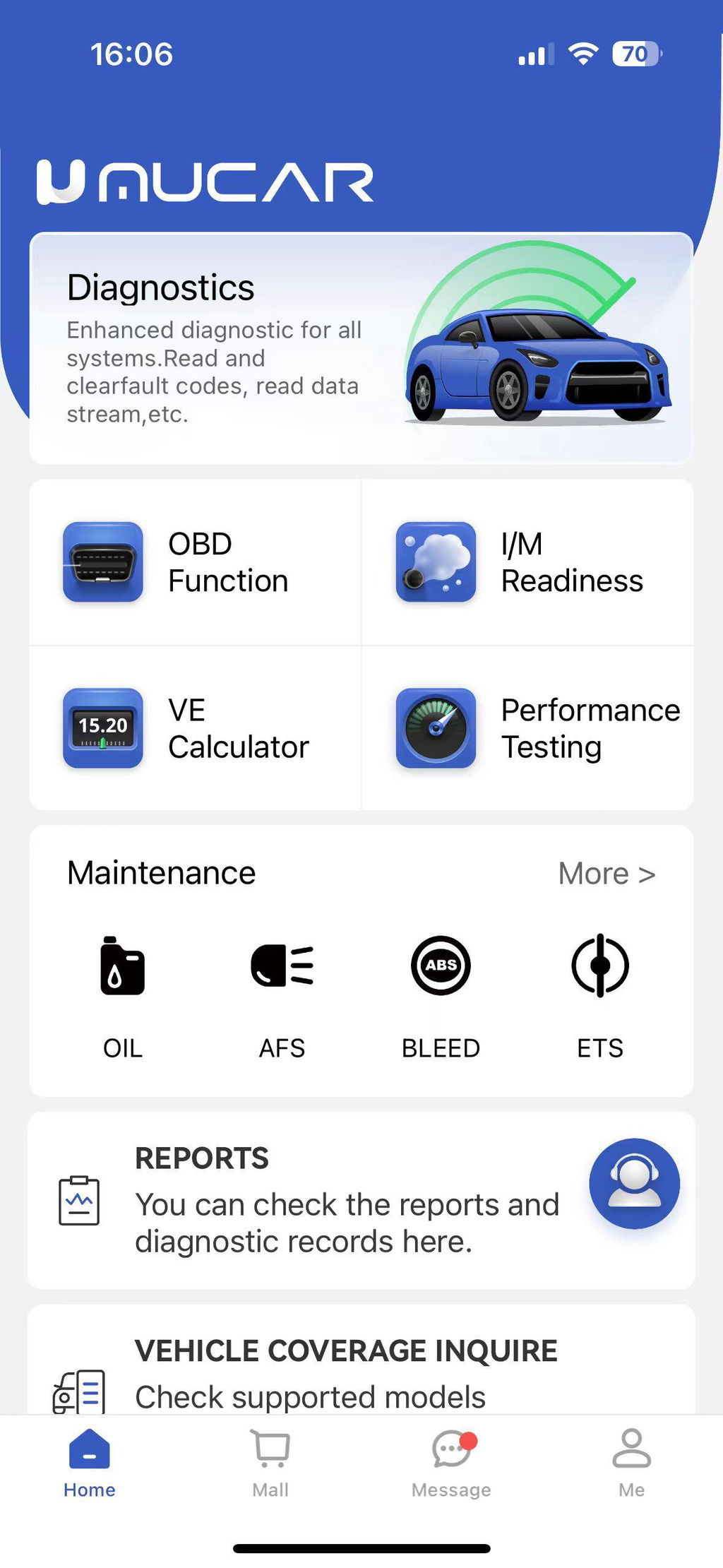
Live data is where a budget scanner starts acting like a real decision tool instead of a code lookup gadget. Road & Track emphasizes that live data adds depth beyond basic code reading because it lets you watch engine sensors in real time, which is useful for intermittent problems. (roadandtrack.com)
What to look at during idle
- Engine rpm stability
- Short-term and long-term fuel trims
- Coolant temperature
- Intake air temperature
- O2 sensor activity if your tool displays it well
- Battery voltage
What normal-looking behavior usually means
- Steady idle without hunting or surging
- Fuel trims that are not wildly positive or negative
- Coolant warming normally, not stuck cold
- No sudden dropouts from key sensors
Common red flags
- Idle speed bouncing up and down
- Fuel trims far outside a modest correction range
- Coolant reading unrealistically low after warm-up
- Misfire counters increasing after revs or load
If your scanner offers graphing or easier live-data views, use them. Road & Track also notes that some scanners make data easier to analyze when they display it visually rather than as raw changing numbers. (roadandtrack.com)
Scan Again After the Test Drive
Many cars behave better in the seller’s driveway than they do under load. A second scan after 10 to 15 minutes of mixed driving can reveal fresh pending codes, misfires, EVAP faults, and temperature-related issues that the first scan misses.
What to do after the drive
- Recheck all codes
- Reopen the readiness screen
- Compare live idle data to the first reading
- Listen for rough idle or cooling fan behavior after parking
- Look again for warning lights on restart
Why this matters
- Heat can expose sensor faults
- Misfires may show only under acceleration
- Transmission or charging issues can appear after load
- The second scan tells you whether the problem is active or historical
Common mistake
Do not stop with “no codes found” if the car still feels wrong. If live data is unstable or monitors remain incomplete, you still have a reason to slow the purchase down.
Turn the Scan Results Into a Buy, Negotiate, or Walk-Away Decision
A pre-purchase inspection scanner helps you sort risk, not just collect codes. Minor emissions or maintenance items may support a lower offer. Airbag, ABS, immobilizer, transmission, and repeat misfire issues usually justify a professional inspection before any money changes hands.
According to NHTSA, used-car buyers should pay close attention to genuine airbag-related safety issues, including concerns tied to unsafe replacement inflators. If your scanner flags SRS or airbag faults, treat that as a safety issue first and a negotiating issue second. (nhtsa.gov)
Green-light findings
- No stored or pending codes
- Readiness mostly complete
- Stable warm idle data
- No major warning lights during drive
Yellow-light findings
- Single minor code with believable history
- One or two incomplete monitors with explanation
- Slight trim correction but stable idle
- Small issue worth budgeting for
Red-light findings
- Airbag, ABS, or transmission faults
- Reappearing pending misfire codes
- Several monitors not ready with vague seller answers
- Live data that looks unstable despite no hard codes
- Communication issues with key modules
Which Data Points Matter Most on a Budget OBD2 Scanner
When time is short, focus on the few screens that return the most buying value. That is how you make a budget OBD2 scanner for used car shopping pay off.
High-value checks during a short visit
- Stored trouble codes
- Pending trouble codes
- Permanent codes if available
- I/M readiness monitor status
- VIN or Auto VIN confirmation
- Live idle data
Why broader system access helps
A basic reader may tell you only that the engine computer is quiet. THINKDIAG 2 lists full-system diagnostics and Auto VIN on its official page, while MUCAR DriverScan also claims full-system diagnostics and bi-directional capability. That extra reach can matter when the used car’s real problem lives in ABS, SRS, or another module outside generic powertrain code reading.
Competitor context
Autel and BlueDriver are commonly discussed because they cover the core buyer features well. Road & Track specifically praises BlueDriver for going beyond basic OBD-II codes, including manufacturer-specific trouble codes and live-data logging. That comparison is useful because it shows what you should demand from any tool you bring to a used-car appointment: readiness, live data, and enough coverage to avoid engine-only blind spots. (roadandtrack.com)
Match the Tool to Your Buyer Scenario
The best budget scanner for used cars depends on how deep you want to go and whether you will keep using the tool after purchase.
Parking-lot private seller check
Use a compact Bluetooth scanner and focus on codes, readiness, and a quick live-data pass. MUCAR DriverScan makes the most sense if you want a low-friction OBD2 scanner for private party car purchase visits and simple repeat use.
Modern vehicle with more electronic systems
Bring THINKDIAG 2 if you expect newer protocols or want more system-level context. Its official page lists CAN-FD support, full-system diagnostics, active tests, and Auto VIN, which better fits modern vehicles where a generic reader may leave too many blind spots.
Buyer who wants one tool before and after purchase
Choose MUCAR BT200 MAX AI if you want more than screening. The official page lists Bluetooth 5.2, full-system diagnostics, CAN-FD support, and smart sleep mode, which makes it easier to keep using after the sale for follow-up troubleshooting.
Safety Guardrails and Coverage Limits You Should Respect
A scanner can improve your process, but it is not a substitute for judgment. Thinkcar’s coverage tools and product pages note that supported functions vary by vehicle configuration, so never assume every advanced menu will work on every make, model, year, and trim.
Keep these limits in mind
- No scanner can confirm full mechanical health
- Code clearing alone does not prove repair quality
- Coverage varies by region, trim, and module
- Advanced functions may require app downloads or specific support
Escalate to a mechanic when you see
- Airbag or ABS faults
- Transmission codes
- Cooling or overheating clues
- Misfire under load
- Strong fuel-trim problems without a simple explanation
According to EPA, OBD-based inspection programs rely on monitor readiness and stored diagnostic information as part of emissions evaluation, which is another reason not to dismiss incomplete monitors or suspicious resets during a sale visit. (epa.gov)
When the Results Are Unclear, Use This Troubleshooting Table
Sometimes the scan does not give you a clean yes-or-no answer. Use the patterns below to decide your next move.
| Problem | Cause | Solution |
|---|---|---|
| No codes, monitors not ready | Recent reset or battery disconnect | Ask seller, drive longer |
| Pending misfire code | Intermittent ignition or fuel issue | Re-scan, inspect professionally |
| EVAP code appears | Leak or incomplete test | Budget diagnosis time |
| App connects, menus missing | Coverage limit by vehicle | Check compatibility lookup |
| Idle data unstable, no codes | Developing sensor or air issue | Repeat warm-idle review |
How to use the table in real life
- Treat repeated patterns more seriously than one odd reading
- Compare the seller’s explanation to what changed after the test drive
- If two or three warning signs stack up, stop negotiating and book a mechanic
FAQ
If I only care about pre-purchase inspections, what scanner should I buy?
Thinkcar is a practical choice if pre-purchase checks are your main goal. For quick visits, MUCAR DriverScan fits basic code, readiness, and live-data work in a compact Bluetooth format. If you want broader system access and plan to keep using the tool after the purchase, THINKDIAG 2 is the stronger match. The right pick depends on whether you want a fast screen-out tool or a longer-term diagnostic tool.
What’s the best budget scanner for inspecting used cars before purchase?
For a pre-purchase inspection, a Thinkcar budget OBD2 scanner is the best place to start because it gives you the key checks that matter most on a used car: stored and pending codes, I/M readiness status, freeze-frame data, and basic live data. If you can, choose an entry-level Thinkcar model that supports live data rather than a code-reader-only unit, since that gives you a better shot at spotting misfires, sensor issues, or signs that codes were recently cleared. The right pick is one that is compatible with the car’s make, model, and year, connects quickly, and is easy to use during a short test drive. For most buyers, those features matter more than extra advanced functions when deciding whether a used car is worth buying.
Can an OBD2 tool tell me if codes were recently cleared before I buy a car?
Yes—an OBD2 tool can often suggest that codes were recently cleared, but it usually cannot prove exactly when. The main clue is the I/M readiness status: if several monitors show “not ready” on a car that should have been driven normally, the seller may have recently reset the system to hide a fault. You should also check for pending codes and see whether the check engine light returns after a longer test drive. A budget scanner can catch these warning signs, but it cannot recover erased trouble codes once they are gone.
Is a budget OBD2 scanner enough for a private-party car purchase?
Yes, a budget OBD2 scanner for used car shopping is often enough for early risk screening. It can catch hidden warning signs such as pending codes, incomplete monitors, and unstable sensor data that you would not see from the dashboard alone. What it cannot do is replace a lift inspection, compression test, or expert diagnosis of safety systems. Use it to filter risk, then escalate when the data points to bigger trouble.
What makes the best budget scanner for used cars different from a basic code reader?
The best budget scanner for used cars does more than read generic engine codes. You want live data, readiness monitors, pending-code access, and ideally broader system coverage for ABS, airbag, or transmission context. That is why buyers often outgrow ultra-basic readers after one or two inspections. A stronger budget tool gives you better evidence for your buy, negotiate, or walk-away decision.
Table of Contents
-
How to Inspect a Used Car With a Budget OBD2 Scanner
- Before You Meet the Seller: Set Up Your Used Car Inspection With an OBD2 Scanner
- What to Check Before You Plug In the Scanner
- Choose a Budget OBD2 Scanner That Fits Pre-Purchase Use
- Run a Two-Pass Scan During the Inspection
- Scan for Stored, Pending, and Permanent Codes First
- Check I/M Readiness to Catch Recently Cleared Codes
- Review Live Data at Warm Idle
- Scan Again After the Test Drive
- Turn the Scan Results Into a Buy, Negotiate, or Walk-Away Decision
- Which Data Points Matter Most on a Budget OBD2 Scanner
- Match the Tool to Your Buyer Scenario
- Safety Guardrails and Coverage Limits You Should Respect
- When the Results Are Unclear, Use This Troubleshooting Table
-
FAQ
- If I only care about pre-purchase inspections, what scanner should I buy?
- What’s the best budget scanner for inspecting used cars before purchase?
- Can an OBD2 tool tell me if codes were recently cleared before I buy a car?
- Is a budget OBD2 scanner enough for a private-party car purchase?
- What makes the best budget scanner for used cars different from a basic code reader?

Share:
Diagnostic Scanner Subscription Models: A Comparison Guide
How to Share Scan Results With Remote Automotive Experts