
How to Run a One-Tap Full-Vehicle Scan and Turn DTC + Live Data into a Repair Plan with AI
What should you check before starting a one-tap full-system scan?

A warning light rarely tells the whole story. What slows your repair down is not the first code itself, but the guesswork that follows when you scan one module, clear a fault, and hope the car behaves. A better workflow starts with one disciplined pass across the whole vehicle, then uses DTCs, freeze-frame details, and live data to build a repair path you can actually follow.
When your scanner supports a one-tap full-vehicle scan, AI-assisted report analysis, and live data review, you can organize the job much faster. ThinkCar builds this workflow into tools such as the MUCAR 892BT, MUCAR 682, and MUCAR BT200 MAX, each of which is aimed at full-system diagnostics and offers different levels of bidirectional testing and portability. According to OSHA, engine exhaust in enclosed work areas must be controlled because dangerous carbon monoxide concentrations can develop quickly, so setup and safety checks come before any long idle diagnostic session.
Prerequisites and setup checks
Before you tap Scan, get the basics stable. A messy baseline creates messy results, especially when multiple modules are awake and reporting.
- Confirm battery voltage is stable, especially if you expect a long scan or active tests.
- Connect a charger or maintainer for weak batteries or repeated key-on sessions.
- Record the exact complaint: when it happens, hot or cold, steady or intermittent.
- Check that your app, firmware, and adapter pairing are current.
- Keep ignition state consistent with the scanner prompts.
- Verify the tool supports full-system access, not just generic powertrain OBD2.
ThinkCar positions the MUCAR 892BT as an 8-inch touchscreen full-system platform with AI fault analysis, bidirectional tests, ECU coding, and 34+ maintenance functions. The MUCAR 682 is a wired handheld with a 6.2-inch anti-glare touchscreen, full-system diagnostics, CAN FD, FCA AutoAuth, bidirectional testing, and 20+ resets. The MUCAR BT200 MAX is the compact Bluetooth option with AI report parsing, CAN-FD support, full-system scans, 15+ resets, and 3000+ bidirectional commands.
Safety items to note
You do not need a dramatic failure for diagnostics to become unsafe. A routine idle check in the wrong space can create a shop hazard.
- Work in a ventilated area if the engine must run.
- Set the parking brake and chock wheels when needed.
- Keep clear of fans, belts, and moving linkages during active tests.
- Do not trigger bidirectional functions on unsafe moving components without clearance.
- Move the vehicle outside if you need prolonged running or repeated load checks.
The CPSC warns that carbon monoxide is a poisoning hazard, and its guidance specifically warns against leaving a car running in an attached garage. That matters for live-data work because long idle sessions, throttle relearns, and repeated actuator tests can stretch far beyond a quick code read. (cpsc.gov)
The Official Site: ThinkCar
Step 1: Capture the complaint before touching the scanner
A full-system car scan works best when you know what you are trying to explain. If you skip the complaint interview, your report may fill with history codes, old low-voltage events, and harmless stored faults that distract from the actual symptom.
What to do
- Write the exact symptom in one sentence.
- Note when it happens: cold start, hot idle, braking, cruise, wet weather, or after refueling.
- Ask whether warning lights are steady, flashing, or intermittent.
- Record recent battery work, throttle cleaning, brake service, or module replacement.
- Note whether the issue is drivability, emissions, comfort, or safety related.
Why this matters
Your complaint note becomes the filter for the rest of the process. If the car has a rough idle after battery replacement, idle control, throttle adaptation, and voltage-related codes deserve more attention than an old evap history code. If the ABS light appears only at low speed, wheel-speed data matters more than a random body control fault.
Common mistake
Do not start by clearing codes “to see what comes back.” You erase freeze-frame context and lose the timing clues that help you separate cause from effect.
Step 2: Run the one-tap full-vehicle scan

Now you want the broadest possible fault map. A one-tap full-vehicle scan checks engine, transmission, ABS, SRS, body, battery, and other available modules so you can spot shared causes before you chase single-code explanations.
What to do
- Connect the scanner and confirm VIN or vehicle identification.
- Launch the complete system scan, not engine-only OBD2 mode.
- Save the report before clearing anything.
- Note modules that fail communication as well as modules that report DTCs.
- Mark whether codes are current, pending, or history.
Why start with a full scan instead of a single code check?
Modern faults often cross modules. One weak battery event can trigger communication faults, steering angle issues, ABS complaints, and module undervoltage records at once. FlexiHub’s remote diagnostics material also frames modern vehicle diagnosis around scanner access to OBD data and structured review rather than isolated checks, which supports the same workflow logic even in remote environments. (flexihub.com)
Tool fit for this step
The MUCAR 892BT is the strongest fit when you want a larger screen and deeper workflow tools in one unit. The MUCAR 682 is a good middle option when you prefer a standalone handheld without moving to a larger tablet. The MUCAR BT200 MAX suits quick full-system scans when portability matters more than screen size.
Autel also offers professional scanners that begin with system-wide health checks, so the practical comparison is not brand prestige. It is scan depth, module coverage, interface style, active-test needs, and whether you want Bluetooth mobility or a dedicated handheld.
Shop: MUCAR 892BT
Step 3: Sort DTCs by priority, not by quantity
Once the report is in front of you, resist the urge to chase the first line item. A long DTC list usually contains both root-cause clues and downstream reactions. Your job is to triage, not panic.
A simple triage sequence
- Start with battery, charging, and communication faults.
- Flag U-codes and low-voltage events first.
- Separate current faults from pending and history codes.
- Group codes shared across multiple modules.
- Rank safety and drivability faults above convenience faults.
- Mark emissions-only issues separately from no-start or braking complaints.
What to watch
A current network fault plus several unrelated module complaints usually points to power, ground, gateway, or communication problems. A single sensor code repeated across systems may indicate one failed input causing multiple reactions. The first displayed code is not automatically the root cause.
Scenario example
In a no-start or hard-start case, you may see voltage and communication codes together. Stabilize battery voltage, inspect main grounds, and rescan before condemning modules. In many cars, low cranking voltage creates false module noise that disappears once the electrical baseline is fixed.
Step 4: Use live data to confirm what the codes suggest
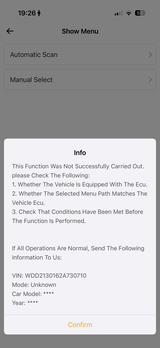
This is where the scanner stops being a code reader and becomes a diagnostic tool. DTCs tell you what the module noticed. Live data tells you whether the component is acting wrong right now, under the conditions that match the complaint.
What to do
- Open the PIDs tied to the complaint.
- Match the test condition: cold start, warm idle, throttle input, brake input, or road load.
- Compare values side by side when the system uses paired sensors.
- Save snapshots or logs before making changes.
What to look for in live data
- Frozen or implausible sensor values
- Fuel trim patterns that support mixture faults
- Misfire counters rising under one load condition
- Wheel-speed differences during ABS complaints
- Voltage drops during crank or commanded actuation
- Throttle angle or idle data that does not settle after service
Scenario variations
For an intermittent check-engine light with no drivability complaint, review the freeze-frame data first, then road-test with logging so you capture the moment the fault returns. For an ABS warning, compare all wheel-speed sensors at low speed and during gentle braking; one lagging sensor often shows up before a hard fault becomes obvious. For a rough idle after battery replacement or throttle service, check throttle position, idle target, short-term fuel trim, and battery voltage together.
If you need a compact AI diagnostic scanner for this stage, the MUCAR BT200 MAX is useful because it combines full-system scans with a customizable live-data dashboard, Bluetooth 5.2 connectivity, and ELM327 app compatibility for users who prefer phone-based monitoring.
Shop: MUCAR BT200 MAX
Step 5: Ask AI to translate scan results into a repair path
AI is most helpful after you already have a complete data set. If you feed it only one generic code, you get a generic answer. If you feed it the full-system report, freeze-frame clues, and symptom context, it can shorten the interpretation step.
What to do
- Upload or open the saved scan report.
- Include the complaint and when it occurs.
- Add the key live-data abnormalities you observed.
- Ask for likely causes, next checks, and parts-vs-circuit distinctions.
- Treat the output as a ranked starting point, not a final verdict.
What should you expect from AI-assisted automotive diagnostics?
Expect help with report parsing, fault-code explanation, likely-cause ranking, and next-step suggestions. ThinkCar describes AI functions on the MUCAR 892BT and BT200 MAX as automatic fault-code analysis, real-time Q&A, report parsing, and repair guidance, which is useful for turning raw output into a repair plan based on DTC and live-data analysis more quickly. The practical gain is time saved in organizing information, especially when several modules report related faults at once.
The realistic limit
AI can accelerate interpretation, but it cannot prove a bad ground, a chafed wire, or a sticking actuator by itself. You still need confirmation through live response, inspection, and sometimes a bidirectional scan tool command.
Step 6: Verify the likely cause with active tests or targeted checks

A repair plan becomes reliable only when the likely cause survives a direct test. This is where bidirectional control earns its keep. Instead of waiting for the system to act up on its own, you command the component and watch the response.
What to do
- Run an active test if the tool supports the system.
- Inspect connectors, grounds, and harness routing.
- Compare commanded state to actual response in live data.
- Use service logic to rule out upstream power and signal faults.
- Retest after each corrective step instead of changing multiple variables at once.
Tool or settings
- Use the MUCAR 682 when you want a dedicated handheld with bidirectional testing, CAN FD, FCA AutoAuth, and 20+ resets.
- Use the MUCAR 892BT when the job may expand into ECU coding, broader service functions, or a more advanced tablet workflow.
- Use the MUCAR BT200 MAX for portable actuation checks, especially on newer CAN-FD vehicles and quick app-based diagnostics.
The MUCAR 682 is positioned with full-system diagnostics, AI fault analysis, lifetime updates, and bidirectional tests in a compact wired format. The MUCAR 892BT adds a larger 8-inch touchscreen, ECU coding, and 34+ maintenance functions for shops or advanced users who want more coverage in one unit.
Common mistake
Do not let AI suggestions outrun evidence. If the tool suggests three possible causes, add more data instead of ordering parts. Command the fan, purge valve, throttle, or pump if supported, then verify whether the electrical and mechanical response matches the command.
Shop: MUCAR 682
Step 7: Turn the findings into a repair plan you can follow
At this stage, the scan becomes useful only if it leads to a sequence. You want a clear plan that tells you what is confirmed, what still needs checking, and how you will prove the repair worked.
What to include in the repair plan
- Confirmed faults
- Most likely root cause
- Required inspections or parts
- Repair order sequence
- Reset or relearn steps after repair
- Post-repair validation checks
- Which live data values must normalize
A practical structure
- Complaint summary
- Full-system scan summary
- Priority DTC list
- Live-data findings
- AI-ranked hypotheses
- Confirmation test results
- Repair steps
- Final verification plan
Example outcomes by scenario
- Intermittent check-engine light: road-test with logging, confirm trigger condition, repair only after repeatable data pattern.
- ABS warning with unequal wheel-speed data: inspect sensor, tone ring, wiring, and hub play before replacing the sensor.
- Rough idle after battery replacement: complete relearn or adaptation only after confirming voltage stability and intake integrity.
- No-start with voltage and communication faults: battery and grounds first, module diagnosis second.
Troubleshooting when scan results do not match the symptom
Even a good full-system car scan can mislead you if the vehicle state changes between the complaint and the test. Use this matrix to recover quickly.
| Problem | Cause | Solution |
|---|---|---|
| Many unrelated module codes | Low voltage or poor ground | Stabilize voltage, clear, rescan |
| DTC returns, idle data normal | Fault under load only | Road-test with PID logging |
| AI suggests too many causes | Incomplete scan context | Add freeze-frame and live data |
| Scanner reads engine only | Wrong mode or limited profile | Use full-system vehicle profile |
| Code cleared, symptom remains | Root cause unconfirmed | Run active tests, inspect circuit |
What to watch
If the complaint is real but the data looks normal at idle, change the test condition before changing parts. Many faults appear only during heat soak, startup, braking, steering input, or acceleration. A one-tap full-vehicle scan gives you the map, but the repair plan still depends on reproducing the right conditions.
How AI-assisted diagnostics can save time without replacing judgment
The best time savings do not come from magic answers. They come from faster sorting, cleaner report summaries, and fewer repeated checks. That matters when you are dealing with multi-module faults, intermittent complaints, or a handoff between a DIY owner and a professional technician.
Time savings that actually matter
- Faster code triage across many modules
- Quicker translation of raw DTC language
- Better sequencing before ordering parts
- Easier report sharing and workflow handoff
- Fewer repeated “just clear it and see” cycles
Where the gain is real
FlexiHub’s remote diagnostics material emphasizes that structured access to scanner and OBD data supports more efficient troubleshooting workflows, especially when technicians are not physically next to the vehicle. In the same way, ThinkCar’s AI-assisted workflow reduces the time spent translating scan output into the next inspection step, especially on tools like the MUCAR 892BT and MUCAR BT200 MAX that pair full-system scanning with AI report parsing. (eltima.com)
FAQ
How does AI-assisted diagnostics work with my automotive fault scanner?
AI-assisted diagnostics works by analyzing the scan report your tool already collected, including DTCs, module status, freeze-frame details, and sometimes live data notes. It then translates that information into plain-language explanations, likely causes, and suggested next checks. The result is faster interpretation, not automatic proof of failure. You still need to confirm the suspect part, circuit, or actuator with live data, inspection, or active testing.
How do I get the most accurate results using an AI-assisted diagnostic scanner?
Start with a stable battery, correct vehicle identification, and a complete full-system scan instead of engine-only mode. Add context that the scanner cannot guess on its own, such as hot versus cold operation, recent repairs, and whether the issue is intermittent. Review freeze-frame data before clearing anything, then capture live data under the same condition that triggers the complaint. The better your input set, the more useful the AI ranking becomes.
How can AI-assisted diagnostics save time in car repairs?
AI-assisted diagnostics save time by turning fault codes and live data into likely causes, test priorities, and next repair steps instead of making you interpret everything manually. It can quickly connect symptoms across multiple systems, highlight the most relevant data points, and reduce guesswork, which helps shorten diagnosis time and avoid unnecessary parts replacement. In a full-vehicle scan workflow, AI is especially useful for organizing DTCs, spotting patterns, and helping you build a clearer repair plan faster. Tools in the ThinkCar ecosystem can support this process by pairing broad system coverage with scan data that is easier to review and act on.
Should I choose a Bluetooth scanner or a tablet-style diagnostic tool for this process?
Choose a Bluetooth model when you want portability, quick pre-checks, and phone-based live data or AI interpretation. Choose a tablet-style or handheld dedicated unit when you want a larger screen, more self-contained operation, and less dependence on a phone during longer sessions. ThinkCar covers both paths: the MUCAR BT200 MAX fits a compact AI-assisted workflow, while the MUCAR 892BT and MUCAR 682 fit users who want a more dedicated diagnostic platform. Your best choice depends on how often you run active tests, resets, and longer full-system sessions.
Why does a full-system scan show so many codes after a battery issue?
A weak battery or unstable charging event can cause multiple modules to log undervoltage, lost communication, and implausible signal faults at the same time. That does not always mean those modules failed. Stabilize voltage first, clear the faults, and run another full-system scan before replacing parts. If the same critical codes return under normal voltage, you can start narrowing the root cause with more confidence.
Table of Contents
- What should you check before starting a one-tap full-system scan?
- Step 1: Capture the complaint before touching the scanner
- Step 2: Run the one-tap full-vehicle scan
- Step 3: Sort DTCs by priority, not by quantity
- Step 4: Use live data to confirm what the codes suggest
- Step 5: Ask AI to translate scan results into a repair path
- Step 6: Verify the likely cause with active tests or targeted checks
- Step 7: Turn the findings into a repair plan you can follow
- Troubleshooting when scan results do not match the symptom
- How AI-assisted diagnostics can save time without replacing judgment
-
FAQ
- How does AI-assisted diagnostics work with my automotive fault scanner?
- How do I get the most accurate results using an AI-assisted diagnostic scanner?
- How can AI-assisted diagnostics save time in car repairs?
- Should I choose a Bluetooth scanner or a tablet-style diagnostic tool for this process?
- Why does a full-system scan show so many codes after a battery issue?

Share:
3 Scan Tools for Active Tests Under Shop-Tool Prices (With AI Guidance & Video Remote Support)
3 Scan Tools for Active Tests Under Shop-Tool Prices (With AI Guidance & Video Remote Support)