
Which AI diagnostic tools in 2026 actually cut bay time?

A scan result that only dumps fault codes can waste more time than it saves. You read the code, replace the obvious part, clear the light, and then the car comes back because the real issue was a voltage drop, a network fault, or a bad signal upstream. That is why AI diagnostic tools in 2026 matter to a modern technician workflow. The best setups do not replace testing. Instead, they shorten the distance between symptom, evidence, and a repair decision you can defend.
In practical shop terms, an AI automotive diagnostic platform earns its keep when it helps you rank likely causes, connect related modules, and confirm the fix with live data or active tests. THINKCAR positions the MUCAR AI Diagnostic Scan Tool Series around that exact workflow, with models such as MUCAR 632. On the U.S. side, OBD-based workflows still matter because 1996 and newer vehicles rely on standardized onboard diagnostics for inspection and repair access, as described by EPA.
What separates a useful AI scanner from a basic code reader?
A basic car code reader tells you what set a flag. A stronger automotive diagnostic tool helps you answer what to test next.
- It groups faults across systems instead of showing one module in isolation.
- It adds context to DTCs rather than repeating generic definitions.
- It helps you compare live data and freeze-frame faster.
- It supports active tests so you can verify the suspect part.
- It handles newer communication needs such as CAN-FD on supported vehicles.
Why the MUCAR line fits this topic
THINKCAR describes MUCAR as a sub-brand focused on practical diagnostic workflows for owners, mobile technicians, and shops. Across the current collection, MUCAR 632 is positioned as an entry guided unit with 4-system access, bi-directional tests, 15 resets, CAN FD, and FCA AutoAuth access. MUCAR 682 moves up to full-system diagnostics, 20+ reset functions, a 6.2-inch anti-glare touchscreen, and dual-band Wi‑Fi. MUCAR 892BT and 892BT PRO extend into deeper shop work with AI assistance, ECU coding, bi-directional control, and on the Pro version, topology mapping and J2534 pass-thru support.
How AI diagnostic tools in 2026 turn scan data into a repair path
The fastest technicians do not chase every code equally. They look for a sequence. That is where the first three features save the most time.
Feature 1: AI code analysis turns DTCs into likely fault paths
A raw DTC is only a clue. In a real bay, you need probable causes, related systems, and a smarter first check so you do not burn time on the wrong branch. THINKCAR markets the MUCAR 632 and MUCAR 682 with automatic fault-code analysis and real-time Q&A, which is more useful than stopping at a generic code definition when a fault could be sensor-side, wiring-side, or control-side.
What to do
- Run a full-system or complaint-focused scan first.
- Read the AI interpretation, not only the code label.
- Compare the suggested fault path with freeze-frame conditions.
- Check whether the tool is pointing to a root cause or only a symptom.
Why this matters
- It narrows your next physical tests.
- It reduces random parts replacement.
- It speeds up estimate approval because you can explain a likely path sooner.
For a technician who wants guided analysis without jumping straight to a large tablet, the MUCAR 632 is the clearest entry example in the lineup. THINKCAR lists 4-system coverage for ECM, TCM, ABS, and SRS across 140+ brands, plus bi-directional control, 15 essential resets, CAN FD, and FCA AutoAuth access. That makes it more than a light-duty OBD2 scanner, but still simpler than a top-tier shop tablet.
Shop: MUCAR 632
Feature 2: One-tap full-vehicle scanning helps surface linked module faults
When warning lights stack, starting narrow is usually the mistake. A full-vehicle scan lets you spot whether the engine code is primary, or whether the real trigger is low voltage, gateway communication, or a body module issue throwing secondary complaints across the car.
What to do
- Start every unclear complaint with a complete system sweep.
- Group codes by shared voltage, network, or module relationship.
- Separate current faults from historical ones.
- Note whether multiple systems failed at the same timestamp.
What to watch
- One module failing can create several downstream codes.
- Battery events can flood the report with noise.
- Generic powertrain mode can hide the real issue.
THINKCAR positions the MUCAR 682 as a full-system tool rather than a limited powertrain reader. In current site material, it is described with full-system diagnostics, 20+ reset functions, CAN FD, FCA AutoAuth, a 6.2-inch screen, and 2.4G/5G Wi‑Fi. That combination matters when your vehicle scanner needs to move from intake scan to system-level pattern recognition without tethering you to a bench.
Shop: MUCAR 682
Feature 3: Live data interpretation helps separate cause from symptom
Live data only saves time if you know which values deserve attention first. An AI layer can help by ranking suspicious PIDs, pointing you back to freeze-frame conditions, or helping you compare one sensor against a related command or feedback value.
What to do
- Pull freeze-frame before clearing anything.
- Compare suspect PIDs under the same load or temperature conditions.
- Use trends, not single idle readings.
- Ask whether the value is abnormal by itself or only relative to another signal.
Common mistake
- Treating a normal idle reading as proof the fault is gone.
- Ignoring load-triggered or intermittent conditions.
- Looking at one module without checking the related network state.
This is where a capable car diagnostic scanner becomes more than a display. A better scanner organizes the decision order. For newer platforms, communication support also matters. THINKCAR highlights CAN-FD support on several MUCAR models, and SAE International describes CAN-FD as a higher-capacity data-link approach used to support more advanced transport needs and backward compatibility in vehicle communications.
Build the repair path before you replace parts
Once AI has suggested the likely branch, the next job is confirmation. This is where technicians either save labor time or lose it.
Feature 4: Bi-directional tests confirm whether the suspected component responds

If the scanner can command a fan, injector, pump, actuator, or module function, you move from guesswork to proof much faster. AI can point you toward the most likely branch, but the active test tells you whether the problem is in the control command, the wiring path, or the component itself.
What to do
- Run active tests only after a clear suspect path emerges.
- Watch command versus response.
- Check whether the module can see the component react.
- Repeat the test after verifying power, ground, or connector condition.
Why this matters
- You confirm before ordering parts.
- You can split control-side faults from component-side faults.
- You reduce comeback risk on intermittent jobs.
Within the current series, THINKCAR presents bi-directional control as a core feature on the MUCAR 632 and MUCAR 682. For lighter mobile work, the MUCAR BT200 MAX is the brand’s clearest Bluetooth OBD2 scanner example. It pairs a phone-based workflow with Bluetooth 5.2, full-system diagnostics, 15+ resets, CAN-FD support, and smart sleep mode to avoid battery drain if left plugged in.
Shop: MUCAR BT200 MAX
Feature 5: Topology and system mapping reduce guesswork in complex faults

Network problems can imitate failed parts. That is why topology mapping matters on newer vehicles with more modules, gateways, and cross-system dependencies. Instead of opening every system one by one, a topology view helps you see where faults cluster and which module may be upstream.
What to do
- Review the module map before disassembly.
- Look for no-communication clusters.
- Check whether one gateway or voltage issue explains several faults.
- Use the topology pattern to decide test order.
Best-fit scenario
- CAN communication complaints
- Multiple module no-communication faults
- Post-battery replacement issues
- Newer vehicles with stacked warning lights
THINKCAR specifically highlights topology mapping on the MUCAR 892BT PRO. The product page also distinguishes the Pro from the standard 892BT with J2534 pass-thru support and an OEM-workflow-ready positioning. For a shop that sees newer mixed fleets, that is the model in this range most clearly aimed at advanced auto repair scanner use rather than simple code retrieval.
Shop: MUCAR 892BT PRO
Feature 6: Real-time repair Q&A supports faster next-step decisions
A technician often loses momentum not on the scan itself, but on the next question. Does this fault need a relearn after repair? Should you check battery support voltage first? Could a gateway issue block a module response? Real-time Q&A inside the tool keeps that reasoning in the bay instead of forcing you to jump between tabs, manuals, and memory.
What to do
- Use the AI prompt to clarify the next test, not to declare the final fix.
- Ask focused questions tied to symptoms, codes, and module behavior.
- Confirm each suggestion against data, wiring logic, and response tests.
What to watch
- Generic prompts give generic answers.
- Missing vehicle context can weaken the suggestion.
- Final repair decisions still need technician judgment.
THINKCAR describes MUAI support in the MUCAR AI series as real-time, on-tool assistance for code analysis and troubleshooting direction. In workflow terms, that is most valuable when your AI diagnostic scanner acts like a guided layer over scan data rather than a replacement for real testing.
Practical setup checks before relying on AI-assisted diagnostics
Even a strong car diagnostic scanner can mislead you if the setup is weak. Voltage, access level, and safety conditions still decide whether your results are trustworthy.
Prerequisites and safety
- Keep battery voltage stable during long sessions.
- Use a support charger when module communication is sensitive.
- Confirm full-system access, not generic powertrain-only mode.
- Run active tests only when moving parts and people are clear.
- Verify that the tool supports the vehicle protocol you need.
According to NHTSA, calibration and service procedures around modern vehicle systems can involve formal service workflows, which is another reason newer cars demand more disciplined diagnostic steps than simple code clearing.
Scenario variations
Different complaints need slightly different use of AI assistance.
- Intermittent fault: Save freeze-frame and duplicate trigger conditions.
- Multiple lights after battery work: Suspect low voltage and cascade faults first.
- Newer vehicle platform: Confirm CAN-FD or DoIP support before deeper testing.
- Busy independent shop: Use full scans and saved reports to support customer approval faster.
Why some AI-supported scans still miss the real issue
AI does not fail only because the software is weak. More often, the workflow around it is incomplete. Use this table to shorten the recovery path.
Troubleshooting table
| Problem | Likely Cause | Fix |
|---|---|---|
| Too many codes | Low voltage cascade | Stabilize voltage, rescan |
| AI seems generic | Thin vehicle context | Add freeze-frame, live data |
| Fault returns | Symptom fixed only | Check upstream cause |
| No module communication | Gateway or protocol issue | Verify power, ground, support |
| Idle data looks normal | Load-triggered fault | Road test, record data |
What to watch after the table
- If the first scan looks messy, do not start replacing parts.
- If one module is missing, confirm power and ground before blaming the scanner.
- If data looks normal in the bay, recreate the complaint under the real trigger condition.
- If the repair “works” but the code returns, step back and recheck the upstream circuit or dependency.
Where these AI diagnostic tools in 2026 fit in a shop workflow
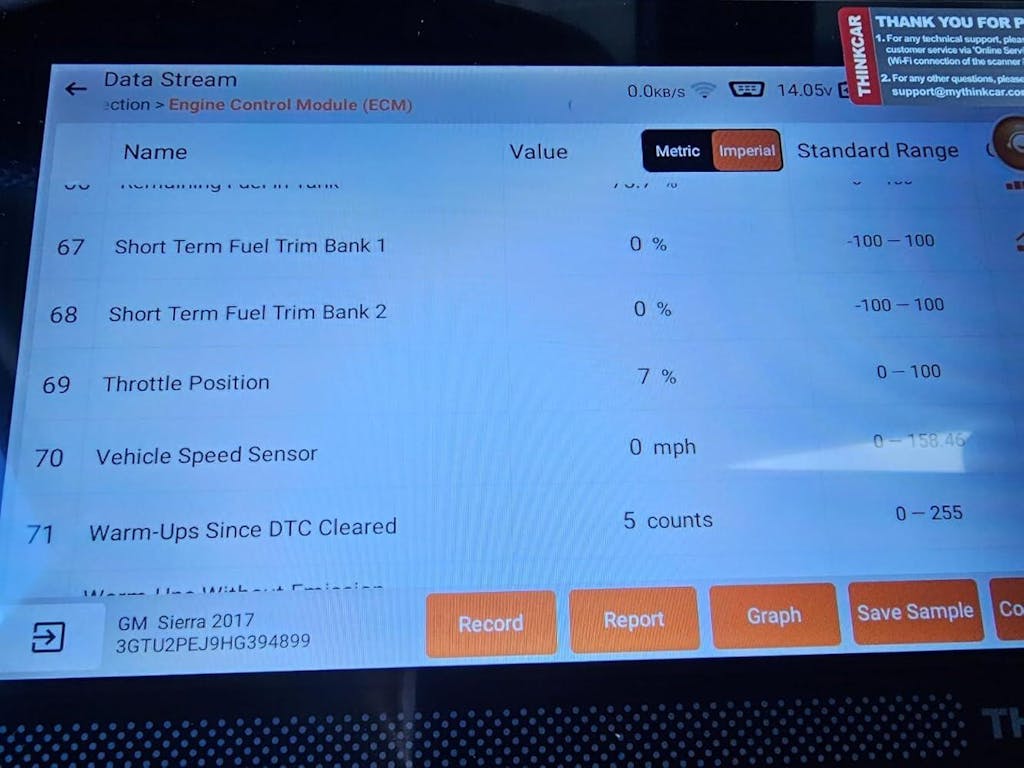
Not every bay needs the same tool. The best fit depends on whether you need quick intake scans, a tablet-based automotive diagnostic tool, or deeper system mapping for advanced work.
Best-fit use cases
- Fast intake triage before estimate approval
- Multi-system fault tracing on newer vehicles
- Mobile diagnostics with a wireless OBD2 scanner
- General repair shops that want guided interpretation
Product direction by workflow
Here is the practical split inside the current MUCAR range.
- Entry guided workflow: MUCAR BT200 MAX for compact AI-assisted checks and mobile use.
- Mid-tier dedicated tablet: MUCAR 682 for broader daily shop work with full-system access.
- Flagship AI-forward workflow: MUCAR 892BT or 892BT PRO for deeper testing, coding, and topology-led diagnostics.
If your work leans mobile, phone-based flexibility matters more than screen size. If your jobs often involve multi-module issues, the dedicated tablet path is easier to live with all day. If you regularly face newer network-heavy vehicles, the 892BT PRO is the most advanced fit in this THINKCAR range.
FAQ
How does AI enhance the diagnostic experience for professional mechanics?
AI improves the diagnostic experience by turning raw trouble codes into a ranked troubleshooting path. In daily use, that means you spend less time decoding symptoms and more time checking the most likely cause first. It is especially helpful when several modules are involved or when live data needs context, not just display. In the THINKCAR lineup, the MUCAR series fits this role because it combines AI-guided interpretation with scan, data, and active-test functions in one workflow.
How accurate is AI-assisted diagnostics for resolving vehicle faults?
AI-assisted diagnostics is most accurate when it helps you prioritize tests instead of making the final repair decision by itself. A strong workflow still needs voltage checks, freeze-frame review, live data comparison, and bi-directional confirmation before you replace parts. In practice, accuracy rises when the complaint is verified first, and the scan is full-system rather than powertrain-only. That is why a tool such as THINKCAR MUCAR works best when you use the AI layer as guidance, then validate every branch with evidence.
How does AI help in troubleshooting complex automotive issues?
AI helps with complex issues by grouping related clues that might otherwise look separate. It can connect stacked warning lights, network-related codes, and module behavior into a more usable test order, which matters on newer vehicles with gateway and communication dependencies. That saves time on complaints where one upstream problem creates several downstream codes.
How can AI-assisted diagnostics save time in car repairs?
AI saves time mainly by improving prioritization. Instead of chasing every code one by one, you can run a full scan, identify related systems, review likely fault paths, and test the strongest suspect first. That reduces wasted parts ordering, lowers comeback risk, and gives you clearer customer approval evidence earlier in the job. For shops that want that kind of guided speed, THINKCAR MUCAR tools are a sensible direction because they combine interpretation with verification features.
Table of Contents
- Which AI diagnostic tools in 2026 actually cut bay time?
- How AI diagnostic tools in 2026 turn scan data into a repair path
- Build the repair path before you replace parts
- Practical setup checks before relying on AI-assisted diagnostics
- Why some AI-supported scans still miss the real issue
- Where these AI diagnostic tools in 2026 fit in a shop workflow
- FAQ

Share:
5 Steps to Get the Most Value for Money with Car Diagnostic Scanners
Smartphone-Based AI Scan Tools vs Handhelds: Which Is Right for Serious Diagnostics?