
When quick phone setup starts slowing real diagnostics
A Smartphone-Based AI Scan Tool sounds efficient because your phone is already in your pocket. Pair a dongle, open an app, and you can pull codes in minutes. For light checks, that is often enough. The problem starts when your work shifts from simple code reading to serious diagnostics that involve full-system scans, active tests, long live-data sessions, and repeated use across multiple vehicles.
That is where tool format begins to matter as much as feature count. A Bluetooth OBD2 scanner that depends on your personal phone can be convenient, but convenience is not the same thing as workflow stability. If a call interrupts the app, your battery drops, or the phone screen times out while you are under the hood, the repair process gets slower instead of faster. In other words, the best tool for serious car diagnostics is usually the one that keeps you focused, connected, and moving through tests without extra friction.
Is a phone-first tool enough for serious work?
For occasional maintenance checks, yes, a phone-first setup can work. A smartphone-based AI scan tool paired with a compact wireless dongle is easy to carry, fast to connect, and friendly for beginners. If your main jobs are reading emissions codes, checking readiness monitors, or clearing a warning light after a confirmed fix, the phone-first route stays practical.
Where phone-based tools make sense
You will usually like the app-led approach if your priorities are portability and guided scanning. A phone already gives you a familiar interface, quick search access, and easy report sharing. Many users also appreciate that a Bluetooth OBD2 scanner takes up almost no space in the glove box or toolbox.
Still, there are clear limits once diagnostics get deeper:
- Your phone battery becomes part of the repair risk.
- Calls, notifications, and app switching can interrupt sessions.
- Smaller screens make graphing and multi-parameter live data harder to read.
- Many low-cost dongles stop at basic OBD2 instead of full-system access.
The real weakness is session stability
Serious diagnostics often means staying connected for 20 to 60 minutes while comparing sensor values, commanding actuators, or checking intermittent faults. That is a different job from reading one code in a parking lot. A self-contained diagnostic platform removes many of those interruptions, which is why phone-based tools often feel great at first but less ideal as your workload becomes more technical.
Why dedicated handhelds still matter
A dedicated handheld diagnostic scanner still solves a problem that app-based tools have not fully removed: uninterrupted work. When the screen, battery, software environment, and vehicle communication are built for one purpose, you spend less time managing the device and more time diagnosing the car.
Traditional handhelds are especially useful during long sessions. They are stable, predictable, and easier to hand to another tech without involving personal apps or account settings. That matters when you are doing repeated scans all day, moving from one module to another, or following a repair path that includes service resets and bidirectional commands.
What handhelds still do well
Dedicated handhelds usually win on these points:
- Stable sessions with no phone calls or text interruptions.
- Consistent screen behavior during long graphing or relearn tasks.
- Faster grab-and-go use in shops that share tools.
- Less dependence on phone operating system changes.
The tradeoff is obvious, though. Many handhelds are bulkier than a simple dongle, and some older models feel dated in wireless flexibility, interface speed, or AI guidance. So while handhelds remain strong, not every serious user wants an old-school wired workflow if a better middle ground exists.
Why MUCAR 892BT changes the usual phone-vs-handheld choice

If you want the short answer, the MUCAR 892BT is the stronger modern fit for serious mixed-use diagnostics. It keeps the wireless freedom people like in a Smartphone-Based AI Scan Tool, but it moves the core workflow onto a dedicated 8-inch tablet-style interface instead of your personal phone.
THINKCAR positions the MUCAR 892BT as an AI diagnostic tool with free lifetime updates, ECU coding, bidirectional testing, and 34+ maintenance functions. The product page also lists full-system diagnostics for 120+ car brands, support for CAN-FD and DoIP protocols, Bluetooth 5.0, a 1280×800 display, a 4150 mAh battery, and operating voltage from 9V to 18V. Those details matter because serious diagnostics depend on both function depth and modern vehicle communication support, not just on whether a tool can read generic engine codes.
Why this is a middle ground instead of a compromise
The MUCAR 892BT is not just a dongle with a larger screen. Its dedicated interface reduces phone-related interruptions, while the wireless dongle design still lets you move around the vehicle more freely than many older handheld formats. That combination is why it fits serious DIY users, mobile techs, and smaller shops that want depth without returning to a purely cable-bound workflow.
Shop: MUCAR 892BT
Where does each tool win in practice?
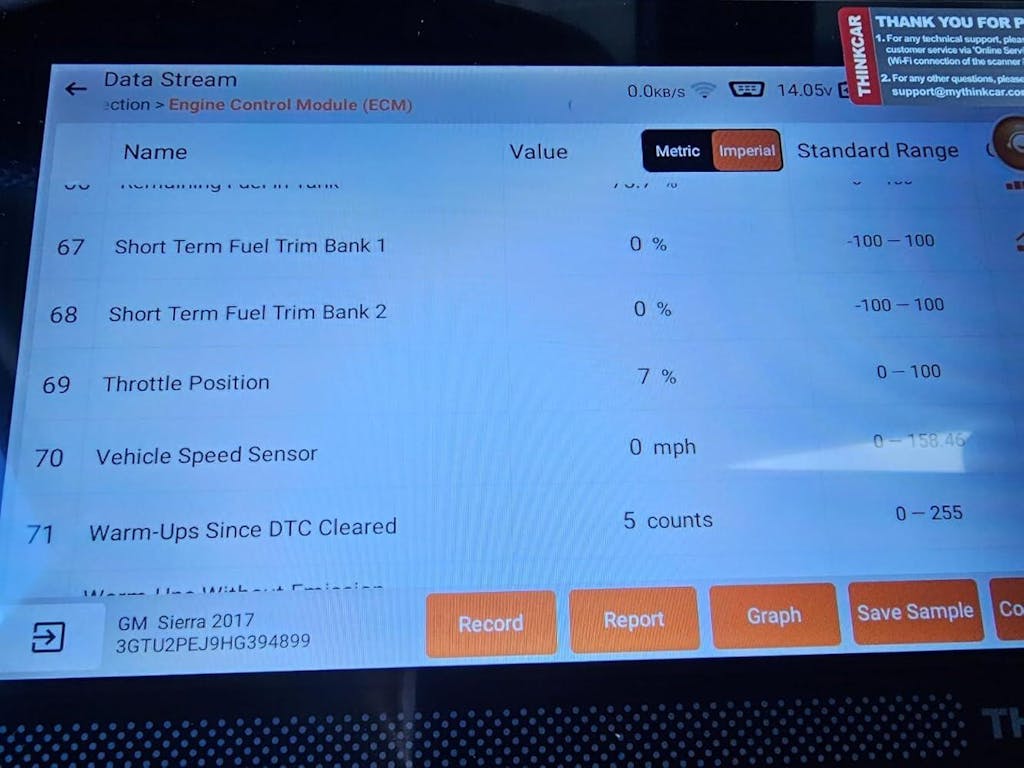
You do not choose between formats in theory. You choose based on what happens when a car is hot, the hood is up, and you need answers quickly. The table below focuses on the repair-impacting differences rather than marketing language.
| Dimension | MUCAR 892BT | Smartphone-Based AI Scan Tool | Traditional Handheld Diagnostic Scanner |
|---|---|---|---|
| Main format | Dedicated wireless tablet | Phone plus dongle | Self-contained handheld |
| Screen workflow | 8-inch built-in screen | Depends on your phone | Built-in screen |
| Connection style | Wireless BT dongle | Wireless BT dongle | Often wired or mixed |
| Full-system potential | Yes | Varies widely | Usually yes on better units |
| Active tests | Yes | Often limited | Often yes |
| AI guidance | Built-in fault guidance | App-dependent | Usually limited/manual |
| Modern protocol support | CAN-FD, DoIP listed | Varies by dongle | Varies by age/model |
| Update cost predictability | Lifetime updates listed | Often subscription-based | Mixed by brand |
| Best use case | Serious mixed workflows | Light portable scanning | Long stable shop sessions |
| Limitations | Higher commitment than basic dongles | Phone interruptions, smaller screen | Bulkier, sometimes less wireless |
Workflow speed under the hood
A phone-based setup feels fast until the work becomes repetitive. Unlocking the phone, reopening the app, handling Bluetooth permissions, and avoiding interruptions can add small delays that pile up over a day. By contrast, the MUCAR 892BT starts from a dedicated screen, so you stay inside one work environment.
Traditional handhelds also score well here because they avoid phone distractions. However, they are not always as flexible when you want to move around the vehicle while watching live data. Winner: MUCAR 892BT for balancing fewer interruptions with wireless mobility.
Which gives better diagnostic depth?
Basic app-led tools can look advanced in screenshots, but many still center on generic OBD2 functions. Serious troubleshooting usually needs access beyond powertrain codes, including ABS, SRS, body, transmission, service resets, and active commands. The MUCAR 892BT clearly positions itself above basic dongles by listing full-system diagnostics, ECU coding, and bidirectional tests.
A quality handheld can absolutely match strong depth, especially in better professional tiers. The difference is that the MUCAR 892BT combines that depth with a newer wireless-first workflow. Winner: Tie on high-end capability, but MUCAR 892BT is the safer recommendation over generic phone-based tools because its depth is explicitly stated.
AI help or manual interpretation?
AI automotive diagnostics is most useful when it shortens the distance between a fault code and your next test step. THINKCAR says the MUCAR 892BT includes automatic fault code analysis and real-time Q&A, plus an AI system designed for root-cause analysis and troubleshooting guidance. That does not replace testing, but it can reduce the time you spend guessing where to look first.
Most traditional handhelds still rely more on your own interpretation unless they add separate guided features. In practice, that means experienced technicians may work fine either way, while growing users benefit more from built-in assistance.
Winner: MUCAR 892BT.
Feature tradeoffs that actually affect repairs
Not every spec changes your repair result. A few do. If you ignore them, you can end up buying a tool that looks modern but creates friction every time the job gets harder.
Screen and session management matter
A serious car diagnostic scanner should reduce context switching. That means fewer moments where you need to jump between messaging, internet search, battery settings, and scan data on the same device. The built-in 8-inch screen on the MUCAR 892BT matters for exactly this reason, because longer live-data sessions are easier to read and manage than on a smaller phone display.
This point becomes even more important if you work in bright bays, move around the vehicle, or compare multiple data PIDs at once. A dedicated display is not a luxury feature. It is a workflow feature.
Safety still comes before scanner choice
No scan tool changes the need for safe work habits around running engines, battery systems, and moving components. OSHA ties eye and face protection to ANSI Z87.1 requirements, and OSHA guidance also reflects updated side-protection expectations in current safety practice. For under-hood diagnostics, that matters whenever you are working near belts, fans, fluids, or battery service points (osha.gov).
Likewise, OBD access expectations still center on modern compliant vehicles. The Legal Information Institute notes that a 1996 or newer vehicle fails the OBD test if the diagnostic connector is missing, tampered with, or inoperable, which is a useful reminder that communication problems are not always scanner problems (law.cornell.edu).
Best fit by user type
The easiest way to decide is to match the tool to your actual week, not to the most optimistic version of your week.
Serious DIYers need room to grow
If you are already beyond simple code clearing, choose depth first. You want full-system access, active tests, service functions, and a screen that makes live data readable for longer than five minutes. A basic phone dongle can help with occasional checks, but it often becomes the bottleneck once you start diagnosing drivability, electrical, or module faults.
That is why the MUCAR 892BT is the better recommendation for serious DIYers. You keep wireless convenience, but you also gain a dedicated interface and a broader function set that gives you room to learn harder jobs.
Mobile techs need fast, flexible access
For mobile work, setup speed and movement around the vehicle matter. Carrying a full old-style handheld everywhere is not always ideal, but neither is relying on a personal phone when you are bouncing between jobs. The MUCAR 892BT fits this middle space well because the wireless dongle helps you move freely while the tablet-style screen keeps the work separate from your personal device.
If your jobs are quick inspections only, a phone-based tool may still be enough. Once you do repeat diagnostics, module work, or guided troubleshooting, the dedicated platform starts paying back in time saved.
Shops need consistency more than novelty
Shops usually benefit from repeatable workflow over novelty. A tool has to connect reliably, stay readable during long sessions, and support modern protocols and deeper testing when simple code reads do not solve the problem. Traditional handhelds still have value here because they are familiar and stable.
Even so, the MUCAR 892BT makes a strong case when a shop wants newer wireless convenience without giving up dedicated-screen focus. That is the difference between a gadget that feels modern and a tool that actually helps throughput.
Conclusion
If your work is light, a Smartphone-Based AI Scan Tool can be enough. If your work is serious, the better answer is usually a dedicated platform that protects your workflow from phone interruptions while still giving you wireless freedom. That is why the MUCAR 892BT stands out as the winner in this comparison: it keeps the mobility people want from app-led tools, but adds the screen stability, diagnostic depth, AI help, and protocol coverage that serious diagnostics demand.
So the next move is simple. Buy for repair depth first, not for the fastest demo experience. If you want one tool that fits serious DIY work, mobile service, and many day-to-day professional tasks better than a basic phone dongle or a more traditional handheld format, start with the MUCAR 892BT.
FAQ
Can a smartphone-based diagnostic tool replace a tablet scanner for most users?
Yes, for light code reading and occasional maintenance checks, a smartphone-based diagnostic tool can replace a tablet scanner. The limit shows up when you need full-system scans, active tests, long live-data sessions, or repeated use across several vehicles in the same week. In those cases, workflow stability matters more than simple portability. For most serious users, Thinkcar's MUCAR 892BT is the stronger fit because it keeps wireless convenience without making your phone the main work screen.
Are app-based diagnostic tools good enough for advanced car repairs?
They can be good enough, but only when the platform goes well beyond generic OBD2 functions. Advanced repair work usually needs full-system access, bidirectional controls, service resets, and better fault interpretation support. Many entry-level Bluetooth tools stop at code reading and basic live data, which is not enough for deeper troubleshooting.
Which smartphone-based scan tool is best for serious diagnostics?
For serious diagnostics, the best smartphone-based direction is usually the one that reduces dependence on the phone itself. In this product set, the clearest recommendation is Thinkcar's MUCAR 892BT because it combines a wireless dongle workflow with a dedicated 8-inch screen, full-system diagnostics, bidirectional testing, ECU coding, and AI guidance. That mix makes it more practical for demanding repairs than a basic app-and-dongle setup.
What are the limitations of AI-assisted diagnostics for automotive fault detection?
AI-assisted diagnostics can speed up interpretation, but it cannot replace physical testing or technician judgment. You still need to verify voltage, wiring integrity, mechanical condition, pressure, and actuator behavior before replacing parts. If the scan data is incomplete or a communication fault is masking the real issue, AI suggestions can still point you in the wrong direction. The safest use is to treat AI as a prioritization layer, not as final proof.
Are there any drawbacks to using Bluetooth diagnostic tools over wired ones in vehicle repair?
Yes, Bluetooth tools can introduce pairing issues, signal drops, and greater dependence on battery health or device compatibility. Those drawbacks matter most during long sessions, relearns, or repeated movement around the vehicle while watching data. Wired tools still appeal when maximum connection simplicity is the top priority. A practical compromise is Thinkcar's MUCAR 892BT, which keeps cable-light use but avoids making your personal phone the center of the workflow.
Table of Contents
- When quick phone setup starts slowing real diagnostics
- Is a phone-first tool enough for serious work?
- Why dedicated handhelds still matter
- Why MUCAR 892BT changes the usual phone-vs-handheld choice
- Where does each tool win in practice?
- Feature tradeoffs that actually affect repairs
- Best fit by user type
- Conclusion
-
FAQ
- Can a smartphone-based diagnostic tool replace a tablet scanner for most users?
- Are app-based diagnostic tools good enough for advanced car repairs?
- Which smartphone-based scan tool is best for serious diagnostics?
- What are the limitations of AI-assisted diagnostics for automotive fault detection?
- Are there any drawbacks to using Bluetooth diagnostic tools over wired ones in vehicle repair?

Share:
AI Diagnostic Tools in 2026: 6 Features That Help Technicians Find the Real Fault Faster
Upgrading From a Basic Bluetooth Reader? Here’s When AI Diagnostics Make Sense