
Which Ownership Model Fits Your Garage Best?
A lifetime updates vs. annual renewals decision matters more than most buyers expect, because the hardware is only half the tool. Your scanner may still power on after the update period ends, but long-term value depends on whether it keeps adding newer vehicle coverage, bug fixes, and app support. Auto Lines notes that subscription-based tools usually keep working on their last installed version after expiry, but they stop gaining newer coverage and updated ECU support. That is the real cost question: not just what the dongle can do today, but how useful it stays over the next three to five years. (autolines.com.au)
If your workflow centers on one or two household vehicles, a tool with low renewal pressure often makes more sense than a platform built around constant paid updates. On the other hand, if you regularly touch late-model vehicles, software freshness starts to matter faster. Generic OBD-II access has been required on most U.S. cars and light trucks since model year 1996, but deeper system access still depends on brand-specific coverage and current software support. NHTSA and SAE International both reflect how standardized OBD access coexists with evolving vehicle systems, which is why update policy affects real-world usefulness.
Renewal rules change real value
The plain-English rule is simple: a scanner with annual renewal risk needs to give you enough extra diagnostic depth to justify that future cost. In this Thinkcar lineup, the split is clear enough to plan around. MUCAR DriverScan has a dedicated one-year software subscription product, which signals an ongoing renewal path for software continuity. ThinkDiag 2 also requires activation for one year of free full software and functions, then moves into a subscription model. By contrast, MUCAR BT200 MAX is positioned by Thinkcar around lifetime free updates, with several brand pages also describing ongoing coverage additions rather than a timed software window.
That difference changes ownership math fast. If you hate recurring decisions, lifetime-style support is easier to live with. If you want broader feature growth and accept that software access is part of the tool, a renewal model can still be worth it. The right answer depends less on marketing language and more on whether your car mix changes often.
Upfront savings can mislead buyers
A cheaper purchase is not always the lower-cost tool. Sometimes the opposite is true. A renewal-based platform may look efficient at checkout, then become the more expensive path if you need fresh coverage every year. Conversely, a lifetime-update tool can be the better three-year value even if it gives up some platform flexibility.
Here is the practical filter to use before you buy:
- Stable household fleet: favor lifetime updates or low-renewal pressure.
- Mixed family vehicles from different years: prioritize full-system access and strong app workflow.
- Side-work or light shop use: weigh active tests and resets against renewal cost.
- Growing diagnostic demands: accept that expandable platforms often depend more on subscriptions.
Support lifespan needs close reading
The word lifetime can still mean different things, so you should read it as a support model, not a magic guarantee. Auto Lines points out that some brands define lifetime by the supported life of the hardware rather than endless updates. That is one reason it helps to compare actual product pages, subscription listings, and app requirements instead of trusting one headline. (autolines.com.au)
Within this article, the safest ownership reading is this: MUCAR BT200 MAX is the lowest-pressure update path, MUCAR DriverScan is a balanced tool with a visible subscription route, and ThinkDiag 2 is the most growth-oriented option but also the one whose long-term value depends most on continued software access. That framing gives you a cleaner starting point than simply sorting by feature count.
MUCAR DriverScan Balances Access And Practical Depth

If you want a middle-ground lifetime updates vs. annual renewals option, MUCAR DriverScan is the most practical daily-use tool in this comparison. It is a Bluetooth scanner built around the MUCAR DriverScan app, and its core appeal is simple: it gives you real bidirectional testing, full-system diagnostics, and 15+ maintenance functions in a compact format. Thinkcar also lists VE Calculator plus Acceleration Test, IMMO key matching functions, AutoVIN, printed health reports, remote diagnosis support, and full OBD2 functions such as freeze-frame data, graphing, EVAP test, O2 sensor test, and I/M readiness.
That combination makes DriverScan feel less like a code reader and more like a genuine troubleshooting tool. You can command components, verify responses, and handle common service work without stepping into a full tablet ecosystem. For many drivers and small-garage users, that is the sweet spot: enough power to solve real problems, but not so much platform complexity that every task becomes a software-management project.
Bluetooth scanner with bi-directional functions
DriverScan’s strongest argument is not raw breadth. It is efficiency. Thinkcar says the tool can run active tests such as turning on the radiator fan, modulating the throttle, opening and closing windows, operating mirrors, switching lights, sounding the horn, and testing door locks. That matters because bidirectional control lets you command a part instead of guessing from a fault code alone.
It also supports OE-level diagnostics across systems such as engine, transmission, ABS, SRS, A/C, EPB, TPMS, battery, cruise control, parking sensors, and more. For maintenance, Thinkcar lists 15+ functions including oil reset, steering angle calibration, EPB reset, battery registration, ABS bleeding, throttle relearn, DPF regeneration, TPMS reset, injector matching, gearbox reset, and EGR reset. That is broader than a basic DIY scanner and enough for many routine service workflows.
Shop: MUCAR DriverScan
Best for drivers wanting portable capability
This is the better fit when you want a tool that travels well and still does meaningful work. A driver maintaining two or three family cars can use it for warning lights, maintenance resets, and occasional deeper checks. A mobile technician can keep it as a fast backup scanner. A small shop can use it for triage jobs where speed matters more than platform expansion.
Its coverage story is also respectable for a compact unit. Thinkcar states support for 98% of car models, coverage across 134 brands and counting, and protocol support including ISO 14230-4 KWP, ISO 15765-4 CAN, ISO 9141-2, and SAE J1850 VPW/PWM. That does not mean every advanced function works equally on every make, but it does suggest wide day-to-day usefulness.
App workflow may limit some users
DriverScan is not the lowest-pressure ownership path, and that is the tradeoff. Thinkcar sells a dedicated one-year software subscription for this device, so you should assume update continuity can become a recurring decision. The hardware and installed functions may still remain useful, but the ownership model is not as set-and-forget as BT200 MAX.
The second limitation is workflow preference. Some users like a phone-based app because it is light and fast. Others want a bigger screen and a more workshop-style interface. If you prefer a dedicated platform with more room to grow, ThinkDiag 2 will likely feel more expandable.
MUCAR BT200 MAX Prioritizes Low Ongoing Cost
If your main goal is the lowest long-term ownership burden, MUCAR BT200 MAX is the clearest answer in this lineup. Thinkcar repeatedly positions it around lifetime free updates, AI-assisted diagnostics, full-system access, bidirectional control, and 15+ reset functions. Its role in this comparison is straightforward: it is the tool that reduces renewal pressure the most while still covering far more than a basic code reader.
That matters because many buyers do not actually need a platform that keeps expanding through paid subscriptions. They need a reliable scanner that can read all systems, run common active tests, and stay current enough to remain useful without becoming another annual bill. In that ownership scenario, BT200 MAX makes the strongest case.
Lifetime updates plus AI assistance
The most important BT200 MAX advantage is support policy. Thinkcar content describes lifetime free updates, and one of its 2026 guides says coverage updates arrive on a roughly monthly cadence. The brand also highlights AI-powered diagnostics, bidirectional control, CAN-FD support, ELM327 app compatibility, Bluetooth workflow, and 15+ reset functions.
CAN-FD is worth calling out because it matters more on newer vehicles. As vehicle networks evolve, protocol support becomes a practical buying factor rather than a spec-sheet extra. Thinkcar’s positioning suggests BT200 MAX is aimed at buyers who want modern compatibility without moving into a renewal-heavy platform. That makes it especially attractive for DIY users, side-work mechanics, and owners trying to keep long-term costs predictable.
Shop: MUCAR BT200 MAX
Best for DIY and quick checks
BT200 MAX is the easiest recommendation if you mostly want dependable diagnostics without subscription friction. It works well for check-engine triage, service resets, pre-purchase checks, and quick actuator tests. The AI layer can also help newer users move from fault code to next step faster, which is valuable when you do not diagnose vehicles every day.
There is another hidden benefit here: predictable behavior after year one. Since the tool is marketed around lifetime updates, you do not have to treat each new season as a renewal decision. That lowers mental overhead, not just ownership cost.
Smaller scope than expandable platforms
BT200 MAX still has limits. It is the best low-renewal choice, but it is not framed as the deepest expandable ecosystem in this group. If your work grows toward more specialized procedures, broader app ecosystems, or a stronger emphasis on platform expansion, ThinkDiag 2 offers more headroom.
So the best way to read BT200 MAX is not “basic.” It is “focused.” You get strong everyday capability, lower long-term pressure, and a cleaner ownership model. For many buyers, that is exactly the better deal.
ThinkDiag 2 Offers More Expandable Coverage
ThinkDiag 2 is the option for users who care less about avoiding renewals and more about growing diagnostic range over time. In this lifetime updates vs. annual renewals comparison, it is the most platform-like choice. Thinkcar says ThinkDiag 2 supports OE-level full-system diagnostics, bidirectional control, ECU coding, IMMO functions, AutoVIN, report printing, remote diagnosis, and 15+ maintenance functions. The product page also shows Bluetooth 5.0 with CAN-FD in image labeling, which reinforces its positioning around newer vehicle compatibility.
In other words, ThinkDiag 2 is the tool you buy when you expect your diagnostic demands to become broader, not flatter. That can make it the best value for advanced DIY users and small shops, even if it is not the best choice for minimizing future software costs.
App-based platform with deeper flexibility
ThinkDiag 2 stands out because it reaches beyond routine scan-and-reset use. Thinkcar lists ECU coding, key learning and remote functions under IMMO, graphing of multiple data streams, auto vehicle identification, and report printing from PC. Those are not just convenience items. They matter when you are diagnosing recurring faults, matching replacement components, or handling jobs that need more than a quick code pull.
This is also the most obvious “grow with me” option in the trio. If you are building skill, adding vehicle types, or taking on more advanced service work, ThinkDiag 2 gives you more room than BT200 MAX. The tradeoff is that you are stepping deeper into software dependency.
Shop: ThinkDiag 2
Best for users needing broader growth
ThinkDiag 2 fits buyers who already know they will outgrow entry and mid-tier tools. That includes advanced hobbyists, mobile technicians who want a portable but more capable platform, and smaller shops that need broader functions without moving directly to a larger tablet scanner.
Its maintenance list is also solid. Thinkcar names 15+ functions including ABS bleeding, battery matching, gearbox relearn, brake reset, EGR adaptation, throttle relearn, immobilizer reset, injector coding, oil reset, steering angle reset, TPMS reset, and air level calibration. That is enough variety to justify the platform for users whose work extends beyond occasional warning-light checks.
Renewals matter more over time
Here is the catch: Thinkcar says you must activate the dongle to enjoy one year of free full software and functions. After that, the ownership story shifts toward renewal. This does not make ThinkDiag 2 a bad value. It simply means its value depends more on whether you keep feeding the platform current software.
If you use the tool often and need fresher vehicle coverage, that may be a fair exchange. If you want a scanner to keep in the glove box or use a few times each quarter, it is harder to justify than BT200 MAX.
Head-To-Head: Where Does The Real Cost Land?
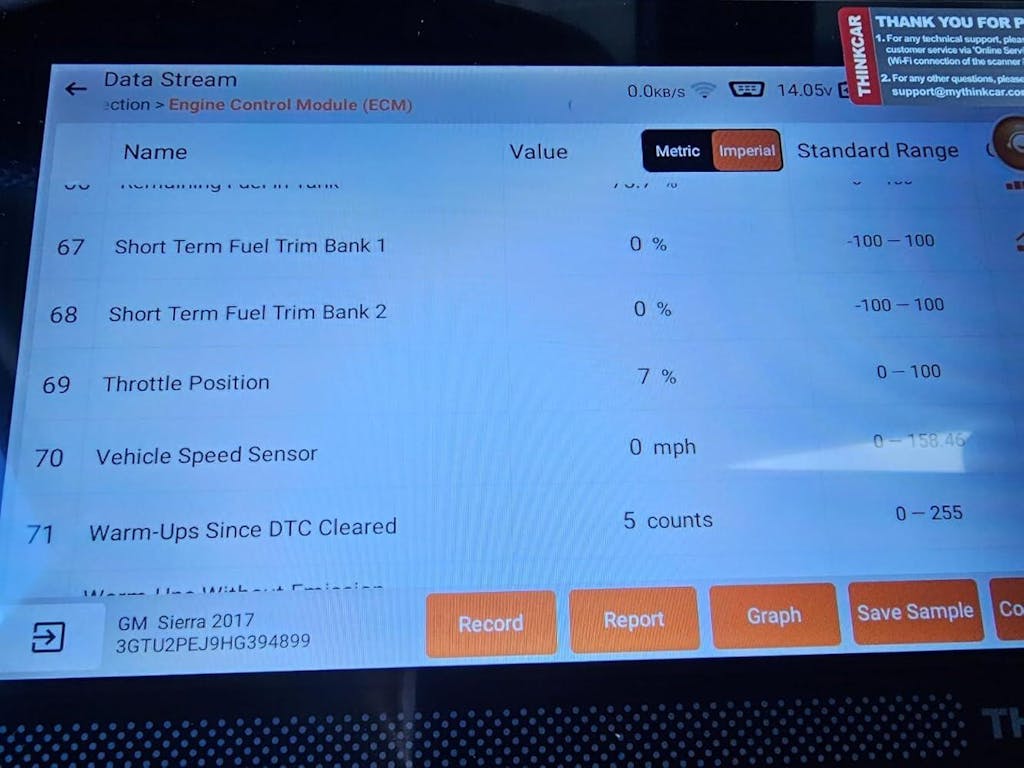
Before you decide, it helps to compare all three tools by the ownership questions that actually change satisfaction. Internal comparison is less about naming one universal winner and more about understanding what you give up to gain something else.
| Dimension | MUCAR DriverScan | MUCAR BT200 MAX | ThinkDiag 2 |
|---|---|---|---|
| Update model | Visible annual subscription path | Lifetime free updates | 1-year free, then renewal |
| Core role | Balanced everyday scanner | Lowest ongoing-cost path | Expandable app platform |
| Connection | Bluetooth app workflow | Bluetooth app workflow | Bluetooth app workflow |
| Bidirectional control | Yes | Yes | Yes |
| Full-system diagnostics | Yes | Yes | Yes |
| Reset functions | 15+ | 15+ | 15+ |
| Extra strengths | VE, IMMO, reports | AI help, CAN-FD | ECU coding, IMMO |
| Best fit | Daily practical use | Budget stability | Growth and flexibility |
| Limitations | Renewal pressure over time | Less expansion headroom | Value depends on renewals |
Upfront price vs future spend
MUCAR DriverScan: DriverScan sits in the middle from an ownership perspective. You get real bidirectional testing, wide maintenance coverage, and helpful extras like VE Calculator and IMMO functions. However, the separate DriverScan software subscription product shows that long-term update continuity is not free.
MUCAR BT200 MAX: BT200 MAX is the cleanest low-future-spend choice because Thinkcar positions it around lifetime free updates. That means your ownership cost is easier to predict, especially if you mainly maintain the same household or shop vehicles over time.
ThinkDiag 2: ThinkDiag 2 gives you more headroom, but that headroom depends more heavily on continued software access. The one-year free full software model makes it less attractive for buyers whose top priority is avoiding recurring decisions.
Best Fit: For lowest future spend, BT200 MAX is the clear best fit. DriverScan lands in the middle. ThinkDiag 2 makes sense only when you will actually use its broader platform depth.
Which tool keeps more value unrenewed?
MUCAR DriverScan: DriverScan still has strong core utility because its feature set is broad enough to remain useful even without constant expansion. Full-system diagnostics, active tests, OBD2 functions, and common resets cover a lot of real jobs.
MUCAR BT200 MAX: BT200 MAX keeps the most value here because the update model is the least renewal-dependent in the first place. If your goal is to reduce ownership friction, it is built for that exact outcome.
ThinkDiag 2: ThinkDiag 2 loses more value when renewal stops, simply because so much of its appeal comes from being a deeper, evolving platform. If you do not maintain current software, you blunt the reason to buy it.
Best Fit: BT200 MAX keeps the most value without renewal pressure. DriverScan remains useful. ThinkDiag 2 depends the most on continuity.
Diagnostic depth and growth room
MUCAR DriverScan: DriverScan covers everyday diagnostics very well and adds practical extras that many compact scanners skip. It is deeper than a simple entry tool but still oriented toward quick work rather than ecosystem expansion.
MUCAR BT200 MAX: BT200 MAX is strong on essentials and modern convenience, especially with AI assistance and CAN-FD support. Still, its role is more “efficient ownership” than “platform growth.”
ThinkDiag 2: ThinkDiag 2 offers the most obvious growth path because it adds ECU coding, IMMO functions, broader data presentation, and a more expandable app-centered experience. That makes it the stronger long-run technical tool if you will actually use those layers.
Best Fit: ThinkDiag 2 is the best fit for growth. DriverScan is the better balance for everyday work. BT200 MAX stays strongest where cost stability matters most.
App experience or flexible platform?
MUCAR DriverScan: The DriverScan app keeps the workflow direct. You plug in, identify the car, run your scan, and move into active tests or resets quickly. That is ideal when you value speed over exploration.
MUCAR BT200 MAX: BT200 MAX leans into a modern app experience with AI-guided help. For many users, that reduces confusion and shortens the path from code to action.
ThinkDiag 2: ThinkDiag 2 is the more flexible platform-style option. The extra depth is useful, but it also means you should expect a bit more setup, more decisions, and more benefit only if you use advanced functions regularly.
Best Fit: Choose DriverScan for straightforward speed, BT200 MAX for low-stress smart guidance, and ThinkDiag 2 for broader platform flexibility.
Best Fit By Buyer Scenario
If you are still deciding, stop thinking in product names and start thinking in ownership habits. The right scanner is the one that fits how often you diagnose, how often your vehicle mix changes, and how much recurring software cost you can tolerate.
Lowest long-term ownership cost
MUCAR BT200 MAX is the best fit when your goal is stable ownership cost. Thinkcar’s lifetime-update positioning makes it the easiest tool in this group to keep useful without an annual decision cycle. If you want solid everyday diagnostics with fewer long-term strings attached, this is the cleanest choice.
Better everyday driver balance
MUCAR DriverScan is the best fit for buyers who want more capability than an entry scanner but do not necessarily need the broadest platform. Its bidirectional control, 15+ service functions, full-system access, IMMO support, and practical app workflow make it a strong middle-ground tool. You do need to weigh the renewal path, but the day-one usefulness is excellent.
Room to grow beyond basics
ThinkDiag 2 is the best fit when you expect your diagnostic demands to expand. ECU coding, IMMO functions, multi-data graphing, and broader app flexibility give it more growth room than the other two. Just be honest with yourself: if you will not use that extra depth, the renewal model is harder to justify.
Conclusion
For most buyers comparing lifetime updates vs. annual renewals, the right answer is not the most advanced tool. It is the ownership model you will still be happy with after three years. If you want the lowest long-term ownership cost and the least renewal pressure, MUCAR BT200 MAX is the best fit. If you want a balanced everyday scanner with meaningful diagnostic depth, MUCAR DriverScan is the better all-around choice. If you need room to grow into broader functions and can accept renewal dependency, ThinkDiag 2 makes the most sense.
Your next step is simple: match the tool to your vehicle mix, not just your wish list. Choose BT200 MAX for predictable ownership, DriverScan for practical daily capability, or ThinkDiag 2 for expandable depth. If you want to stay inside the Thinkcar lineup and buy by ownership style instead of hype, these three models already cover the main paths clearly.
FAQ
How much do software renewals really matter when choosing a diagnostic tool?
Software renewals matter most when you plan to keep the scanner for several years or work on newer vehicles regularly. A tool can still function after updates lapse, but it may stop gaining new vehicle coverage, revised ECU support, and newer bug fixes. That matters less for a stable two-car household than for a small shop seeing late-model cars every week. In practical terms, renewals affect long-term compatibility more than first-day usefulness.
Should I buy a scanner with lifetime updates or one with annual renewals?
You should buy a lifetime-update model if your top goal is predictable ownership cost and low software friction. In this Thinkcar comparison, MUCAR BT200 MAX is the clearest fit for that need because it is positioned around lifetime free updates and everyday full-system use. An annual-renewal tool can still be the better choice if you need broader platform growth, ECU coding, or more advanced expansion over time. The right call depends on whether you value cost stability or feature evolution more.
What is the best scan tool with low long-term ownership cost?
Within this three-tool comparison, MUCAR BT200 MAX is the best fit for low long-term ownership cost. Its update model is the least renewal-dependent, which makes three-year planning much easier. You still get meaningful capability, including full-system diagnostics, bidirectional control, resets, and modern app-based workflow. That combination makes it the strongest Thinkcar recommendation for buyers who want budget stability.
What happens if I stop renewing a professional scan tool?
In most cases, the hardware and installed software continue to work, but the tool stops receiving newer coverage and feature improvements. That means you can usually still scan vehicles supported by the last installed version, but support gradually becomes less relevant as newer model years and updated modules appear. For occasional home use, that may be acceptable for a while. For professional use, the gap becomes more costly because missed coverage can slow diagnosis or limit functions.
Which scan tool makes the most sense for a small garage that wants room to grow?
ThinkDiag 2 makes the most sense if your small garage expects diagnostic demands to expand over time. It offers broader growth potential through features such as ECU coding, IMMO-related functions, multi-data graphing, and a more flexible app ecosystem. That said, the ownership model matters because its strongest value depends on staying current with software. If your shop wants growth without stepping into a full tablet tool yet, this is the best fit.
Which scan tool is best if I want to avoid expensive yearly subscriptions?
If avoiding yearly subscriptions is your main goal, MUCAR BT200 MAX is the strongest choice in this lineup. It aligns most directly with the idea of keeping long-term costs stable while still giving you real diagnostic usefulness. DriverScan can also work if you prefer its feature balance, but it has a visible subscription path that adds more renewal pressure over time. So if only one Thinkcar model must be named for subscription avoidance, BT200 MAX is the clearest answer.
Table of Contents
- Which Ownership Model Fits Your Garage Best?
- MUCAR DriverScan Balances Access And Practical Depth
- MUCAR BT200 MAX Prioritizes Low Ongoing Cost
- ThinkDiag 2 Offers More Expandable Coverage
- Head-To-Head: Where Does The Real Cost Land?
- Best Fit By Buyer Scenario
- Conclusion
-
FAQ
- How much do software renewals really matter when choosing a diagnostic tool?
- Should I buy a scanner with lifetime updates or one with annual renewals?
- What is the best scan tool with low long-term ownership cost?
- What happens if I stop renewing a professional scan tool?
- Which scan tool makes the most sense for a small garage that wants room to grow?
- Which scan tool is best if I want to avoid expensive yearly subscriptions?

Share:
Factory-Direct Value: What to Look for in Cost-Effective Diagnostic Tools with Lifetime Updates
Factory-Direct Value: What to Look for in Cost-Effective Diagnostic Tools with Lifetime Updates