
Introduction
Still swapping parts because the check engine light ruined your weekend, and the cheap reader only says a code? That workflow usually costs you twice: you lose time chasing guesses, and you risk clearing the evidence (freeze-frame and readiness) that actually explains why the fault showed up.
This guide helps you buy a value-for-money OBD2 scanner in 2026 by matching capability to your real jobs: basic OBD2, full-system diagnosis, bidirectional control, and a sane update path. Along the way, you will see how THINKCAR and MUCAR tools fit common scenarios, how to think about software renewal and TCODE, and how to keep your connected-car data safer.
OBD2 Scanner Value Fundamentals
OBD2 scope: emissions-focused vs full-systems reality
When you search for a Vehicle Scanner & Diagnostic Tool, it helps to separate two worlds that look similar on the screen. Generic OBD2 (the standardized mode used by almost every code reader and many OBD2 Scanner Bluetooth dongles) focuses on emissions-related powertrain information: engine and transmission faults, readiness monitors, and a limited set of standardized live data. That is enough to answer, "Why is the MIL on?", but it often cannot answer, "Why is the ABS light on?" or "Why does the HVAC actuator click?"
Full-system diagnosis expands beyond emissions and talks to many manufacturer modules: ABS, SRS/airbag, BCM, HVAC, steering, battery management (on hybrids/EVs), and more. In practice, the value jump has fewer blind spots: you can scan all modules, see network-wide DTCs, and confirm which module is complaining first. This is why tablet-style tools like the ThinkScan Series and AI Diagnostic Series exist: they are built to do more than Service 03 code reading.
Scanner tiers: reader, Bluetooth dongle, or tablet scan tool
Before you compare model names, decide which tier matches your workflow and tolerance for friction.
- Basic code readers (corded handheld): fast to plug in, minimal setup, usually best for DTCs, readiness, and quick clears.
- OBD2 Scanner Bluetooth dongles: portability and low cost, but your phone becomes part of the toolchain (permissions, OS updates, background connectivity, and app quality matter).
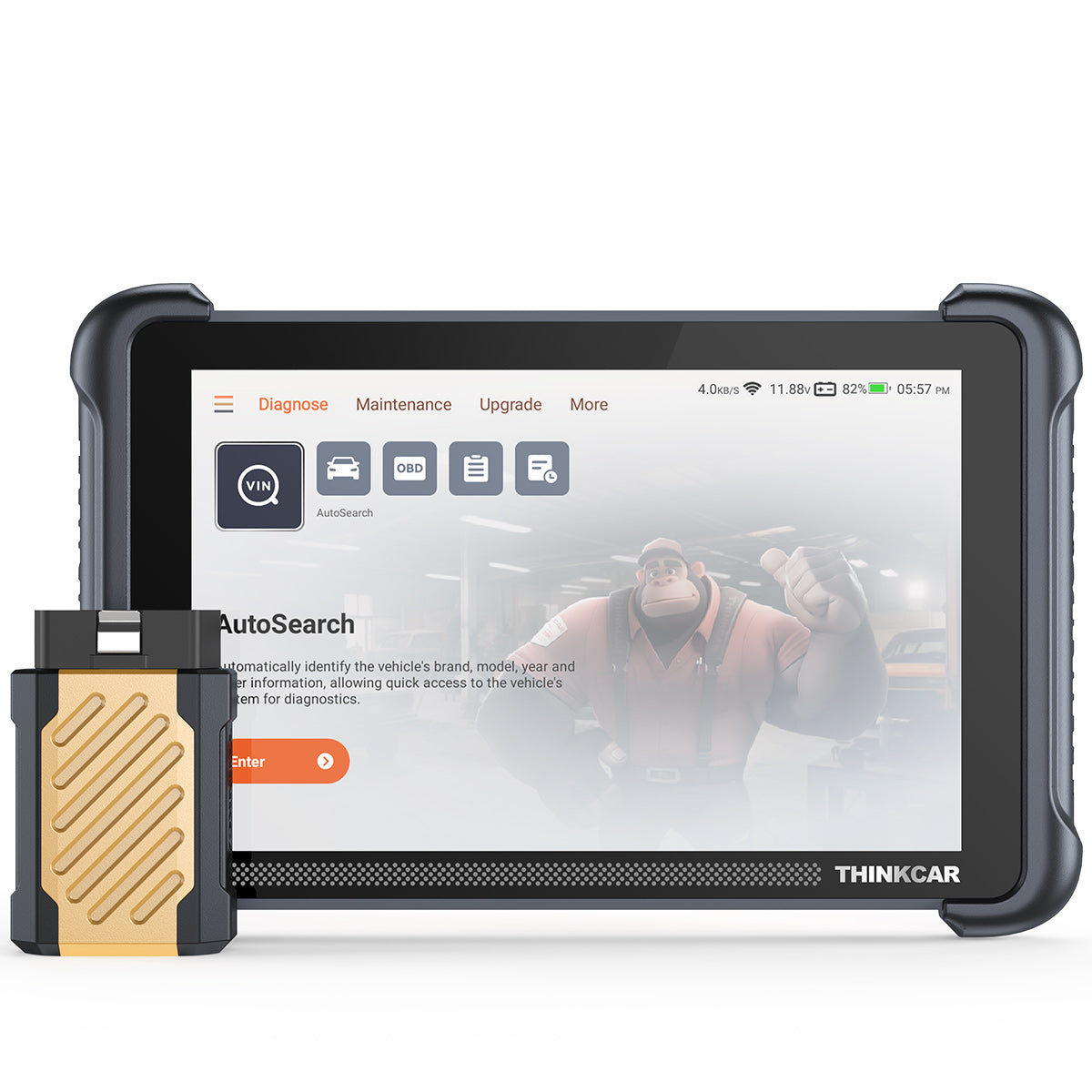
- Tablet scan tools + dongle (wireless VCI): larger screen, guided functions, active tests, often better coverage, and faster navigation. For example, THINKSCAN 689BT uses an 8-inch touchscreen and connects via a Bluetooth dongle, aiming for all-system diagnostics plus bidirectional controls.
The key decision context: if you only verify readiness before emissions testing, a reader can work. If you troubleshoot intermittent electrical issues, module scans and actuation tests save hours.
Capability taxonomy: live data, freeze-frame, readiness
Most "value" decisions come down to whether the tool captures evidence before you erase it.
- Live data (Service 01, PIDs): real-time sensor values such as coolant temperature, O2 sensor activity, fuel trims, MAP/MAF, and misfire counters (when supported). Live data is how you verify if a code matches current behavior.
- Freeze-frame: a snapshot recorded when the fault triggered (RPM, load, temp, trims). Saving freeze-frame before clearing codes is often the difference between a clean diagnosis and a repeat failure.
- I/M readiness monitors: the pass/fail or complete/incomplete status of emissions self-tests. In California, BAR tightened readiness requirements effective October 1, 2025, requiring all readiness monitors to be set for a Smog Check pass (with limited exceptions). This makes readiness visibility more valuable than it used to be. According to the California Bureau of Automotive Repair, readiness monitors must be complete for a vehicle to pass, and drive cycles may be required after repairs.
Control taxonomy: bidirectional tests, coding, and secure gateways
"Bidirectional scanner" is the phrase people use when they really mean, "I want to command the car." That includes:
- Active tests (actuation): command a cooling fan on, cycle an EVAP purge valve, trigger an ABS pump motor test, or operate relays. This helps you test wiring and actuators without guessing.
- Special functions/resets: oil reset, EPB service mode, steering angle sensor reset, throttle relearn, TPMS service functions, and more.
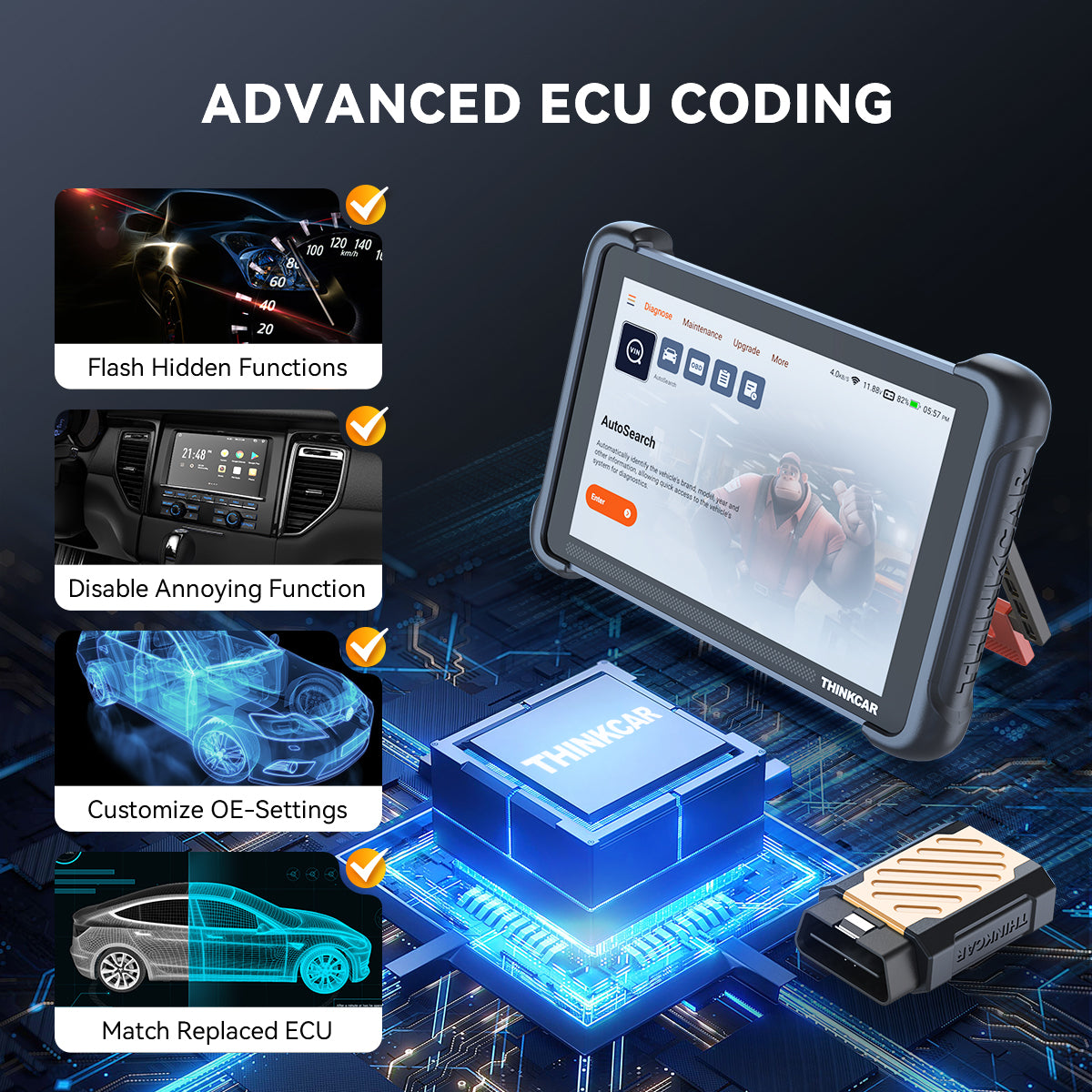
- Coding and adaptations (vehicle-dependent): changes to configuration or learning procedures after replacing a module.
Modern vehicles also add secure gateways that restrict diagnostics. The THINKSCAN 689BT lists AutoAuth support for FCA SGW access (2017+), which matters if you service Chrysler/Dodge/Jeep/Alfa Romeo vehicles with gateway restrictions.
OBD2 Basics You Actually Use
Most people buy a scanner because of one light, not because they want to learn protocol theory. So focus on three daily moves: read evidence, confirm behavior, and only then clear.
First, pull codes (Service 03) and save freeze-frame. The freeze-frame tells you whether the fault happened cold, hot, at idle, or under load. Next, look at live data (Service 01) for a few supporting PIDs: coolant temp plausibility, short- and long-term fuel trims, upstream O2 activity, and misfire counters where available. If the data does not support the code story, treat the code as a symptom and keep digging.
To keep your workflow consistent, use this quick checklist:
- Read DTCs and note "pending" vs "confirmed"
- Save freeze-frame before any reset
- Verify at least 3 supporting PIDs
- Clear codes (Service 04) only after documentation
- Re-check readiness monitors after the test drive
This is where many tools in the ThinkScan Series and Code Readers category overlap on basics. The difference is whether you can scale from basics into module scans and bidirectional control when the problem is not purely emissions.
Full System Diagnosis vs Generic OBD2
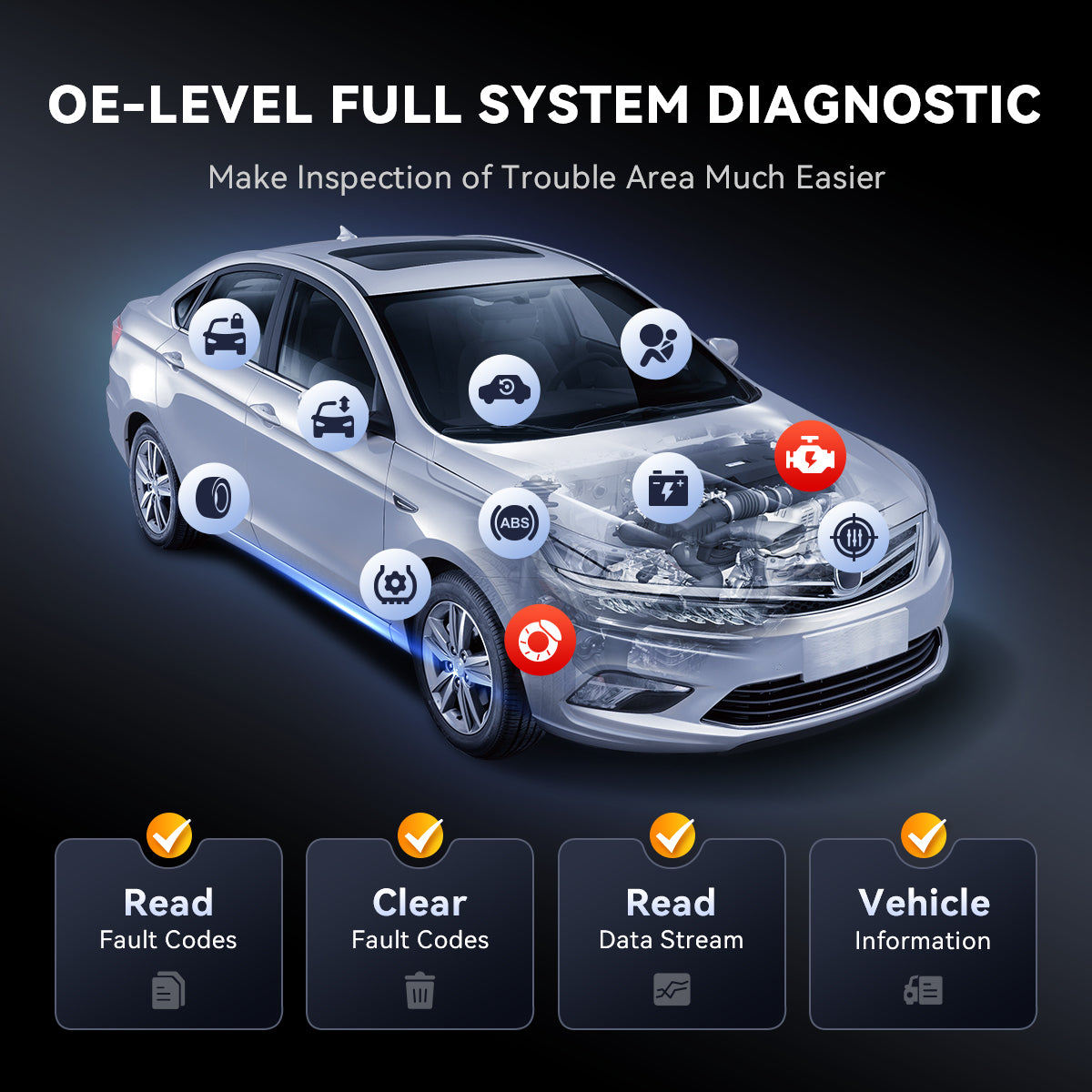
If you only ever read powertrain codes, you will eventually hit a wall: the car can have no MIL and still have a braking, airbag, or body-network issue that a generic reader cannot even see. Full-system diagnosis is the moment your scanner stops being a "code reader" and becomes a Vehicle Scanner & Diagnostic Tool for real troubleshooting.
The decision context is simple: choose full-system access if you diagnose anything outside engine/transmission, if you work on newer vehicles with complex body electronics, or if you want to reduce comebacks. A module scan can show you supporting faults that explain the real root cause, such as low voltage history in multiple modules, lost communication codes, or an ABS wheel speed signal drop-out.
Use this practical verification before you commit to a tool ecosystem:
- Confirm it can access ABS and display live wheel speeds
- Confirm it can access the SRS/airbag for codes and status
- Confirm it can access BCM (locks, lights, wipers)
- Confirm it can access HVAC (blend door actuators)
THINKSCAN 689BT explicitly positions itself as "OE-level full system diagnostic" and "all system diagnostic with Bluetooth dongle," so it is intended for this tier of work. It also lists AutoVIN and AutoScan, which matter when you want a fast full-module sweep without building a manual menu path.
Bidirectional Control Scanners
Bidirectional control is the "test before you replace" upgrade. Instead of assuming a component is dead because a code suggests it, you command it. If it responds, the fault is often upstream (wiring, command signal, sensor logic). If it does not respond, you can measure power/ground and confirm the failure path.
A good bidirectional scanner workflow looks like this:
- Start with DTCs + freeze-frame
- Check live data for plausibility
- Run an active test to command the suspect component
- Verify the response in the data or by observation
- Only then replace parts or repair wiring
THINKSCAN 689BT describes itself as a full bidirectional scan tool and highlights active tests across many components (fans, relays, actuators). It also calls out that commanding components can cut diagnostic time, and it provides an example scenario of commanding a hybrid battery cooling fan to confirm wiring issues.
For a value-focused buyer, the key is not "does it have active tests" but "does it have the active tests you will actually run" (cooling fans, EVAP, ABS pump motor tests, injector cutout where supported, window/lock actuations for body diagnostics). That is why coverage verification matters as much as the feature label.
Shop: THINKSCAN 689BT
Updates, Subscriptions, and Total Cost
A scanner is not just hardware in 2026. It is hardware plus a software delivery model that determines whether your tool stays useful as vehicles change protocols (CAN-FD, DoIP), add secure gateways, and update module behaviors. So you should treat "Software Renewal" and "Software Subscription" terms as part of the buying decision, not an afterthought.
Start by listing your ownership timeline. If you keep tools for years, then update policy matters more than a slightly larger screen. Some tools emphasize monthly upgrades that add car coverage and functions. THINKSCAN 689BT lists "monthly upgrades add growing cars and functions" and supports 2.4G/5G WiFi updates, which suggests a frequent update cadence.
Next, make the update path operational:
- Plan for WiFi access in your garage
- Confirm storage/RAM is sufficient for updates
- Track version changes using "Software Update Notice"
- Document which version you used for each job
Finally, understand how add-on licensing works. THINKCAR also sells TCODE items for certain devices and lines (for example, "THINKDIAG2 1 Year Software Subscription" and multiple MUCAR CDE900 T-code options appear in the store navigation). That usually means coverage, resets, or software packages can be tied to time-based renewals. The practical move is to verify, before purchase, whether your must-have functions (bidirectional tests, resets, all-system scans) are included by default or gated behind an ongoing plan.
Connected-Car Risk and Data Hygiene
When you use an OBD2 Scanner Bluetooth dongle or any connected diagnostic platform, you are bridging your vehicle network to a second computing device (phone, tablet, or scanner OS). That creates a real but manageable risk: data exposure, over-permissioned apps, and outdated firmware can turn a convenient tool into a weak link.
You do not need to be paranoid, but you should be deliberate:
- Prefer reputable vendors with clear update paths
- Keep the tool firmware and app updated
- Avoid unknown third-party apps that request broad permissions
- Do not leave a dongle permanently plugged in
A useful way to frame this is to borrow mature security language. NIST released the Cybersecurity Framework 2.0 in 2024 to help organizations reduce cybersecurity risk, including a stronger emphasis on governance and supply-chain considerations. You can map that idea to your garage by treating your diagnostic toolchain as a small "system" you maintain. According to NIST, CSF 2.0 is intended to help organizations understand and reduce cybersecurity risk.
In other words, your best protection is not a single setting. It is a habit of updates, minimal permissions, and unplugging hardware when you are done.
How to Choose Value for Money OBD2 Scanners in 2026
Coverage fit: verify your car list before you buy
The fastest way to waste money is buying a scanner that has the right headline features but does not support your exact vehicle configuration. Even within a model year, module variants change (engine option, trim, region, gateway). So your first decision rule is coverage verification.
Use this quick coverage checklist:
- Make/model/year/engine is explicitly listed
- ABS and SRS modules are accessible
- Bi-directional tests exist for your target system
- Special functions (resets) match your needs
For THINKCAR and MUCAR, the site navigation includes a dedicated "Coverage" link, which is exactly what you should use to confirm fit before you treat any feature list as real.
Bi-directional needs: match your repair tasks, not your curiosity
Bidirectional control is worth paying for when it changes what you can decide. If you only need inspection readiness and occasional code reads, active tests can be unused complexity. If you do cooling system diagnostics, EVAP leaks, intermittent electrical faults, or body electronics troubleshooting, active tests are often the shortest path to root cause.
Match your tasks to capability:
- MIL + driveability: OBD2 + live data
- ABS light: full-system + wheel speed data
- Intermittent actuator fault: bidirectional tests
- Module replacement: coding/adaptations (vehicle-dependent)
Update model: plan the ownership years
In 2026, updates are part of keeping compatibility with newer protocols and vehicles. Decide what you will tolerate: periodic downloads, account logins, and potential renewals. If you are a DIYer, you might prefer simpler ownership. If you are a shop, frequent updates can be a productivity gain.
One real regulatory reason readiness and OBD workflows matter is inspection policy. For example, the EPA-approved Texas SIP text includes OBD test procedures and updates, with a requirement starting November 1, 2026, for certain subject vehicles equipped with OBD systems to be tested using EPA-approved OBD procedures. That is one example of why OBD readiness and diagnostics remain tied to compliance, not just convenience. According to the US EPA, OBD testing requirements are specified in the Texas SIP, with an OBD testing requirement referenced beginning November 1, 2026.
Hardware UX: screen, battery, and workflow speed
Finally, pick hardware that supports how you actually work: in a driveway, in a bay, or on the road. THINKSCAN 689BT lists an 8-inch 1280x800 display, 4150 mAh battery, BT 5.0, and 4 GB RAM with 64 GB storage, plus 2.4G/5G WiFi updates. Those are workflow specs, not vanity specs: bigger screen reduces misreads, more storage reduces update friction, and stronger connectivity shortens setup.
Here is a simple decision table you can use to compare scenarios (not brands):
| Scenario | Must-have capability | Nice-to-have | Trade-off |
|---|---|---|---|
| Emissions readiness check | Readiness, DTCs | Freeze-frame save | Limited module access |
| Intermittent driveability | Live data, graphs | Guided tests | Learning curve |
| ABS/SRS warning lights | All system diagnosis | AutoScan | Higher complexity |
| Actuator troubleshooting | Bidirectional scanner | Data recording | Coverage varies |
| Mixed fleet, newer cars | CAN-FD/DoIP support | Secure gateway access | Updates required |
Common Pitfalls to Avoid
Most bad outcomes come from one of three habits: erasing evidence, trusting a single data point, or leaving connected tools unattended.
- Clearing codes to pass inspection. Clearing resets readiness monitors, and in places like California (effective October 1, 2025), readiness completion is scrutinized more tightly.
- Trusting one PID without context. Sensor data can be biased by wiring faults, reference voltage problems, or calculation logic. Cross-check related PIDs (for example, MAF vs MAP behavior and fuel trims).
- Leaving a Bluetooth dongle plugged in. It can drain battery, create pairing confusion, and expand your attack surface. Unplug it when you are done.
- Assuming "coding" works on every vehicle. Coding and personalization are highly vehicle-dependent; confirm availability for your exact platform.
Conclusion
Value for money in 2026 comes from choosing capability first, then shopping within that tier. Start by deciding whether you need basic OBD2, full-system access, or a bidirectional scanner for active tests and faster fault isolation. Next, verify coverage for your exact vehicle and the specific functions you will use, then check the update model so the tool stays useful as cars change. If you follow the modules above, you can build a list and buy once with confidence.
Official Site: THINKCAR
FAQ
What should you check first when a check engine light appears?
You should read the codes and save freeze-frame data before you clear anything. Freeze-frame tells you the conditions that triggered the fault, such as RPM, temperature, and load, which often narrows the cause quickly. Next, verify live data for a few supporting PIDs like coolant temperature, fuel trims, and O2 sensor activity to see if the problem is still present. Finally, check the I/M readiness status so you understand whether clearing codes will create an inspection delay. If the light is flashing or the engine runs rough, reduce load and diagnose sooner because catalyst damage is a real risk.
How do you decide if you need a full system diagnosis instead of generic OBD2?
You need a full system diagnosis when the problem involves anything beyond engine and transmission emissions diagnostics. ABS, SRS/airbag, BCM, HVAC, steering, and hybrid/EV subsystems often store their own DTCs that a generic OBD2 tool will not display. If you see warning lights other than the MIL, or you are chasing intermittent electrical issues, full module scans prevent blind spots. A practical rule is: if you want to read live wheel speeds, airbag status, or body actuator states, choose an all-system tool. Full-system access also helps you spot low-voltage history across multiple modules, which can explain "random" faults.
What is the practical value of bidirectional control on a scanner?
Bidirectional control lets you command components so you can test, not guess. For example, you can command a cooling fan, EVAP purge valve, or ABS pump motor to run and then confirm the response in live data or by observation. That shortens diagnosis because it separates "the component cannot move" from "the module is not commanding it" or "the wiring cannot carry current." In many workflows, the scanner becomes your first test tool, and the multimeter becomes your confirmation tool. The real value appears on intermittent faults where passive code reading does not tell you which side of the circuit failed.
How should you compare scanners that use software subscriptions or renewal codes?
You should compare what functions are included out of the box versus what require activation or renewal. Start by listing your must-have tasks: all-system scans, specific resets, active tests, or coding, then verify whether those tasks are always available or time-limited. Next, confirm how updates are delivered (WiFi, PC software, app-based) and how often you will realistically install them. It also helps to consider your vehicle turnover: if you work on newer model years, you will benefit more from frequent software updates. Finally, confirm what happens if you skip renewals, such as losing new coverage while keeping existing features.
What steps reduce risk when using Bluetooth OBD2 tools and connected scan platforms?
You reduce risk by minimizing permissions, keeping software updated, and unplugging hardware when not diagnosing. Use only trusted apps and avoid tools that request unnecessary access to contacts, messages, or background location. Keep the scanner firmware and the companion app on current versions so security fixes and protocol updates are applied. Do not leave a dongle plugged in full-time because it increases exposure and can cause battery drain or pairing issues. If the tool supports accounts or cloud features, use strong, unique passwords and remove old devices from your account. Treat your diagnostic setup like a small IT system: fewer components and fewer permissions mean fewer problems.
How do you know if a reset function will work on your specific vehicle?
A reset function works only when the tool supports your vehicle make, model, year, and the specific module variant. Even common services like oil reset, EPB service mode, or steering angle calibration can vary by trim and region. The most reliable check is to look up coverage for your exact vehicle and then confirm the function appears in the tool menu after AutoVIN identification. If the function starts but fails, note any on-screen prerequisites such as battery voltage thresholds, brake pedal steps, or ignition cycles. After the reset, always verify the result by checking the module status or the maintenance indicator state rather than assuming success. If you replace parts, confirm any required relearns or adaptations were completed as well.
Do free lifetime software updates matter for value in 2026?
Free lifetime software updates matter when they keep your scanner compatible with newer vehicles and protocols without adding extra workflow friction. The practical impact shows up when a new model year arrives, when a manufacturer changes module behavior, or when your tool needs a new test routine for a reset or actuation. Updates also matter for newer communication standards like CAN-FD and DoIP, which are appearing on more vehicles and can break older tools. However, updates only create value if you can install them easily, so WiFi stability, storage capacity, and a clear update process are part of the decision. A good habit is to update on a set cadence (for example, monthly or quarterly) and record the version used for each diagnostic job.
Table of Contents
- Introduction
- OBD2 Scanner Value Fundamentals
- OBD2 Basics You Actually Use
- Full System Diagnosis vs Generic OBD2
- Bidirectional Control Scanners
- Updates, Subscriptions, and Total Cost
- Connected-Car Risk and Data Hygiene
- How to Choose Value for Money OBD2 Scanners in 2026
- Common Pitfalls to Avoid
- Conclusion
-
FAQ
- What should you check first when a check engine light appears?
- How do you decide if you need a full system diagnosis instead of generic OBD2?
- What is the practical value of bidirectional control on a scanner?
- How should you compare scanners that use software subscriptions or renewal codes?
- What steps reduce risk when using Bluetooth OBD2 tools and connected scan platforms?
- How do you know if a reset function will work on your specific vehicle?
- Do free lifetime software updates matter for value in 2026?

Share:
Electrical Gremlins? 3 Best-Value Scanners That Offer Lifetime Updates for Cheap
Bluetooth OBD Scanner vs. Handheld Scanner for a Small Repair Shop with Limited Space: Which is More Suitable?