
Introduction
You buy a scanner because you want answers fast, but too many tools turn into a second problem: pairing drops, the app feels clunky, and the one function you need (like a bidirectional test) is missing when the car is already on jack stands. If you pick wrong, you lose time chasing false leads, you risk buying unnecessary parts, and you often end up paying a shop anyway.
This list narrows the field to modern diagnostic tools that match how people actually work in 2026: Bluetooth mobility, AI-powered insights when you are stuck, and app-style workflows that make scanning and reporting painless. To keep it practical, the shortlist focuses on protocol support (CAN-FD, DOIP), bidirectional control scanners, update policy, and how quickly you can go from code to confirmed fix.
Picks for Modern Cars (THINKCAR and MUCAR)
1) THINKCAR THINKSCAN 672 Advanced Car Diagnostic Tool
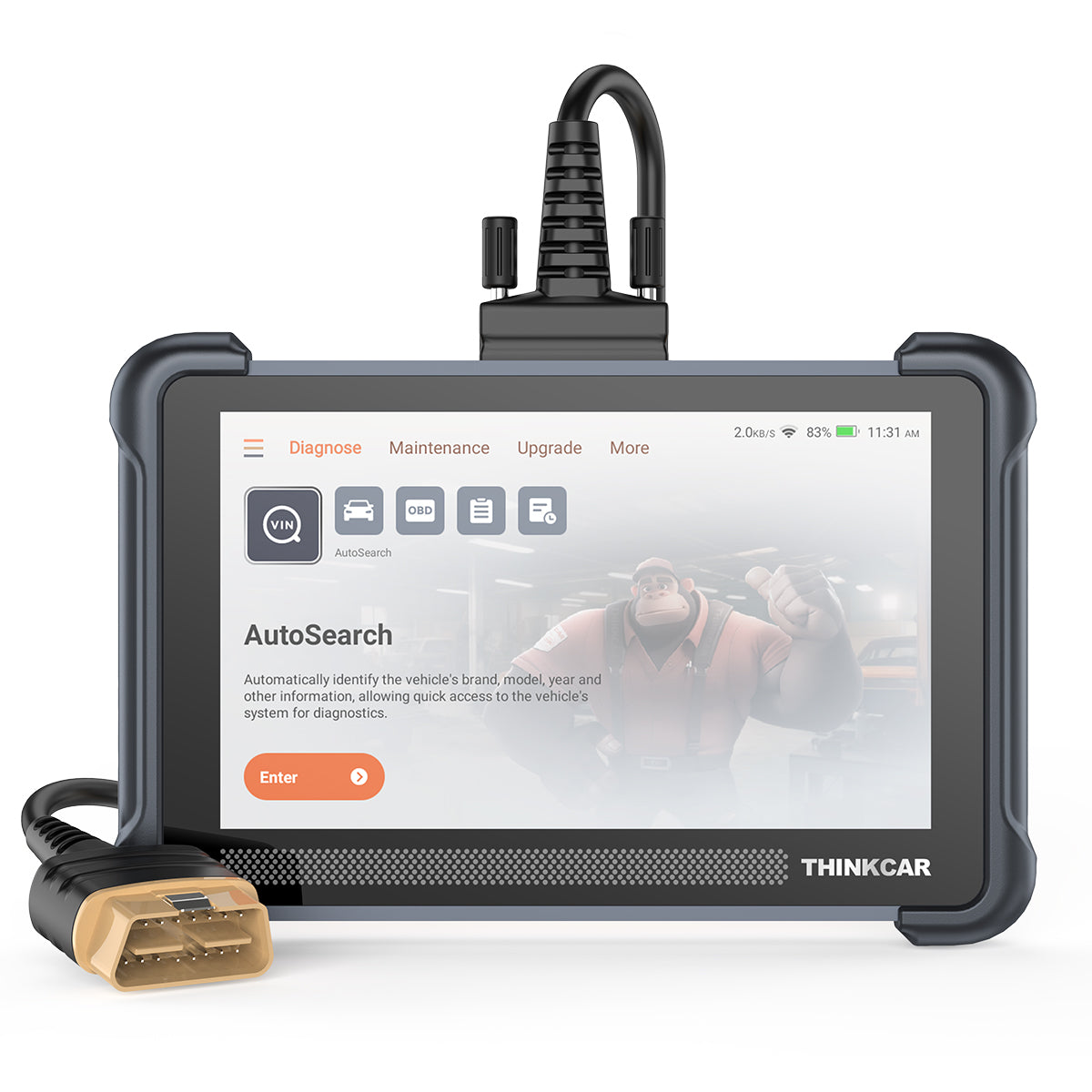
If you want a modern Vehicle Scanner & Diagnostic Tool that stays straightforward in daily use, THINKSCAN 672 is the safest fit-first pick. It is built for the real scenario where you need to scan every module, run an active test, and move on without turning diagnostics into a subscription project.
- Best for: Full-system scans plus bidirectional control scanners for DIY and small shop bays
- OBD2 Intelligent Diagnosis: Read/clear codes, live data, readiness, freeze frame (plus deeper modules)
- Systems coverage: Full systems diagnostics for 140+ brands (as listed by the product page)
- Protocols: CAN-FD support; helps with newer platforms where older tools struggle.
- Security and access: IMMO key matching support (where supported by vehicle)
- Service functions: 28+ reset functions (oil, EPB, SAS, etc., depending on vehicle)
- App-style speed: AutoVIN and AutoScan workflow for faster setup
- Updates: Free lifetime software updates with no subscription fees
- Screen and updates: 7-inch touchscreen; 2.4G/5G WiFi update
Why it wins: If your priority is reliable, repeatable diagnostics with Bluetooth-style mobility (without babysitting a phone app), this is the balanced tool. It hits the modern checkboxes (CAN-FD, active tests, AutoVIN) while keeping the workflow simple enough for weekly use, not just one big repair.
Shop: THINKCAR THINKSCAN 672 Advanced Car Diagnostic Tool
2) MUCAR 892BT AI Diagnostic Tool

When you know you will diagnose more than just check-engine lights, MUCAR 892BT is the AI Diagnostic Series pick that feels closest to an app-driven tablet workflow. It is designed for the moment you have a code, but you need context, next-step prompts, and a cleaner path from symptom to test plan.
- Best for: AI-powered insights plus deeper diagnostics on newer vehicles
- AI-Powered Diagnostics: Automatic fault code analysis and real-time Q&A guidance (tool feature)
- Systems coverage: All systems diagnosis for 120+ car brands (as listed by the product page)
- Protocols: CAN-FD and DOIP support for newer communication stacks
- Control depth: ECU coding and bidirectional tests (vehicle-dependent)
- Maintenance: 34+ maintenance functions (resets and service routines)
- Connectivity: Bluetooth dongle approach; designed for flexible positioning in the vehicle
- Hardware: 8 inch display (1280x800); Bluetooth 5.0; 2.4G/5G WiFi updates
- Updates: Free lifetime updates with no subscription fees
Why it wins: If you want the tool to help you decide what to test next (not just what code is stored), this is the most guided option in this shortlist. It is especially useful when you diagnose across multiple makes and want consistent, app-like reporting.
Shop: MUCAR 892BT AI Diagnostic Tool
3) THINKCAR THINKSCAN 689BT Bidirectional Scanner

If your frustration is not reading codes but actually proving a fix, THINKSCAN 689BT is the ThinkScan Series pick aimed at deeper control and broader modern-platform coverage. It targets the common 2026 pain point: vehicles with gateways, newer protocols, and module behaviors you cannot confirm without actuation.
- Best for: Bidirectional scanner work, ECU coding, and newer-platform protocols
- Full system focus: All-system diagnostic with a Bluetooth dongle workflow
- Protocols: CAN-FD and DOIP support (important for newer models)
- Control functions: ECU coding plus bidirectional/active tests
- Access handling: AutoAuth support for FCA SGW (as listed by the product page)
- Maintenance: 35+ maintenance functions
- Workflow: AutoVIN and AutoScan for faster vehicle identification
- Screen and updates: 8-inch touchscreen; 2.4G/5G WiFi update
- Hardware note: 4G RAM and 64G ROM (as listed by the product page)
Why it wins: If you routinely do brake jobs with electronic parking brakes, diagnose cooling fans, test relays, or verify actuators, this type of bidirectional scanner saves the most time. It is the pick for people who want confirmation, not guesses.
Shop: THINKCAR THINKSCAN 689BT Bidirectional Scanner
4) THINKCAR THINKDIAG 2 (OBD2 Scanner Bluetooth + App Workflow)
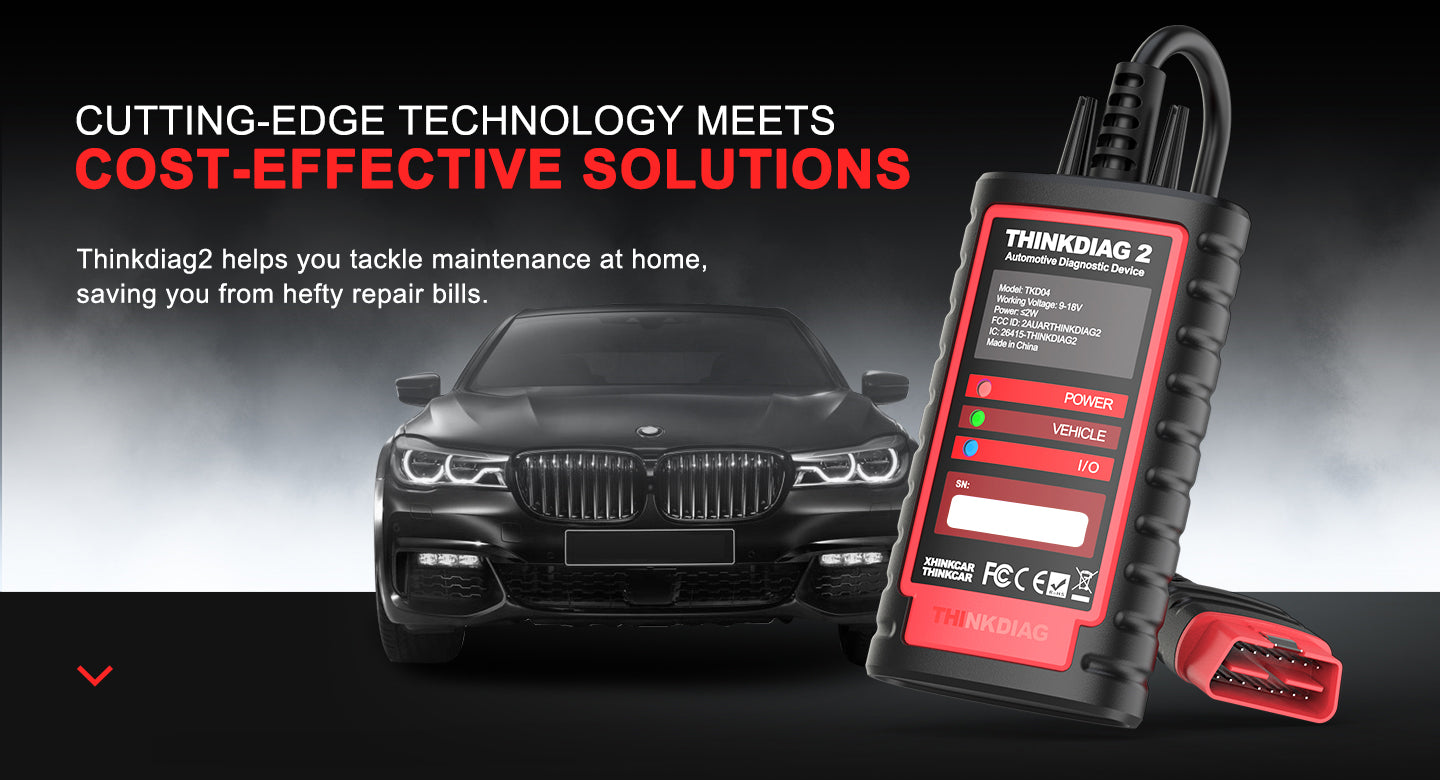
If you prefer working off your phone and want an OBD2 Scanner Bluetooth setup that stays portable, THINKDIAG 2 is the practical choice. It fits the scenario where you do not want to store a tablet, but you still want bidirectional control scanners behavior through an app-based flow.
- Best for: Portable diagnostics that live in your glovebox or small tool bag
- App support: Uses the ThinkDiag 2 app for scanning, live data, and workflows
- Bidirectional: Active test functions (actuator tests) supported through the app
- ECU coding: Supports coding/customization functions (vehicle-dependent)
- IMMO: IMMO key-related functions are listed (vehicle-dependent)
- Data handling: Live data graphing (including multi-graph view)
- Bluetooth: Product images and listing indicate Bluetooth 5.0 support
- Modern relevance: Good fit if you value app support more than an all-in-one tablet
Why it wins: This is the easiest way to get an app-first workflow with real diagnostics depth, especially if you troubleshoot in parking lots, at auctions, or on family cars, where you do not want to bring a tablet tool.
Shop: THINKDIAG 2 Automotive Diagnostic Scanner
5) MUCAR VO8 (VO Series Tablet-Style Advanced Scanner)

If you like the 8-inch tablet experience but want a tool positioned as an Advanced Scanner for wide module reach, MUCAR VO8 is the VO Series option. It is built for the common modern-car frustration: you can read a generic code, but the real issue lives in a body module, TPMS, or another subsystem.
- Best for: Tablet diagnostics across many systems, with active tests and coding
- Hardware: 8 inch touchscreen; 2G/64GB memory; 8MP rear camera listed
- Functions: ECU coding; bi-directional/active test; adaptation; IMMO key matching
- Module breadth: Lists modules like ECM, TCM, ABS, SRS, BCM, BMS, TPMS, SAS (vehicle-dependent)
- Maintenance: 34+ maintenance functions
- Workflow: Auto VIN support listed
- Updates: Lifetime free update for full OBD2 diagnostic functions (as listed)
- Coverage: Listed coverage up to 109+ major manufacturers
Why it wins: If you want a modern, app-like UI but you also want to work beyond powertrain, this is a strong all-around tablet choice. It is a better fit than a basic code reader when your real work happens in ABS/SRS and body systems.
Shop: MUCAR VO8
6) MUCAR CDE900 (CDE900 Series Code Reader With Upgrade Path)
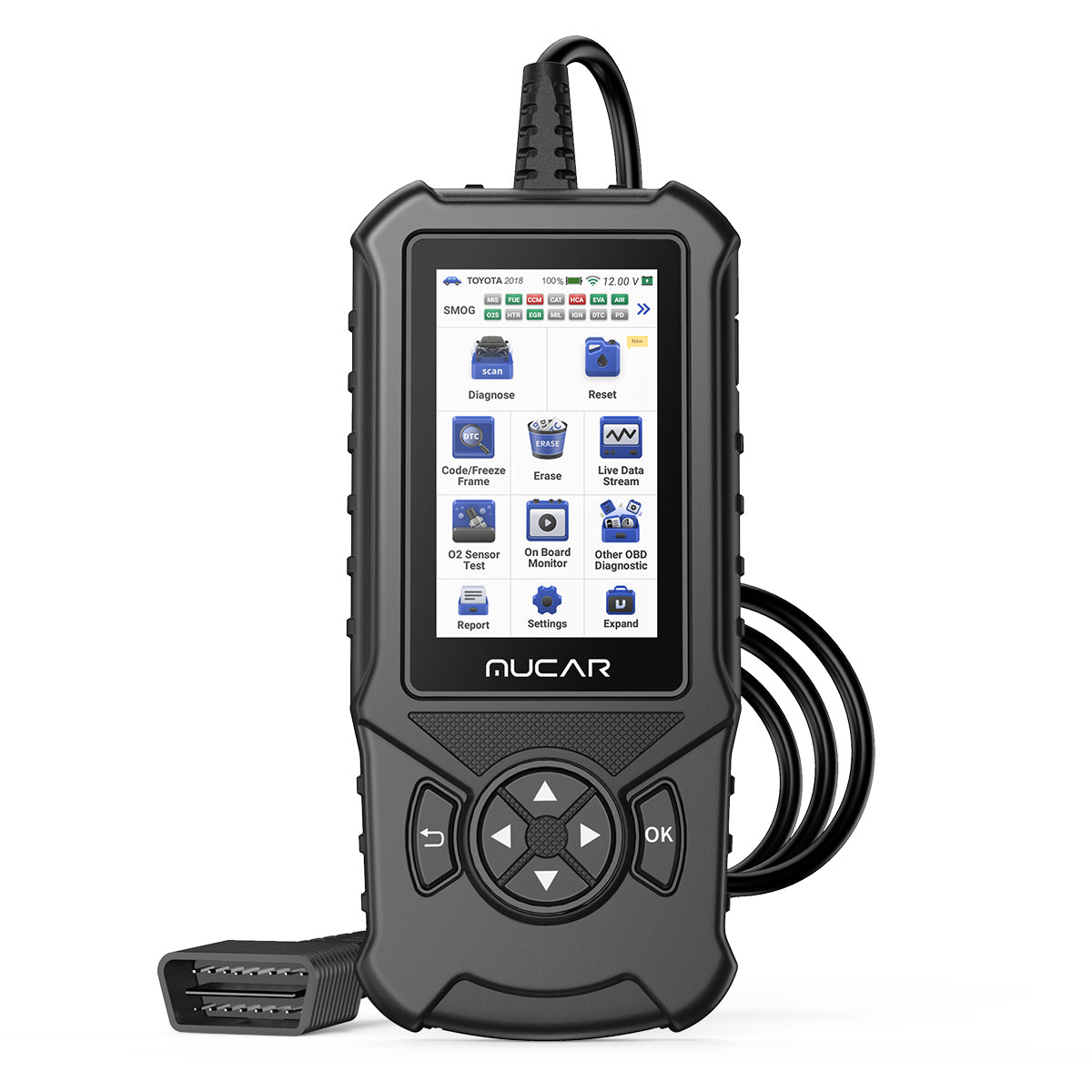
If you are tired of overbuying and just want a clean daily driver for emissions and quick checks, the MUCAR CDE900 is the CDE900 Series pick. It targets the real buying frustration: you want something better than the cheapest Code Readers, but you do not always need a full tablet.
- Best for: Fast OBD2 Intelligent Diagnosis and readiness checks
- Core diagnostics: Full OBD2 diagnostic functions (scan/clear, live data, readiness)
- Updates: Lifetime free update for the OBD2 suite
- Hardware: 4-inch HD touchscreen; Android 6.0 OS listed
- Storage: 2G RAM, 32G ROM; TF card expansion up to 256G listed
- Workflow: One-click WiFi system upgrade
- Coverage: Listed support for 134+ major car brands; 20+ languages
- Ownership model: Upgrade function listed as one-time purchase for lifetime use
Why it wins: For many people, the best tool is the one you actually keep in the car and use without setup drama. This is the compact, touchscreen alternative to a dongle-plus-app setup, especially for inspection readiness and routine checks.
Shop: MUCAR CDE900
Buying Guide: Bluetooth, AI, and App Support
What should you confirm before purchase?
Most frustration comes from buying for the wrong vehicle generation, not from buying the wrong brand. Start by confirming what your cars actually require so your scanner can talk to the modules you care about.
- OBD-II basics: Most 1996+ US vehicles support legislated emissions diagnostics, but that does not guarantee ABS/SRS/BCM access
- Protocols: If you work on many 2020+ vehicles, put CAN-FD and DOIP near the top of your checklist
- Bidirectional control: If you plan to run actuations (fans, pumps, valves), you need a bidirectional scanner, not just Code Readers
- Gateway access: Some vehicles use secure gateways, so features like AutoAuth matter for certain workflows
Bluetooth vs WiFi vs wired: what matters in real life?
If you hate setup time, choose connectivity based on where you work. Bluetooth is about mobility, while WiFi is usually about updates and on-the-fly downloads.
- Bluetooth: Best when you move around the bay and want fewer cables
- WiFi: Best for faster software download and Software Update Notice prompts on tablet tools
- Wired: Best when the environment is noisy, or you want the simplest connection
AI features: helpful or hype?
AI-powered insights help most when they reduce your next-step uncertainty. However, you should treat AI as a guide, not as proof. Confirm every recommendation with a test that matches the symptom.
- Helpful: Code context, likely causes, and suggested checks in the correct order.
- Not enough alone: Parts replacement decisions without live data or actuation tests
- Best practice: Use AI to choose what to test, then verify with live data graphs and a bidirectional command
App support: what should you expect from an app-style workflow?
App support is not just a phone requirement. It is really about speed: how quickly you connect, scan, save history, and export a report you can re-check later.
- Must-haves: AutoVIN, scan history, clean live data graphing
- Nice-to-have: Built-in reports you can share as a PDF
- Team use: Multi-language UI helps when more than one person uses the tool
Ownership costs: subscriptions vs lifetime updates
In 2026, the riskiest hidden cost is not the tool, it is the update plan. If you service newer cars or multiple makes, updates are not optional.
- Look for: Free Lifetime Software Updates or clearly stated lifetime upgrades.
- Watch for: Software Renewal and Software Subscription requirements tied to specific package.s
- Plan: If you see T-code or TCODE licensing for feature packs, map it to the cars and functions you actually need
Evidence that standards matter: ISO defines DoCAN requirements for emissions-related diagnostics over CAN in ISO 15765-4:2021, which influences what many scanners must support to communicate reliably on modern networks. According to the International Organization for Standardization, ISO 15765-4 specifies requirements for emissions-related systems using DoCAN.
Evidence that OBD test modes are defined: The diagnostic test modes used by scan tools for legislated emissions OBD are defined in SAE J1979 family documents. According to SAE International, SAE J1979 describes diagnostic test modes intended to satisfy OBD regulatory data reporting requirements.
Comparison Table
Quick compare: which Vehicle Scanner & Diagnostic Tool fits your workflow?
Use this table when you are stuck between "tablet convenience" and "quick portable checks." Keep the fit-first logic: your vehicle coverage and the tests you actually run matter more than the longest feature list.
| Pick | Best for | Bluetooth/app angle | Protocols highlighted | Updates model | Screen | Trade-offs |
|---|---|---|---|---|---|---|
| THINKSCAN 672 | Full-system + active tests | On-tool workflow | CAN-FD; IMMO | Free lifetime updates | 7 in | Tablet size; learning curve |
| MUCAR 892BT | AI-guided troubleshooting | AI-first app-style UI | CAN-FD; DOIP | Free lifetime updates | 8 in | More features than basic users |
| THINKSCAN 689BT | Deep bidirectional work | Bluetooth dongle + tablet | CAN-FD; DOIP; AutoAuth | Monthly upgrades listed | 8 in | Bigger device; advanced complexity |
| THINKDIAG 2 | Portable app-based scans | Phone app workflow | CAN-FD shown in listing | App-centric model | Phone-dependent | App reliance; varies by phone |
| MUCAR VO8 | Broad module coverage | Tablet workflow | Not stated on page | Lifetime free update listed | 8 in | Bulkier kit; higher setup time |
| MUCAR CDE900 | Daily OBD2 checks | Standalone handheld | Not stated on page | Lifetime free update | 4 in | Not a full-system tablet |
Conclusion
If you want the most direct path to modern diagnostics without subscription stress, start with THINKSCAN 672. It covers full systems, adds bidirectional control, and keeps the workflow simple with AutoVIN and AutoScan.
If you want AI-powered insights and a more guided app-style workflow, choose MUCAR 892BT, especially if you regularly touch newer vehicles where CAN-FD and DOIP matter. Then, round out your setup with a dedicated TPMS & Sensor tool like VENU 90 if tire sensors and relearns are part of your normal routine.
FAQ
How do I know if my vehicle will connect to an OBD2 Scanner Bluetooth tool?
Most US-market vehicles from model year 1996 and newer have the 16-pin OBD-II port under the dash, so basic connection is usually not the issue. The bigger question is whether you want only emissions data or full-system access like ABS, SRS, and body modules. If you drive a 2020+ vehicle, check whether the scanner supports CAN-FD or DOIP because that can affect communication with newer platforms. When AutoVIN fails, make sure the tool lets you select year, engine, and region manually so you do not lose module access.
What is a bidirectional scanner, and when do I actually need bidirectional control scanners?
A bidirectional scanner can command actuators to run, which lets you confirm whether a component works instead of guessing from codes. You need it for jobs like electronic parking brake service, cooling fan tests, injector cutout tests, and many relearn or adaptation routines. For DIY repairs, bidirectional control is most valuable when it prevents buying parts you do not need. For a small shop, it reduces comebacks because you can verify the repair result in real time.
Why does my code reader show engine codes but not ABS, SRS, or transmission data?
Many basic Code Readers only support legislated engine and emissions functions, so they will not talk to other control modules. Full-system diagnostics requires software coverage for your specific vehicle brand and module list, not just a physical plug-in connection. Incorrect vehicle selection can also block module access, especially if the car has multiple region variants. Finally, if the vehicle uses a secure gateway or newer protocol stack, an older tool may connect to the engine but fail on other modules.
Are AI-powered insights reliable for deciding what parts to replace?
AI-powered insights are useful for prioritizing tests, but they should not be your final proof for replacing a part. Treat AI output as a checklist: confirm the symptom with live data, then use an active test or a direct measurement when possible. A good pattern is to use AI to choose the top 2 to 3 likely causes, then eliminate them with one targeted test each. This approach prevents the most common mistake: swapping parts based on a single trouble code.
What should I look for in app support and a good report workflow?
A good app-style workflow should connect quickly, store vehicle history, and let you export a readable report without extra steps. Look for AutoVIN, guided scanning, and live-data graphing so you can spot trends like fuel trim drift or intermittent sensor dropouts. If you work across multiple cars, reporting and saved scans matter as much as code reading. Also, confirm how updates are delivered, because tools with built-in WiFi updates usually reduce downtime compared to manual download steps.
Can I use one diagnostic tool for TPMS Service and TPMS Sensor Programming?
Some diagnostic tablets integrate TPMS Service functions like relearns, but true TPMS Sensor Programming usually requires a dedicated TPMS tool and compatible sensors. Start by separating your needs into three levels: reading TPMS codes, performing relearn procedures, and programming new sensors. If you replace sensors often, plan for a dedicated TPMS & Sensor tool so you can activate sensors, confirm frequency, and validate IDs before installation. This prevents repeat tire dismounts, which is where TPMS time and money usually disappear.
What is the difference between CAN-FD and older CAN for diagnostics?
Classic CAN is the long-time standard vehicle network, while CAN-FD allows larger data payloads and higher throughput, which many newer vehicles use. For diagnostics, CAN-FD support can improve compatibility with newer platforms and reduce cases where modules do not respond or scans fail mid-session. If your scanner does not support CAN-FD, it may still read generic engine data on some cars, but you can lose access to deeper modules or newer routines. If you service late-model vehicles regularly, CAN-FD is a practical checkbox, not a luxury feature.
Table of Contents
-
Picks for Modern Cars (THINKCAR and MUCAR)
- 1) THINKCAR THINKSCAN 672 Advanced Car Diagnostic Tool
- 2) MUCAR 892BT AI Diagnostic Tool
- 3) THINKCAR THINKSCAN 689BT Bidirectional Scanner
- 4) THINKCAR THINKDIAG 2 (OBD2 Scanner Bluetooth + App Workflow)
- 5) MUCAR VO8 (VO Series Tablet-Style Advanced Scanner)
- 6) MUCAR CDE900 (CDE900 Series Code Reader With Upgrade Path)
- Buying Guide: Bluetooth, AI, and App Support
- Comparison Table
- Conclusion
-
FAQ
- How do I know if my vehicle will connect to an OBD2 Scanner Bluetooth tool?
- What is a bidirectional scanner, and when do I actually need bidirectional control scanners?
- Why does my code reader show engine codes but not ABS, SRS, or transmission data?
- Are AI-powered insights reliable for deciding what parts to replace?
- What should I look for in app support and a good report workflow?
- Can I use one diagnostic tool for TPMS Service and TPMS Sensor Programming?
- What is the difference between CAN-FD and older CAN for diagnostics?

Share:
Smartphone OBD2 Scanners vs. Handheld Devices: Which Is Better for Mobile
Smartphone-Based Scan Tools for Serious Car Diagnostics