
Introduction
DIY diagnostics in 2026 is not just about clearing a check engine light. Modern vehicles have more modules, tighter emissions logic, and more workflows that require a reset or an active test after you replace a part.
If you want a DIY-friendly Vehicle Scanner & Diagnostic Tool, focus on three things first: reliable all-system access, enough reset coverage for the jobs you actually do, and whether you need a Bidirectional scanner for active tests.
Market momentum also explains why scan tools are evolving fast. A 2025 Research and Markets release notes the global automotive diagnostic scan tools market at USD 36.1B in 2025, with growth driven by AI, wireless connectivity, and EV/hybrid diagnostic needs. GlobeNewswire
Finally, remember the physical interface is still standardized for most light-duty vehicles. SAE describes J1962 as intended to satisfy U.S. OBD connector requirements (the familiar 16-pin port). SAE International
Official Site: THINKCAR
Product List 5 DIY-Friendly Diagnostic Scanners
These picks focus on the ThinkScan Series and the AI Diagnostic Series approach to DIY workflows: scan everything first, confirm with active tests when needed, then apply the exact reset or relearn.
1: THINKSCAN 662
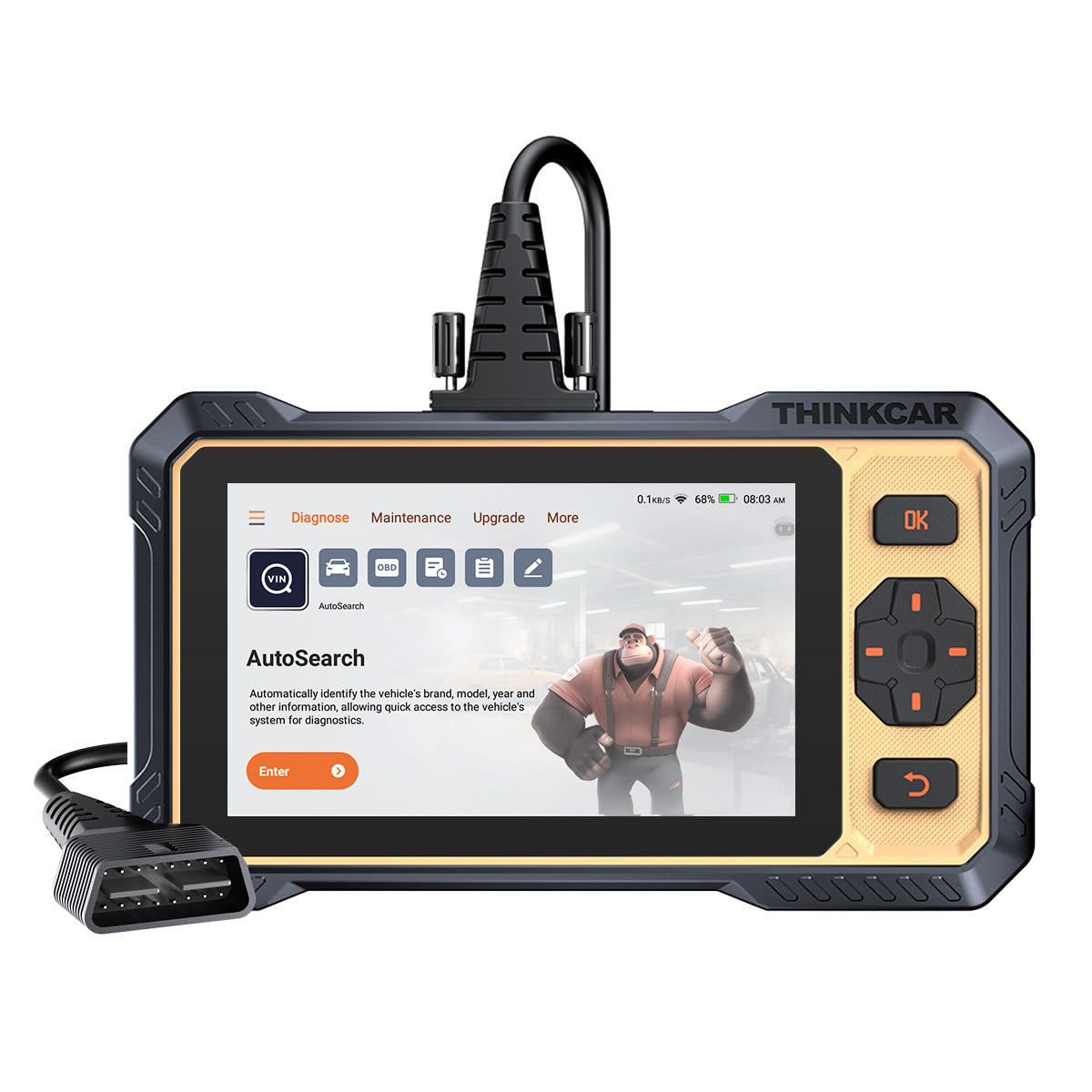
- Best for: DIYers who want a solid maintenance baseline with bidirectional capability.
- What it is: A ThinkScan Series tool positioned for wide coverage, with emphasis on updates and practical service work.
- Coverage and workflow notes:
- The page states compatibility with 140+ brands, 100,000+ models, and 28+ languages.
- The page also frames this as a tool for both DIYers and shops.
- Bidirectional scanner value:
- The product page describes bidirectional active testing as the difference-maker versus basic Code Readers, because you can command components (for example, pumps and actuators).
- Key capability callouts (as stated):
- 12 maintenance resets listed on-page.
- 4150 mAh battery claim and a wide operating temperature range.
- Free lifetime updates positioning.
- Trade-offs to expect:
- A 4-system style approach can be limiting if you later need deep body/chassis module coverage on a specific brand.
- If you start doing advanced workflows (coding, gateway access, newer protocol edge cases), you may want to step up.
Shop: THINKSCAN 662
Why it wins:
- For many DIY jobs, the fastest path is: scan, confirm with an active test, fix, then run the correct reset. The THINKSCAN 662 is built around that sequence, while still aiming to stay approachable for a home garage.
2: THINKSCAN 672
- Best for: DIYers who routinely do maintenance and want more service depth than entry tools.
- What it is: A ThinkScan Series step-up centered on expanded service menus.
- Key features that change DIY results:
- The page lists 28 value-added maintenance services (often what people mean by "28 Reset Function").
- Examples on the list include ABS Bleeding, Battery Matching, DPF Regen, Injector Coding, TPMS Reset, and Windows Calibration.
- Why this matters:
- Resets are the "finish the job" step. For example, after a rear brake pad replacement with an electronic parking brake, you often need EPB-related service mode or calibration steps.
- How it fits in a DIY tool stack:
- This is a good middle ground if you do multiple vehicles and want predictable coverage without jumping straight to the most advanced tablet workflows.
- Trade-offs to expect:
- If your main goal is heavy ECU-level work (coding focus, newer network protocols, gateway authentication scenarios), a higher tier may be a better fit.
Shop: THINKSCAN 672
Why it wins:
- The THINKSCAN 672 is aimed at the point where DIYers stop asking "What code is it?" and start asking "What procedure finishes the repair?" The bigger service menu helps you close more jobs without borrowing a shop tool.
3: THINKSCAN 689

- Best for: Advanced DIYers who want OE-level style scanning, active tests, and reset depth.
- What it is: A higher-end ThinkScan Series tablet-style scan tool that highlights speed, screen size, and broad coverage.
- Key capability callouts (as stated on-page):
- Cortex-A53 4-core chip claim and an 8-inch screen.
- Bidirectional controls + ECU coding mention + 34 reset functions.
- OE-level full system diagnostic claim that lists many modules (ECM, TCM, ABS, SRS, BCM, IMM, BMS, TPMS, SAS, and more).
- Real-world DIY scenarios where it helps:
- Intermittent faults: use active tests to command components instead of waiting for the symptom to return.
- Multi-module issues: scan everything first, then use live data + actuator tests to narrow the cause.
- Trade-offs to expect:
- More features means more menus, more learning curve, and a stronger need to keep software organized (Software Download and Software Update Notice habits matter).
Shop: THINKSCAN 689
Why it wins:
- If you do your own diagnostics beyond engine codes, the biggest upgrade is full-system visibility plus the ability to run bidirectional tests. The THINKSCAN 689 is built for that "diagnose, confirm, and verify" loop.
4: THINKSCAN 689BT
- Best for: DIYers who want the 689-style depth with added wireless workflow.
- What it is: A THINKSCAN 689BT variant emphasizing BT-WIRELESS and broad protocol coverage.
- Key capability callouts (as stated on-page):
- Cortex-A53 4-core chip claim and an 8-inch screen.
- BT-WIRELESS, plus CANFD and DOIP support called out.
- FCA AutoAuth mention, plus ECU coding, 34 reset functions, and bidirectional controls.
- Where this helps in a driveway garage:
- Wireless flexibility can make active tests easier when you want to be near the component (fans, pumps, actuators) while commanding it.
- DOIP and CAN FD mentions are relevant for newer vehicles where older tools can fail to communicate cleanly.
- Trade-offs to expect:
- The more "pro" the tool gets, the more important it is to verify your exact vehicle coverage before purchase (especially for special functions).
Shop: THINKSCAN 689BT
Why it wins:
- The THINKSCAN 689BT targets the friction points that slow DIY work: time spent moving between the car and the tool, and time wasted when a tool cannot speak the right protocol on newer models.
5: THINKDIAG 2
- Best for: Budget-minded DIYers who still want deeper diagnostics than basic Code Readers.
- What it is: An OBD2 Scanner Bluetooth style tool that uses an app-driven workflow (phone/tablet), positioned for DIY owners and minor repair shops.
- Key capability callouts (as stated on-page):
- CAN-FD support is highlighted as a key difference versus the prior generation.
- Full system OE-level functions are listed, with many example modules.
- A separate menu of 15 standard special functions is listed, including Oil reset, EPB reset, DPF regeneration, SAS calibration, ABS bleeding, injector code, IMMO matching, and TPMS reset.
- "4 Data display in 1 Graph" is called out for live data viewing.
- Where it fits best:
- If you want a compact tool for OBD2 Intelligent Diagnosis plus real maintenance functions, it can be a strong "keep it in the glove box" option.
- Trade-offs to expect:
- App-based tools depend on phone battery, OS updates, and your comfort with an account/app workflow.
- Some advanced functions can be vehicle-dependent, so expect variation by make/model.
Shop: THINKDIAG 2
Why it wins:
- Many DIYers do not need a full tablet every day. The THINKDIAG 2 keeps the workflow light while still giving you the two biggest upgrades over basic readers: full-system access and active-test style capability.
Buying Guide How to Pick Your DIY Scanner
1) Do you actually need a bidirectional scanner?
Ask one question: "Do I need to command components, or just read and clear data?" A Bidirectional scanner lets you run active tests like commanding a cooling fan, cycling an actuator, or testing relays.
If you only do emissions checks and occasional MIL events, Code Readers might feel enough. However, once you replace parts like throttle bodies, EPB components, batteries, or sensors, you often need resets and relearns to finish the job.
2) Which reset functions will you use monthly?
Reset counts like "15 Resets Maintenance Function" or "28 Reset Function" only matter if they match your real jobs.
- High-frequency DIY resets: oil service, EPB service mode, SAS calibration, battery matching/registration, TPMS Service.
- Situational but high-impact resets: ABS bleeding, DPF regen, injector coding, immobilizer-related functions.
A practical approach is to list your last five repairs. Then choose the lowest-tier tool that completes those workflows.
3) Newer vehicle protocols: should you care about CAN FD and DOIP?
If you own a 2020+ vehicle, or you help friends with newer cars, protocol support becomes less optional. Some tools in this list explicitly call out CANFD (and in higher tiers DOIP), which is meant to reduce communication gaps on late-model platforms.
4) Updates and software policies: what should DIYers watch?
Tool capability is not static because vehicle coverage changes. Therefore, pay attention to:
- Free Lifetime Software Updates (when offered) vs. Software Renewal.
- Whether a tool expects a Software Subscription after an included period.
- How you receive Software Download packages and Software Update Notice alerts.
If you plan to keep a tool for several years, predictable update access matters as much as the hardware.
5) How should you use OBD2 Intelligent Diagnosis in a real repair?
Use a simple, repeatable routine:
- Scan all modules before you clear anything.
- Save freeze frame and key live data PIDs.
- Run an active test if the fault involves an actuator.
- Fix the root cause, then run the correct reset/relearn.
- Re-scan and confirm no pending codes.
This process prevents the common DIY trap: clearing codes early and losing the evidence.
Comparison Table
Quick comparison for DIY decision-making
The table avoids pricing on purpose. Instead, it focuses on what changes outcomes in a driveway repair.
| Scanner | Form factor | Bidirectional/Active tests | Reset depth (as listed) | Coverage notes (as stated) | Trade-offs / limitations |
|---|---|---|---|---|---|
| THINKSCAN 662 | Handheld tablet | Yes | 12 maintenance resets | 140+ brands, 100,000+ models, 28+ languages | Not positioned as the deepest all-system tablet for advanced brand-specific workflows |
| THINKSCAN 672 | Tablet | Yes | 28 services | 28 service list includes ABS bleeding, injector coding, TPMS reset, windows calibration | More features means more menus; verify special functions by vehicle before you rely on one workflow |
| THINKSCAN 689 | Tablet (8-inch) | Yes | 34 reset + ECU coding mention | OE-level full system diagnostic claim, multiple modules listed | Higher complexity; best results require disciplined scanning and update management |
| THINKSCAN 689BT | Tablet (8-inch) + wireless | Yes | 34 reset + ECU coding mention | CANFD and DOIP mentioned; FCA AutoAuth mentioned | Stronger "pro" lean; confirm coverage for your exact make/model and gateway needs |
| THINKDIAG 2 | OBD2 Scanner Bluetooth + app | Yes (active test described via app) | 15 special functions menu + more via all-system menu | CAN-FD highlighted; full-system OE-level functions described | App workflow depends on phone/tablet and software experience; function availability can vary by vehicle |
Conclusion
If you want the simplest "do most things well" option, start with THINKSCAN 662 for a practical Vehicle Scanner & Diagnostic Tool baseline. If you do frequent maintenance and need more procedures, THINKSCAN 672 adds a wider service menu that helps you finish jobs without a second tool.
If you are the person everyone calls when a car will not cooperate, THINKSCAN 689 or THINKSCAN 689BT is the ThinkScan Series step into deeper all-system diagnostics plus bidirectional testing. Meanwhile, THINKDIAG 2 is a strong OBD2 Intelligent Diagnosis option when you want an OBD2 Scanner Bluetooth workflow with modern protocol support called out.
FAQ
Can I use an OBD2 Scanner Bluetooth tool instead of a tablet-style scanner?
Yes, if your main jobs are code reading, code clearing, basic live data, and a limited set of service functions. However, tablet-style tools often make multi-module scanning, graphing multiple PIDs, and generating reports faster because the workflow is built for diagnostics. Bluetooth tools also depend on your phone OS, battery, and app stability. If you work on multiple cars or do deeper resets, many DIYers eventually prefer a dedicated tablet.
How do I know whether my car needs CAN FD support?
CAN FD shows up most often as a compatibility problem: an older tool connects to the engine but cannot talk to other modules, or it fails to communicate on a newer platform. If your vehicle is 2020+ and you plan to keep it, CAN FD support is a safer bet because late-model networks and message sizes can exceed older tool assumptions. A practical check is whether owners of your exact model year report scanner connection gaps. If you see partial-module scans or frequent "communication error" messages, protocol support is a prime suspect.
What reset functions should a DIYer prioritize first?
Start with oil service reset, EPB service mode, steering angle calibration (SAS), and battery matching/registration because these can block a job after the wrench work is done. Next, add TPMS Service if you rotate wheels or swap seasonal sets. If you do brakes often, ABS bleeding support can be a real time-saver. Finally, consider DPF regen and injector coding only if you work on vehicles that commonly require those procedures.
Can a scanner help with TPMS Service, or do I need a dedicated TPMS & Sensor tool?
A scanner can often handle the TPMS Service side, such as relearn or reset procedures after rotations or sensor replacement. However, a dedicated TPMS & Sensor tool is usually needed when you must activate sensors, read sensor IDs, diagnose weak transmissions, or program new sensors. If you only need relearns and resets, scanner-based TPMS functions can be enough. If you manage multiple sensor swaps per year, a TPMS-specific tool typically pays off in reduced trial and error.
How should I think about software updates, Software Renewal, and Software Subscription costs?
Software determines what vehicles and functions your tool can access, so updates are part of tool ownership, not an add-on. Some tools emphasize Free Lifetime Software Updates, while others shift advanced coverage into Software Renewal or a Software Subscription model after an included period. Decide how long you will keep the tool and how many model years you plan to cover. If you frequently help friends with newer cars, predictable update access often matters more than small hardware differences.
Table of Contents
- Introduction
- Product List 5 DIY-Friendly Diagnostic Scanners
- Buying Guide How to Pick Your DIY Scanner
- Comparison Table
- Conclusion
- FAQ
- Can I use an OBD2 Scanner Bluetooth tool instead of a tablet-style scanner?
- How do I know whether my car needs CAN FD support?
- What reset functions should a DIYer prioritize first?
- Can a scanner help with TPMS Service, or do I need a dedicated TPMS & Sensor tool?
- How should I think about software updates, Software Renewal, and Software Subscription costs?

Share:
An Ultimate Guide to Find the Best Value-for-Money Diagnostic Scanners for DIY Mechanics in 2026
Car Won’t Start Before a Trip: 10-Minute Crank no Start Troubleshooting Guide