
AI Diagnostic Tools: How to Choose One for Real Repairs
Which AI diagnostic tools actually help you fix cars faster?
If you are comparing AI diagnostic tools, the real choice is not just "smart" versus "basic." It is whether the scanner can reach enough vehicle data to support a real repair. A tool that only gives generic fault code advice may save a few minutes on lookup, but it will not help much when you need module access, active tests, or service functions to confirm the root cause. That is why this guide compares three Thinkcar paths by repair depth first, then by AI features second.
In practical terms, warning lights start the search, but limited access wastes the repair. Recent shop-focused guidance from Thinkcar and Launch Tech both point to the same pattern: deeper tools matter when you move beyond engine codes into ABS, SRS, body, and manufacturer-specific modules. Newer vehicles also increasingly depend on newer communication paths such as CAN-FD and, on some platforms, DoIP, so protocol support matters more than many buyers expect.
What separates a quick answer from a real fix?
A quick answer tool helps you read codes, see live data, and maybe clear a light. A real repair tool lets you do more:
- scan all available systems, not just powertrain
- run bidirectional or active tests to command parts
- perform resets and calibrations after the repair
- support newer protocols used by late-model vehicles
- keep a stable workflow when you move between cars all day
That distinction matters because AI can only interpret the data the scanner actually captures. If the tool cannot access the right module, the AI layer cannot invent missing evidence. Even manufacturer service workflows tied to camera systems and ADAS often require calibration and scan-tool-guided steps after parts replacement, which reinforces the need for proper system access. (nhtsa.gov)
Compare three Thinkcar paths
For this internal comparison, the three lanes are clear. THINKSCAN 689 is the serious tablet for repeated multi-system work. MUCAR 682 is the mid-tier handheld with AI support and bidirectional control for advanced DIY repairs. BT200 MAX AI is the most portable option, built around a phone-based Bluetooth workflow with AI guidance and lighter workshop demands. The best fit depends less on the AI label and more on the hardest repair you expect to handle each month.
Why The THINKSCAN 689 Fits Serious Repair Work
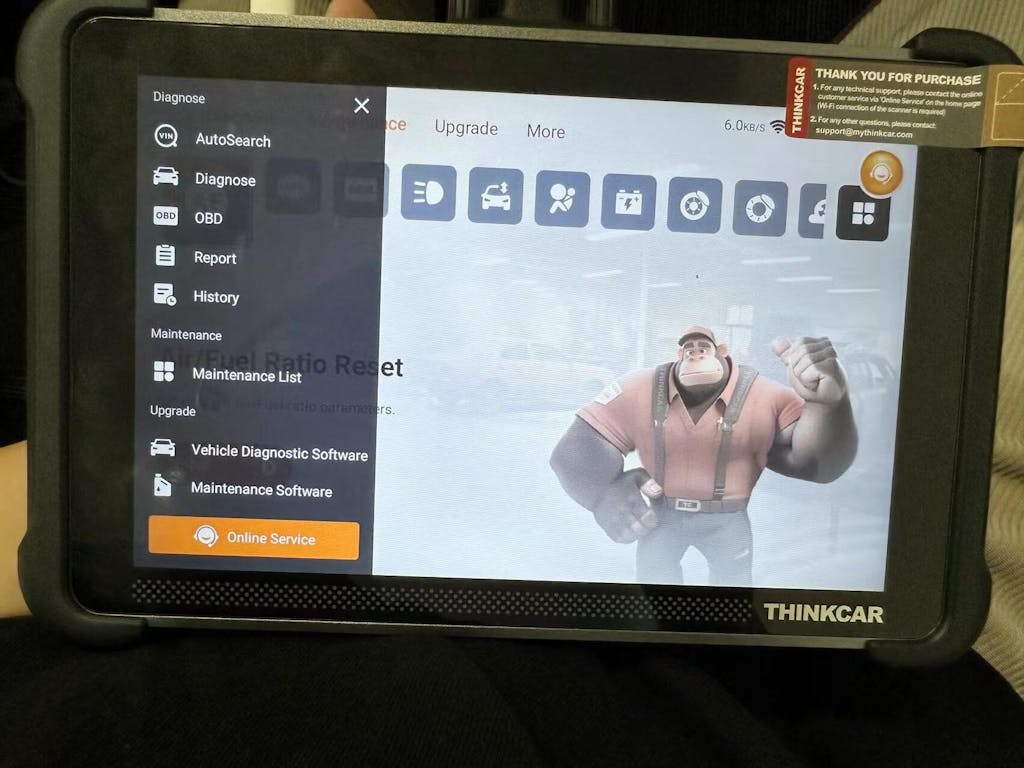
If your jobs include repeat diagnostics across many makes, the short answer is that the THINKSCAN 689 gives you the most headroom in this three-tool group. On the official product page, Thinkcar lists OE-level full-system diagnostics for 150+ brands, ECU coding, bidirectional active tests, AutoVIN and AutoScan, CAN-FD and DoIP support, FCA AutoAuth, an 8-inch touchscreen, and 4 GB RAM with 64 GB storage. That combination makes it much closer to a shop tablet than a code reader with AI garnish.
The tool is also built around the workflow that busy bays need. AutoVIN and AutoScan reduce intake steps, while the bigger screen helps when you are graphing data or moving through multiple menus. Thinkcar’s recent repair-shop comparison article positions the 689 for independent garages and multi-brand shops, and it specifically highlights 50+ bidirectional tests, ECU coding, 35+ maintenance functions, and DoIP support for some late-model European vehicles.
Full-system tablet diagnostics
Here is where the 689 moves beyond lighter tools:
- full-system coverage across engine, transmission, ABS, SRS, BCM, and more
- ECU coding support for module replacement matching and feature changes
- 35+ maintenance functions, including ABS bleed, battery matching, DPF regen, injector coding, steering angle reset, and TPMS reset
- CAN-FD and DoIP support for newer vehicle communication needs
- expansion support for tools such as TPMS devices, endoscopes, and oscilloscopes
That feature set matters because repairs often stall after code reading. You may know a system has a fault, but still need active testing or post-repair setup to prove the fix.
Best for busy multi-car workflows
The THINKSCAN 689 fits best when your day includes several vehicles and you cannot afford to bounce between a phone, a dongle, and app permissions. A dedicated tablet keeps diagnostics contained in one device, which is easier when you are moving from intake scan to active test to service reset. In Thinkcar’s own recent comparison, the 689 is framed as the workhorse tier for shops that need coding, wider protocol support, and faster full-vehicle intake.
You also get more long-term flexibility. Launch Tech’s 2026 guidance notes that professional tools separate themselves through broader module access, bidirectional control, and support for newer protocols such as CAN-FD and DoIP. Even though that article is not about Thinkcar products specifically, the buying logic applies directly here: if your tool has to grow with the cars you service, protocol support and system depth should outrank flashy AI language. (launchtechusa.com)
Shop: THINKSCAN 689
Higher cost than entry tools
The tradeoff is simple. The 689 asks you to pay for capability you may not use if your routine ends at code reading, oil resets, and occasional actuation tests. It also does not appear to include the same AI-centered interface angle as the 682 or BT200 MAX AI, so if guided interpretation is your main priority, one of the lighter tools may feel friendlier. Still, if repair confirmation matters more than convenience, the extra depth is the reason to move up.
Is MUCAR 682 The Better Mid-Tier Choice?
For many advanced DIY owners, the MUCAR 682 lands in the most balanced spot. It gives you a self-contained scanner instead of a Bluetooth dongle, but it avoids the heavier professional-tool feature stack of the 689. On the product page, Thinkcar lists AI intelligent diagnostics, bidirectional testing, 20+ reset functions, CAN-FD support, FCA AutoAuth, full-system diagnostics, and a 6.2-inch anti-glare touchscreen. It also lists lifetime free updates, which is useful when you want predictable ownership without chasing renewals.
This is the tool for the owner or side-job tech who wants to do real repair steps, not just read codes. You can handle common reset work, command selected components, and scan more than engine data without stepping up to tablet-class hardware. Thinkcar’s recent three-tier article also positions the 682 as a first-bay or value-focused unit that still adds AI analysis and practical shop functions.
Bidirectional mid-level scanner
The strongest case for the 682 is that it covers the middle of the market well:
- AI fault code analysis and real-time Q&A
- bidirectional testing for component command checks
- 20+ reset functions
- CAN-FD support and FCA AutoAuth
- full-system diagnostics across 125+ brands
- 6.2-inch display with plug-and-play cable workflow
If your repair jobs regularly include brake service, battery registration, steering angle work, or maintenance resets after part replacement, that package is much more useful than a basic Bluetooth code reader.
Best for hands-on DIY repairs
The 682 makes sense when you work on your own vehicles often enough to justify more depth, but not so often that you need ECU coding and DoIP. Its handheld form is easier to keep ready than a phone-based tool, and the built-in screen means fewer distractions when you are already under time pressure. Because it includes AI assistance, it can also shorten the path from DTC to likely next checks, which is helpful if you do not troubleshoot all day for a living.
One more practical point: because the 682 is still a dedicated device, it avoids some app workflow friction that can come with Bluetooth scanners. That matters when your garage time is short and you want the tool to behave like a tool, not like another account-based mobile app.
Shop: MUCAR 682
Slower full scans reported
The limitation is that the 682 does not reach as far as the 689. Thinkcar’s own comparison notes no ECU coding and no DoIP, plus a smaller 6.2-inch screen and fewer reset functions. That means it can handle a lot of confirmation work, but it has less headroom for late-model European diagnostics, retrofit coding, or deeper shop workflows. In short, it is a strong mid-tier tool, not a tablet replacement.
Where Does BT200 MAX AI Make Sense?
The BT200 MAX AI is the easiest recommendation when portability is your first filter. It is a Bluetooth 5.2 dongle that works with Android 5.0 or iOS 13 and above, and Thinkcar positions it around AI-powered diagnostics, bidirectional control, 15+ resets, lifetime free updates, CAN-FD support, and full-system scans. Because it rides on your phone, it is the lightest option to keep in a glove box, mobile kit, or second vehicle.
That makes it useful for guided checks, quick fault research, and basic confirmation work when you value speed and carry convenience more than a built-in display. The BT200 MAX AI also supports ELM327-compatible third-party apps, which may matter if you already use other mobile dashboards or logging tools.
Bluetooth AI-assisted scanner
The BT200 MAX AI offers a different style of workflow:
- DF-AI diagnostic assistance powered by DeepSeek-based tooling
- 3000+ bidirectional commands listed on the product page
- 15+ critical maintenance resets
- full-system scan claims, including engine, transmission, ABS, and airbag access
- Bluetooth 5.2 connection to a phone or tablet
- intelligent sleep mode to reduce battery drain when left plugged in
That is a useful mix if you want one compact device that can travel easily and still do more than read and clear codes.
Best for portable guided checks
Where the BT200 MAX AI stands out is convenience. A phone-based interface can feel familiar, and AI guidance may reduce the lookup burden for users who do not want to manually interpret every DTC or reset path. For roadside checks, mobile side work, or occasional garage use, that is a real advantage. It can also be the easiest place to start if you want a full-system-capable tool class without committing to a larger dedicated device.
Shop: MUCAR BT200 MAX AI
Less depth than pro tablets
The catch is depth and consistency. The BT200 MAX AI product page includes some mixed customer feedback, including reports of incomplete recognition on certain older vehicles and app workflow frustration, even though overall review totals are high. Because it relies on a mobile app and lighter hardware format, it is also not the best fit when you need the most stable all-day shop workflow. For repeated professional repairs, a dedicated tablet still has the advantage.
Head-To-Head: Which Tool Matches Real Repair Needs?
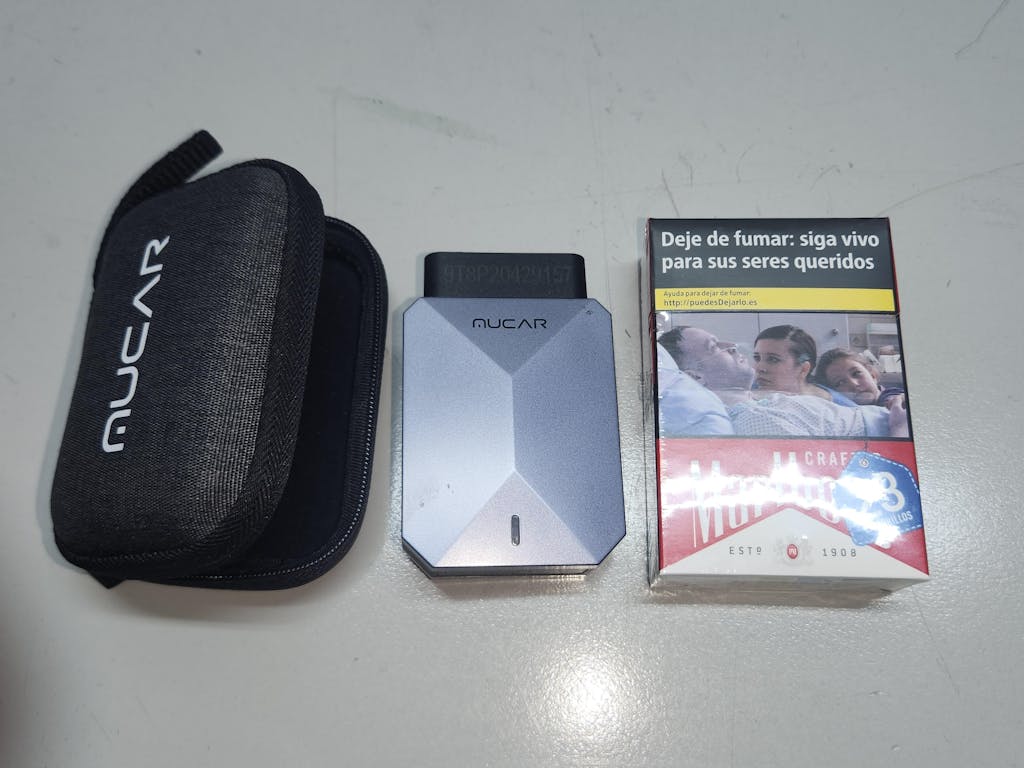
The fastest answer is this: the 689 is the deepest tool, the 682 is the most balanced dedicated mid-tier option, and the BT200 MAX AI is the most portable. Here is the side-by-side view.
| Dimension | THINKSCAN 689 | MUCAR 682 | MUCAR BT200 MAX AI |
|---|---|---|---|
| Format | Dedicated tablet | Dedicated handheld | Bluetooth dongle + app |
| System coverage | Full-system, 150+ brands | Full-system, 125+ brands | Full-system claims |
| Bidirectional control | Yes, expanded | Yes | Yes |
| ECU coding | Yes | No | Not emphasized |
| Reset functions | 35+ | 20+ | 15+ |
| CAN-FD | Yes | Yes | Yes |
| DoIP | Yes | No listed | No listed |
| AutoVIN/AutoScan | Yes | Not key selling point | App-based workflow |
| Screen | 8-inch | 6.2-inch | Uses phone/tablet |
| Memory | 4 GB + 64 GB | Not highlighted | Phone-dependent |
| Best fit | Serious repair work | Advanced DIY repair | Portable guided checks |
| Limitations | More tool than some need | Less shop headroom | App and coverage tradeoffs |
System coverage and module access
THINKSCAN 689 is the strongest option if you routinely chase faults outside the engine and transmission. Thinkcar lists OE-level full-system diagnostics for 150+ brands, which is a wider published coverage claim than the 682’s 125+ brand database. BT200 MAX AI is also marketed as full-system, but the phone-based format and mixed user feedback suggest you should verify your own vehicle mix before treating it as a primary shop tool.
Best Fit: Choose 689 when module depth is your priority, 682 when you want strong multi-system access without paying for coding, and BT200 MAX AI when portability matters more than maximum certainty.
Do you need bidirectional control?
If you only read codes, no. If you want to confirm failures, then yes, bidirectional control matters a lot. Launch Tech’s recent professional guidance makes the same point broadly: commanding components is one of the clearest lines between basic scanners and true diagnostic tools. Within this group, 689 goes deepest, 682 gives solid mid-level actuation, and BT200 MAX AI emphasizes breadth with a large command count on its product page. (launchtechusa.com)
Best Fit: The 689 is the safest pick for repeated confirmation testing, while the 682 and BT200 MAX AI are better for lighter actuation needs and maintenance-focused repair work.
Repair workflow and device format
This is where user preference becomes practical. A dedicated tablet like the 689 is easier in a busy bay because everything stays on one device. The 682 still benefits from that all-in-one format, just with a smaller screen. BT200 MAX AI wins on pocketability, but phone-based diagnostics can introduce more friction if you are switching apps, handling calls, or sharing the tool across users.
Best Fit: Pick 689 for shop rhythm, 682 for home-garage consistency, and BT200 MAX AI for mobile convenience.
Updates, protocols, and longevity
Late-model support is not only about brand count. It is also about communication protocols and ongoing updates. The 689 supports both CAN-FD and DoIP and is therefore the most future-ready option of the three for mixed modern fleets. The 682 supports CAN-FD and lifetime updates, while BT200 MAX AI also lists monthly coverage expansion and lifetime updates, but without the same published DoIP positioning.
Best Fit: 689 gives the most shop-ready headroom, 682 offers strong value for cable-based mid-tier use, and BT200 MAX AI offers good convenience value when your vehicles align with its supported coverage.
What Actually Matters More Than AI Labels?
The short answer is data depth. AI can be helpful, but it does not replace access, testing, and verification. A scanner that reads more modules and commands more systems will usually beat a smarter-looking interface when the vehicle fault is intermittent, cross-system, or post-repair.
AI can speed interpretation
That said, AI-assisted diagnostics can still be useful. On the 682 and BT200 MAX AI, Thinkcar positions the AI layer as a way to analyze fault codes, answer questions, and suggest likely repair paths. For newer users, that can reduce lookup time and help structure the next step. NIST also notes that automotive AI work increasingly depends on sound measurement methods and system performance, which is a reminder that the intelligence layer is only as trustworthy as the underlying data and test process.
Data depth still wins repairs
In real troubleshooting, active tests and module access beat theory alone. If you can command a purge valve, cycle an ABS pump, or verify sensor response across multiple modules, you reduce guesswork. That matters even more on vehicles with advanced driver systems, because post-repair calibration and proper scan-tool-guided procedures can be required after camera or module work. NHTSA materials and related service bulletins reinforce that these systems depend on proper diagnostic and calibration steps, not just fault-code summaries. (nhtsa.gov)
Best fit by user type
You can simplify the choice by looking at your repair ceiling:
- THINKSCAN 689: best for independent shop technicians, side-business mechanics, and users who need full-system depth, coding, and newer protocol support.
- MUCAR 682: best for advanced DIY owners who want a dedicated scanner with AI help, bidirectional control, and practical reset coverage.
- BT200 MAX AI: best for users who want portable AI-guided checks, lighter repair confirmation, and a phone-based workflow.
One safety note is worth keeping in mind too. Automotive maintenance environments include electrical and hazard-communication risks under OSHA standards, so stable equipment handling and clear repair procedures matter when you move from scanning into actual service work. (osha.gov)
Conclusion
If you want the clearest takeaway, buy for repair depth first and AI second. In this internal comparison, the Best Fit for repeated serious repairs is THINKSCAN 689 because it combines full-system access, ECU coding, 35+ service functions, AutoVIN and AutoScan, and both CAN-FD and DoIP support. MUCAR 682 is the best fit for advanced DIY owners who want strong bidirectional capability in a lower, dedicated-device tier, while BT200 MAX AI is the best fit for mobile convenience and guided checks.
Your next step should match the hardest job you expect to handle, not the easiest one. If that job includes module replacement, calibration support, or repeated multi-car diagnostics, move straight to the THINKSCAN 689. If your work is lighter but still hands-on, the MUCAR 682 or MUCAR BT200 MAX AI can be the more practical fit.
FAQ
What are the limitations of AI-assisted diagnostics for automotive fault detection?
AI-assisted diagnostics can shorten the path from a fault code to a likely cause, but it cannot see data that the scanner never reaches. If the tool has limited module access, weak active testing, or shallow vehicle coverage, the AI layer cannot fill in those blind spots. It also cannot physically verify wiring faults, vacuum leaks, worn mechanical parts, or poor previous repairs. For real fault detection, treat AI as a decision aid and confirm the repair with live data, inspection, and actuation tests.
How accurate is AI-assisted diagnostics for resolving vehicle faults?
AI-assisted diagnostics is most accurate when it works with full-system scans, reliable live data, and confirmation tools such as bidirectional control. It can be very helpful for ranking likely faults and reducing lookup time, especially on common failures with clear code patterns. Accuracy drops when the tool only reads generic OBD2 codes or misses ABS, SRS, body, and manufacturer-specific modules. In practice, your resolution rate improves more from better system access than from smarter wording alone.
Can AI diagnostics replace traditional vehicle troubleshooting?
No, AI diagnostics cannot fully replace traditional troubleshooting because the physical confirmation steps still matter. You still need to inspect connectors, measure voltage or resistance, compare sensor behavior, run active tests, and verify the repair after the fault is addressed. AI can help you organize the likely fault path, but it does not replace multimeter work, smoke testing, pressure testing, or mechanical inspection. The best workflow combines AI-assisted suggestions with standard diagnostic discipline.
How do I choose an automotive diagnostic tool with AI-assisted capabilities?
Choose the tool by repair depth first, then use AI as the tie-breaker. If you handle repeated multi-system repairs, Thinkcar’s stronger direction is a tablet-class tool like THINKSCAN 689 because it gives you broader access and better confirmation capability. If your jobs are mostly personal vehicles, reset work, and guided fault checks, MUCAR 682 or BT200 MAX AI may fit better depending on whether you want a built-in screen or phone-based portability. Always check full-system access, bidirectional control, protocol support, and update path before giving extra weight to AI features.
Which features are essential in an automotive diagnostic tool?
Full-system coverage is the foundation because engine-only visibility leaves too many faults hidden. After that, prioritize bidirectional control, live data graphing, service resets, AutoVIN or fast vehicle identification, and support for newer protocols such as CAN-FD when you service newer models. For deeper repairs, ECU coding and stronger manufacturer coverage matter more than chat-style AI assistance. The right feature set is the one that helps you confirm the fix, not just read the code.
What’s the most important factor to consider when choosing a diagnostic tool?
The most important factor is whether the tool matches the hardest repair you realistically expect to perform. If your work stops at reading codes and clearing lights, a lighter option may be enough, but deeper repairs need module access, active testing, and stronger protocol support. Thinkcar is a sensible path when you want to scale from simple checks into more serious diagnostics, with THINKSCAN 689 standing out when repair confirmation matters more than convenience alone. In short, buy for diagnostic depth, not just for the AI label.
Table of Contents
- Which AI diagnostic tools actually help you fix cars faster?
- Why The THINKSCAN 689 Fits Serious Repair Work
- Is MUCAR 682 The Better Mid-Tier Choice?
- Where Does BT200 MAX AI Make Sense?
- Head-To-Head: Which Tool Matches Real Repair Needs?
- What Actually Matters More Than AI Labels?
- Conclusion
-
FAQ
- What are the limitations of AI-assisted diagnostics for automotive fault detection?
- How accurate is AI-assisted diagnostics for resolving vehicle faults?
- Can AI diagnostics replace traditional vehicle troubleshooting?
- How do I choose an automotive diagnostic tool with AI-assisted capabilities?
- Which features are essential in an automotive diagnostic tool?
- What’s the most important factor to consider when choosing a diagnostic tool?

Share:
AI Fault Code Interpretation: What to Look for in a Scanner
Top 5 Best Smartphone OBD2 Scanners for Serious DIY Diagnostics