
Choose your OBD2 scanner around real jobs, not the lowest sticker price
A cheap OBD2 scanner can feel like a win until the first renewal notice lands or the tool fails when you need an ABS code, battery registration, or steering reset. That is where many DIY buyers lose money twice: once on the wrong tool, and again on the upgrade they end up needing later. If you want a car diagnostic scanner that stays useful in your garage, the smarter move is to match the tool to the jobs you expect over the next two years and check the update model before checkout.
THINKCAR is useful as a reference point because its lineup clearly shows both ends of the market. Some tools are positioned around lifetime updates or no device subscription fees, while other product families on the official store also have separate 1-year software renewals. That contrast makes it easier to judge a scanner by total ownership cost instead of the first-day discount.
What this article will help you decide
By the end, you should be able to choose between a basic code reader, a fuller automotive diagnostic tool, or a Bluetooth OBD2 scanner based on your actual repair habits.
- Decide whether you need engine-only scans or broader module access
- Compare lifetime-update ownership against annual-renewal models
- Prioritize full-system work and resets over feature clutter
- Shortlist a tool that fits your vehicles, space, and budget
Define the jobs your scanner must handle in the next 12 to 24 months
Before you compare screens, apps, or brand claims, write down the exact work you expect to do. This one step prevents the most common DIY mistake: buying a basic vehicle scanner for today’s check-engine light, then discovering six months later that it cannot access ABS, SRS, or service resets. Your repair list matters more than marketing language.
What to list before you shop
Start with the tasks you actually expect, not the ones that sound impressive.
- Read and clear check-engine codes
- View live data such as coolant temp, fuel trims, or misfire counts
- Pull freeze-frame data to see what the car was doing when a fault set
- Run full-system or multi-module scans
- Perform oil, EPB, battery, SAS, or TPMS resets
- Check transmission, charging, ABS, or airbag faults
- Work on one car or several family vehicles
Why this matters
A basic code reader may be enough if you only want emissions-related engine codes. But if you plan to replace rear brakes with an electronic parking brake, register a battery, or troubleshoot an airbag light, you need more than generic OBD2 functions. In the U.S., 1996 and newer gasoline passenger vehicles are generally built around OBD II requirements, but standard OBD2 access does not guarantee deep access to every manufacturer-specific module or service function, which is why tool depth matters so much for DIY use, according to the California Air Resources Board.
A simple decision rule
Use this shortcut when narrowing your needs.
- Basic code reader: check-engine light, readiness, emissions basics
- Full-system scan tool: engine plus ABS, SRS, transmission, body modules
- Service reset scanner: maintenance functions such as oil, EPB, SAS, TPMS, battery
- Wireless OBD2 scanner: best if you prefer your phone as the screen
Compare lifetime updates against yearly renewals before comparing hardware
This is where a low upfront price often stops looking cheap. Some tools stay useful without extra payments, while others separate the hardware from software access, brand coverage, or advanced functions. If you skip that detail, you are not comparing scanners fairly. You are comparing year one against year two without realizing it.
What to check on the product page
Look for the update structure before you look at cosmetic features.
- Whether diagnostics still work if you never renew
- Whether resets are included permanently or only for a trial period
- Whether full-system access is tied to an app subscription
- Whether coverage updates are free for life, free for a fixed term, or paid yearly
- Whether advanced functions require extra accounts or add-ons
What THINKCAR’s lineup shows clearly
THINKCAR’s store gives a useful side-by-side ownership example. The THINKSCAN 662 is positioned with lifetime free updates, bidirectional control, 12 critical service resets, CAN FD support, AutoVIN, and 4-system diagnostics covering ECM, TCM, ABS, and SRS for 140+ brands. The THINKSCAN MAX is positioned with OE-level full-system diagnostics, 28 maintenance functions, no device subscription fees, and lifetime free updates. Meanwhile, the MUCAR BT200 lists lifetime-free full-system diagnosis and full OBD2 functions, but its reset services are described separately, with 2 resets for BT200 and 15 for BT200 Pro offered free for 1 year.
Best-fit ownership logic for DIY users
For routine home maintenance, a scanner with lifetime updates is often the cleaner long-term choice because you can keep using the tool without budgeting for recurring access. Annual renewals make more sense when you know you need an ecosystem that keeps adding brand packages or pro-level software layers you will genuinely use. The wrong renewal model can cost more than stepping up to a better tool in the first place.
Match the tool format to how you actually work on cars
A good DIY car diagnostic tool should fit your workflow, not just your vehicle. If a scanner is annoying to grab, pair, charge, or store, you will use it less. That sounds small, but convenience shapes real ownership value. The best scanner is usually the one you will reach for in five minutes, not the one that looks strongest on a spec list.
Wired handheld scanners work well when you want less friction
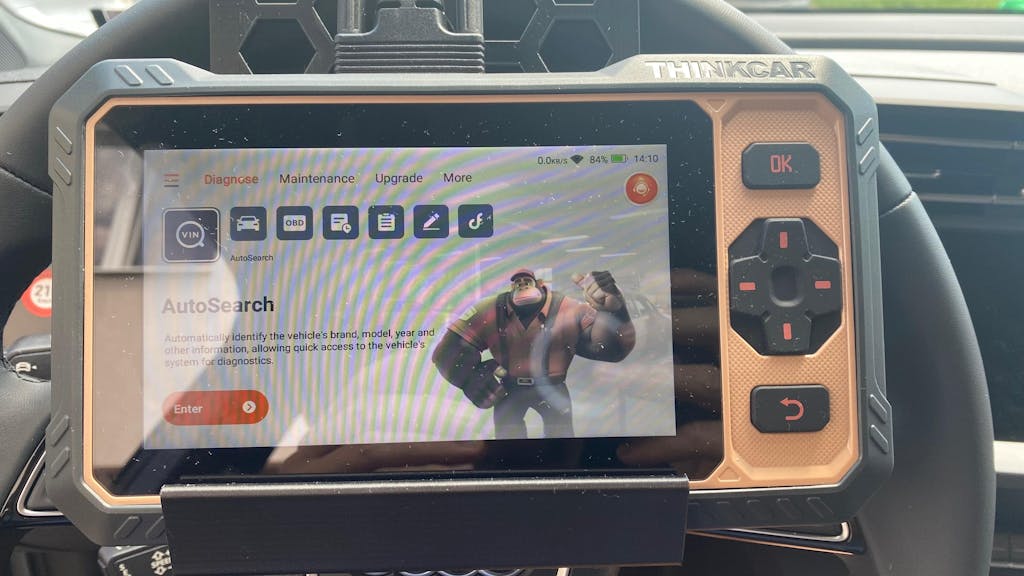
A handheld unit makes sense if you like a dedicated device with its own screen.
- Faster for quick garage checks
- No phone pairing or app permissions
- Easier to keep in a toolbox or glovebox
- Better for repeat resets and short diagnostic sessions
- Usually simpler for users who want a classic car code reader feel
The THINKSCAN 662 fits this path well. It uses a 6.2-inch anti-glare touchscreen and is positioned for plug-and-play use with 4-core systems, bidirectional testing, and 12 maintenance resets, so it suits DIY owners who want more than engine codes without jumping to a tablet-style tool.
Shop: THINKSCAN 662
Bluetooth scanners make sense when storage and flexibility matter more

A wireless OBD2 scanner or Bluetooth OBD2 scanner is a better fit if your phone already handles most of your garage workflow.
- Smaller storage footprint
- Easy to carry between vehicles
- App-based screens can feel more flexible
- Better for tight garages where you do not want another large device
- Often a strong choice for occasional but deeper diagnostics
The MUCAR BT200 is the clearest phone-first example in THINKCAR’s DIY range. It is positioned around full-system diagnosis, full OBD2 test functions, AutoVIN, and lifetime free online updates, though its reset structure is more limited than higher-tier handhelds and should be checked carefully against your vehicle and service needs.
Shop: MUCAR BT200
Put full-system access and service resets ahead of flashy extras
Many buyers get distracted by AI labels, oversized claims, or long feature banners. For serious DIY maintenance, the practical jump happens when a tool moves beyond generic emissions codes and starts giving you useful access to vehicle systems and resets. That is the difference between a scanner that only explains why the light is on and one that helps you finish the repair.
Features that usually matter most
Rank features in this order when you compare any full-system scan tool.
- Vehicle compatibility
- System coverage depth
- Resets you will actually use
- Update model
- Form factor and display preference
Functions worth paying attention to
Focus on useful diagnostic depth rather than novelty terms.
- Full-system diagnostics or at least major-system access
- Live data and freeze-frame data
- AutoVIN
- Oil, EPB, battery, SAS, and TPMS resets
- CAN FD support if you own newer compatible vehicles
- Bidirectional control if you want active tests
Build your shortlist by ownership style, not just price tier
Once you know your tasks and update preference, make a shortlist around how you plan to own the tool. This keeps you from comparing a basic one-car reader to a long-term family-garage tool as if they were the same category. Upfront price matters, but ownership style usually matters more.
Budget-conscious DIY path
This path works if you mainly want dependable diagnostics without recurring fees.
- Prioritize engine plus key system access
- Make sure the tool can handle the resets you actually use
- Avoid paying for platform complexity you will never touch
- Choose lifetime-update positioning when possible
A wired option like THINKSCAN 662 fits well here if your work centers on common maintenance plus the four major systems.
Mid-range practical path
This path suits people maintaining two family vehicles or doing more troubleshooting each year.
- Look for wider full-system access
- Choose stronger reset coverage
- Prefer no-fee or lifetime-update ownership
- Check whether newer protocols matter for your fleet
THINKSCAN MAX is the most straightforward fit in this bracket because it expands diagnostic depth and reset count without turning into a renewal-heavy platform.
Verify compatibility and safe setup before you buy or plug in
Even a strong auto repair scanner can disappoint if it does not support your exact vehicle, engine, or service function. Compatibility is never just brand-level. It is vehicle-specific and often function-specific. That is especially true for resets, calibrations, and newer communication protocols.
Compatibility checks to do before checkout
Use this checklist every time.
- Confirm year, make, model, and engine
- Check which systems are supported on that exact vehicle
- Confirm which resets work on that exact vehicle
- See whether CAN FD matters for newer models you own
- Check whether FCA SGW, DoIP, or other gateways affect access
- Verify whether advanced features need separate authorization
Basic prep before using any scanner
A scan tool is safe when you use it within the vehicle’s service conditions. Before connecting, make sure battery voltage is stable, follow the ignition state requested by the tool, and save fault codes before clearing them. OSHA notes that when a jumper battery is connected to a vehicle battery, ignition, lights, and accessories should be turned off before connections are made, which reinforces the value of stable, controlled electrical conditions during diagnostic work. The FTC has also highlighted how restrictions on diagnostic software can affect independent repair and owner access, so checking access limits before purchase is part of buying smart, not just using the tool correctly. According to OSHA and the FTC, access and safety details both matter.
What to watch with advanced functions
Do not run resets or calibrations casually.
- Save or screenshot codes first
- Follow the service procedure for that system
- Do not attempt calibrations you do not understand
- Confirm support before starting EPB, SAS, TPMS, or battery registration
- Stop if the tool requests prerequisites you have not met
Pick the best-fit THINKCAR direction for your DIY level
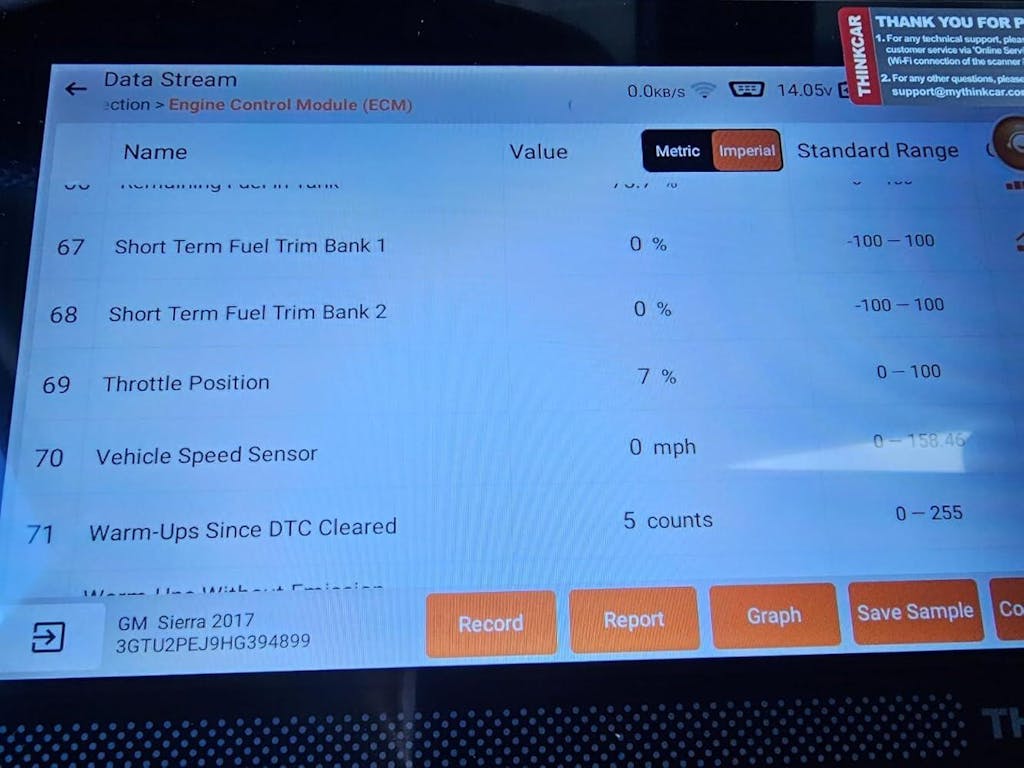
At this point, the right choice usually becomes clear. You are not asking which scanner has the biggest feature list. You are asking which one gives you the diagnostic depth you will use without trapping you in annual costs you do not need.
Best fit for lower long-term cost and practical home use
If you want predictable ownership and regular home maintenance support, start with a THINKCAR lifetime-update direction. A wired handheld like THINKSCAN 662 is a sensible fit for common resets and major-system work, while MUCAR BT200 is the better match if you want a smaller phone-based workflow and understand its reset limits.
Shop: THINKSCAN 689BT
Troubleshooting common scanner buying and setup problems
Most scanner problems are not hardware failures. They are mismatch problems: wrong depth, wrong vehicle assumptions, or missed setup requirements. Use this table to diagnose the issue quickly.
| Problem | Cause | Solution |
|---|---|---|
| Connects, misses modules | Limited coverage depth | Check vehicle-specific system support |
| Reset menu fails | Prerequisites not met | Follow service conditions first |
| Reads engine only | Basic code reader only | Upgrade to full-system tool |
| Renewal notice appears | Software sold separately | Recheck update policy |
| Newer car unsupported | Missing CAN FD or gateway | Verify protocol support |
How to solve these without wasting more money
If your scanner connects but cannot enter all modules, that usually means the tool is limited on your vehicle or the car needs a higher-tier platform. If a reset appears but will not complete, the vehicle may require battery support, ignition sequencing, or a completed repair before the reset will finish. And if a low-cost vehicle scanner only reads engine codes, that is not a defect. It is simply the limit of a basic reader.
FAQ
Should I buy a scanner with lifetime updates or one with annual renewals?
For most DIY owners, a scanner with lifetime updates is the better choice because it keeps long-term cost predictable. If your main work is code reading, full-system checks, and common resets, a THINKCAR lifetime-update handheld or Bluetooth path usually makes more sense than a renewal-heavy platform. Annual renewals fit better when you know you need ongoing software access that is tied to advanced brand coverage or specialty functions. The key is to compare total cost over two or three years, not just the first purchase.
What is the best scan tool with low long-term ownership cost?
The best low-cost long-term fit is usually a mid-tier scanner, not the cheapest car code reader. THINKCAR is a strong direction here because models such as THINKSCAN 662 and THINKSCAN MAX are positioned for ongoing DIY use without expensive yearly renewals. Choose the 662 if you mainly need the four major systems and common resets, and move to MAX if you want broader maintenance depth. That balance usually saves more money than buying too little and upgrading later.
Which scan tools are best if I want to avoid expensive yearly subscriptions?
A Bluetooth tool is usually better for a small garage because it takes less space and uses your phone as the screen. Thinkcar’s MUCAR BT200 is the clearest candidate if you want a compact wireless OBD2 scanner for occasional scans and basic full-system work. A wired handheld is still better if you hate pairing steps or want a dedicated screen ready every time. Your best choice depends on whether space savings or setup simplicity matters more in your workflow.
What features matter most in a DIY car diagnostic tool?
The most important features are compatibility, system depth, useful resets, and a clear update policy. For real DIY value, your tool should read live data, access more than engine codes, and support the maintenance functions you expect to use, such as oil, EPB, battery, SAS, or TPMS resets. Thinkcar is worth considering here because its lineup spans simpler handheld tools, fuller full-system scanners, and Bluetooth options.
Can a basic OBD2 scanner handle ABS, SRS, and service resets?
Usually no, because a basic OBD2 scanner is often limited to emissions-related engine functions. ABS, SRS, transmission access, and reset functions normally require a fuller automotive diagnostic tool with manufacturer-level module support. That is why many DIY users outgrow a cheap entry reader after the first brake job, battery replacement, or steering issue. If you expect those tasks, buy for module access now instead of replacing the tool later.
Table of Contents
- Choose your OBD2 scanner around real jobs, not the lowest sticker price
- Define the jobs your scanner must handle in the next 12 to 24 months
- Compare lifetime updates against yearly renewals before comparing hardware
- Match the tool format to how you actually work on cars
- Put full-system access and service resets ahead of flashy extras
- Build your shortlist by ownership style, not just price tier
- Verify compatibility and safe setup before you buy or plug in
- Pick the best-fit THINKCAR direction for your DIY level
- Troubleshooting common scanner buying and setup problems
- How to solve these without wasting more money
-
FAQ
- Should I buy a scanner with lifetime updates or one with annual renewals?
- What is the best scan tool with low long-term ownership cost?
- Which scan tools are best if I want to avoid expensive yearly subscriptions?
- What features matter most in a DIY car diagnostic tool?
- Can a basic OBD2 scanner handle ABS, SRS, and service resets?

Share:
Top 5 Best Smartphone OBD2 Scanners for Serious DIY Diagnostics
Pocket-Sized Power: Best Smartphone-Based Scanners for Quick Car Checks