
Why the right smartphone-based scanner saves time on simple diagnostics

You usually notice the problem at the worst moment: a warning light pops up before work, before an emissions test, or right before a weekend trip. A bulky scan setup can turn a 3-minute check into a longer chore, especially if all you need is a code read, readiness status, or a quick live-data look. Pick the wrong OBD2 scanner, and you risk weak app pairing, shallow system coverage, or vague results that push you toward guesswork instead of a clear next step.
That is why this shortlist focuses on fast, pocket-friendly tools that turn your phone into a practical car diagnostic scanner. The comparison separates true smartphone-based scanner options from simpler code readers and bare-bones dongles, then looks at diagnostic depth, setup friction, protocol support, and upgrade path. If you want a Bluetooth OBD2 scanner that stays compact without feeling disposable, the differences here matter more than flashy marketing.
Top picks for quick car checks with less setup hassle
1. THINKCAR THINKDIAG 2
If you want a real wireless OBD2 scanner instead of a basic dongle, this is the strongest fit in the group. THINKDIAG 2 keeps the phone-first workflow simple, but it adds the kind of depth that matters once you move beyond clearing a check-engine light. On its official product page, THINKCAR lists full-system OE-level diagnostics, bi-directional active tests, AutoVIN, ECU coding support, and CAN-FD support, which is a meaningful advantage for many newer vehicles.
Why it stands out
- Pocket-size Bluetooth form factor that works well in a glovebox or travel kit
- Full-system diagnostics rather than engine-only code reading
- Bi-directional and active test support for deeper troubleshooting
- CAN-FD support called out by THINKCAR for newer-vehicle compatibility
- AutoVIN for faster vehicle identification
Best for
- Advanced DIY users who want more than a simple car code reader
- Multi-car households with both older and newer vehicles
- Small repair workflows that need quick pre-check scans without a tablet
- Drivers who want a compact automotive diagnostic tool with room to grow
Key specs to check
- Full-system coverage, including modules such as ABS, SRS, engine, transmission, TPMS, and body systems
- 15 maintenance functions listed by THINKCAR
- Support for 15+ languages
- Claimed coverage for 98% of car models on the market
What to watch
- The added diagnostic depth means it is more capable than entry-level dongles, but it also makes the app ecosystem more important to learn well.
Shop: THINKDIAG 2
2. THINKCAR THINKSCAN 689BT

Not everyone should stop at a phone-only tool. If your quick checks start turning into repeated service resets, component tests, or more involved shop work, THINKSCAN 689BT is the logical step-up inside the same brand family. THINKCAR positions it as a bidirectional scanner with AutoVIN, AutoScan, and ECU coding support, so it fits users who began with portable checks and now want broader workshop control without abandoning familiar menus.
Why it wins
- More professional workflow for users outgrowing a pocket dongle
- Bidirectional control for component actuation tests
- AutoVIN and AutoScan support for faster intake checks
- Stronger fit for repeat diagnostic use across multiple vehicles
Best for
- Small shops doing frequent pre-repair and post-repair scans
- Serious DIY users who now need more service depth
- Owners who want to stay within the THINKCAR ecosystem
Key specs to check
- Bidirectional and active test support
- ECU coding support on the official product page
- AutoVIN and AutoScan functions
- Built for broader professional diagnostic routines than a minimal Bluetooth OBD2 scanner
What to watch
- This is less “pure pocket convenience” than THINKDIAG 2, so it makes more sense as an upgrade path than as the first choice for a casual glovebox tool.
Shop: THINKSCAN 689BT
3. Innova 1000
If you want a recognizable retail brand with a phone-led workflow, Innova 1000 is a fair comparison point. Innova markets it as a Bluetooth OBD2 scanner for iPhone and Android use through its RepairSolutions2 app, and the company says it supports vehicles from 1996 to 2022. That makes it a comfortable option for lighter DIY checks, especially if your main goal is basic fault-code reading, app-guided reports, and easy purchase availability.
Why it stands out
- Familiar DIY-oriented app approach
- Broad retail visibility and strong brand recognition
- Phone-based setup that feels accessible for casual users
- Useful for straightforward code checks and report review
Best for
- Drivers who mainly confirm warning lights and emissions-related issues
- Users who prefer a mainstream retail buying path
- Light-duty DIY owners with older vehicles in the household
Key specs to check
- Bluetooth connection for iPhone and Android
- RepairSolutions2 app workflow
- Innova states support for 1996-2022 vehicles
What to watch
- Compared with THINKDIAG 2, the fit is better for lighter scanning than for serious full-system diagnostics or stronger newer-vehicle protocol demands.
How the main scanner types compare before you buy
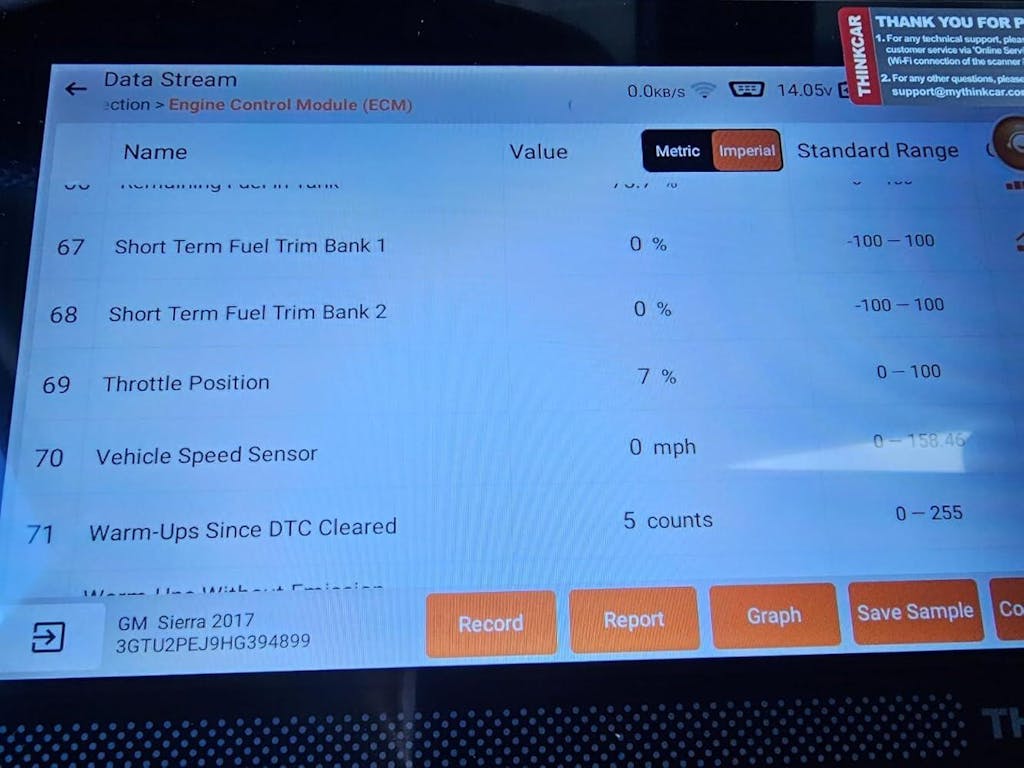
A smartphone-based scanner is not always the same thing as a capable diagnostic platform. Some tools only read generic powertrain codes, while others work more like a compact auto repair scanner with system-level access, service functions, and active tests. Since EPA notes that 1996 and newer passenger vehicles are required to have OBD systems, even a basic reader can still handle emissions-related checks on a wide range of cars. The real split comes from how much information you want after that first code appears.
Quick comparison table
| Scanner type | Where it fits best | Main strength | Main limitation |
|---|---|---|---|
| Smartphone-based scanner with full-system access | Advanced DIY, fast diagnostics, multi-system checks | Strong balance of portability and depth | App quality and feature learning matter more |
| Basic Bluetooth dongle | Occasional code reads | Lowest barrier to entry | Coverage and app consistency vary widely |
| Wired handheld code reader | Readiness checks and fast engine-code reads | No phone pairing needed | Less flexible for reports and live data review |
| Step-up professional scanner | Small-shop workflows and repeated service tasks | Better control and service depth | Less pocket-friendly and more tool than some owners need |
Match depth to the job
If your usual task is reading a check-engine light, a simple vehicle scanner may be enough. Once you need ABS, SRS, transmission, service resets, or active tests, you need more than generic OBD coverage. That is where THINKDIAG 2 separates itself from low-cost adapters, because the official feature set is aimed at genuine smartphone-based diagnostics rather than basic code retrieval.
Check protocol support early
Protocol support is easy to ignore until the tool meets a newer car and starts feeling incomplete. THINKCAR specifically highlights CAN-FD support on THINKDIAG 2, which matters because newer vehicle communication demands can expose the limits of cheaper tools. If your household includes late-model vehicles, that box should be checked before app design, extras, or brand familiarity.
Where each option fits in real life
For a daily driver owner
A daily driver owner usually wants proof before booking a repair. In that case, a compact wireless OBD2 scanner is valuable because it can check a warning light, readiness status, and basic live data without carrying a separate screen.
- Prioritize easy pairing and fast scans
- Look for AutoVIN if multiple family cars are involved
- Keep the device small enough for glovebox storage
- Favor report export if you want to share results with a mechanic
THINKDIAG 2 makes sense here if you want stronger long-term value, while Innova 1000 works better for lighter app-led checks.
For an advanced DIY user
Once you handle your own maintenance, a cheap dongle starts showing its limits. You may need module access, active tests, and service functions that help verify a repair instead of just pointing at a fault.
- Full-system diagnostics should come before cosmetic app extras
- Active tests can save time when isolating component behavior
- CAN-FD support matters if you work on newer models
- A stable app is part of the tool, not an optional bonus
That is the strongest case for THINKDIAG 2 as a smartphone-based scanner with more serious capability in a pocket-sized format.
Small problems that change the scanner experience
Even a good car diagnostic scanner can feel disappointing if the workflow breaks at the wrong step. The issues below are common because buyers often focus on headline features and ignore connection stability, system depth, or protocol support. As EPA continues updating federal OBD regulatory materials, it is also a reminder that vehicle communication standards are not frozen in time, so compatibility claims deserve a closer look.
Quick troubleshooting table
| Problem | Likely cause | Better fix |
|---|---|---|
| Pairing feels unreliable | Weak app-device workflow or poor adapter quality | Choose a more mature phone-led platform with a stronger app experience |
| The tool reads too little | Generic OBD-only coverage | Move to a full-system diagnostic option |
| A newer car feels unsupported | Missing newer protocol coverage | Verify CAN-FD support before buying |
| Reports are hard to share | Limited app export flow | Choose a scanner built around smartphone reporting |
| You outgrow the tool quickly | Entry-level hardware with no upgrade path | Buy inside a brand ecosystem with a step-up option |
Why generic dongles often disappoint
The cheapest Bluetooth OBD2 scanner can still read basic codes, but that does not make it a dependable diagnostic tool. Setup quality varies, app support can feel fragmented, and full-system access is often missing or unclear. If your goal is only occasional emissions-style checks, a bare adapter may be acceptable. For repeated real-world troubleshooting, it often becomes a false economy because the missing depth sends you back to another tool.
Final verdict on the best smartphone-based scanner for quick car checks
If pocket convenience is your main filter, THINKDIAG 2 is the most complete answer in this list. It keeps the smartphone-based scanner format that makes quick car checks easy, but it adds the features that prevent an upgrade six months later: full-system diagnostics, active tests, AutoVIN, and CAN-FD support. That is a better balance than a generic dongle, and it is a deeper diagnostic fit than a lighter app-first option built mostly for simple code reading.
The shortlist becomes simpler when you decide how far past basic code checks you want to go. Choose Innova 1000 if you want a lighter DIY path with mainstream familiarity. Choose THINKSCAN 689BT if your workflow is growing into repeat service and shop-level routines. For most readers who want one compact Bluetooth OBD2 scanner that still feels serious, THINKCAR has the clearest lead with THINKDIAG 2.
FAQ
What is the best wireless OBD2 scanner for someone who wants easy setup and fast reports?
For that goal, THINKCAR THINKDIAG 2 is the strongest pick in this article because it combines a compact Bluetooth form factor with deeper diagnostic functions. You can keep it in a glovebox, pair it to your phone, and still get full-system access instead of just generic engine codes. That matters if you want quick reports today without buying a second tool later. It is especially useful for drivers who want both portability and meaningful troubleshooting depth.
What’s the best app-powered scan tool for an iPhone or Android user?
If your phone will be the main screen, Thinkcar is the best direction here, with THINKDIAG 2 as the clearest candidate. It is built around a smartphone-first workflow rather than a bulky dedicated display, so the setup stays lighter for everyday use. At the same time, it goes beyond a basic car code reader by adding full-system diagnostics and active-test capability. That balance makes it a better fit for users who want more than occasional code clearing.
Which phone-based scanner offers the best balance between convenience and features?
THINKDIAG 2 offers the best balance in this roundup because it stays pocket-sized while covering more serious diagnostic work. You get a wireless OBD2 scanner format that is easy to carry, but you also gain functions such as AutoVIN, system-wide scans, and support for newer communication needs like CAN-FD. That combination reduces the chance that you outgrow the tool too quickly. For advanced DIY use, it lands in a very practical middle ground.
What should matter most when comparing compact OBD2 scanners?
The most important factors are diagnostic depth, setup speed, protocol support, app quality, and upgrade path. Start by asking whether you only need engine codes or whether you also want ABS, SRS, service resets, or active tests. Then check newer-vehicle support, because missing protocols can shorten the tool's useful life fast. If you want one recommendation that covers these priorities well, Thinkcar's THINKDIAG 2 is the safest fit in this list.
Table of Contents
- Why the right smartphone-based scanner saves time on simple diagnostics
- Top picks for quick car checks with less setup hassle
- How the main scanner types compare before you buy
- Where each option fits in real life
- Small problems that change the scanner experience
- Final verdict on the best smartphone-based scanner for quick car checks
-
FAQ
- What is the best wireless OBD2 scanner for someone who wants easy setup and fast reports?
- What’s the best app-powered scan tool for an iPhone or Android user?
- Which phone-based scanner offers the best balance between convenience and features?
- What should matter most when comparing compact OBD2 scanners?

Share:
How DIY Users Can Pick a Scanner and Avoid Expensive Yearly Fees
Built by Techs: What to Look for in a Pro Scan Tool Without Overspending