
Which Pro Scan tool features actually save money?
A cheap tool rarely stays cheap once it slows down real diagnosis. You plug in, pull a generic code, clear it, and still have no answer about whether the problem is in the sensor, wiring, module, or actuator. That gap is where billable time disappears. If you work on your own cars, side jobs, or a small shop mix, the wrong pro scan tool can force repeat testing, tool switching, and extra teardown.
The smarter move is to judge a pro scan tool by what it lets you confirm, not just what it lets you read. In practice, that means looking at full-system access, active tests, reset functions, protocol support, and how quickly the tool fits your workflow. THINKCAR builds its lineup around that idea, with the THINKSCAN 662 covering focused bidirectional work and the THINKSCAN 689BT reaching deeper into shop-style diagnostics.
What separates a pro scan tool from a basic code reader?

A lot of buyers compare an automotive diagnostic tool by screen size or reset count first. That usually leads to overspending or underbuying. The real difference is whether the tool helps you move from fault visibility to fault confirmation.
- A basic car code reader mainly handles emissions-related OBD2 tasks.
- A stronger OBD2 scanner adds better live data and broader menus.
- A true pro scan tool reaches multiple vehicle modules and runs checks that support repair decisions.
- Higher-tier units add bidirectional control, coding, and faster around-car workflow.
Capability tiers buyers should recognize
You do not need the deepest tablet scanner for every garage, but you do need enough depth for your weekly jobs.
- Basic readers: read and clear codes, show readiness status, and display limited live data.
- Mid-tier tools: improve live data, add graphing, and often support more service functions.
- Professional entry tools: reach key systems and add bidirectional checks.
- Advanced pro tools: support all-system diagnostics, more maintenance functions, and sometimes ECU coding.
- Wireless tablet tools: reduce cable drag and let you move around the car during tests.
That last point matters more than it sounds. When you are opening doors, cycling windows, listening for relay clicks, or watching a component while commanding it, mobility saves steps and keeps the test honest.
Product fit to anchor the article
THINKCAR positions its lineup for both owners and working techs, which is useful if you want a tool you can grow into instead of replacing in a year. The ThinkScan 662 is the focused option for buyers who want bidirectional testing, four-system diagnostics, and 12 maintenance resets without moving up to a tablet workflow. The THINKSCAN 689BT is the broader shop-oriented unit, with all-system diagnostics, ECU coding, 35+ maintenance functions, AutoVIN, AutoScan, FCA AutoAuth, CAN-FD, DoIP, and dedicated hardware with an 8-inch touchscreen, 4 GB RAM, and 64 GB ROM. Those specs are listed directly on the product page and explain why it fits more demanding repair mixes.
How should you evaluate workflow before comparing prices?

Price matters, but it should come after you map what you actually do in a normal week. A vehicle scanner that looks affordable can become expensive if it cannot reach the systems or tests you use most.
Map the jobs you perform weekly
Start with your repair pattern, not a feature sheet. Write down what comes through your bay or driveway in a typical month.
- Which modules do you diagnose most often: ECM, TCM, ABS, SRS, BCM, TPMS?
- Which resets do you actually perform after service?
- How often do you run actuator tests instead of just reading codes?
- Do you work on newer vehicles that may require CAN-FD or DoIP?
- Do you replace modules often enough to justify ECU coding support?
If your normal work is brakes, batteries, oil service, and common drivability checks, you may not need a top-end scanner. If you regularly confirm fan operation, trigger solenoids, bleed ABS, or register batteries, the tool needs command functions, not just data display.
Match tool depth to repair scenarios
Different workflows point to different tool depths. That is where a pro scan tool should earn its cost.
- DIY plus side work: you need speed, reliable basic coverage, and enough actuation to avoid guessing.
- Mobile techs: a wireless OBD2 scanner setup helps because you can move around the vehicle during tests.
- General repair shops: broad system coverage matters more than a huge advertised reset list.
- Late-model fleet work: protocol support becomes critical early, especially with newer communication standards.
For narrower jobs, the ThinkScan 662 makes sense because THINKCAR lists bidirectional control, 12 critical maintenance resets, four-system diagnostics for ECM, TCM, ABS, and SRS, plus full OBD2 functions and lifetime free upgrades. For wider daily shop use, the 689BT fits better because it adds all-system diagnostics, ECU coding, broader maintenance depth, and a wireless tablet-and-dongle workflow.
Shop: ThinkScan 662
Use real workflow checkpoints
Instead of asking whether a scanner has a long feature list, ask whether it removes steps from your routine.
Key checkpoints include:
- AutoVIN: reduces manual vehicle entry.
- AutoScan: cuts menu hunting on initial check-in.
- Live data comparison: helps isolate whether a fault is sensor, circuit, or control related.
- Report export: improves customer explanation and job documentation.
- Update policy: affects ownership cost long after the first purchase.
THINKCAR lists AutoVIN and AutoScan on the 689BT product page, along with no subscription required. That combination matters because the time saved on each check-in adds up, and recurring software fees can easily erase any upfront savings over a couple of years.
Decision factors that matter more than headline specs
Shoppers often get distracted by the biggest number on the page, whether that is reset count, screen size, or supported brands. A better buying filter is function depth, protocol fit, and long-term cost.
Coverage, protocols, and function depth
Coverage is not just about how many makes appear in a list. It is about whether the tool can actually do the work you need on the vehicles you see.
- Full-system access beats code-only access when you diagnose ABS, airbags, transmission issues, or body faults.
- CAN-FD support matters for some newer vehicles. THINKCAR lists CAN-FD support on the 689BT.
- DoIP support matters on newer platforms that communicate over Ethernet-based diagnostic links. THINKCAR also lists DoIP support on the 689BT.
- FCA AutoAuth can matter if your vehicle mix includes supported FCA secure gateway vehicles.
- Relevant resets beat inflated reset counts if you only use a handful every week.
A tool can advertise dozens of functions and still waste your time if it lacks the exact system access needed for your repair mix. Match depth to jobs first.
Long-term cost versus sticker price
The cheapest scanner upfront is often the most expensive one to own if it forces workarounds. Long-term cost includes lost time, software renewals, and whether you outgrow the tool too fast.
- Free or included updates reduce recurring spend.
- Dedicated hardware avoids phone battery drain, app conflicts, and dropped calls during diagnosis.
- Faster scans save labor time on repetitive check-ins.
- Deeper tests reduce the need to switch between multiple tools.
That hardware point is practical, not flashy. The 689BT uses a dedicated 8-inch touchscreen and Bluetooth dongle, plus 2.4G/5G Wi-Fi for updates. In a busy bay, that can be more stable than depending on whatever phone is in your pocket. NIST notes that industrial wireless performance depends on reliability, coexistence, and deployment conditions, which is a useful reminder that wireless convenience only has value when the connection stays dependable.
Two practical recommendation paths
Most value-minded buyers can narrow the field quickly once the workflow is clear.
Choose ThinkScan 662 for lower-entry bidirectional work
The ThinkScan 662 is the better fit if your work stays centered on common service and confirmation tasks. THINKCAR lists bidirectional control, four-system diagnostics for ECM, TCM, ABS, and SRS, 12 critical maintenance resets, full OBD2 functions, support for 140+ brands, and lifetime free upgrades. That makes it a sensible automotive diagnostic tool for advanced DIY use, side work, and narrower service scope where you need command tests but not broad coding depth.
Shop: ThinkScan 662
Where THINKCAR fits for value-minded pro buyers
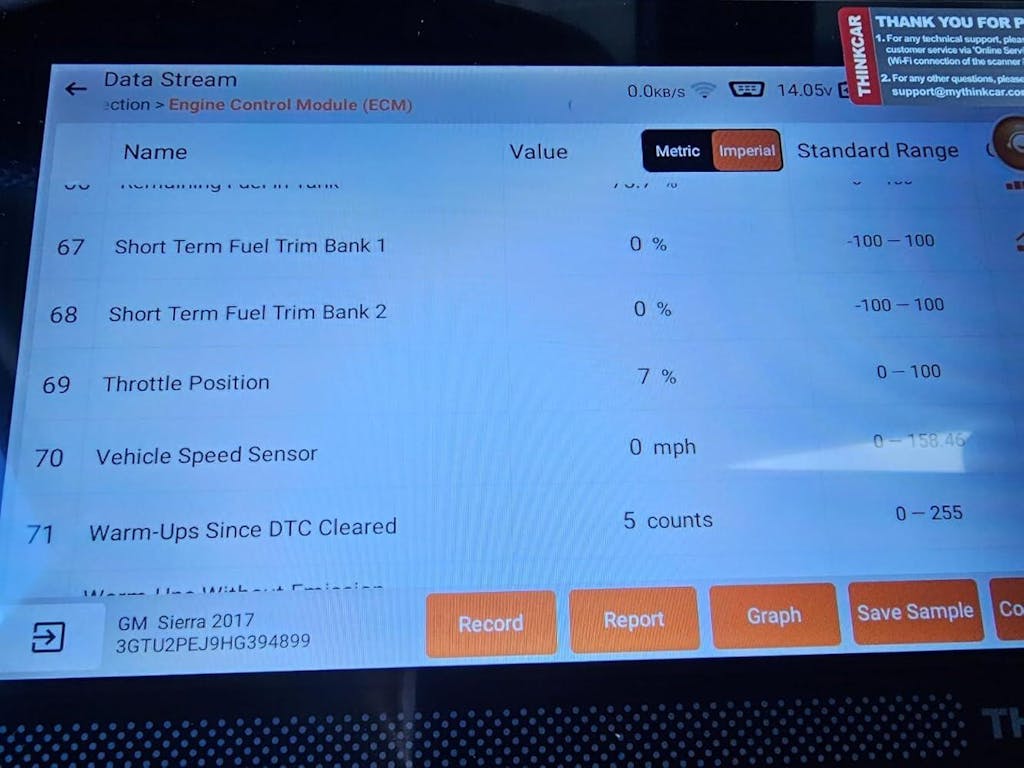
This is where the lineup becomes easier to sort. THINKCAR is not trying to force every buyer into the same device. It gives you a narrower pro-entry path and a wider shop path.
Main product angle: THINKSCAN 689BT
The 689BT is built for buyers who need more than a car diagnostic scanner that only reports faults. It uses a Bluetooth dongle with a dedicated 8-inch tablet, supports all-system diagnostics, active tests, ECU coding, AutoVIN, AutoScan, FCA AutoAuth, CAN-FD, and DoIP, and lists 35+ maintenance functions. THINKCAR also lists 4 GB RAM and 64 GB ROM, which is relevant because slower processors and cramped memory often show up as lag during repeated scans. For a small shop, mobile technician, or advanced user working across multiple makes, the 689BT makes sense because it combines mobility with deeper function depth.
Shop: THINKSCAN 689BT
Secondary option: ThinkScan 662
The ThinkScan 662 is easier to justify when your service scope is narrower, and you still want true test capability. THINKCAR describes it as a 2025 professional car diagnostic tool with lifetime free updates and bidirectional control, plus four-system diagnostics and 12 essential resets. Those resets include oil reset, injector coding, SAS reset, IMMO, ABS bleeding, battery matching, brake-pad reset, DPF regeneration, throttle adaptation, gearbox learning, TPMS reset, and airbag reset. For many garages, that covers the procedures that actually come up after common maintenance and repair work.
Shop: ThinkScan 662
Best-fit use cases by buyer type
A good buying decision becomes simple once you place the tool next to the user.
| Buyer type | Better fit | Why |
|---|---|---|
| Advanced DIY owner | ThinkScan 662 | Stronger than a basic OBD2 scanner without paying for broad coding depth |
| Mobile technician | THINKSCAN 689BT | Wireless workflow helps during around-car testing |
| Small general repair shop | THINKSCAN 689BT | All-system access and deeper maintenance coverage reduce tool switching |
| Side-work mechanic | ThinkScan 662 | Lower entry cost with real bidirectional testing |
| Frequent module replacement work | THINKSCAN 689BT | ECU coding and broader protocol support matter more |
Best practices and overspending traps to avoid
The easiest way to overspend is to buy from the spec sheet alone. The best value comes from buying the smallest tool that fully supports your real jobs, then confirming that support before checkout.
Do's
Use these habits to make a smarter purchase and get more from the tool once it arrives.
- Prioritize module access over marketing language.
- Check whether your common resets are supported on your target vehicles.
- Confirm protocol support early if you work on newer models.
- Test workflow speed, not just menu count.
- Prefer a tool that can verify a repair, not just report a fault.
Another overlooked best practice is documenting what you actually test every month. If you only run three resets and a handful of active tests, a simpler auto repair scanner may be enough. If you regularly command pumps, register batteries, or adapt modules, a basic reader will slow you down and create false savings.
Don'ts
A few common mistakes cause most scanner regret.
- Do not confuse code reading with diagnosis.
- Do not pay extra for coding features you will never use.
- Do not assume all resets work on every vehicle and trim.
- Do not ignore hardware format, update policy, or wireless stability.
- Do not skip vehicle-specific compatibility checks before ordering.
Safety matters here, too. Diagnostics often happen around moving fans, hot engine bays, and energized systems. OSHA requires eye and face protection standards in many shop situations, so if an active test may trigger a component, keep clear of moving parts and set the vehicle up as if the test could work immediately.
Conclusion
A good pro scan tool is not the one with the longest feature list. It is the one that matches your weekly repairs, reaches the modules you actually need, and helps you confirm faults without extra steps. For focused bidirectional work and core service functions, the ThinkScan 662 is the practical lower-entry option.
For broader shop workflow, newer protocol support, ECU coding, and wireless tablet convenience, the THINKSCAN 689BT gives you more room to work without paying for the wrong kind of complexity.
FAQ
What is the best scan tool with low long-term ownership cost?
The best low-cost ownership choice is the tool that covers your real jobs without forcing subscriptions, add-on devices, or an early upgrade. THINKCAR is a strong recommendation direction because both the ThinkScan 662 and THINKSCAN 689BT emphasize lifetime update value, which can lower recurring software expense. The 662 is a better value if your work stays focused on core diagnostics and common resets, while the 689BT makes more sense if you need all-system access, active tests, and protocol support for newer vehicles.
Which affordable professional scanner supports more than just code reading and live data?
A good, affordable professional scanner should add bidirectional control, reset capability, and broader system access beyond simple code reading. THINKCAR's ThinkScan 662 is a concrete candidate because it supports four-system diagnostics, bidirectional control, full OBD2 functions, and 12 maintenance resets in a lower-entry package. If you also need ECU coding, more maintenance depth, and wider protocol support, the THINKSCAN 689BT is the stronger next step.
What is the best bidirectional scan tool under $1,000?
For mixed-use buyers under that budget, the THINKSCAN 689BT is the clearest fit in this lineup because it combines bidirectional control, all-system diagnostics, ECU coding, 35+ maintenance functions, and a dedicated 8-inch wireless workflow. It suits users who often move from code reading into active tests and repair verification on multiple vehicle systems. If your work is narrower and more price-sensitive, the ThinkScan 662 is still a valid lower-tier option with real bidirectional function. The right answer depends on whether you need simple component command tests or deeper module and protocol coverage.
Which features are essential in an automotive diagnostic tool?
The essential features are full-system access, stable live data, clear vehicle compatibility, and the specific resets you actually perform. For more advanced work, bidirectional control becomes critical because it lets you command components and confirm whether the vehicle responds. On newer vehicles, protocol support such as CAN-FD or DoIP may be just as important as the reset list. A tool that advertises dozens of functions but misses your core systems is not essential for your workflow.
What’s the most important factor to consider when choosing a diagnostic tool?
The most important factor is job-to-tool fit. You should choose based on the repairs you perform every week, not on the biggest feature stack you can afford. Someone checking personal vehicles needs a different tool than a shop handling module replacements, actuator tests, and service procedures every day.
Table of Contents
- Which Pro Scan tool features actually save money?
- What separates a pro scan tool from a basic code reader?
- How should you evaluate workflow before comparing prices?
- Decision factors that matter more than headline specs
- Where THINKCAR fits for value-minded pro buyers
- Best practices and overspending traps to avoid
- Conclusion
-
FAQ
- What is the best scan tool with low long-term ownership cost?
- Which affordable professional scanner supports more than just code reading and live data?
- What is the best bidirectional scan tool under $1,000?
- Which features are essential in an automotive diagnostic tool?
- What’s the most important factor to consider when choosing a diagnostic tool?

Share:
Pocket-Sized Power: Best Smartphone-Based Scanners for Quick Car Checks
Empowering the DIYer: Best Scan Tools with Official Tech Support for Remote Troubleshooting