
Need deeper diagnostics without buying a tablet scanner?

A check engine light is annoying, but the real cost shows up when a vague fault leads you into guesswork. One parts swap turns into two, then you are still chasing the same ABS warning or rough idle. A serious smartphone OBD2 scanner fixes that problem only if it does more than read generic engine codes. You need enough depth to see the right modules, enough data to confirm the fault, and enough control to test a component before you replace it.
That is the lens for this guide. Instead of treating every Bluetooth dongle like the same tool, we will sort the top five options by diagnostic depth, active testing, reset coverage, and day-to-day app workflow. By the end, you should know which smartphone OBD2 scanner fits your vehicle mix, your repair goals, and your tolerance for learning more advanced functions.
What separates a serious smartphone OBD2 scanner from a basic code reader?
A phone-based scanner can be either a cheap code-checker or a real diagnostic tool. The difference matters because serious DIY diagnostics usually involve more than the engine computer.
Define the tool categories clearly
The labels on product pages can blur together, so it helps to separate them by what they actually do:
- Code reader: reads and clears basic emissions-related powertrain codes.
- Bluetooth dongle: plugs into the OBD2 port and relies on your phone app for interface and reports.
- Full-system scanner: reaches modules beyond engine, such as ABS, SRS, transmission, body, and battery systems.
- Bidirectional scan tool: sends commands to components so you can trigger fans, locks, windows, pumps, or other actuators.
- Reset-capable tool: supports maintenance procedures like oil reset, EPB, SAS, TPMS, battery matching, or throttle relearn.
That last jump is where an app-powered scan tool starts saving real repair time. According to EPA, scan tools can reset OBD monitors to a not-ready state, which is why clearing codes too early can erase useful diagnostic context and delay emissions-readiness confirmation.
Know the core capability tiers
Once you move past generic adapters, capability usually breaks into four practical tiers:
- Entry tier: read and clear codes, basic live data, I/M readiness.
- Mid tier: freeze frame, graphing, health reports, and better app support.
- Advanced tier: full-system diagnostics plus useful resets.
- Serious DIY tier: active tests, broader protocol support, and stronger make/model depth.
If you only want to turn off a light, the first tier may be enough. If you plan to diagnose misfires, wheel-speed issues, throttle problems, or post-repair service items, you want at least the advanced tier. Serious DIY owners usually benefit most from a full-system OBD2 scanner because it narrows faults before money gets spent on parts.
Map the main scanner types
Different formats fit different workflows, and that is why smartphone tools keep gaining ground.
- Generic adapters: cheapest route, but system depth and app quality vary a lot.
- App-first scanners: portable, easy to update, and great for one-car or family-car use.
- Tablet scanners: larger screen and faster all-day use, but bulkier and usually costlier.
- Workshop tools: strongest coverage and advanced functions, but often overkill for home garages.
For most owners, the sweet spot is an iPhone/Android OBD2 scanner that stays in the glovebox, pairs quickly, and still delivers full-system access when a warning light appears.
How should a DIY owner compare the top 5 options?

The easiest mistake is comparing only price or star ratings. A better method is to rank each tool by the jobs you actually expect it to handle.
Ranking criteria that actually affect ownership
When you compare a best Bluetooth OBD2 scanner for home use, these factors usually matter most:
- Vehicle coverage: supported makes, model years, and whether newer protocols are included.
- System depth: engine-only access is not the same as full module coverage.
- Protocol support: CAN-FD matters for many newer vehicles, especially some late-model GM platforms.
- Service functions: oil reset alone is far less useful than a wider reset menu.
- Active testing: the fastest way to separate a bad part from a control issue.
- Update policy: long-term value depends on how support evolves after purchase.
- App experience: pairing speed, VIN detection, report layout, and live-data readability.
The top 5 smartphone OBD2 scanners in this lineup
1. ThinkCar MUCAR BT200 MAX — Best overall serious DIY pick
MUCAR BT200 MAX is the strongest all-around fit for serious DIY diagnostics because it combines full-system diagnostics, bidirectional control, CAN-FD support, FCA support, Bluetooth 5.2, and 15+ reset functions in a phone-based format. ThinkCar offers it with 3,000+ bidirectional commands, full OBD2 functions, and compatibility with Android 5.0+ and iOS 13+ through the Dollarfix app. It also lists features that matter in real use, including freeze-frame access, live data, customizable dashboards, and intelligent sleep mode for leaving the adapter plugged in.
As an advanced DIY car diagnostic tool, this model makes the most sense when you want one device that can handle routine maintenance, deeper fault tracing, and occasional actuator checks without stepping up to a tablet unit. Its big advantage is balance. You get more than a code reader, but the workflow still feels portable and approachable.
Shop: MUCAR BT200 MAX
2. ThinkDiag 2 — Best for deeper app-based diagnostics
ThinkDiag 2 is the pick for users who want a more advanced app-powered scan tool and expect to grow into harder jobs. ThinkCar lists full-system OE-level diagnostics, 15+ maintenance functions, active tests, Auto VIN, IMMO matching, and built-in CAN-FD support. The product page also highlights ECU coding functions and broader module access across ABS, SRS, transmission, body, battery, cruise, parking sensor, and instrument systems.
This tool fits the owner who already knows that basic scans are not enough. If you work on multiple vehicles, want stronger late-model compatibility, or may need coding-oriented functions later, ThinkDiag 2 is the step-up option in this group. The tradeoff is that deeper capability often comes with a steeper learning curve than that of a simpler smartphone OBD2 scanner.
Shop: THINKDIAG 2
3. MUCAR DriverScan — Best for glovebox convenience
MUCAR DriverScan stands out when you want quick access to full-system scans and active tests in a compact, easy-to-carry format. ThinkCar says it supports OE-level diagnostics across ABS, SRS, engine, A/C, transmission, EPB, TPMS, body, battery, and more, plus 15 maintenance functions and bidirectional control. It also adds a VE calculator and acceleration test, which gives it a practical angle for quick drivability checks.
This is a good fit if your workflow is fast pre-checks, intermittent warning lights, or sharing reports before deciding whether a repair is a driveway job or a shop job. It is lighter in positioning than the BT200 MAX, but it still crosses the line between a basic adapter and a serious DIY diagnostics tool.
Shop: MUCAR DRIVERSCAN
4. ThinkDiag — Best entry-level smartphone scanner
ThinkDiag has been one of ThinkCar's established Bluetooth options for owners who want more than a generic dongle but are not ready to jump into a bigger tool stack. The current product page lists ECU coding, bi-directional tests, full-system diagnostics, adaptation, IMMO key matching, Auto VIN, and 15 maintenance functions. It also supports more than 120 car brands and works with post-1996 vehicles according to the product description.
The reason it ranks here is its value through capability. You get a full-system OBD2 scanner workflow with room to learn active tests and service functions, but it sits below ThinkDiag 2 in late-model protocol appeal because ThinkDiag 2 specifically adds built-in CAN-FD support.
Shop: THINKDIAG
5. MUCAR BT200 — Best budget-friendly maintenance helper
MUCAR BT200 is the lighter-duty choice for owners who still want more than generic engine-code access. ThinkCar says it can access all available system modules including engine, ABS, SRS, A/C, transmission, TPMS, SAS, BMS, steering, EPB, chassis, and air conditioning, while also providing full OBD2 functions. It is positioned as a cost-effective Bluetooth scanner, and that makes it a sensible bridge between a simple code reader and a more capable app-based tool.
If your main jobs are warning-light checks, service reminders, and occasional system scans, BT200 can be enough. The limitation is that once you need frequent active testing or stronger future-proofing for newer vehicle protocols, the higher-ranked models make more sense.
Shop: MUCAR BT200
Which features matter most before you buy?
This is where a smartphone OBD2 scanner either earns its keep or turns into a drawer item. The right feature list depends on the faults you expect to chase.
Coverage and diagnostic depth
Full-system access is the first filter because many real problems live outside generic powertrain codes.
What to check:
- Engine, transmission, ABS, and SRS access at minimum.
- Body and battery modules if you troubleshoot electrical complaints.
- Make/model/year compatibility before you order.
- CAN-FD support if you own certain newer vehicles.
A red flag is any tool marketed like a full-system scanner but described mainly through generic OBD2 functions. A serious DIY owner should expect module-level access, not just emissions-code reading.
Cost versus real repair value
A lower-cost dongle looks smart until it misses the system you need. Then the savings disappear in wasted time or wrong parts.
A higher-value advanced DIY car diagnostic tool usually pays off when:
- You maintain more than one vehicle.
- You do brakes, battery replacement, throttle work, or TPMS service yourself.
- You need to compare live data before and after a repair.
- You want active tests to confirm a fault before buying parts.
That logic matters because diagnosis quality affects safety as well as cost. NHTSA notes that TPMS warnings can indicate significant underinflation or system malfunction, and a scanner with TPMS access can help you tell the difference faster.
Performance signals worth verifying
A scanner spec sheet can look strong while the real user experience feels clumsy. Focus on the parts that change your workflow.
Key signals:
- Connection stability: Bluetooth dropouts ruin live-data testing.
- Report clarity: saved health reports help you compare changes over time.
- Update cadence: newer coverage matters if your household vehicles are late-model.
- Reset practicality: confirm the exact maintenance functions you will actually use.
- Phone support: verify both app compatibility and minimum OS versions.
From plug-in to diagnosis: what does the smartphone workflow look like?
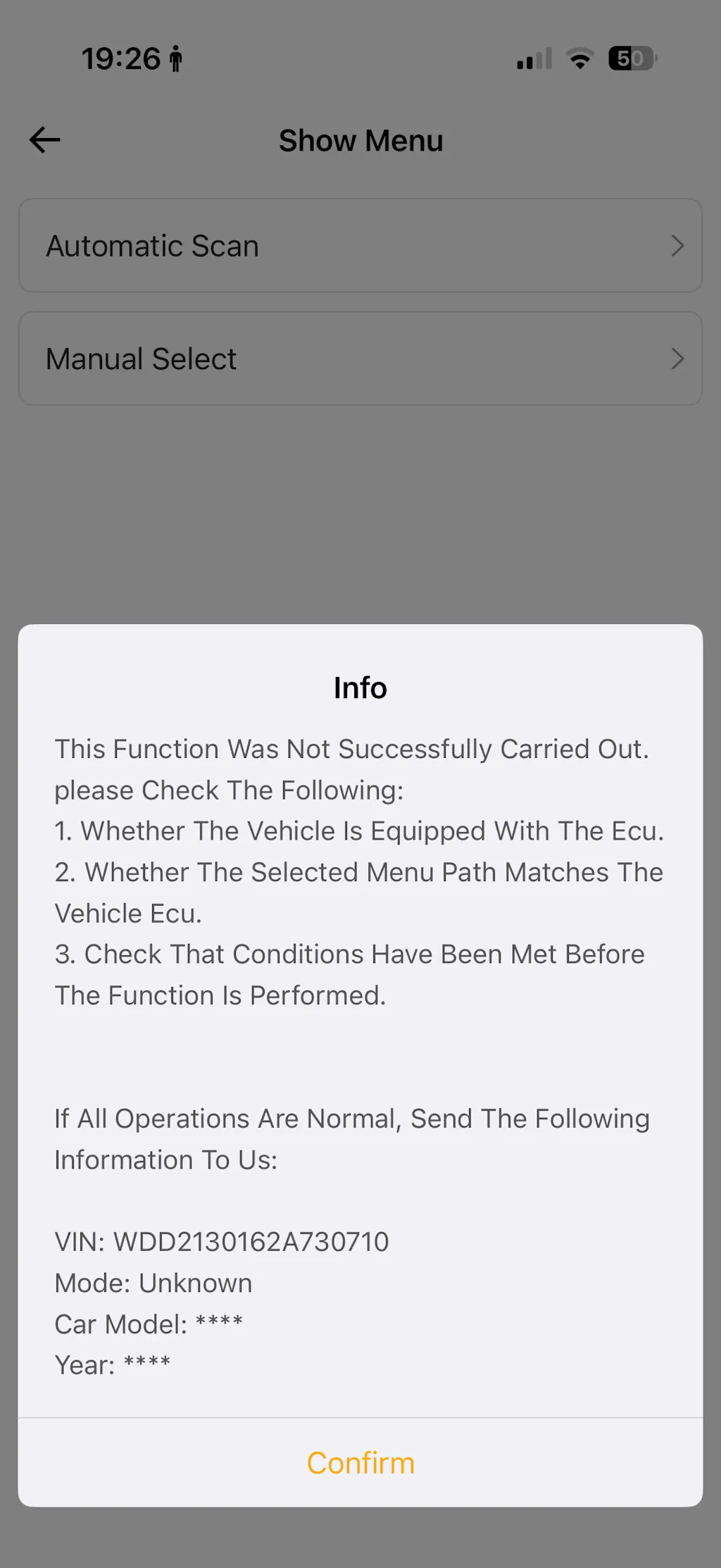
A good phone-based scanner is not just portable. It should also help you move from symptom to proof in a repeatable way.
Step 1: Confirm vehicle, phone, and app fit
Before buying or plugging in, check these basics first:
- Confirm your vehicle's model year and protocol needs.
- Verify iPhone and Android support.
- Install the correct companion app before the first session.
- Review whether your target functions are global or vehicle-specific.
This matters more than many buyers expect. Some tools advertise long reset lists, but actual availability varies by make and module. A full-system OBD2 scanner is only useful if the vehicle you own is actually covered at that depth.
Step 2: Run a clean baseline scan
Your first scan should create a reference point, not just clear a light.
Use this baseline routine:
- Pair the dongle with the app and let it complete identification.
- Use Auto VIN if available, then confirm the detected vehicle manually.
- Scan all available systems, not just engine.
- Save the first health report before touching anything.
- Read freeze frame data before clearing codes.
That report becomes your map. It tells you whether the issue is isolated or spread across related modules, and it gives you a clean before-repair record.
Step 3: Move from codes to proof
A fault code is a clue, not a verdict. The best smartphone OBD2 scanner for real troubleshooting helps you verify the cause.
What this usually looks like:
- Watch live data during idle, warm-up, or a short road test.
- Compare requested versus actual values where the app supports it.
- Use resets only after the repair or service procedure is complete.
- Run active tests, such as fans, windows, locks, lights, or actuators, to prove whether the component responds.
That is where bidirectional control becomes valuable. If a commanded actuator does nothing, you have stronger evidence than a stored code alone.
Step 4: Decide whether the tool is enough
Phone-based tools cover a lot of ground, but they still have limits.
A smartphone scanner is usually enough for: routine diagnostics, warning-light triage, full-system checks, maintenance resets, moderate active testing
You may need to step up later if your jobs center on heavy coding, programming, or shop-level immobilizer work across many brands. For most owners, though, starting with an app-powered scan tool is the best serious DIY path because it keeps cost and complexity in proportion to the work.
Common mistakes serious DIY users should avoid
Most bad scanner experiences come from mismatched expectations, not from the hardware alone. A few habits make the difference between useful data and false confidence.
Best practices that improve results
A better workflow is usually simple:
- Scan before replacing any parts.
- Save a baseline report every time.
- Confirm full-system coverage before purchase.
- Check battery condition before long diagnostic sessions.
- Use active tests to confirm suspected faults.
- Re-scan after the repair and compare results.
Safety also matters in home diagnostics. OSHA notes that vehicle repair environments expose workers to physical and chemical hazards, while OSHA says eye protection should meet ANSI Z87.1 when hazards from particles or fluids are present. Even a simple driveway scan can turn into under-hood checks, wheel-speed testing, or battery work, so treat the job like repair work, not phone use.
Pitfalls that create false confidence
These are the mistakes that waste the most time:
- Assuming all Bluetooth tools offer the same module depth.
- Buying an engine-focused tool for ABS, SRS, or TPMS complaints.
- Clearing codes before saving freeze frame and health reports.
- Ignoring update policy or app limitations.
- Treating a code description as proof of a failed part.
Another common mistake is using resets as a shortcut. Clearing a service item without verifying the underlying condition can hide the symptom briefly while the real issue remains.
Best Practices & Pitfalls
A serious DIY diagnostics setup works best when you choose based on task depth, not just convenience. If you routinely handle maintenance plus real troubleshooting, MUCAR BT200 MAX is the clearest best-overall choice in this lineup because it balances portability, full-system access, bidirectional control, and reset coverage. ThinkDiag 2 makes more sense when you want a deeper expansion path with CAN-FD and coding-oriented headroom, while DriverScan, ThinkDiag, and BT200 fit progressively lighter workflows.
The practical rule is simple: buy for the hardest job you realistically expect to do twice a year, not the easiest job you can do today. That keeps your smartphone OBD2 scanner useful after the first check engine light, the first brake service, and the first confusing intermittent fault.
FAQ
Can a smartphone-based diagnostic tool replace a tablet scanner for most users?
Yes, for many DIY owners it can replace a tablet scanner for most routine and intermediate work. A smartphone OBD2 scanner is usually enough for full-system scans, live data review, service resets, and occasional active tests across one or several household vehicles. The main limit appears when you need long all-day sessions, advanced programming, or a larger dedicated screen for shop workflow. In that range, ThinkCar's app-based tools are a practical fit, especially BT200 MAX for serious home use and ThinkDiag 2 for deeper expansion.
Which phone-based scanner offers the best balance between convenience and features?
The strongest balance in this lineup is the MUCAR BT200 MAX. It gives you a compact Bluetooth workflow, full-system diagnostics, bidirectional control, 15+ reset functions, and CAN-FD support without pushing you into a tablet-style tool. That combination suits owners who want one scanner for warning lights, maintenance, and real troubleshooting. If you want more coding-oriented depth later, ThinkDiag 2 is the next direction to consider.
Which smartphone-based scan tool is best for serious diagnostics?
For serious diagnostics, choose the tool that can scan more than the engine, save useful reports, and run active tests. In this group, MUCAR BT200 MAX is the best single-fit candidate because it combines full-system access, bidirectional functions, and maintenance coverage in a phone-based package. ThinkDiag 2 is the better alternative when your jobs are more advanced or you expect broader late-model compatibility needs. A basic adapter may still read generic faults, but it usually falls short when ABS, SRS, or actuator testing enters the job.
Which OBD2 scanner is worth it for serious DIY maintenance and troubleshooting?
The one worth buying is the scanner that prevents repeat guesswork and supports the maintenance jobs you already do. For most advanced home users, that means full-system diagnostics, at least several useful resets, and enough live-data depth to compare symptoms before and after repairs. ThinkCar fits that value case well, with BT200 MAX as the most rounded recommendation for repeated DIY use. If you mainly want a lower-cost helper for lighter maintenance, BT200 can still be a sensible step up from a generic code reader.
What is the best OBD2 scanner for an advanced DIY car owner?
An advanced DIY owner usually needs three things: broad module access, service-function support, and a way to verify faults beyond stored codes. MUCAR BT200 MAX is the best fit here for many users because it covers full-system scans, active tests, and reset functions in a compact app-first workflow. ThinkDiag 2 becomes the better match if your projects expand toward coding, IMMO-related tasks, or newer-vehicle protocol demands. The real goal is to choose a tool that can grow with harder jobs instead of one that only clears lights.
Which car diagnostic scanner works best with a smartphone for DIY use?
The best phone-friendly scanner is the one that pairs quickly, reads clearly, and supports the systems you actually work on. For most DIY owners in this lineup, MUCAR BT200 MAX works best because it balances portability with stronger diagnostics, not just convenience. DriverScan is a good choice when you want fast glovebox access and quick pre-checks, while ThinkDiag and BT200 fit lighter budgets or simpler maintenance needs. If your repair plans are getting more ambitious, ThinkDiag 2 gives you the deeper path.
Table of Contents
- Need deeper diagnostics without buying a tablet scanner?
- What separates a serious smartphone OBD2 scanner from a basic code reader?
- How should a DIY owner compare the top 5 options?
- Which features matter most before you buy?
- From plug-in to diagnosis: what does the smartphone workflow look like?
- Common mistakes serious DIY users should avoid
- Best Practices & Pitfalls
-
FAQ
- Can a smartphone-based diagnostic tool replace a tablet scanner for most users?
- Which phone-based scanner offers the best balance between convenience and features?
- Which smartphone-based scan tool is best for serious diagnostics?
- Which OBD2 scanner is worth it for serious DIY maintenance and troubleshooting?
- What is the best OBD2 scanner for an advanced DIY car owner?
- Which car diagnostic scanner works best with a smartphone for DIY use?

Share:
AI Diagnostic Tools: How to Choose One for Real Repairs
How DIY Users Can Pick a Scanner and Avoid Expensive Yearly Fees