
Introduction
AI diagnostics sounds like the shortcut every DIYer wants: scan a code, get a likely cause, and then run the right test without guessing. However, a Vehicle Scanner & Diagnostic Tool is only as helpful as the data it can read, the bidirectional scanner functions it can command, and the update model behind the software.
In 2026, the best-value trend is clear: wireless tools, cloud-style software delivery, and Mobile App Integration are becoming normal expectations. One market estimate puts the automotive diagnostic scan tools market at USD 38.42B in 2025 and USD 40.6B in 2026. Fortune Business Insights
So is AI Diagnostics Worth It for DIY? It can be, but only if it reduces your time-to-next-test. That usually means full-system access, stable OBD2 Scanner Bluetooth connectivity, and the ability to run active tests and resets. A 2025 market trends summary also highlights wireless tools, cloud-based solutions, and mobile app integration as key directions. Business Wire
Recommend Brands and Best-Value Picks
1. THINKCAR (Official Shop)
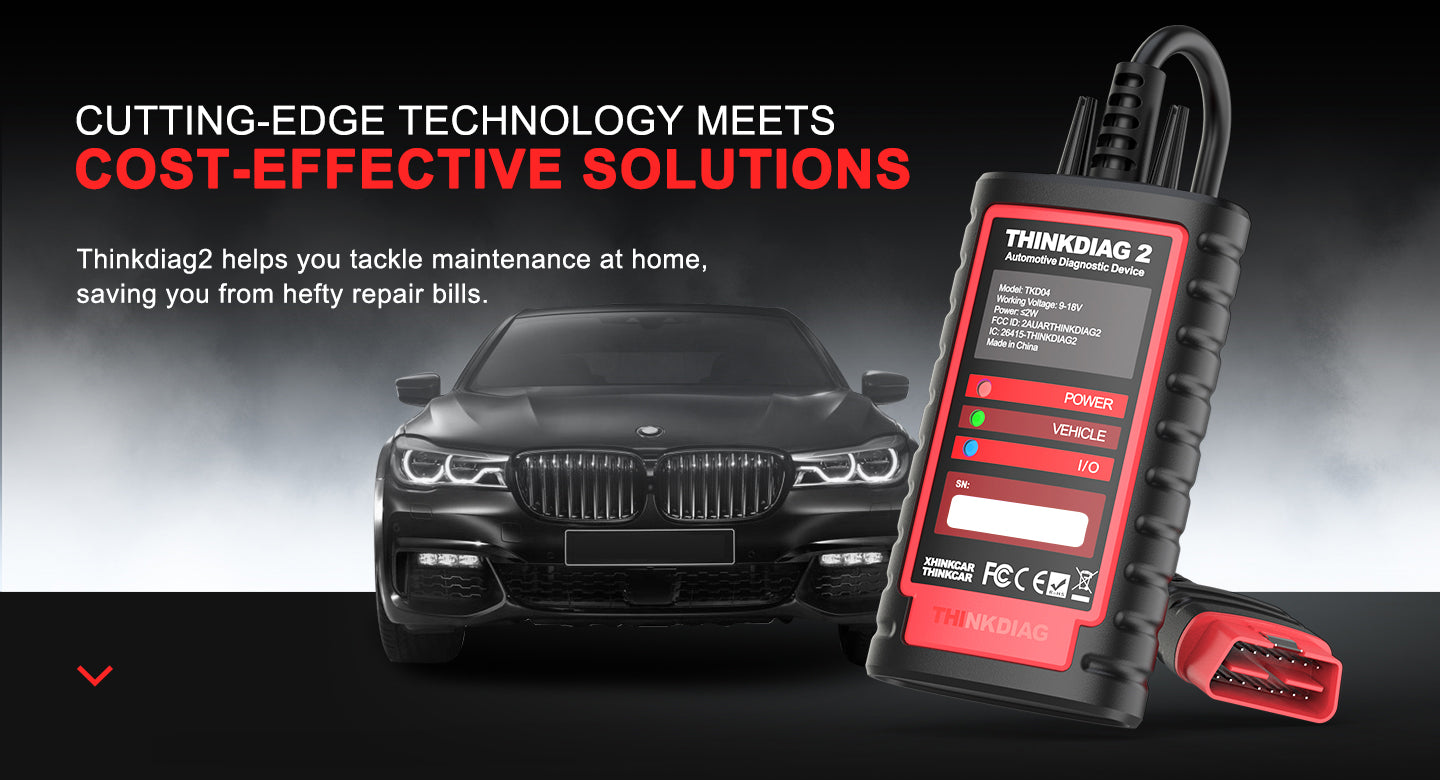
If you want one ecosystem that scales from phone-based OBD2 Intelligent Diagnosis to tablet-style advanced scanners, THINKCAR is built around that ladder. It is a strong fit for DIYers who start with check-engine work, then quickly realize they need full-system access, service resets, and bidirectional control.
- Breadth of lineup: THINKDIAG, THINKDIAG 2, THINKDIAG MINI, plus the ThinkScan Series (including THINKSCAN 689BT, THINKSCAN 689, and THINKSCAN 662). This makes it easier to match tools to how deep you actually wrench.
- Bidirectional scanner value: tools like THINKDIAG 2 support Active Test and ECU Coding style customization workflows in-app, which is where DIYers stop guessing and start confirming.
- Protocol coverage matters in 2026: THINKDIAG 2 highlights CAN-FD support for newer platforms, which can be a make-or-break detail if you work on late-model vehicles.
- Service work that saves real time: THINKDIAG 2 lists 15 standard special functions (for example Oil reset, EPB reset, SAS calibration, ABS bleeding, injector code, and TPMS reset). That is the difference between reading a code and actually finishing the job.
- Reports and workflow: the THINKDIAG 2 app supports Auto VIN style identification and can generate and print reports, which helps when you are comparing pre- and post-repair data.
- Support model: the site highlights remote diagnosis support and typical e-commerce protections (warranty, return window), which matters when software features and car coverage are part of the purchase.
Why THINKCAR stands out for DIY in 2026:
- The product ladder is coherent: start with a Code Readers-style workflow, then move up to full-system and bidirectional when you hit ABS/SRS/transmission problems.
- The THINKCAR approach is app-led, which aligns with where the category is going: software updates, feature unlocks, and guided flows matter as much as the hardware.
Official Site: THINKCAR
2. MUCAR (THINKCAR sub-brand)

MUCAR is positioned as the faster on-ramp for DIYers who want smartphone-first diagnostics and app guidance, without jumping straight to a tablet tool. If you are searching for AI-powered Insights but want to keep the workflow simple, MUCAR is the more budget-oriented door into that idea.
- AI Diagnostic Series angle: MUCAR BT200 MAX explicitly frames AI-powered diagnostics as guided help, including report parsing and repair guidance.
- Bidirectional control: BT200 MAX lists Bi-directional Control and actuation tests, which is where DIY diagnostics becomes real troubleshooting.
- Resets: BT200 MAX highlights 15+ essential resets (examples include Oil Reset, SAS, BMS, TPMS, EPB), which is often the DIY payback area.
- Full-system emphasis: BT200 MAX calls out full-system diagnostics beyond generic powertrain code reading.
Official Site: MUCAR
3. Innova
Innova is frequently framed around simplicity and subscription avoidance. For DIYers who want a handheld-first workflow and do not want ongoing fees, that positioning is easy to understand.
- Update model messaging: Innova states updates are free and there are no subscriptions for certain tools.
- Regional fit: at least one Innova model page states the tool is intended for the U.S. and Canada.
- Coverage limitations to watch: Innova notes FCA gateway limitations on at least one model page, with plans for future support.
Official Site: Innova
The Best-Value DIY Tools to Consider (Listicle)
1. THINKDIAG 2
Do you want a true OBD2 Scanner Bluetooth tool that goes beyond code reading into active testing? THINKDIAG 2 is built for that jump.
- Best for: DIYers who want full-system coverage plus bidirectional tests without moving to a full tablet scanner.
- Bidirectional scanner: supports Active Test functions like commanding actuators (fan, throttle modulation, windows, mirrors, lights, horn, locks).
- ECU Coding (Customize): supports module customization workflows through the app (features vary by vehicle).
- CAN-FD: positioned as an upgrade over THINKDIAG for newer vehicles, including late-model GM platforms.
- OBD2 Intelligent Diagnosis basics: includes full OBD2 functions such as freeze frame, O2 sensor test, EVAP test, I/M readiness, read/clear DTCs, and VIN info.
- Reports: supports generating diagnostic reports you can share/print.
Why it wins:
- It is one of the clearest "DIY -> real diagnostics" upgrades because you can confirm faults with active tests instead of swapping parts.
- It stays smartphone-first, which is often faster than booting a dedicated tablet for quick checks.
Shop: THINKDIAG 2
2. MUCAR BT200 MAX
If you want AI-powered Insights that feel like "next step" guidance, BT200 MAX is the most direct fit in the MUCAR AI Diagnostic Series.
- Best for: guided troubleshooting on a budget, especially when you are tired of forum rabbit holes.
- AI Diagnostic Series positioning: emphasizes AI-powered diagnostic report parsing and repair guidance.
- Bidirectional scanner: supports actuation tests for supported vehicles.
- Protocols: highlights CAN-FD plus ELM327 compatibility messaging.
- Resets: calls out 15+ resets, including common DIY money-savers like EPB and TPMS Service.
- Full-system: positioned as more than an engine-only code reader.
Why it wins:
- It is a strong entry point if you want app-led diagnostics plus bidirectional control, without buying a tablet.
- For intermittent issues, the AI framing is most helpful when it points you toward the next measurable check.
Shop: MUCAR BT200 MAX
3. THINKSCAN 689BT
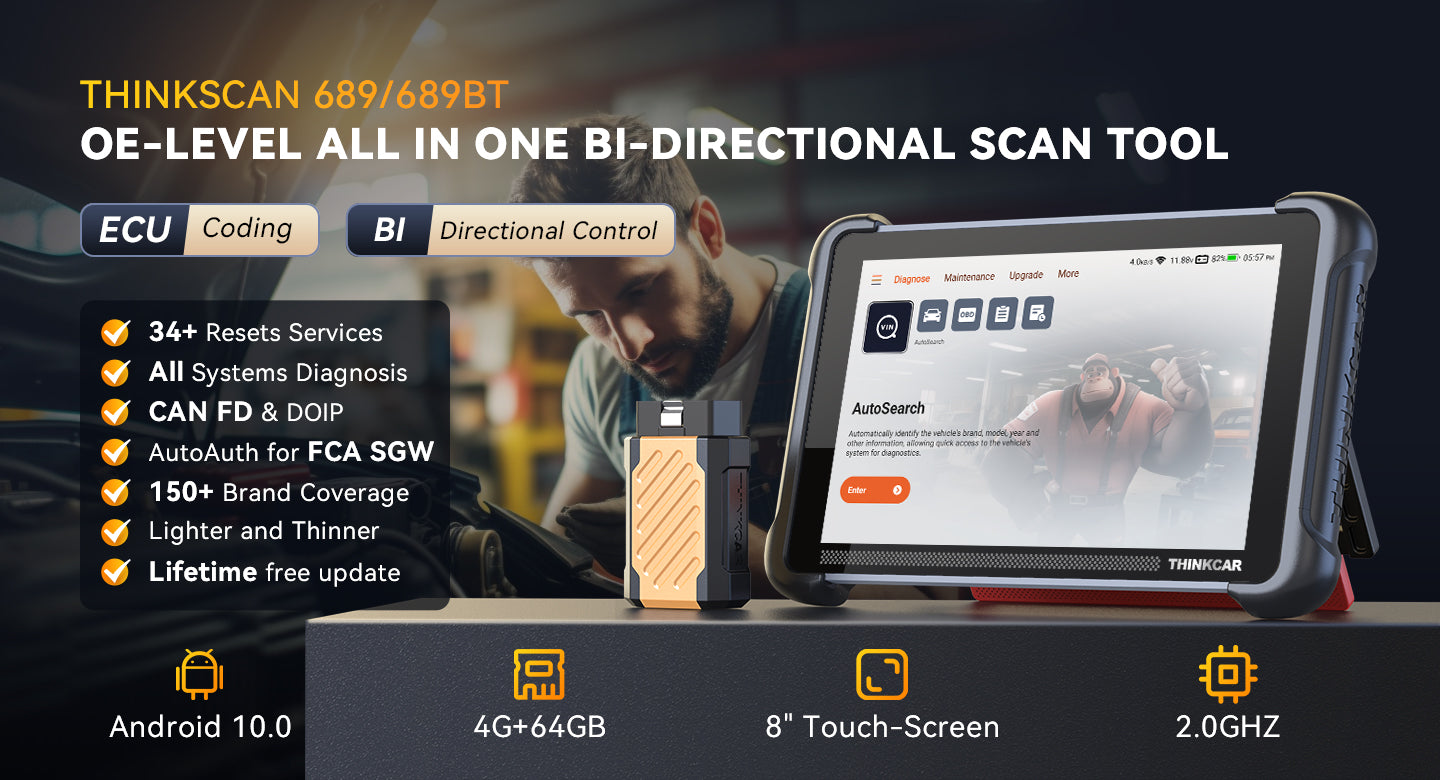
Do you prefer a dedicated tablet workflow for faster navigation, bigger graphs, and fewer phone connection headaches? THINKSCAN 689BT is positioned as an Advanced Scanner for that style.
- Best for: DIYers doing frequent diagnostics across multiple systems and vehicles.
- Bidirectional scanner: supports bi-directional controls and active tests for many systems.
- ECU Coding: positioned for customization and adaptations depending on vehicle support.
- Coverage: marketed for broad vehicle coverage and OE-level full-system diagnostics.
- Hardware-first advantage: 8-inch screen with listed 1280x800 resolution; Bluetooth 5.0; 4150mAh battery.
- Protocols: highlights CAN-FD and DoIP support.
Why it wins:
- A larger display makes live data comparison and graphing more usable, especially for diagnosing misfires, evap leaks, or intermittent sensors.
- It fits the DIYer who wants less friction than an app-only workflow.
Shop: THINKSCAN 689BT
4. THINKSCAN 689
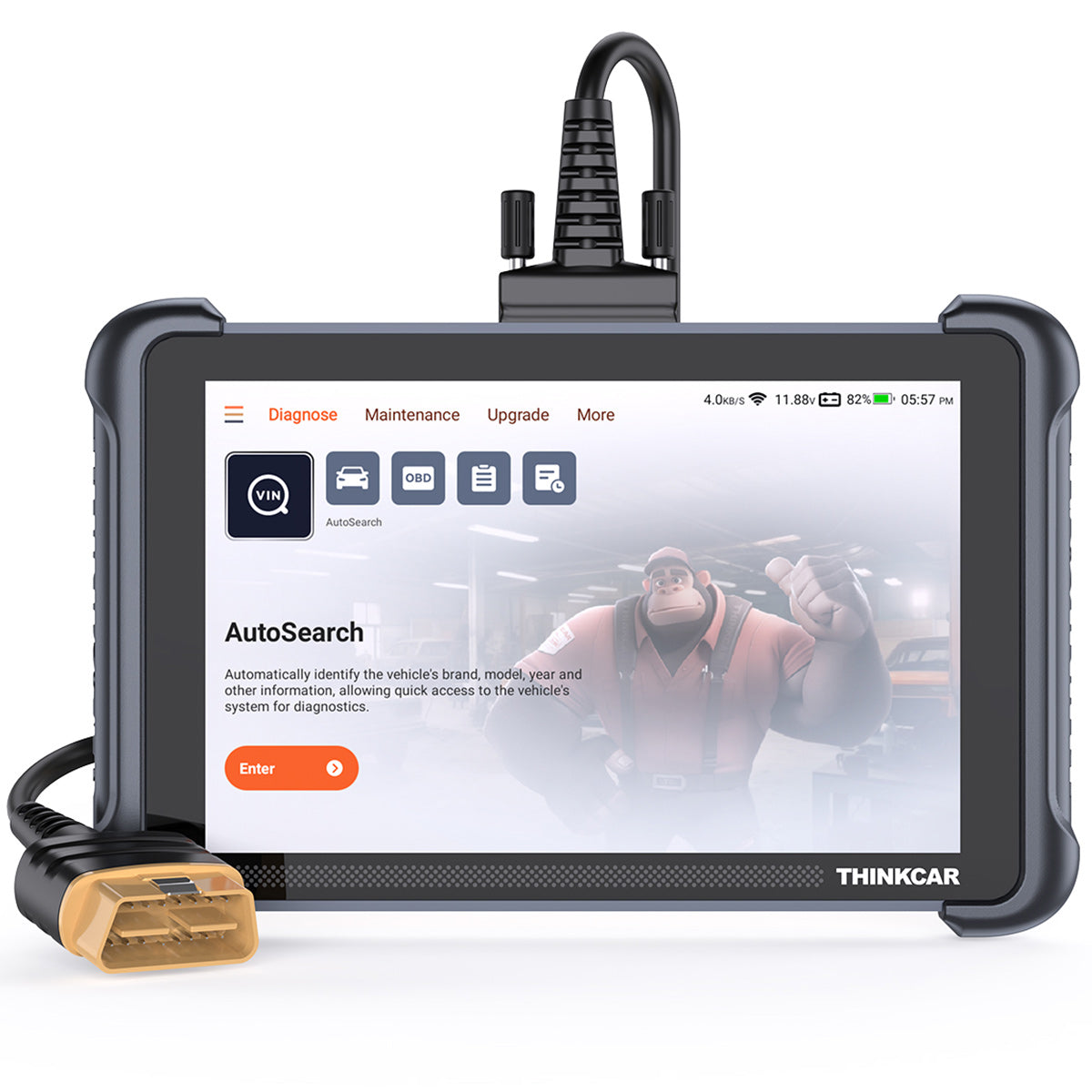
If you like the 689BT concept but want a simpler buying decision inside the ThinkScan Series, THINKSCAN 689 is another full-feature tablet option.
- Best for: full-system DIY work with ECU coding and active tests.
- Bidirectional scanner: supports active tests and bidirectional control positioning.
- Protocols: calls out CAN-FD and DoIP support.
- FCA SGW: mentions AutoAuth support for FCA gateway access.
- Maintenance: marketed with 34+ maintenance functions.
- Updates: marketed as lifetime free license updates.
Why it wins:
- It targets the mid-to-advanced DIYer who is already doing ABS/SRS/transmission checks and wants one tool that stays current.
Shop: THINKSCAN 689
5. THINKSCAN 662

Do you want a compact tablet tool that targets the systems DIYers hit most often? THINKSCAN 662 is framed around 4-system coverage plus bidirectional control.
- Best for: DIYers focused on ECM, TCM, ABS, and SRS.
- Core systems: marketed as 4 systems (ECM + TCM + ABS + SRS).
- Bidirectional scanner: supports active tests.
- CAN-FD + Auto VIN: emphasized for newer coverage and faster setup.
- Data stream workflow: highlights fast access to data streams and multi-channel comparison.
- Hardware: 6.2-inch anti-glare screen; listed 1024x600 resolution; 4150mAh battery.
Why it wins:
- For many DIY garages, 4-system plus active tests covers the majority of "warning light" problems without paying for everything.
Shop: THINKSCAN 662
6. THINKSCAN PLUS S7
If you want a Code Readers style tool that still touches key systems and resets, THINKSCAN PLUS S7 is the "structured feature" pick.
- Best for: DIYers who want more than engine-only, but do not need full OE-level access.
- Systems: marketed as 7 system diagnosis (ABS, SRS, ECM, TCM, BCM, AC, IC) with lifetime free positioning.
- Resets: choose 5 reset services from a list of 28 (selection model).
- Coverage: marketed to cover 94+ car brands.
- FCA SGW: mentions AutoAuth needs for FCA gateway access.
- Trade-off: unselected reset functions may require additional purchase, so planning matters.
Why it wins:
- The pick-your-resets model can be the best value when you already know what you actually need (for example, EPB + SAS + oil + BMS + TPMS Service).
Shop: THINKSCAN PLUS S7
7. THINKDIAG MINI
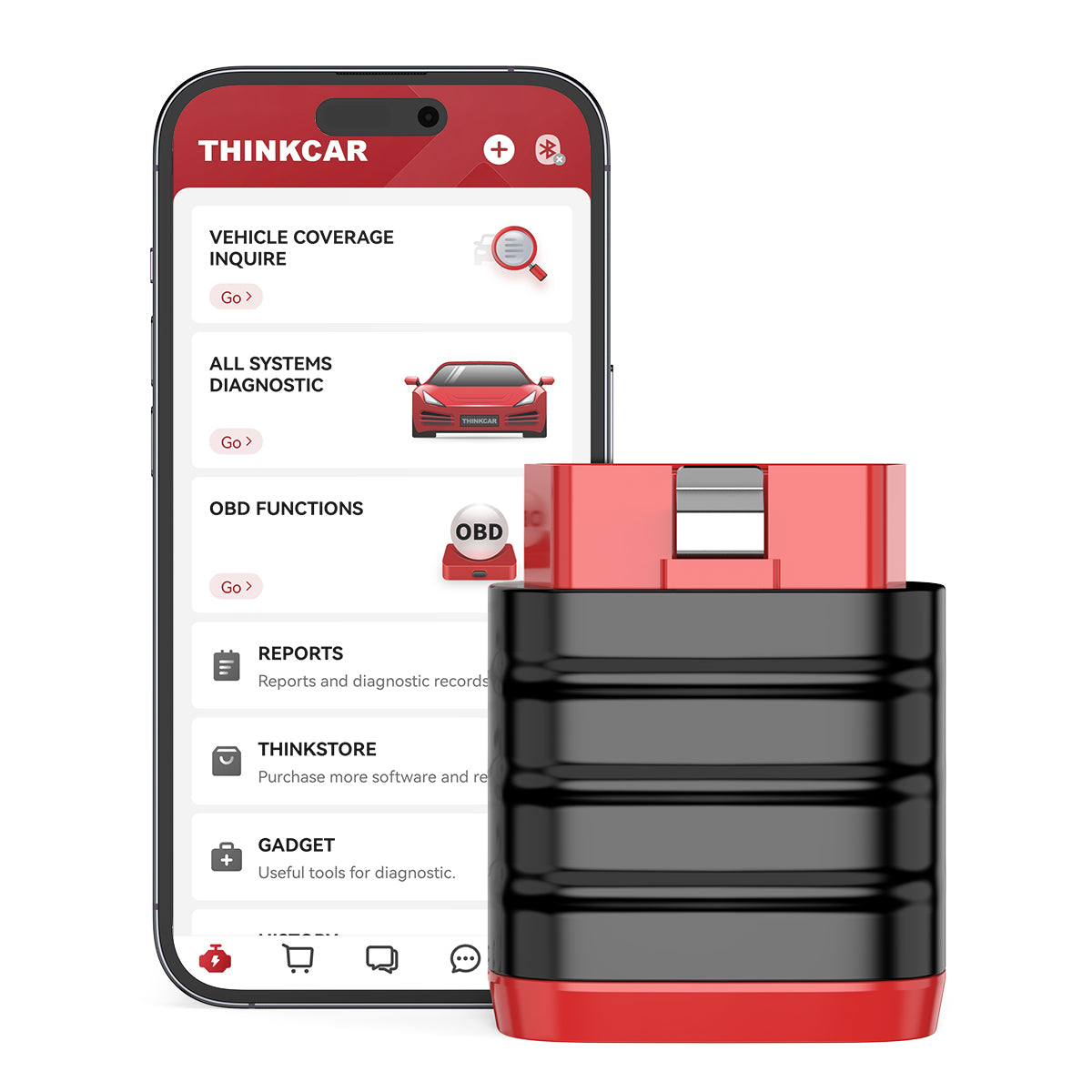
Do you want a tiny OBD2 Scanner Bluetooth dongle that still aims at full-system diagnostics? THINKDIAG MINI is the smallest "carry everywhere" option.
- Best for: glovebox diagnostics and quick scans on multiple vehicles.
- Full-system positioning: marketed to cover major systems like engine, transmission, ABS, SRS, TPMS, and A/C.
- App workflow: smartphone-first with code read/clear and live data.
- Hardware: compact dimensions listed on the product page; Bluetooth 4.2 BLE.
- Good expectation setting: advanced functions vary by vehicle, so it is best as an everyday scanner, not a one-tool-for-everything promise.
Why it wins:
- It is the tool you actually keep with you, which means you run scans sooner and log symptoms before they disappear.
Shop: THINKDIAG MINI
Key Factors to Choose the Right DIY Scanner in 2026
What kind of diagnostics do you actually need?
Ask one question first: are you diagnosing engine-only problems, or are you chasing ABS, SRS, transmission, and body module issues? Many DIY frustrations happen when a basic code reader cannot see the module that owns the warning light.
- Engine-only: fine for occasional check-engine lights.
- Full system: better when you see ABS or airbag lights, shifting issues, or body electronics problems.
- Real DIY tip: make a list of your cars (year, make, model) and your top 3 recurring problems. Then pick the tool that can actually access those modules.
Is bidirectional control worth it for DIY?
A bidirectional scanner is worth it when you can command an actuator to prove whether the problem is electrical, mechanical, or control logic.
- Brakes: EPB service mode and ABS bleeding are common reasons DIYers upgrade.
- Cooling and drivability: fan commands and throttle-related tests can confirm faults without guessing.
- EVAP: some active tests help validate purge/vent behavior faster than swapping parts.
Reset services: which ones save real money?
Do you keep paying a shop for simple resets after routine work? That is the fastest payback category.
Common DIY money-savers include:
- Oil reset tools
- EPB service mode for rear brakes
- SAS (steering angle sensor) calibration
- BMS battery registration
- TPMS Service and sensor learn workflows
Updates and software costs: the hidden total
In 2026, you are not just buying a device. You are buying an update model.
- Some tools advertise Free Lifetime Software Updates, while others use Software Subscription / Software Renewal models.
- Feature unlocks can be tied to T-code / TCODE products such as 28 Reset Function packs, 4 System T-code packs, or Selected Car Brand Full Functions.
- Practical rule: plan the next 24 months. If you change vehicles, buy newer vehicles, or add a second car to the driveway, updates matter.
Comparison Table
Comparison Table: Best-value DIY diagnostics picks
| Tool | Type | Bidirectional | Updates model (what to verify) | Trade-offs / limitations |
|---|---|---|---|---|
| THINKDIAG 2 | OBD2 Scanner Bluetooth dongle + app | Yes (Active Test) | Includes 1-year free software/functions on activation, then Software Subscription applies | Phone-led workflow may be less convenient for long sessions; special functions vary by vehicle |
| MUCAR BT200 MAX | OBD2 Scanner Bluetooth dongle + AI app | Yes (actuation tests) | Marketed as lifetime free updates | AI suggestions still need confirmation tests; feature support varies by vehicle |
| THINKSCAN 689BT | Tablet Advanced Scanner | Yes | Marketed as lifetime free license updates | Larger device to store/charge; higher capability than some DIYers actually use |
| Innova (example: 5610) | Handheld scanner | Some models support active tests | Innova states free updates and no subscriptions for certain tools | Regional limitation messaging (U.S./Canada) and FCA gateway support gaps noted on Innova pages |
Conclusion
AI Diagnostics Worth It for DIY in 2026 when it saves your time between "I pulled a code" and "I proved the root cause." That usually requires three things: full-system access, bidirectional scanner functions, and an updated model you can live with.
If you want an app-led tool that still supports active tests, THINKDIAG 2 is the cleanest step up from basic code readers. If you want AI Diagnostic Series guidance plus bidirectional control in a budget-friendly dongle, MUCAR BT200 MAX is the obvious pick. If you prefer a dedicated tablet workflow for repeated diagnostics, the ThinkScan Series (like THINKSCAN 689BT) is built for that.
FAQ
Is AI diagnostics worth the investment for DIY car users?
AI diagnostics can be worth it when you repeatedly get stuck translating a DTC into the next test you can actually run. The best results happen when AI guidance is paired with live data and bidirectional tests, because that lets you confirm a fault instead of guessing. If you only read and clear a check-engine light once per year, AI may not change much. If you troubleshoot intermittently monthly, it can cut hours of back-and-forth.
How to get the most value for money with car diagnostic scanners?
Start by listing the systems you truly work on, such as engine-only versus ABS, SRS, and transmission. Next, pick one or two service resets you will use often, like EPB service mode or BMS registration, because those are common "shop visit" items. Then compare update terms across two years, including renewal, subscription, or function-pack unlocks. Finally, choose the tool you will actually keep charged and use regularly, because unused features are not valuable.
How do I choose an automotive diagnostic tool with AI-assisted capabilities?
Look for AI that sits inside the workflow, such as report parsing, code explanation tied to vehicle context, and suggestions that point to measurable checks. Confirm the tool still has fundamentals like freeze frame, live data graphing, and the ability to save reports. If you do real troubleshooting, prioritize bidirectional tests, because AI without actuation or data validation often turns into generic advice. Also verify how AI features depend on updates, since app capability can change over time.
What car diagnostic tools use AI to interpret fault codes?
Most AI-enabled tools combine code reading with an assistant that summarizes likely causes and proposes next checks. In practice, you should judge them by whether the suggestions connect to live data PIDs and supported actuator tests. DIYers get the most benefit when AI narrows the next action to a sensor, circuit, or component test they can perform. Always validate any suggestion with an observation, a measurement, or a confirmation test.
What is the best value-for-money diagnostic scanner for DIY mechanics?
The best value depends on whether you need full-system access and bidirectional control. For engine-only issues, a basic scanner can be enough, but it will not help with ABS or airbag lights. If you do brakes, battery replacement, steering work, or module troubleshooting, a tool with service resets and active tests can pay back quickly. Decide based on your vehicle list, the modules you need to access, and the resets you expect to use.
Which car diagnostic scanner works best with a smartphone for DIY use?
Smartphone-first scanners work best when the app is stable, keeps a clean history, and makes live data graphing easy. Connection reliability matters more than most people expect, especially if you are walking around the vehicle during tests. Choose a scanner that supports the modules you care about, not only generic OBD2. Finally, check whether advanced features require activation steps or ongoing software access, because that affects long-term value.
Table of Contents
- Introduction
- Recommend Brands and Best-Value Picks
-
The Best-Value DIY Tools to Consider (Listicle)
- 1. THINKDIAG 2
- 2. MUCAR BT200 MAX
- 3. THINKSCAN 689BT
- 4. THINKSCAN 689
- 5. THINKSCAN 662
- 6. THINKSCAN PLUS S7
- 7. THINKDIAG MINI
- Key Factors to Choose the Right DIY Scanner in 2026
- What kind of diagnostics do you actually need?
- Is bidirectional control worth it for DIY?
- Reset services: which ones save real money?
- Updates and software costs: the hidden total
- Comparison Table
- Conclusion
-
FAQ
- Is AI diagnostics worth the investment for DIY car users?
- How to get the most value for money with car diagnostic scanners?
- How do I choose an automotive diagnostic tool with AI-assisted capabilities?
- What car diagnostic tools use AI to interpret fault codes?
- What is the best value-for-money diagnostic scanner for DIY mechanics?
- Which car diagnostic scanner works best with a smartphone for DIY use?

Share:
An Ultimate Guide to Finding Budget-friendly Diagnostic Tools for Your Repair Shop in 2026
Buying a Scanner? 6 Essential Features for DIY Troubleshooting (Lab Tested)