
Introduction
A check engine light can feel like a pop quiz. You know something is wrong, but you do not know if it is a loose gas cap or a fault that can damage the engine.
The fastest way to reduce guesswork is to use a Vehicle Scanner & Diagnostic Tool that matches your car and the type of repairs you actually do. That is where many DIY buyers get stuck: they buy a basic OBD2 Scanner Bluetooth dongle, then learn it cannot access ABS or run a Bidirectional scanner active test.
This how-to guide explains six essential features to look for so you can troubleshoot confidently. The examples lean on the ThinkScan Series because it is a practical entry point for DIY diagnostics, while still offering advanced functions like active tests and service resets.
Official Site: THINKCAR
Step-by-step guide to buy the right scanner
Step 1: Confirm vehicle coverage fit

Start with the boring step: compatibility. Many returns happen because the tool powers on, but it cannot talk to your vehicle modules.
Use this checklist before you buy:
- Write down make, model, year, engine, and trim.
- Confirm the scanner supports your region and protocol (especially on newer vehicles).
- Make sure the tool can identify the car by VIN (Auto VIN) or lets you select the vehicle manually.
For DIY troubleshooting, I treat coverage as a pass/fail gate. If coverage is uncertain, the rest of the features do not matter.
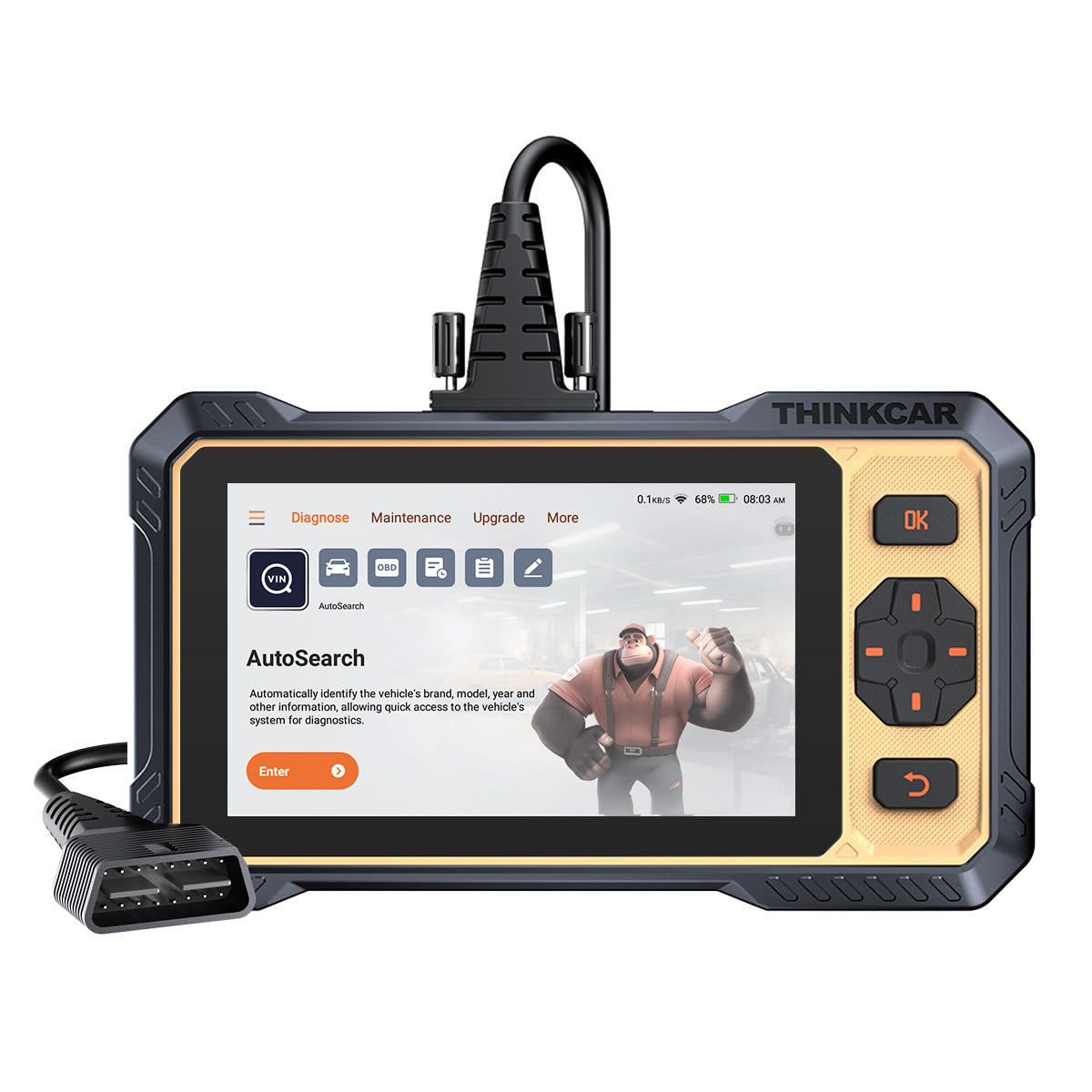
The THINKCAR THINKSCAN 662 is positioned as plug-and-play with Auto VIN and CAN FD support, plus coverage across 140+ brands. It is also a wired handheld, which helps avoid the common Bluetooth pairing failure that can happen with an OBD2 Scanner Bluetooth setup.
Shop: THINKSCAN 662
Step 2: Prioritize system-level diagnostics
A code reader that only hits engine codes can be enough for emissions checks. However, for real troubleshooting you usually need more than ECM.
Before you buy, decide which systems you want to diagnose:
- ECM (engine): misfires, sensors, fuel trims.
- TCM (transmission): shift solenoids, gear ratio faults.
- ABS (brakes): wheel speed sensors, pump faults.
- SRS (airbag): crash sensors, seat belt pretensioners.
A quick rule: if a warning light appears on the dash (ABS, airbag), you want a tool that can enter that module. Clearing a generic powertrain code will not fix a brake or airbag light.
The THINKSCAN 662 focuses on 4 major systems (ECM, TCM, ABS, SRS). For many DIY owners, that is a sweet spot because it covers drivability and safety modules without forcing you into a larger tablet tool.
Shop: THINKSCAN 662
Step 3: Demand full OBD2 functions
Even if you buy an advanced tool, confirm it still provides complete OBD2 coverage. Full OBD2 is what makes your scanner useful for:
- Read and clear codes (Mode $03/$04).
- Freeze frame (what the engine saw when the fault set).
- I/M readiness (emissions monitor status).
- O2 sensor and EVAP related tests (when supported).
Practically, freeze frame and readiness are the two functions DIYers underuse.
- Freeze frame helps you spot patterns like a lean code that happens only at highway cruise.
- Readiness tells you if the car is likely to pass inspection after repairs.
The THINKSCAN 662 lists full OBD2 functions including live data, freeze frame, EVAP, O2 sensor testing, and I/M readiness. Use those features together: read codes, review freeze frame, then verify readiness after you complete the fix.
Shop: THINKSCAN 662
Step 4: Choose strong live-data tools
Live data is where you move from guessing to testing. A scanner with great live data should let you:
- View many PIDs (parameters) quickly.
- Compare multiple PIDs at once.
- Graph or trend the data so spikes are obvious.
- Record a session for intermittent issues.
A simple DIY workflow:
- Warm the engine.
- Watch coolant temperature, RPM, throttle position, and O2 sensor behavior.
- Compare short-term and long-term fuel trims at idle vs. 2,500 RPM.
The THINKSCAN 662 emphasizes 3-second access to data streams and a 4-channel comparison view. That matters because many problems are relationship problems, not single-sensor problems. For example, a throttle position change should line up with RPM and airflow changes.
If you want a larger screen and wireless use, the ThinkScan Series also includes tablet-style options such as THINKSCAN 689BT, which adds Bluetooth dongle connectivity and an 8-inch display. Use that style when you want to leave the tool in the cabin during a road test.
Product Page: THINKSCAN 689BT
Step 5: Require bidirectional active tests
A Bidirectional scanner is a big upgrade because it can command components, not just observe them. This helps you confirm parts before replacing anything.
Examples of useful active tests (vehicle-dependent):
- Command radiator fans to verify fan motors, relays, and wiring.
- Command EVAP purge to see if fuel trims react.
- Run injector or fuel pump related commands where supported.
Active tests save time because they shorten the diagnostic loop:
- Command the component.
- Observe response.
- Decide if the fault is electrical control, the component itself, or a sensor interpretation issue.
The THINKSCAN 662 is described as supporting bi-directional control and one-click action tests for components like sensors, fuel pumps, headlamps, and sunroof systems. Treat this as a feature you must verify for your exact make/model, because not every test is available on every vehicle.
If you are comparing within the THINKCAR and MUCAR families, keep terminology straight:
- A basic code reader: read/clear and maybe live data.
- An advanced scanner: adds module coverage.
- A true bidirectional tool: adds active tests.
Shop: THINKSCAN 662
Step 6: Evaluate service resets you need
Service functions are what let you finish a job cleanly after you install parts. Without them, the repair can be correct but the light stays on.
Before you buy, list the maintenance jobs you plan to do in the next year:
- Oil service.
- Brake pads and electronic parking brake (EPB).
- Steering angle sensor (SAS) calibration after alignment work.
- Battery registration/matching on newer vehicles.
- ABS bleeding after brake hydraulic work.
- TPMS reset after tire work.
The THINKSCAN 662 lists 12 maintenance resets, including oil reset, injector coding, SAS reset, IMMO, ABS bleeding, battery matching, brake-pad reset, DPF regeneration, electronic throttle adaptation, gearbox learning, TPMS reset, and airbag reset. A key practical note: reset support varies by vehicle and software version, so you should plan to keep software current.
If you need broader maintenance coverage, tools like THINKSCAN 689BT are positioned with 34+ maintenance functions plus additional platform features. That can matter if your DIY work includes deeper service tasks across multiple cars.
Product Page: THINKSCAN 662
Scenario variations
- Intermittent stalling: Prioritize live-data recording and quick multi-PID comparison. Focus on RPM, throttle position, fuel trims, and battery voltage so you can catch a voltage drop or sensor dropout during the event.
- Brake work: Put ABS module access and ABS bleeding support near the top of your requirements. A scanner that cannot enter ABS can leave you stuck after a caliper or master cylinder replacement.
- Used car check: Put I/M readiness, permanent codes, and freeze frame ahead of fancy features. A clean readiness screen after a full drive cycle can reveal whether someone recently cleared codes.
- Newer vehicles: Look for CAN FD support. Some modern platforms require faster communication for reliable module access, so older tools can connect inconsistently even if they claim general OBD2 support.
Prerequisites and safety
Required tools and materials
- Vehicle key (and a fully charged key fob if the car uses push-button start).
- Access to the OBD2 port (often under the dash, driver side).
- A stable 12V electrical system; consider a battery maintainer for long sessions.
- Your vehicle details (VIN, model year, engine) written down for manual selection.
- A notepad or phone notes for freeze frame data and the conditions when the fault appears.
- A Vehicle Scanner & Diagnostic Tool from the ThinkScan Series or your preferred tool line.
Safety considerations
Running a car for diagnostics adds two major risks: exhaust exposure and moving parts.
- Carbon monoxide is odorless, and it can build up quickly in enclosed spaces. OSHA lists an 8-hour permissible exposure limit (PEL) of 50 ppm for carbon monoxide, which is a good reminder to work with doors open and strong ventilation.
- Keep hands, cables, and loose clothing away from belts and fans, especially during active tests.
- Keep the vehicle in Park (or Neutral with the parking brake set) before running actuation tests.
- Maintain stable voltage during scanning and updates. Low voltage can cause communication drops and false codes.
To frame severity, AAA notes that check engine light issues can range from minor problems like a loose gas cap to major engine faults.
Troubleshooting
| Problem | Likely cause | Practical fix |
|---|---|---|
| Scanner will not connect | Wrong vehicle selection or protocol mismatch | Retry Auto VIN, then select year/make/model manually and re-plug the connector fully. |
| Live data is slow or missing PIDs | Too many PIDs selected or module limitation | Reduce the PID list to 6-10 key signals, then add more once the stream is stable. |
| Codes return immediately after clearing | Root cause still present or pending code criteria met | Review freeze frame, then verify the conditions that trigger the fault (load, RPM, temp) and test again. |
| Reset function is not available | Vehicle does not support it on that tool version | Update the tool, then check for alternate reset paths (for example, EPB service vs. brake-pad reset). |
| Active test runs but component does not respond | Wiring, fuse, relay, or weak component | Confirm power and ground, then repeat the test while monitoring battery voltage and listening/feeling for actuation. |
Conclusion
A smart scanner purchase starts with your car and your repair goals, not with the longest feature list. First confirm coverage, then require system access and full OBD2 functions so you can read freeze frame and readiness.
Next, prioritize live data and a Bidirectional scanner capability if you want to test components instead of guessing. Finally, pick the service resets that match the jobs you actually plan to do.
Official Site: THINKCAR
FAQ
How do I choose a diagnostic scanner for my car as a DIY user? Start by confirming the scanner supports your exact make, model, and year, because compatibility failures are the fastest way to waste time. Next, decide whether you need only engine diagnostics or also ABS and SRS, since dash lights often live in those modules. Then pick the functions that match your repairs: freeze frame, I/M readiness, live data graphing, and active tests if you troubleshoot components. Finally, plan to keep the tool updated so coverage and functions stay current.
What features should I look for in a diagnostic scanner as a DIY user? A good DIY tool should have reliable vehicle coverage, full OBD2 modes (including freeze frame and readiness), and strong live data tools. If you replace parts or diagnose electrical faults, bidirectional active tests are a major upgrade because they let you command components. Service resets matter if you do maintenance like oil service, EPB brake work, steering angle calibration, battery matching, or ABS bleeding. You should also look for clear reporting so you can save findings and confirm a fix after a test drive.
What is the difference between basic and advanced automotive diagnostic tools? Basic tools usually read and clear generic powertrain codes and show limited live data. Advanced tools add access to more modules, such as ABS, SRS, and transmission, which is essential when a warning light is not engine-related. Many advanced tools also add service resets and guided functions that finish a repair correctly. The biggest jump comes when a tool adds bidirectional tests, because it can command actuators instead of only reading sensor results.
Which features are essential in an automotive diagnostic tool? Essential features include reliable compatibility, the ability to read and clear codes with freeze frame, and I/M readiness so you can verify monitor completion after repairs. Live data should be fast and easy to compare, because trends often reveal the real issue faster than a code description. If you troubleshoot beyond simple checks, you should treat active tests and module access as essentials, not luxuries. Reporting or logging is also important so you can compare before-and-after results and avoid repeating the same checks.
Should I prioritize speed or depth of diagnostics when choosing a tool? Choose depth if you plan to repair or diagnose recurring problems, because live data and active tests reduce parts swapping. A deeper tool also helps you verify a repair by checking readiness and confirming that no pending codes return after a drive cycle. Choose speed if you only want quick confirmations, such as reading a code to decide whether the car is safe to drive. Most DIYers end up needing depth sooner than expected, especially once ABS, battery, or throttle-related issues appear.
How do I avoid compatibility issues when using a diagnostic scanner for DIY repairs? Confirm coverage using your exact vehicle details, including model year, engine, and trim, because some functions vary within the same model line. Keep battery voltage stable during scanning, since low voltage can cause intermittent communication and misleading codes. Use Auto VIN first, but switch to manual selection if the tool misidentifies the car. After you update software, run a quick module scan before starting a job so you know the tool can actually access the systems you plan to work on.

Share:
How to Fix Complex Car Issues Using AI Diagnostics Like a Pro (Ultimate DIY Mechanics Guide)
How to Fix Complex Car Issues Using AI Diagnostics Like a Pro (Ultimate DIY Mechanics Guide)