
Introduction
Complex car problems rarely fail in one clean way. Instead, you get intermittent faults, multiple warning lights, and a chain reaction across modules. That is exactly where AI-assisted scan workflows shine, because they reduce guesswork and shorten the loop between symptom, test, and proof.
This Ultimate DIY guide shows a practical, repeatable process you can use with THINKCAR and MUCAR tools. You will learn how to run OBD2 Intelligent Diagnosis, move from engine-only checks to full-network scans, and use a Bidirectional scanner for actuation tests. You will also learn how AI-powered Insights can help you parse reports and plan next-step validation.
The core workflow is simple:
- Scan: capture DTCs, freeze frame, readiness, and module health.
- Test: use live data and bidirectional commands to confirm the fault path.
- Confirm: retest after repair with monitors, drive-cycle proof, and report comparison.
Official Site: THINKCAR
Core Foundations
OBD2 Intelligent Diagnosis basics modes PIDs readiness
OBD2 Intelligent Diagnosis is the baseline layer that works across most 1996+ vehicles in the US. It focuses on generic emissions-related data, which helps you diagnose driveability problems even when a manufacturer module scan is limited.
In practice, you will use:
- Live data (PIDs): inputs and outputs like O2 sensor signals, fuel trims, coolant temp, RPM, and load.
- Freeze frame: a snapshot captured when the fault set, which is critical for intermittent issues.
- I/M readiness: a set of monitor states that indicate whether emissions self-tests have completed.
Readiness matters because clearing codes or disconnecting the battery can reset monitors to Not Ready. Many states require readiness for inspection, and a drive cycle is often needed to set monitors back to Ready. Colorado notes that after repairs or battery disconnect, you may need several days of normal city and highway driving to complete a drive cycle and restore required monitors to Ready. According to the Colorado Department of Public Health and Environment, this is a common reason vehicles fail or get an incomplete OBD inspection.
Full-system diagnosis of ECU networks and modules
Modern vehicles are networks, not single computers. A single complaint like a no-start, limp mode, or charging warning can involve:
- ECM/PCM (engine control)
- TCM (transmission)
- ABS/ESC module
- SRS/airbag module
- BCM (body control)
- Gateway modules that manage communication
Full-system diagnosis expands beyond powertrain to scan multiple ECUs for codes, data, and module status. This helps you see patterns, for example:
- Low voltage codes across many modules can point to battery or charging faults.
- Communication codes (U-codes) can point to a wiring fault, gateway issue, or a module that is pulling the network down.
- A powertrain code might be secondary to a brake module fault that triggers torque reduction.
Bidirectional scanner actuation command verification
A Bidirectional scanner can command components and run active tests. That is different from passive scanning, because it lets you prove whether the module can drive an output and whether the system responds.
You use bidirectional tests to answer yes/no questions quickly:
- Can the ECU command the cooling fan on?
- Does the EVAP purge solenoid click when actuated?
- Does the ABS pump run during a commanded test?
This type of testing can isolate the failure domain:
- Control side: ECU output driver, software logic, enable conditions.
- Power side: fuse, relay, power feed, ground.
- Load side: motor, solenoid, actuator.
AI-powered Insights report parsing root-cause thinking
AI in diagnostics is most useful when it turns messy outputs into a structured plan. A typical DIY scan produces a long list of codes, modules, and values. AI-powered Insights can help by:
- Summarizing clusters of related DTCs.
- Highlighting likely primary vs. secondary codes.
- Suggesting targeted next tests, such as a specific actuation test or a live-data comparison.
The key skill is still yours: you must confirm AI suggestions with measurements and controlled tests. Think of AI as a fast triage partner, not a parts-replacement oracle.
AI-Assisted Triage and Report Parsing
AI-Assisted Triage and Report Parsing
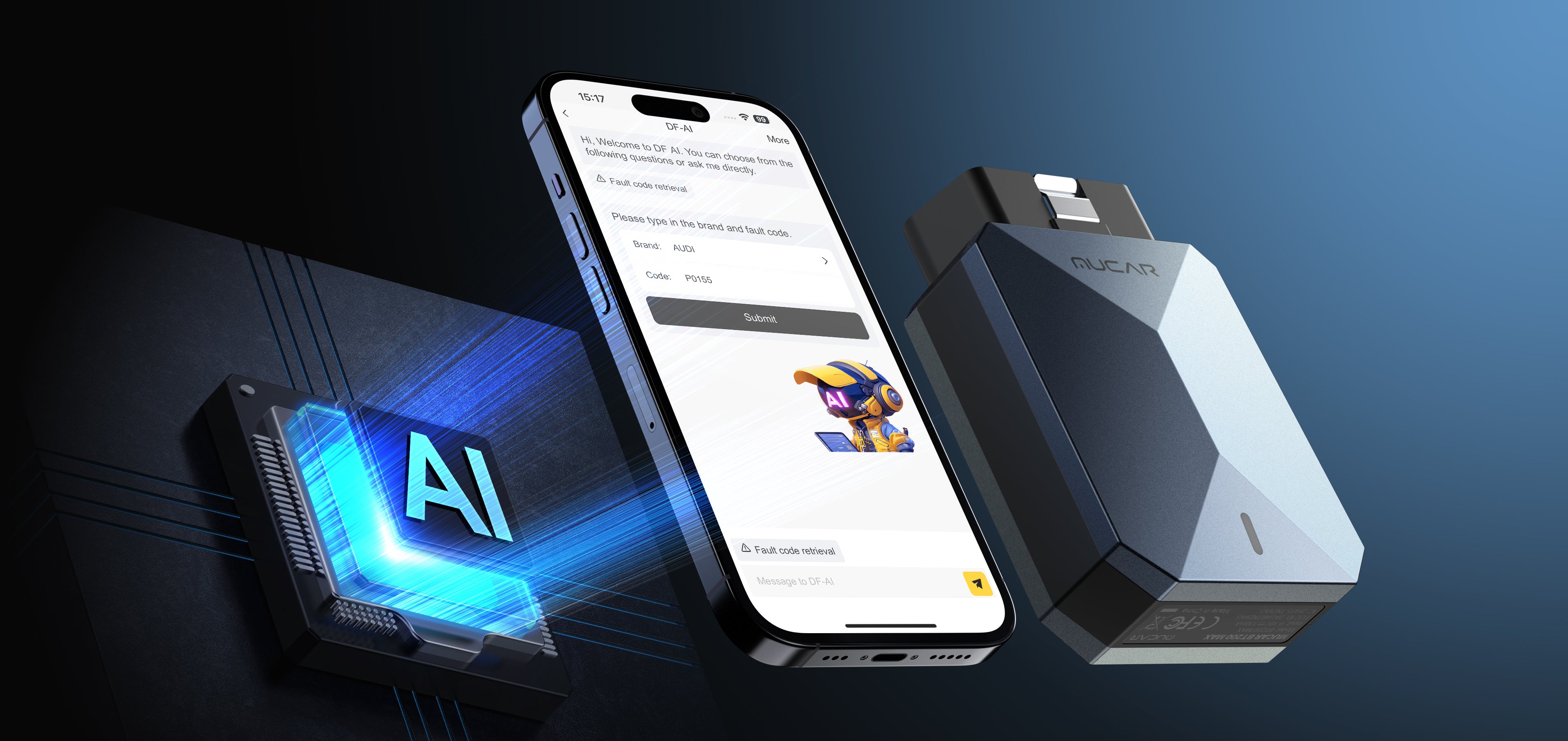
Complex issues often start with a confusing scan result: 8 to 30 codes across different modules, some current, some stored, and some pending. The goal of triage is to create a clean diagnostic direction in minutes.
Use this triage sequence:
- Step 1: Save the report before you clear anything.
- Capture DTC status (current vs. history), freeze frame, and module list.
- Step 2: Group codes by system and timeline.
- Voltage and communication codes often create noise across modules.
- Step 3: Identify 1 to 2 primary hypotheses.
- Pick the fault that could cause the others, not the most alarming description.
- Step 4: Choose the next validation test.
- Live data comparison, a bidirectional output test, or a simple electrical check.
Where AI helps is the report-to-plan step. MUCAR BT200 MAX includes DF-AI that is described as parsing and generating structured diagnostic analysis from scan reports, and it positions AI as a way to move from novice output to an actionable plan. It also supports full-system diagnostics and bidirectional control, which means you can go from AI summary to hands-on confirmation without changing tools. (mythinkcar.com)
For DIYers, the practical win is fewer unnecessary part swaps. Instead of replacing a sensor because a code mentions it, you validate the fault path first.
Shop: MUCAR BT200 MAX
Full-System Scans and Emissions Readiness
Full-System Scans and Emissions Readiness
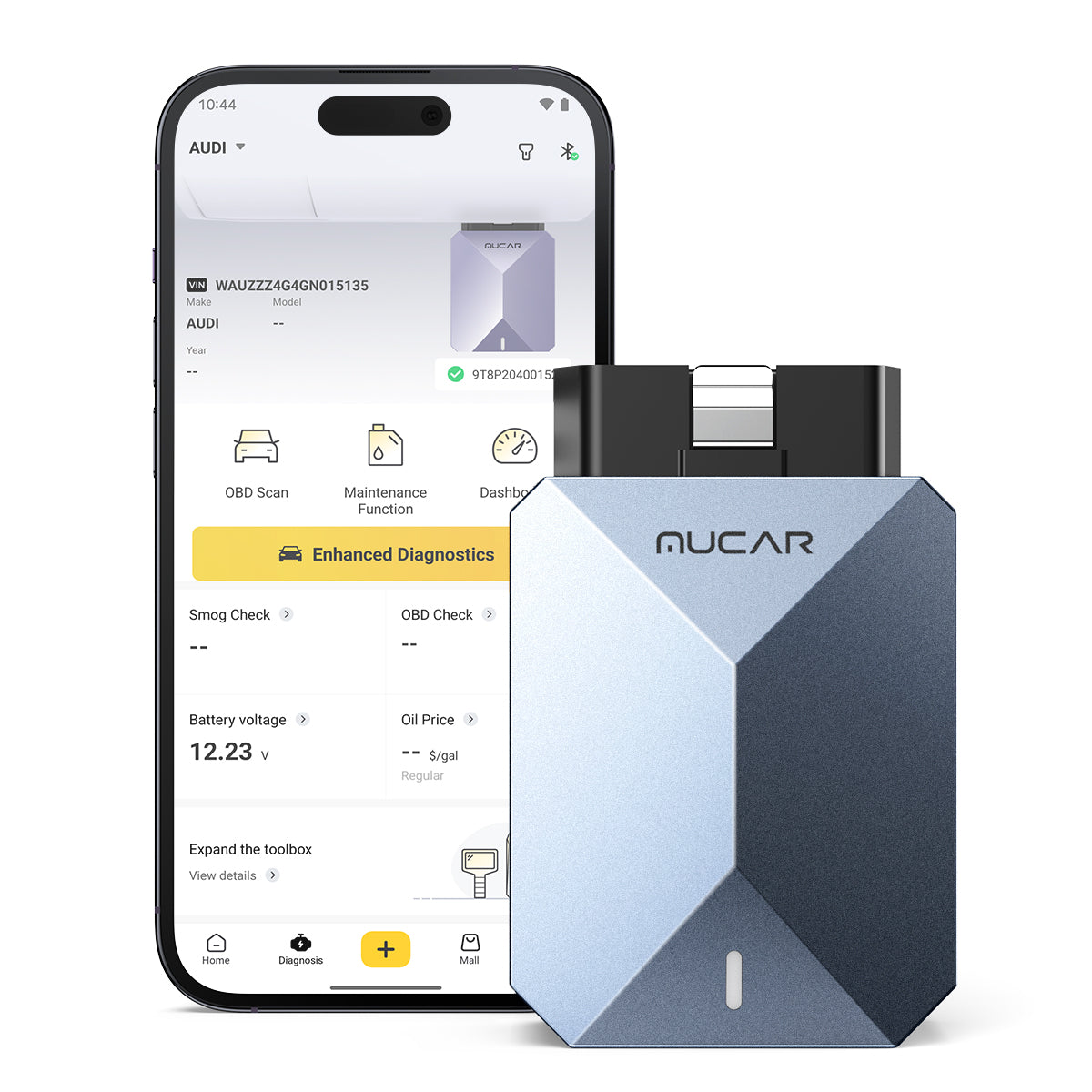
A full-system scan is how you stop chasing the wrong module. Start wide, then go deep.
Use this full-system workflow:
- Step 1: Run an all-systems auto scan.
- Scan engine, transmission, ABS, SRS, BCM, and any gateway modules.
- Step 2: Flag cross-module patterns.
- Same timestamp, same voltage code family, or repeating U-codes.
- Step 3: Switch to OBD2 Intelligent Diagnosis modes for emissions context.
- Mode 01 for live data.
- Mode 02 for freeze frame.
- Mode 03/04 for stored codes and clear (after saving).
- Mode 07 for pending codes.
- Mode 0A for permanent codes (where supported).
- Step 4: After repair, confirm I/M readiness.
- You want monitors to complete naturally, not just a cleared MIL.
Emissions readiness is where many DIY repairs fail the final proof step. Clearing codes can make the dash look better, but it often resets readiness and can hide whether the fix actually held.
A practical rule: treat readiness as your objective evidence. Colorado explains that after repairs or battery disconnect, monitors can read Not Ready and typically require a drive cycle, often achieved through normal city and highway driving over several days. According to the Colorado Department of Public Health and Environment, technicians can verify readiness before returning a vehicle for inspection.
MUCAR BT200 MAX is positioned as a full-system tool (not just powertrain) and also supports full OBD2 functions like live data, freeze frame, and readiness checks, which makes it suitable for the scan-then-proof loop. (mythinkcar.com)
Shop: MUCAR BT200 MAX
Live Data Freeze Frame and Drive-Cycle Proof
Live Data, Freeze Frame, and Drive-Cycle Proof
When a fault is intermittent, the most valuable data is often the moment the code set. Freeze frame gives you that moment, and live data lets you reproduce it.
Use a compare-and-replicate method:
- Step 1: Record freeze frame for each relevant DTC.
- Note RPM, coolant temp, load, fuel trims, and vehicle speed.
- Step 2: Build a live-data list around the failure.
- If it is a misfire: misfire counters, STFT/LTFT, O2 sensors, fuel pressure (if available).
- If it is a charging issue: system voltage, alternator command (if available), battery SOC (if supported).
- Step 3: Replicate the freeze-frame conditions.
- Match temperature and load as closely as you can.
- Step 4: Prove the fix with a drive-cycle and monitor completion.
- Your end state is stable live data plus readiness completion.
This method prevents the classic cycle: clear codes, car feels fine, issue returns in two days. Instead, you prove the repair under the same operating conditions.
If you need a deeper OE-style workflow with richer graphing, ECU access, and guided reporting, THINKDIAG 2 is designed around full-system diagnostics and includes features like multi-graph live data display and report generation and printing, plus active tests and ECU coding capabilities through its app. (mythinkcar.com)
This is also where shop-style discipline matters. The U.S. Bureau of Labor Statistics notes that automotive technicians have one of the highest rates of injuries and illnesses across occupations, and exposure to fumes, chemicals, and heavy objects is common. Treat a data-logging road test like a real job: secure devices, avoid distractions, and prioritize safety.
Shop: THINKDIAG 2
Service Resets TPMS and Maintenance Functions
Service Resets, TPMS, and Maintenance Functions
After you fix the physical problem, many vehicles still need electronic resets or relearns. Skipping this step can create false comebacks, because the car may continue using old adaptive values or keep service reminders active.
Common post-repair functions include:
- Oil reset after oil service.
- SAS reset after alignment or steering work.
- EPB service mode and brake reset after rear brake service.
- BMS/battery matching after battery replacement.
- ABS bleeding after hydraulic work.
- TPMS reset or sensor learn after tire/sensor changes.
MUCAR BT200 MAX lists 15+ maintenance resets and names examples like Oil Reset, SAS, BMS, TPMS, and EPB, plus items like injector coding, EGR adaptation, throttle relearn, and DPF reset. It also specifies operating details like Bluetooth 5.2, Android 5.0 or iOS 13+ compatibility, and a 9 to 18V working voltage range. (mythinkcar.com)
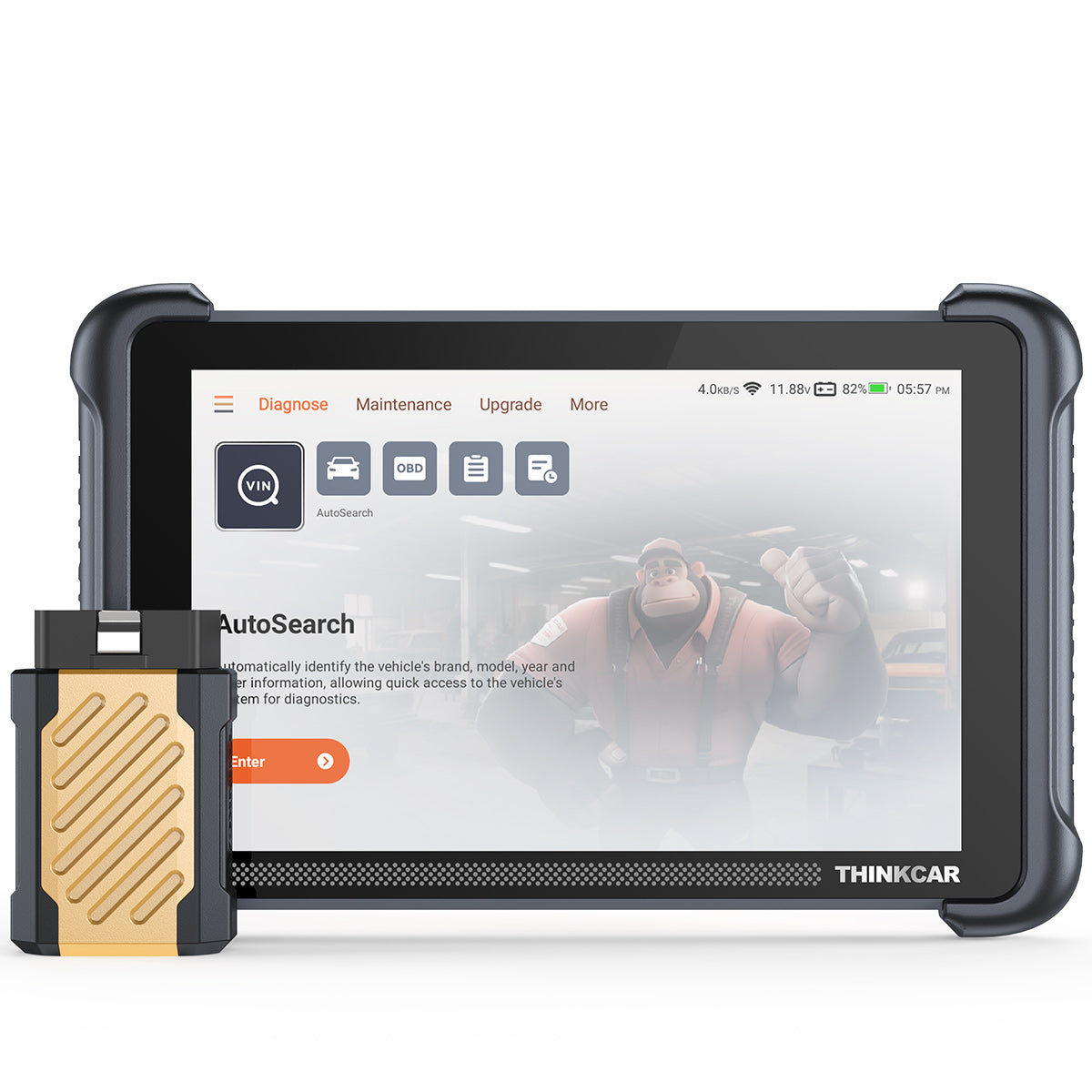
If you want an expanded reset and workshop-oriented platform, THINKSCAN 689BT highlights 34+ maintenance functions, plus ECU coding and bidirectional tests on an 8-inch touchscreen device with built-in Wi-Fi updating. (mythinkcar.com)
For TPMS-focused workflows, THINKSCAN 689BT also notes it can work with the THINKTPMS VENU iPro as an expansion tool, which is useful if you do frequent sensor service. (mythinkcar.com)
Shop: THINKSCAN 689BT
How to Choose a Scanner and Software Model
Choosing the right Vehicle Scanner & Diagnostic Tool is not about buying the most features. It is about matching diagnostic depth, protocol support, and software model to your real DIY workload.
Vehicle coverage and protocol support check CAN-FD ELM327 claims
Start by listing the vehicles you will touch in the next 12 months. Then match protocol needs:
- Older vehicles: basic CAN, ISO, KWP may be enough.
- Newer vehicles: CAN-FD support is increasingly relevant.
- Some platforms may require gateway access steps (for example, FCA SGW workflows).
If you want flexibility for generic apps, an OBD2 Scanner Bluetooth device that supports ELM327-style compatibility can be useful for non-OE tasks. MUCAR BT200 MAX highlights ELM327 app compatibility, plus CAN-FD support in its marketing positioning. (mythinkcar.com)
Diagnostic depth level OBD2 vs full-system access
Use this ladder to decide:
- OBD2 only: emissions, generic codes, readiness. Best for basic check engine issues.
- Full-system scan: adds ABS, SRS, BCM, transmission, and more. Best for modern cars.
- OE-level plus: adds guided functions, more special functions, and richer data logging.
If you routinely see multiple warning lights or body/chassis faults, full-system access should be your baseline.
Bidirectional needs choose required actuation tests
Bidirectional tests are the fastest way to avoid replacing good parts. Before you buy, list your high-value tests:
- Cooling fan tests for overheating.
- EVAP purge/vent tests for P044x issues.
- ABS pump bleed tests after brake work.
- Throttle relearn or actuator tests for idle issues.
Match your tool to those tests. A bidirectional claim is not enough; you want a tool that actually exposes the specific actuations you use most.
Software model free lifetime updates vs subscription
Your update model affects total ownership friction:
- Lifetime updates: good for DIYers who keep tools for years and want expanding coverage.
- Subscription: can make sense if you only need deep coverage for short periods.
THINKSCAN 689BT emphasizes free lifetime updates and no subscription fees, and it also notes monthly upgrades. (mythinkcar.com)
Decision framework table
| DIY scenario | Minimum diagnostic depth | Must-have features | Good fit product family |
|---|---|---|---|
| Check engine light, emissions readiness | OBD2 Intelligent Diagnosis | Freeze frame, Mode 07 pending, readiness | Code Readers, OBD2 Scanner |
| Multiple warning lights (ABS/SRS/engine) | Full-system diagnosis | All-system scan, module list, report export | ThinkScan Series, AI Diagnostic Series |
| Intermittent faults and comebacks | Full-system plus logging | Live data graphing, freeze frame compare | THINKDIAG, THINKDIAG 2 |
| Actuator and wiring validation | Bidirectional scanner | Active tests, output commands | THINKSCAN 689BT, MUCAR BT200 MAX |
| Maintenance and post-repair relearns | Service functions | Oil reset, SAS, EPB, BMS, ABS bleed | TPMS Service, 28 Reset Function, 15 Resets Maintenance Function |
Best Practices and Pitfalls
Best Practices
- Capture freeze frame before clearing codes.
- Freeze frame is the best clue for intermittent faults because it preserves RPM, load, and temperature at failure.
- Confirm battery voltage before any long scan or actuation.
- Low voltage can create false codes across multiple modules and can cause bidirectional tests to fail.
- Use a two-pass scan process.
- Pass 1: all-systems scan to see the full picture.
- Pass 2: focus scan on the suspect modules with live data and active tests.
- Prove the fix with readiness and a repeatable route.
- A short, consistent drive that includes idle, steady cruise, and decel is more informative than random trips.
- Document what changed.
- Keep before/after reports and note any repairs, battery disconnects, or reset actions.
Common Pitfalls to Avoid
- Clearing codes first.
- Clearing before saving the report destroys freeze frame and makes triage harder.
- Replacing parts from a code alone.
- A code often names the circuit or symptom, not the failed component. Use live data and actuation tests to confirm.
- Running active tests on a weak battery.
- Output commands can draw current and a weak battery can drop voltage, causing modules to reset or fail to respond.
- Ignoring network and voltage codes.
- If multiple modules show low voltage or communication faults, fix power and ground first.
- Assuming one scan tool view is the whole truth.
- If the symptom is real but data is clean, switch tactics: pending codes, longer logging, or a targeted actuation test.
Conclusion
AI-assisted diagnostics works best when it supports a disciplined workflow. Start with a saved scan report, use AI-powered Insights to organize the next steps, then validate with live data and bidirectional actuation tests.
Finish every job with proof: readiness completion, repeatable drive-cycle verification, and a clean before/after report. That is how DIY mechanics solve complex car issues like pros, with fewer comebacks and fewer wasted parts.
Frequently Asked Questions
How can I use AI diagnostics to fix complicated vehicle issues?
Use AI to turn a long scan report into a short list of likely fault chains and next-step tests. Then validate the AI output with live data and at least one direct confirmation, such as an actuation test or a voltage drop check. Focus on the earliest event in the chain, because later codes are often side effects. Finally, prove the repair with a retest and a short drive under the same conditions that triggered the original fault.
How do I get the most accurate results using an AI-assisted diagnostic scanner?
Save the full report before clearing anything, including freeze frame and module lists. Verify battery voltage is stable, because low voltage can create misleading multi-module faults and failed tests. Recreate the symptom while logging live data, and compare those values to freeze frame when possible. Use the same route and warm-up state during retests, because small changes in load and temperature can hide intermittent problems.
How does AI help in troubleshooting complex automotive issues?
AI helps by clustering related DTCs and highlighting patterns that are easy to miss when you scan multiple modules. It can also suggest the next best test, which saves time when you are not sure whether to start with wiring, sensors, or actuators. However, AI does not replace confirmation, because many failures look similar at the code level. The best approach is to treat AI as triage, then use controlled tests to confirm the root cause.
How does AI-assisted diagnostics work in automotive scanners?
The scanner collects ECU data such as codes, freeze frame, and live parameters, then the AI organizes the output into a structured explanation. The AI may label likely primary vs. secondary codes, point out shared conditions like low voltage, and propose checks. Good results depend on good input, so complete scans and accurate vehicle identification matter. You still need to verify each suggestion with data, because the vehicle decides the truth, not the report.
What car diagnostic tools use AI to interpret fault codes?
AI-capable tools typically combine a scanner with an app that can parse reports and provide guided reasoning. The most helpful systems do more than code definitions, because they consider freeze frame, multi-module patterns, and repeatability. Look for tools that also support full-system scans and active tests, since AI suggestions are only useful if you can quickly confirm them. If a tool only reads generic codes, AI output will be limited by the small amount of available context.
What should I do if my scanner can’t find any issues but my car still has performance problems?
Check for pending codes and run a longer live-data road test, because many issues do not set a hard code right away. Compare fuel trims, misfire counters, and sensor response times during the exact symptom, not just at idle. Inspect for intermittent wiring, loose grounds, or borderline battery voltage, since these can cause real symptoms without clean stored codes. If the symptom is repeatable, use an active test where possible to force the component to operate and watch the response.
Table of Contents
- Introduction
- Core Foundations
- AI-Assisted Triage and Report Parsing
- Full-System Scans and Emissions Readiness
- Live Data Freeze Frame and Drive-Cycle Proof
- Service Resets TPMS and Maintenance Functions
- How to Choose a Scanner and Software Model
- Best Practices and Pitfalls
- Conclusion
-
Frequently Asked Questions
- How can I use AI diagnostics to fix complicated vehicle issues?
- How do I get the most accurate results using an AI-assisted diagnostic scanner?
- How does AI help in troubleshooting complex automotive issues?
- How does AI-assisted diagnostics work in automotive scanners?
- What car diagnostic tools use AI to interpret fault codes?
- What should I do if my scanner can’t find any issues but my car still has performance problems?

Share:
Buying a Scanner? 6 Essential Features for DIY Troubleshooting (Lab Tested)
Buying a Scanner? 6 Essential Features for DIY Troubleshooting (Lab Tested)