
Introduction
Dash lights that come and go. Random misfires that disappear after a key cycle. A battery drain that only shows up every third day. Electrical gremlins like these are exactly why many DIYers and small shops want an OBD2 Scanner Bluetooth tool that keeps updating without surprise renewal friction.
However, what can a budget Vehicle Scanner & Diagnostic Tool realistically do? In simple terms, generic OBD requests follow standardized services and data items. That baseline matters because it defines what many Code Readers can see even without OEM-level access. According to SAE International, the SAE J1979 family defines emissions-related diagnostic test modes and services used by off-board test equipment. SAE International
In 2026, the value question is not just about features. It is also how cleanly the app workflow fits your day, how often coverage expands, and whether "lifetime" really means long-term usability with modern protocols like CAN-FD.
Official Site: THINKCAR
Product List: 3 best-value lifetime-update picks
1. MUCAR BT200 MAX

If you are chasing intermittent electrical issues, the MUCAR BT200 MAX is the most direct "find it fast" pick in the AI Diagnostic Series. It combines a Bidirectional scanner workflow with an AI layer that helps you interpret what the report is actually saying.
- Best for: intermittent faults, actuator checks, and fast triage when you do not want to guess.
- Bidirectional control: supports Bi-directional Control & Actuation Test for component command-style isolation.
- Protocol coverage: highlights CAN-FD support plus ELM327 compatibility notes.
- Resets: lists 15+ essential resets such as Oil Reset, SAS, BMS, TPMS, and EPB.
- Full-system scope: calls out "True Full-System Diagnostics" beyond powertrain-only reads.
- Update model: states lifetime free updates with new coverage every 30 days.
- Workflow angle: AI-powered diagnostics (DF-AI) emphasizes report parsing and repair guidance.
Why it wins:
- First, a bidirectional command is often the shortest path from symptom to root cause, because you can test a relay, solenoid, fan, or valve response directly.
- Next, the lifetime-update claim plus monthly cadence fits 2026 reality, where coverage expectations move quickly as platforms change.
Shop: MUCAR BT200 MAX
2. THINKDIAG
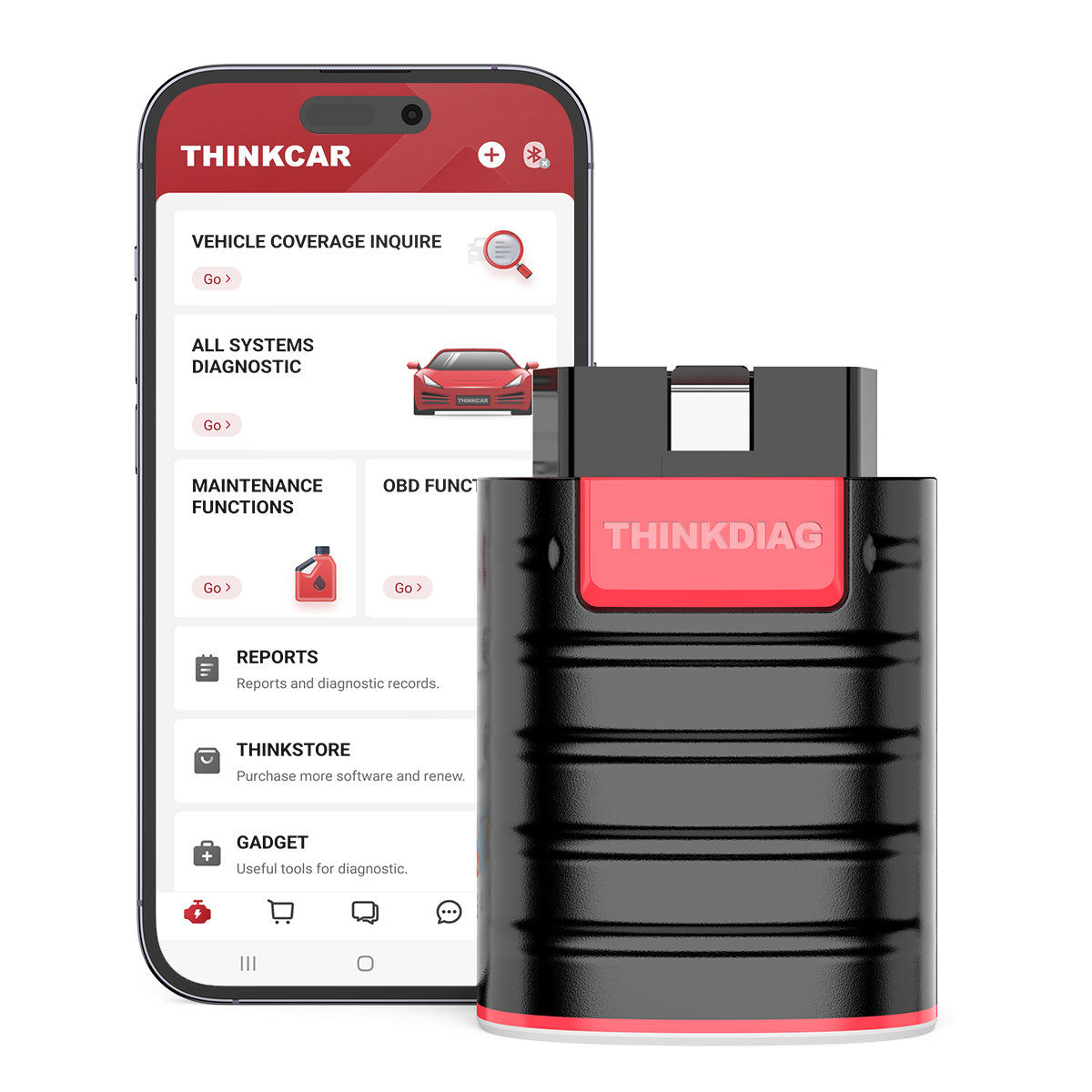
If you want a compact OBD2 Intelligent Diagnosis tool that leans more "advanced DIY and small shop" than an entry-level reader, THINKDIAG is the balanced pick. The page positioning is clear: it aims at DIY users and small repair shops that want deeper functions without a full tablet ecosystem.
- Best for: active tests plus deeper procedures when you do not want to step up to a full tablet.
- Bi-directional test: explicitly states it can actuate solenoids/actuators for active testing.
- ECU Coding: highlights ECU coding for component matching and enabling hidden functions on select makes.
- IMMO: mentions key learning and remote/key-related functions under "Key Fob Programming".
- All-system scan: lists multiple modules (ECM, BCM, SRS, TCM, TPMS, SAS, A/C, and more).
- Coverage note: states compatibility with many 1996+ vehicles and references "120+ car brands".
- Update model: states "all software with 1 year free update" and requires activation for the one-year free update.
Why it wins:
- If you do module replacement or need to validate an actuator response, bidirectional plus ECU coding support can prevent parts swapping.
- At the same time, the app-based workflow keeps it portable for quick driveway checks.
Shop: THINKDIAG
3. THINKDIAG MINI
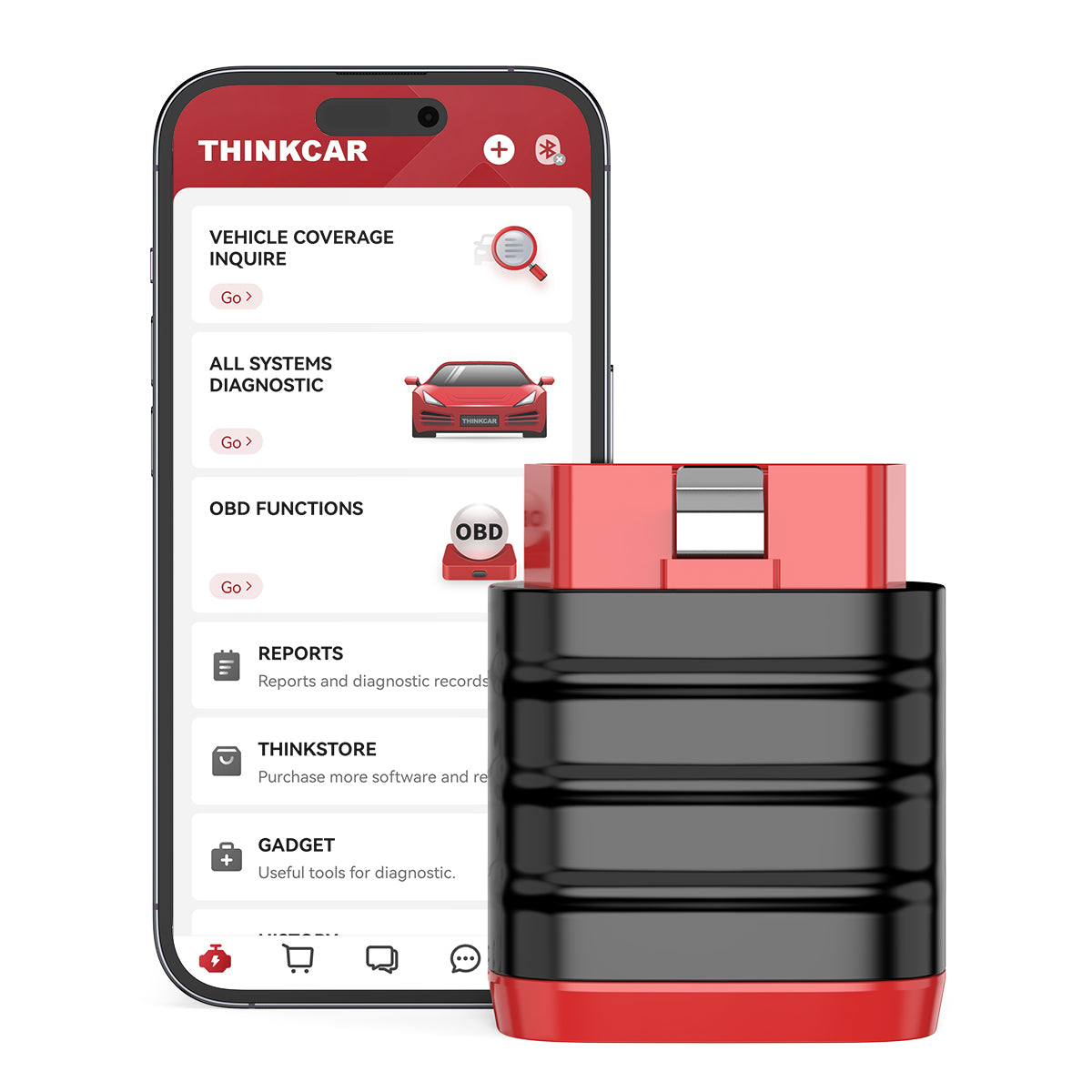
If your main need is full-system scan coverage in the smallest budget footprint, THINKDIAG MINI is the clean entry point. It is positioned around core diagnostics with a straightforward app experience.
- Best for: budget full-system scans, quick code triage, and maintenance checks.
- Full system diagnostic: explicitly states "full system diagnostic, lifetime free".
- OBD2 functions: highlights "Support Full OBD2 Diagnostic Functions".
- Auto VIN: calls out automatic VIN decoding.
- Coverage claim: states it covers 98% of car models available in the market.
- Language support: lists 15+ languages.
- Hardware specs shown: Bluetooth 4.2 BLE dual mode; working temperature 0C to 50C; size 60 mm x 48.5 mm x 22.5 mm.
Why it wins:
- If you mostly need to confirm whether a fault is engine, ABS, airbag, or a body module issue, a stable full-system scan tool often beats a basic code reader.
- The stated "lifetime free" positioning also reduces the fear of buying a tool that becomes unusable after a short term.
Shop: THINKDIAG MINI
Buying guide: how to choose for electrical gremlins
1) Do you need a bidirectional scanner or just a code reader?
Electrical faults are rarely solved by a single DTC. Therefore, ask a question that mirrors real work:
- Can the tool command actuators (fan relay, purge valve, throttle actuator, fuel pump module, ABS pump)?
- Can it run an actuation test while you watch live data for feedback?
If the answer is yes, you can isolate wiring vs component faults faster. If the answer is no, you may still diagnose issues, but you will rely more on multimeter work and manual checks.
2) "Lifetime updates" vs "1-year free update": what is actually included?
Words like Software Renewal, Software Subscription, Software Download, and Software Update Notice show up across many scan tool ecosystems. So treat updates like a checklist item, not marketing language.
- Is lifetime tied to full-system diagnostics, to OBD2 functions, or to vehicle coverage additions?
- Does the tool require an activation flow and then a timed update window?
- Do you need add-ons later, like TPMS or brand-specific packages?
In this list, MUCAR BT200 MAX emphasizes Free Lifetime Software Updates with a monthly cadence, while THINKDIAG explicitly highlights a 1 year free update model.
3) Vehicle coverage and newer protocols: what matters in 2026?
Newer vehicles and gateways change what aftermarket tools can access. In practical terms, you want the tool that matches your "most common cars".
- If you work on 2020+ vehicles, ask: Does the tool mention CAN-FD?
- If you do a lot of late-model work, ask: Does the app keep adding brands and systems monthly?
Also, be realistic: modern cybersecurity and OEM gating can limit universal access to certain modules. Many aftermarket tools can still do meaningful diagnostics, but the depth can vary by make and model.
4) Resets and service functions: which ones pay off fastest?
Service resets are not all equal. First, list your recurring jobs. Next, map them to functions.
- Routine maintenance: Oil reset, BMS, SAS.
- Brake work: EPB and brake-related procedures.
- Tire work: TPMS Service, TPMS & Sensor, and sensor relearn workflows.
If your goal is to reduce shop trips, prioritize resets. If your goal is troubleshooting, prioritize bidirectional tests and clean live-data screens.
Practical tips before you buy
- First, verify phone compatibility. For example, BT200 MAX lists Bluetooth 5.2 with iOS 13+ and Android 5+ in its highlights.
- Next, test your workflow: do you prefer fast scan and report sharing, or deep brand-specific menus?
- Finally, plan coverage checks for your exact vehicles before you rely on the tool for a deadline job.
Common mistakes to avoid
- Buying for resets, then realizing you needed active tests to isolate a short or an actuator failure.
- Assuming all "lifetime" claims mean the same thing across apps and brands.
- Ignoring update cadence, then getting stuck when a newer vehicle platform arrives.
Comparison table: quick side-by-side
| Attribute | MUCAR BT200 MAX | THINKDIAG | THINKDIAG MINI |
|---|---|---|---|
| Positioning | AI Diagnostic Series, fast triage | Advanced tool for DIY/small shop | Lowest-cost entry for full-system scans |
| Connection | Bluetooth (app workflow) | Bluetooth (app workflow) | Bluetooth (app workflow) |
| Bidirectional scanner / active test | Yes (bidirectional control and actuation test) | Yes (bidirectional test) | Not highlighted on the page summary |
| ECU Coding | Not highlighted on the page summary | Yes (ECU coding highlighted) | Not highlighted on the page summary |
| Update model | Lifetime free updates, monthly coverage highlights | 1 year free update noted | "Full system diagnostic, lifetime free" |
| Service functions | 15+ resets listed (Oil, SAS, BMS, TPMS, EPB) | Maintenance functions mentioned | Not highlighted in top bullets |
| Trade-offs / limitations | AI and bidirectional features can add app complexity for first-time users; you still need vehicle-by-vehicle coverage checks | Update window is time-bound; deeper functions can vary by make and may require a learning curve | Lighter feature depth than higher-tier tools for advanced procedures; best as a core scan-and-clear tool |
Conclusion
If your main battle is recurring electrical gremlins, start by deciding whether you need a Bidirectional scanner or just reliable scanning. Then pick the update model you can live with, because a tool that stops updating stops being a value.
- Choose MUCAR BT200 MAX when you want AI-assisted triage plus bidirectional control and a stated monthly, lifetime-update approach.
- Choose THINKDIAG when you want bidirectional tests with ECU coding and IMMO-style functions in a portable format.
- Choose THINKDIAG MINI when you want the simplest, lowest-cost full-system scan entry with "lifetime free" positioning.
Official Site: THINKCAR
FAQ
How do I choose an OBD2 scanner with lifetime updates that is still reliable?
Focus on what "lifetime" applies to, because some tools mean lifetime app access while others mean lifetime vehicle-coverage updates. You should also check whether the product requires activation and whether the update policy is time-limited after activation. For reliability, prioritize stable Bluetooth pairing and a clear full-system scan workflow, because you will use those daily. Finally, confirm that your phone OS will stay supported for the next few years.
What is the real advantage of a bidirectional scanner for electrical problems?
Bidirectional control lets you command a component and watch whether the vehicle responds, which can separate wiring faults from failed parts faster. For example, you can request an actuator test while monitoring a related sensor PID to confirm feedback. This reduces "parts darts" because you test behavior instead of guessing from a stored code. It is especially useful when the symptom is intermittent and the DTC is not consistent.
Why does my scanner read engine codes but misses ABS or airbag faults?
Many basic code readers only access emissions-related powertrain data through generic OBD services, so they may not poll chassis or body modules. Full-system diagnostics requires the app and adapter to query multiple control modules, and coverage can vary by make and model. You should also expect some late-model vehicles to restrict access to certain modules without additional authentication. When you shop, look for explicit wording like "full-system" or lists of modules such as ABS and SRS.
Can I use a Bluetooth OBD2 scanner to diagnose a parasitic battery drain?
Yes, but it is indirect. A scanner can help you confirm charging system behavior, check for network-related DTCs, and monitor sleep-state clues through live data when supported. However, a true parasitic draw test still needs a multi meter or current clamp, plus fuse-by-fuse isolation. Use the scanner to identify modules throwing communication or low-voltage codes, then validate the draw with electrical testing.
What is the difference between service resets and real troubleshooting features?
Service resets clear maintenance counters or runs guided procedures like SAS calibration or EPB service mode. Troubleshooting features focus on finding root cause, such as live data graphs, mode $06-style monitor results, and bidirectional actuator tests. If your goal is to fix recurring misfires, stalls, or network faults, bidirectional and clean data presentation matter more than a long reset list. If your goal is routine maintenance, resets can save the most time.
How should I choose the right protocol support for 2020+ vehicles?
Start with the cars you actually touch and the platforms they use, because coverage is never perfectly universal. If you work on newer platforms, look for protocol callouts like CAN-FD and confirm coverage before you rely on it for a deadline repair. Next, pay attention to update cadence, since late-model coverage changes frequently. Finally, keep a fallback plan, because some OEM gateways restrict access to specific functions even when a scanner connects successfully.
Table of Contents
- Introduction
- Product List: 3 best-value lifetime-update picks
-
Buying guide: how to choose for electrical gremlins
- 1) Do you need a bidirectional scanner or just a code reader?
- 2) "Lifetime updates" vs "1-year free update": what is actually included?
- 3) Vehicle coverage and newer protocols: what matters in 2026?
- 4) Resets and service functions: which ones pay off fastest?
- Practical tips before you buy
- Common mistakes to avoid
- Comparison table: quick side-by-side
- Conclusion
-
FAQ
- How do I choose an OBD2 scanner with lifetime updates that is still reliable?
- What is the real advantage of a bidirectional scanner for electrical problems?
- Why does my scanner read engine codes but misses ABS or airbag faults?
- Can I use a Bluetooth OBD2 scanner to diagnose a parasitic battery drain?
- What is the difference between service resets and real troubleshooting features?
- How should I choose the right protocol support for 2020+ vehicles?

Share:
2026 Diagnostic Scanner Buying Guide for Budget-Conscious Small Repair Shops: Alternatives to Pricey Professional Tools
Value for Money OBD2 Scanners: A Simple Buying Guide for 2026