
Stop Guessing, Start Fixing
Replacing sensors just because a forum said so? Stop throwing money at your car. The "Check Engine" light shouldn't mean a weekend of frustration.
AI Diagnostics is your new secret weapon. It doesn’t just read codes; it analyzes data to tell you exactly what to check next, turning a guessing game into a one-hour fix.
Our 2026 Ultimate Guide breaks down the best tools for your home garage—from simple Bluetooth dongles to pro-level tablets like the ThinkScan and MUCAR (VO/CDE900) series. Find the right tool, follow the AI insights, and fix it right the first time.
Official Site: THINKCAR
AI Car Diagnostics Fundamentals Core Concepts
OBD2 basics DTCs live data readiness
OBD2 is the standardized layer that lets a scan tool talk to a vehicle for emissions-related diagnostics and a set of common services. In DIY terms, you usually interact with four things:
- DTCs (Diagnostic Trouble Codes): a fault label, not a confirmed failed part.
- Freeze frame: a snapshot of conditions when a fault was detected (RPM, coolant temp, load, fuel trim, etc.).
- Live data (PIDs): sensor and calculated values streaming in real time.
- I/M readiness: whether emissions monitors have completed since codes were cleared.
A common DIY trap is clearing codes too early. Clearing resets readiness monitors and can erase context that would have made diagnosis faster. When you are chasing an intermittent problem, saving a pre-scan report, freeze frame, and monitor status is often more valuable than the code itself.
The standardized OBD diagnostic services and test modes are defined in SAE J1979, which is the technical backbone for how test equipment communicates with legislated emissions-related OBD systems. According to SAE International, SAE J1979/ISO 15031-5 specifies the communication between a vehicle OBD system and test equipment for emissions-related OBD.
Standard OBD data vs OEM level module access
Standard OBD2 data is usually strongest for engine and emissions. DIY frustration often starts when the symptom is real but the generic OBD layer is quiet.
Field examples:
- You have an ABS light and want to bleed the ABS pump after brake work. Generic OBD2 often cannot access ABS bi-directional functions.
- Your electronic parking brake (EPB) needs service mode for rear pads. A basic code reader might show no engine codes, yet the car still blocks the job.
- A battery replacement triggers charging strategy issues unless you perform a battery match (BMS reset) on vehicles that require it.
This is why tool descriptions like All System Diagnosis for All Cars need careful interpretation. Many tools can scan multiple modules, but full access varies by make, model, year, ECU, and sometimes by region. The practical approach is to treat coverage as a VIN-specific question: does the tool support the exact function you need on your vehicle.
What AI diagnostics outputs really mean
Most AI-assisted automotive diagnostics in consumer tools are a combination of:
- Rules and symptom trees (if DTC X and data pattern Y, check Z next)
- Known-fix databases and common failure patterns
- Correlation of multiple data points (fuel trims plus MAF plus O2 response)
The output is usually a ranked list: likely causes and next tests. That list is useful only when it is paired with measurement steps you can actually perform (voltage drop checks, active tests, smoke test, compression, etc.).
A healthy mindset for 2026:
- Treat AI as a triage assistant, not a verdict.
- Use AI to reduce the search space, then prove the fix with a test.
- Prefer tools that help you capture before/after evidence (reports, data graphs) so you do not lose your place.
Why 2026 changes the equation for CAN FD gateways and apps
Two things keep pushing DIYers toward smarter tools:
- Newer communication protocols like CAN-FD and DoIP are more common on newer vehicles, and not every tool is ready.
- Gateway security on some makes can limit functions unless the tool supports the right access method.
For example, THINKDIAG 2 highlights compatibility with CAN-FD and specifically calls out support for newer GM vehicles after 2020 as a differentiator. (mythinkcar.com)
When is AI diagnostics worth it

AI diagnostics pays off when your DIY work includes any of these patterns:
- Intermittent faults: a random misfire, a sporadic EVAP leak, or a stalling issue that disappears when you open the hood.
- Multi-symptom problems: rough idle and poor fuel economy plus a pending code. A single code rarely explains the whole story.
- Expensive parts swapping risk: modern ignition coils, throttle bodies, EGR parts, and emissions components can turn guessing into a money pit.
A practical symptom-to-test decision flow looks like this:
- Capture context before you clear anything
- Save DTCs (stored and pending)
- Save freeze frame
- Note I/M readiness and battery voltage
- Check if the symptom is currently reproducible
- If yes, use live data and active tests.
- If no, use history, mode 06 (if available), and repeated log captures.
- Use AI-powered Insights to rank likely causes
- Accept the ranking only as a hypothesis list.
- Pick the next test that is quickest to falsify
- Smoke test for EVAP leaks
- Active test a cooling fan
- Compare upstream O2 response under snap throttle
- Prove the repair
- Post-scan, clear codes if appropriate, then confirm readiness and symptom absence.
Where this reduces real-world waste: the tool pushes you toward tests that confirm or reject a cause without replacing parts. That is the true ROI for DIYers.
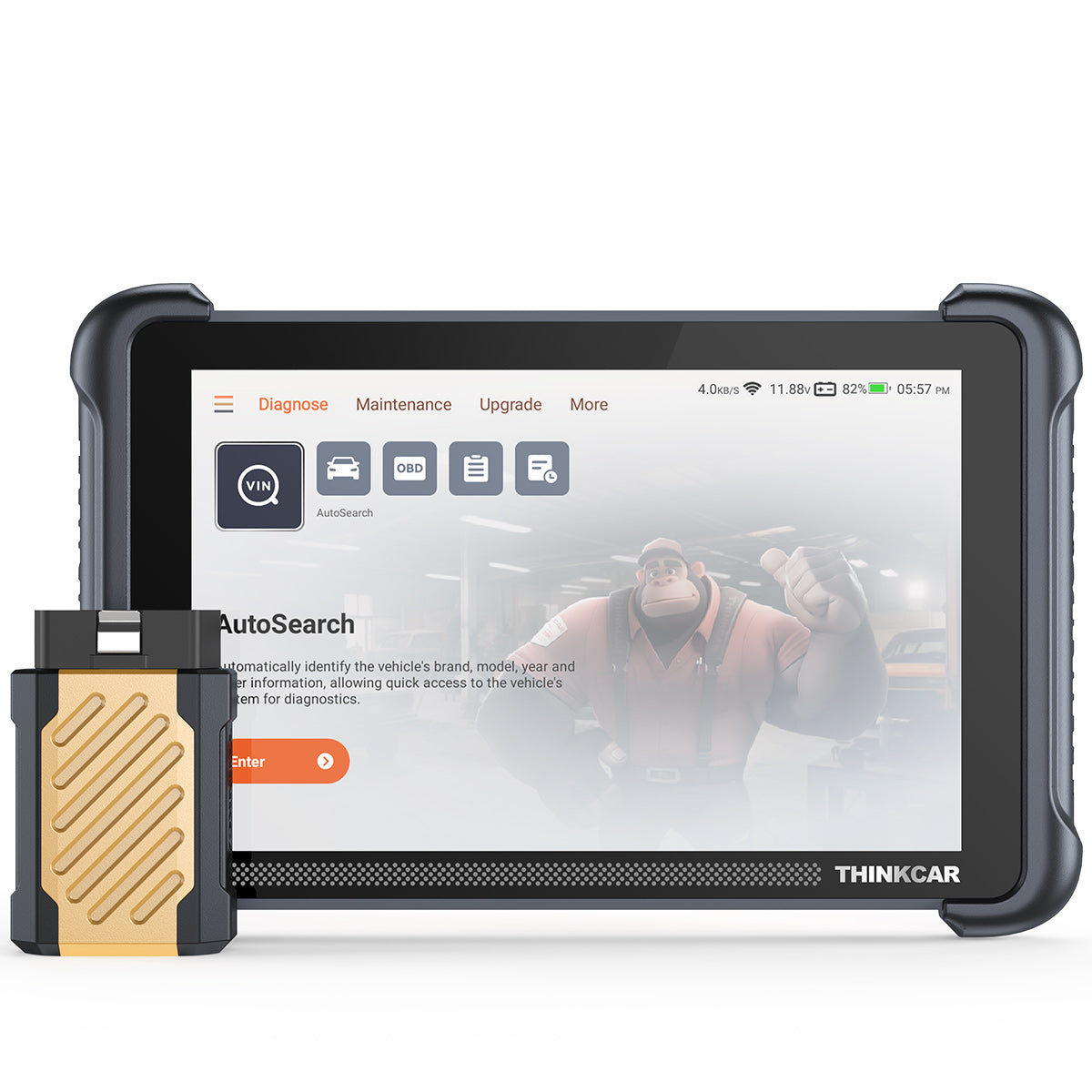
THINKCAR fit for this module: a tablet-style scanner with AutoVIN/AutoScan, bi-directional/active test, and broad service menus tends to support this workflow. THINKSCAN 689BT positions itself as a full-system diagnostic device with ECU coding and bi-directional/active test, plus WiFi updating and a Bluetooth dongle form factor. (mythinkcar.com)
Shop: THINKSCAN 689BT
DIY friendly scanner capability ladder
DIYers often buy too few tools, then try to force them to do a job they cannot do. A better method is to think in levels. This ladder also helps you decide where AI diagnostics actually helps.
Level 1 Code Readers
Best for:
- Check engine light basics
- Clearing codes after confirmed repairs
- Quick I/M readiness checks before emissions testing
Limitations:
- Usually powertrain-focused
- Limited module access
- No active tests
A common example category here is the CDE900 Series style device. On the THINKCAR site, MUCAR CDE900 is described as an OBD2 full-function code reader focused on reading and clearing codes and retrieving engine ECU info, with upgrades depending on needs. (mythinkcar.com)
Level 2 Wireless diagnostic tools OBD2 Scanner Bluetooth
Best for:
- Portable scans in the driveway
- Quickly connecting to a phone
- Simple resets and some multi-system scanning depending on model
This is where Mobile App Integration matters. The dongle is only half the product; the app defines reporting, data graphing, and how usable the results are.
A concrete example is MUCAR BT200 MAX, which emphasizes Bi-directional Control & Actuation Test, CAN-FD support, and 15+ maintenance resets, while also noting ELM327 app compatibility and an intelligent sleep mode to reduce battery drain risk when left plugged in. (mythinkcar.com)
Shop: MUCAR BT200 MAX
Level 3 Midrange tablets for advanced DIY
Best for:
- All System Diagnosis for All Cars (in the practical sense of scanning many modules)
- Regular service functions (EPB, SAS, BMS, DPF)
- Capturing and sharing reports
This level is where a lot of DIYers stop, because it covers the majority of weekend repairs without needing a shop tool.
A clear example is THINKSCAN 672, which lists full systems diagnostics coverage and a defined set of 28 Reset Function style services such as ABS bleeding, DPF regen, injector coding, SAS reset, and TPMS reset, with CAN-FD support and a 7-inch touchscreen. (mythinkcar.com)
Shop: THINKSCAN 672
Level 4 High coverage tablets for deep DIY workflows
Best for:
- Broad car brand coverage across a household fleet
- More frequent bidirectional work
- ECU coding features (when supported)
In THINKCAR‘s ecosystem, MUCAR tablets like MUCAR VO8 highlight large-scale active test counts, many maintenance functions, and reporting features, aimed at users who want to do more than periodic code reading. (mythinkcar.com)
If your DIY work includes recurring diagnostics across multiple vehicles, this level is usually where AI suggestions become valuable because you see enough varied failures for structured guidance to save time.
Bidirectional tests and safety checks
Bidirectional control is the feature that most often separates a tool that reads problems from a tool that helps you prove them.
What it means in the garage:
- You command an actuator (fan, pump, solenoid, valve, relay output) from the tool.
- You observe the response (sound, vibration, current draw, RPM change, pressure change, sensor feedback).
- You decide whether the circuit, component, and ECU output are behaving.
A realistic active test scenario cooling fan complaint
Environment: summer, traffic, AC on, temperature gauge climbs.
Action: instead of idling until it overheats, you run an active test to command low-speed and high-speed fan stages.
Consequence: if the fan does not respond, you know the next step is power, ground, relay, wiring, or module control verification. If the fan responds, you focus on thermostat, coolant flow, radiator blockage, or sensor plausibility.
Safety checks you should always do first
Active tests can move parts and energize systems. Before running them:
- Stabilize voltage (battery support if needed)
- Keep hands and tools clear of fans, belts, throttle bodies, and EPB mechanisms
- Work in a ventilated area if you are commanding EVAP or purge-related tests
- Stop if the vehicle behavior is not what you expected
THINKCAR fit for this module: THINKSCAN 689BT is positioned as a full bidirectional scan tool with active tests and broad module coverage, which is the core requirement for command-and-verify DIY work. (mythinkcar.com)
Competitor context (allowed): Innova CarScan Pro 5610 also advertises bidirectional active tests and a long list of special functions and resets, which puts it in the same problem-solving category for DIYers who need confirmation testing. (innova.com)
Shop: THINKSCAN 689BT
Resets relearns and service workflows
Service functions are where DIYers most often hit a wall after a straightforward repair. The car is fixed mechanically, but the module still needs a procedure.
Typical DIY scenes:
- You replace rear pads, but the EPB will not retract or will not calibrate.
- You replace the battery, and the alternator's behavior feels odd because the car uses battery monitoring logic and needs a BMS reset.
- You clean or replace a throttle body and need throttle relearn.
- You rotate tires and need a TPMS relearn or reset.
A good reset workflow is consistent:
- Pre-scan all systems.
- Fix the mechanical issue.
- Run the required service reset or relearn.
- Post-scan and confirm the related module is clean.
- Road test, then recheck for pending codes.
THINKSCAN 672 is explicit about a list of 28 value-added maintenance services and names common ones DIYers run into, like ABS bleeding, steering angle reset, battery matching, brake reset, DPF regen, injector coding, and TPMS reset. (mythinkcar.com)
THINKSCAN PLUS S7 is structured differently: it calls out a defined number of systems plus optional reset selections, which can suit DIYers who know exactly which service functions they need and want a narrower configuration. (mythinkcar.com)
Practical pitfall: marketing lists often say a function exists, but support depends on vehicle. This is where a Software Update Notice, update history, and VIN-level compatibility checks matter more than a long generic list.
TPMS service for home garages

TPMS is one of the most frustrating DIY categories because the car can be mechanically fine, but the warning light stays on. For a home garage, the most valuable TPMS capabilities are:
- Sensor activation: wake up and read 315MHz/433MHz sensors.
- Relearn support: help the vehicle learn sensor IDs after rotation or replacement.
- Basic TPMS diagnostics: identify which wheel is failing or has a dead sensor.
A typical DIY scenario:
Environment: you swap to winter wheels or replace one sensor.
Action: you drive and the TPMS light flashes, then stays on.
Consequence: without a TPMS tool, you guess which sensor is bad or you pay a shop for a simple relearn.
THINKCAR VENU 90 TPMS Activation & Diagnostic Tool is positioned as a standalone TPMS device that supports activation for 315MHz/433MHz THINKCAR sensors and does not require an app or pairing with another diagnostic device. It also notes WiFi and SD card upgrades. (mythinkcar.com)
If your main diagnostic tool already handles resets but you keep getting TPMS issues after tire work, adding a dedicated TPMS tool can be the difference between a clean dash and repeated relearn attempts.
Shop: THINKCAR VENU 90 TPMS Activation & Diagnostic Tool
Selection and Decision Guide
DIY tool selection is easiest when you force clarity on four questions.
1 Vehicle coverage year make modules
Write down:
- Vehicle year, make, model, engine
- The modules you actually need (ABS, SRS, EPB, BCM, TPMS)
- Your top 3 jobs (EPB service, ABS bleed, battery match, etc.)
Then match the tool level to that scope. A tool that only supports engine OBD2 will not solve an EPB workflow, even if it has AI suggestions.
2 Updates model free vs subscription
Updates are not a side detail in 2026. New vehicles and functions appear monthly, and protocol changes (CAN-FD, gateway behavior) can turn an older tool into a partial tool.
When you compare options, separate:
- Software renewal / software subscription terms
- How updates are delivered (WiFi on tablet vs app downloads)
- Whether your tool can still do core work if you stop updating
Some THINKCAR products emphasize Free Lifetime Software Updates and no subscription language, while others may use app-based downloads or optional upgrades. Treat the update model as part of ownership, not an afterthought.
3 Form factor tablet vs OBD2 Bluetooth
Use this field rule:
- Choose OBD2 Scanner Bluetooth when you want portability, quick scans, and phone-based logging.
- Choose a tablet when you need longer sessions, clearer live data views, faster navigation between modules, and more consistent service menus.
A dongle can be perfect for quick checks, but it is less comfortable when you are graphing data during a long road test or doing repeated active tests.
4 Feature proof bidirectional resets TPMS
Do not buy a tool because the listing says it has the feature. Buy it because you can prove it.
Proof checklist:
- The tool explicitly states bi-directional/active tests.
- The tool explicitly names the resets you need (EPB, SAS, BMS, DPF).
- TPMS needs are clear: TPMS Service via your main tool, or a dedicated TPMS tool.
Quick decision table DIY scenarios to capability
| DIY scenario | Must-have capability | Nice-to-have | Typical product direction |
|---|---|---|---|
| Check engine light + emissions | Code read/clear, readiness | Freeze frame, graphs | Code Readers, CDE900 Series |
| EPB rear brake job | EPB service reset | Bidirectional actuator tests | ThinkScan Series tablet |
| Random stalling | Live data + logging | AI-powered Insights | AI Diagnostic Series style workflows |
| Cooling fan / AC clutch | Bidirectional scanner active tests | Report export | ThinkScan Series, VO Series |
| Tire rotation / sensor swap | TPMS relearn or activation | Dedicated TPMS & Sensor tool | TPMS Service + VENU tools |
Best Practices and Pitfalls
Conclusion
AI diagnostics is worth it for DIYers when it helps you prove a diagnosis with fewer wasted parts and fewer repeat checks. In 2026, the smarter buy is not the tool with the longest feature list. It is the tool that matches your vehicles, supports the resets and bidirectional tests you actually run, and makes it easy to save before-and-after evidence.
Map your next six months of DIY jobs to a capability level, then choose the lowest tool tier that can reliably execute those workflows. When you treat AI-powered Insights as guidance and confirm with active tests and live data, you pay for proof, not hype.
Frequently Asked Questions
Is AI diagnostics worth the investment for DIY car users?
Yes, especially if you want to stop guessing and start fixing. If you are tired of buying parts that don’t fix the problem, AI is worth it. It analyzes complex data to tell you what to check next, saving you from wasting money on the "parts cannon." It’s the difference between a quick fix and a weekend of frustration, though you still need to verify the fix yourself.
How can a DIY user benefit from an AI-assisted car diagnostic scanner?
It acts like a digital mentor, guiding you from a "Check Engine" light to a solution. Instead of just giving you a code (like P0171), AI suggests the most likely causes (like a vacuum leak or MAF sensor) based on real data. It helps prioritize which tests to run first, so you don't waste time checking healthy parts. It also organizes your scan history, which is a lifesaver for intermittent problems that come and go.
How does AI-assisted diagnostics work in automotive scanners?
It compares your car's live data against millions of known repair patterns. Think of it as a massive database of "what fixed this before." The AI looks at your trouble codes and live sensor data, then ranks the most probable causes. However, it relies on the scanner's ability to see deep into your car's modules—if the scanner can't read the data, the AI can't analyze it.
How do I choose an automotive diagnostic tool with AI-assisted capabilities?
Focus on vehicle coverage, necessary service resets, and "Active Test" features. Don't just buy "AI"; buy the tool that fits your jobs. Make sure it supports the specific resets you need (like Battery Registration or ABS Bleeding). Crucially, look for "Bidirectional" or "Active Test" capabilities—AI is much more powerful when the tool can actually command your car's fans, pumps, and valves to test them.
What are the limitations of AI-assisted diagnostics for automotive fault detection?
It cannot replace physical inspections or fix mechanical failures. AI is great at logic, but it can't see a chewed wire, a vacuum leak, or a rusty bolt. It also struggles when multiple things break at once (like a low battery confusing other sensors). Use AI to narrow down the search area, but always use your eyes and hands to confirm the final fault.
How do I choose a diagnostic scanner for my car as a DIY user?
Match the tool to the realistic repairs you plan to perform. If you only need to check why a light is on, a basic code reader is fine. But if you plan to change your own brakes, battery, or troubleshoot sensors, you need a scanner with Bidirectional control and Service Resets. Buy the tool that supports your specific car model and the jobs you actually do.
Table of Contents
- Stop Guessing, Start Fixing
- AI Car Diagnostics Fundamentals Core Concepts
- When is AI diagnostics worth it
- DIY friendly scanner capability ladder
- Bidirectional tests and safety checks
- Resets relearns and service workflows
- TPMS service for home garages
- Selection and Decision Guide
- Best Practices and Pitfalls
- Conclusion
-
Frequently Asked Questions
- Is AI diagnostics worth the investment for DIY car users?
- How can a DIY user benefit from an AI-assisted car diagnostic scanner?
- How does AI-assisted diagnostics work in automotive scanners?
- How do I choose an automotive diagnostic tool with AI-assisted capabilities?
- What are the limitations of AI-assisted diagnostics for automotive fault detection?
- How do I choose a diagnostic scanner for my car as a DIY user?

Share:
Using a Diagnostic Scanner: How Do I Fix Airbag Warning Light Issues? (Step-by-Step)
Using a Diagnostic Scanner: How Do I Fix Airbag Warning Light Issues? (Step-by-Step)