
Introduction
Both tools plug into the same port, but they fit different work styles. Bluetooth scanners link to your phone, letting you walk around the car to check lights or sensors while watching live data. Wired scanners offer a rock-solid, dedicated connection that is safer for long, complex programming sessions.
In this guide, we stop asking "which is newer" and ask "which is better for you?" We compare speed, stability, and protocol support to help you decide if you need the mobility of wireless or the security of a cable.
Official Site: THINKCAR
Core Foundations
OBD connector hardware: SAE J1962 16-pin
Every tool decision starts at the physical layer: the SAE J1962 16-pin connector under the dash. Power, ground quality, and pin fit drive reliability more than most people expect.
A Bluetooth dongle that is stable on a bench can still act flaky in a car with low voltage at pin 16, weak ground, or a loose port. A wired tool can also fail in the same situation, but the cable connection often makes it easier to notice strain, poor seating, or intermittent contact.
The key mental model is simple: treat the port like a data and power backbone. If power dips during cranking or module wake-up, your session can drop, logs can be incomplete, and you can lose the moment when a fault is captured.
Emissions services: ISO 15031-5 scope
OBD2 is not just "read a code." ISO 15031-5 defines a scope of emissions-related diagnostic services that many basic tools focus on. That includes reading emission DTCs, freeze frame, readiness monitors, and some standardized live data.
This matters in 2026 because a tool can be excellent at emissions OBD functions and still be weak for body, chassis, comfort modules, and manufacturer-specific routines. If your work includes ABS bleeding, EPB service, battery registration, or adaptations, you are already beyond what emissions-only tools were designed for.
The practical takeaway: when you compare Bluetooth vs wired, compare the diagnostic tier first, then the connection method.
Tool tiers: code readers to bidirectional
A fast way to classify tools:
- Code Readers: read and clear engine-related codes, basic live data, readiness. Great for quick checks, limited for repair certainty.
- All-system scanners: scan many modules (engine, ABS, SRS, BCM, etc.), show OEM-like DTCs, and provide better live data.
- Bidirectional scanner class: adds active tests (actuation) so you can command components and validate responses. This is where troubleshooting becomes more deterministic.
- Advanced scanners: add more service functions, guided routines, ECU coding functions, secure gateway access workflows, and better reporting.
Both Bluetooth and wired tools exist in each tier. Bluetooth is not automatically "basic," and wired is not automatically "pro." You should match the tier to the job type.
Connectivity layer: wired VCI vs Bluetooth
Connectivity is the delivery mechanism for diagnostic data and commands:
- Wired typically offers predictable bandwidth and fewer RF variables. It is often easier to stay stable during long programming-style sessions.
- Bluetooth adds convenience and mobility. It can reduce setup friction in multi-vehicle environments, but you must manage paired devices, device permissions, and security hygiene.
In practice, 2026 repair shops often use both: Bluetooth for quick triage and mobile report sharing, and wired for certain long, high-stakes sessions. The best choice depends on workflow and risk tolerance.
Workflow Speed And Bay Efficiency
Speed is not only how fast a tool scans modules. Speed is the whole loop: connect, identify VIN, run auto-scan, capture freeze frames, export a report, and share it.
Bluetooth often wins on "micro-friction". A small dongle plus tablet/phone can be easier to connect in tight footwells. You can step out of the vehicle, walk to a service writer, and still review live data. For DIY users, Bluetooth also means you can keep your primary screen in your hand.
That said, wired setups can still be faster in consistent production use because there are fewer steps that can go wrong: no pairing prompts, no OS permission pop-ups, and fewer device-to-device variables.
What to measure in your own workflow
Use these repeatable checks for a week:
- Average time from sitting down to first VIN decode.
- Auto-scan time across the same vehicle types.
- Time to generate and share a diagnostic report.
- Number of reconnections per day.
If your day includes many quick triage checks, Bluetooth tends to reduce time loss between cars. If your day includes long diagnostic sessions and repeated connection stability problems, wired might save time by preventing session drops.
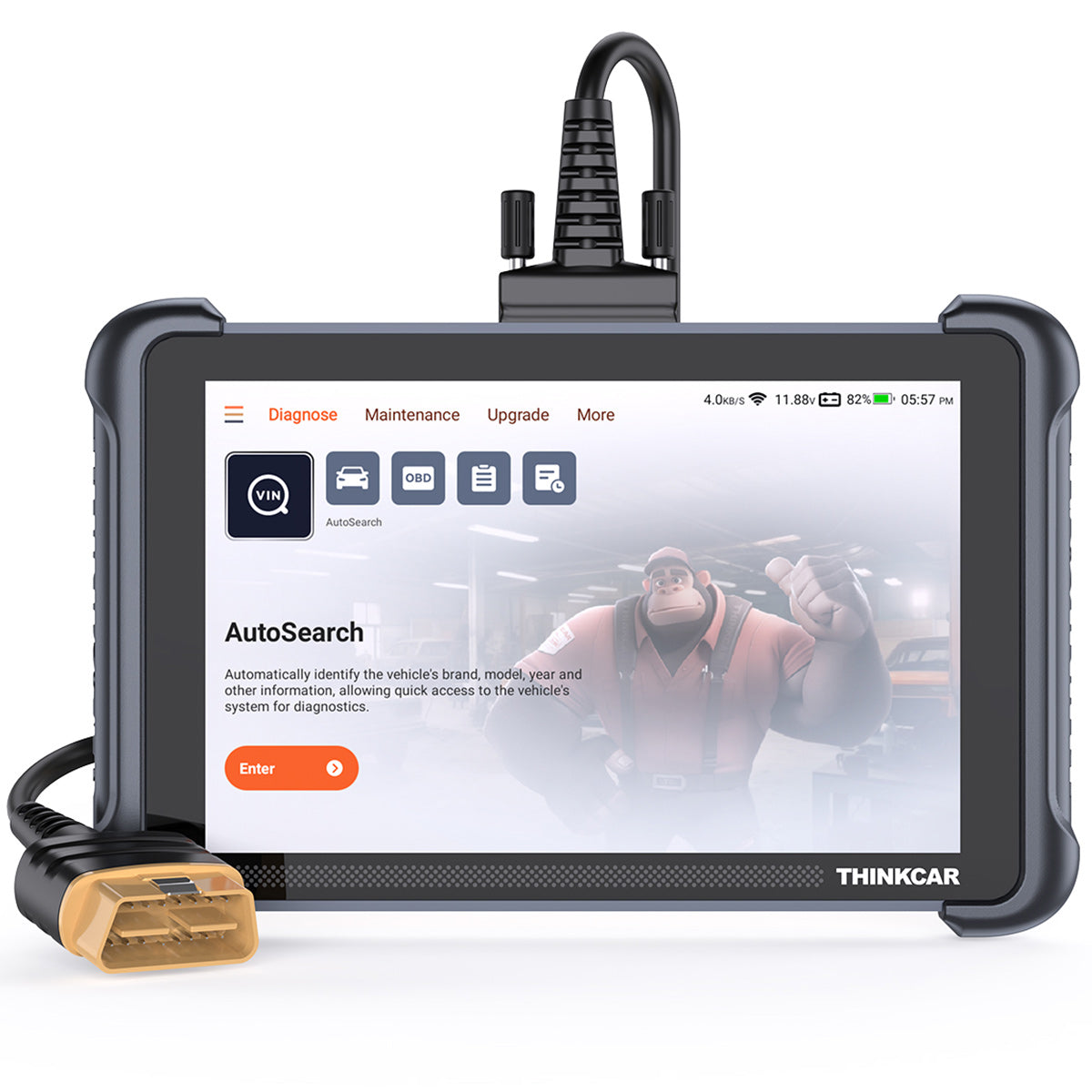
Product fit: THINKSCAN 689BT for mobile bay flow
The THINKSCAN 689BT is designed around fast workflow steps that matter in a busy bay: AutoVIN & AutoScan, report creation, and Bluetooth dongle flexibility. It also targets modern protocol needs with CAN-FD & DOIP support and includes FCA AutoAuth for secure gateway workflows.
On the hardware side, it uses an 8-inch touchscreen tablet format with 4GB RAM and 64GB ROM and supports 2.4G/5G Wi-Fi for updates. That combination matters because slow navigation and limited storage can turn a "fast scan" into a slow day.

Shop: THINKSCAN 689BT
Depth Of Diagnostics And Coverage
Depth is where tools stop being "code readers" and start being "repair decision tools." In 2026 vehicles, many complaints are networked symptoms. A powertrain issue can cascade into stability control, ADAS warnings, and battery management messages.
So depth depends on three things:
- All-module coverage: ECM, TCM, ABS, SRS, BCM, TPMS, SAS, and more.
- Quality of life data: graphing, PID sets, and the ability to spot anomalies quickly.
- Active tests and routines: the ability to command fans, pumps, solenoids, window motors, and to validate actuator response.
Bluetooth vs wired does not define depth by itself. The tool tier does. But the connection method can affect how comfortable you are running long active test sessions, especially if you need to move around the vehicle.
Why bidirectional matters for fewer comebacks
A Bidirectional scanner reduces guesswork. Instead of replacing a part because a code suggested it, you can command the system and confirm behavior:
- Command radiator fan stages and watch RPM feedback.
- Cycle an EVAP purge solenoid and observe fuel trim change.
- Trigger ABS pump and valves during bleeding routines.
That changes repair outcomes because you can separate "signal issue" from "component issue" faster.
Product fit: ThinkScan Series and MUCAR VO Series for deeper work
For deeper all-system workflows, THINKCAR positions the ThinkScan Series (tablet-based scanners like THINKSCAN 689 and THINKSCAN 689BT) around full-system diagnostics plus ECU coding and active tests. The THINKSCAN 689 highlights the same 8-inch class platform and emphasizes ECU coding, bi-directional tests, AutoVIN/AutoScan, and support for CAN FD and DoIP.
If you want an even more feature-rich tablet workflow with extra hardware features, MUCAR VO8 adds a high-capacity battery claim (9450mAh) and includes features such as large-screen operation and extensive active test coverage. It also emphasizes 34+ maintenance functions and ECU coding.

Shop: THINKSCAN 689
Security, Privacy, And Shop Risk
Wireless tools create a bigger operational surface area than a cable-only workflow. That does not mean Bluetooth is unsafe by default. It means you need shop governance: pairing rules, device control, and a clear policy for who can connect to what.
The risk is not only "someone hacks your scanner." The more common shop risk is uncontrolled access:
- A shared shop phone that has too many apps installed.
- A tech pairing a dongle to the wrong device.
- A Bluetooth adapter left installed in a customer's car.
NHTSA has long highlighted that vehicles are cyber-physical systems and that cybersecurity vulnerabilities can affect safety. Their guidance also discusses risks related to wireless paths into vehicles and aftermarket/user-owned devices. See NHTSA.
Pairing hygiene that actually works
Use rules that techs can follow under pressure:
- Pair the dongle to a single designated device per bay.
- Use strong screen locks on shop tablets and phones.
- Remove old pairings monthly so the device list stays clean.
- Do not use unknown third-party apps on the same device you use for customer vehicles.
Access control and auditability
A wired tool can still be misused, but it is easier to physically control. With Bluetooth, control shifts toward device management:
- Who owns the tablet/phone.
- Who can install apps.
- Whether reports are stored locally or synced.
If your shop already has mobile device policies, Bluetooth becomes easy to govern. If not, wired may be simpler until governance catches up.
Product fit: MUCAR BT200 MAX for controlled mobile workflows
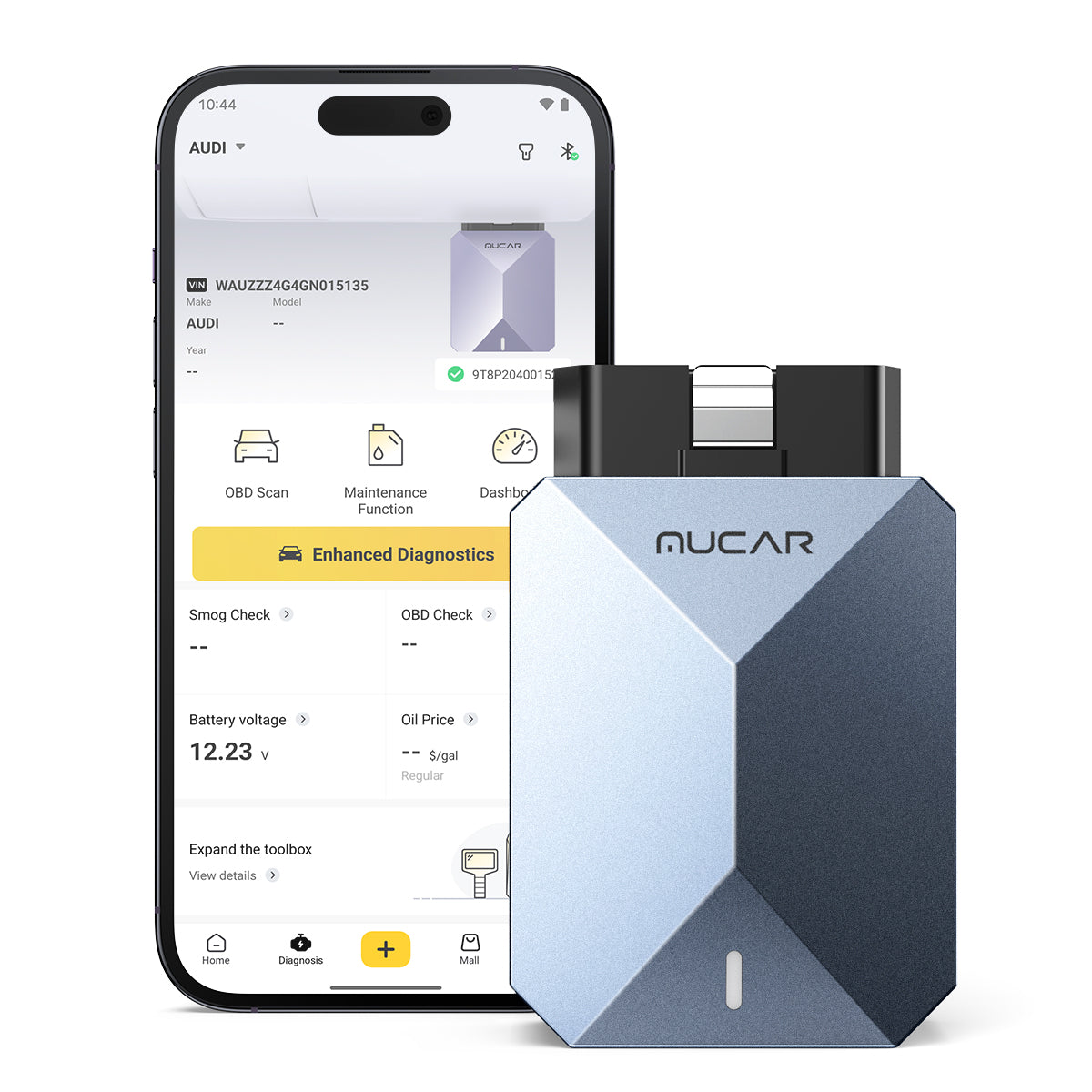
If you want Bluetooth convenience but prefer a phone-centered workflow, MUCAR BT200 MAX is built around a mobile app connection. It emphasizes Bidirectional Control & Actuation Testing, 15+ maintenance resets, and ongoing monthly updates. It also includes a sleep-mode style feature aimed at reducing parasitic drain concerns when left plugged in.
The governance key is to treat the phone as part of the tool. If the phone is not controlled, the diagnostic environment is not controlled.
Shop: MUCAR BT200 MAX
Modern Vehicle Protocols And Access
2026-era vehicles increase two kinds of complexity:
- Higher-speed and newer protocols (for example, CAN FD and DoIP).
- Security controls such as secure gateways that restrict functions unless the tool follows an authorization flow.
This is where older Bluetooth dongles and simple wired readers fall behind. The question becomes: can your tool communicate using modern protocols and can it pass gateway constraints without breaking your workflow?
CAN FD and why it changes tool selection
CAN FD increases payload size per frame and can carry more data than classic CAN. In practice, that can mean faster data transfer, more parameters, and better support for newer platforms.
Tools that explicitly support CAN FD can reduce "partial visibility" problems where your scanner connects but cannot access certain networks or newer modules.
DoIP and why Wi-Fi and stability matter
DoIP (Diagnostics over Internet Protocol) uses Ethernet-style communication. Tools that support DoIP often rely on stable processing and reliable session handling.
This is one reason tablet-class scanners remain popular: they keep the scanner OS, the diagnostic app, storage, and session control in one managed environment.
Secure gateways and AutoAuth workflows
Many platforms restrict certain functions unless the scan tool and user identity are authorized. On the THINKCAR side, AutoAuth for FCA SGW is a commonly referenced workflow element on devices like THINKSCAN 689 and THINKSCAN 689BT.
If your vehicle mix includes a lot of gateway-locked models, prioritize tools that can handle authorization cleanly. Otherwise, you can end up with a tool that reads codes but cannot complete service routines.
Product fit: THINKDIAG 2 for CAN FD in a mobile-first tier
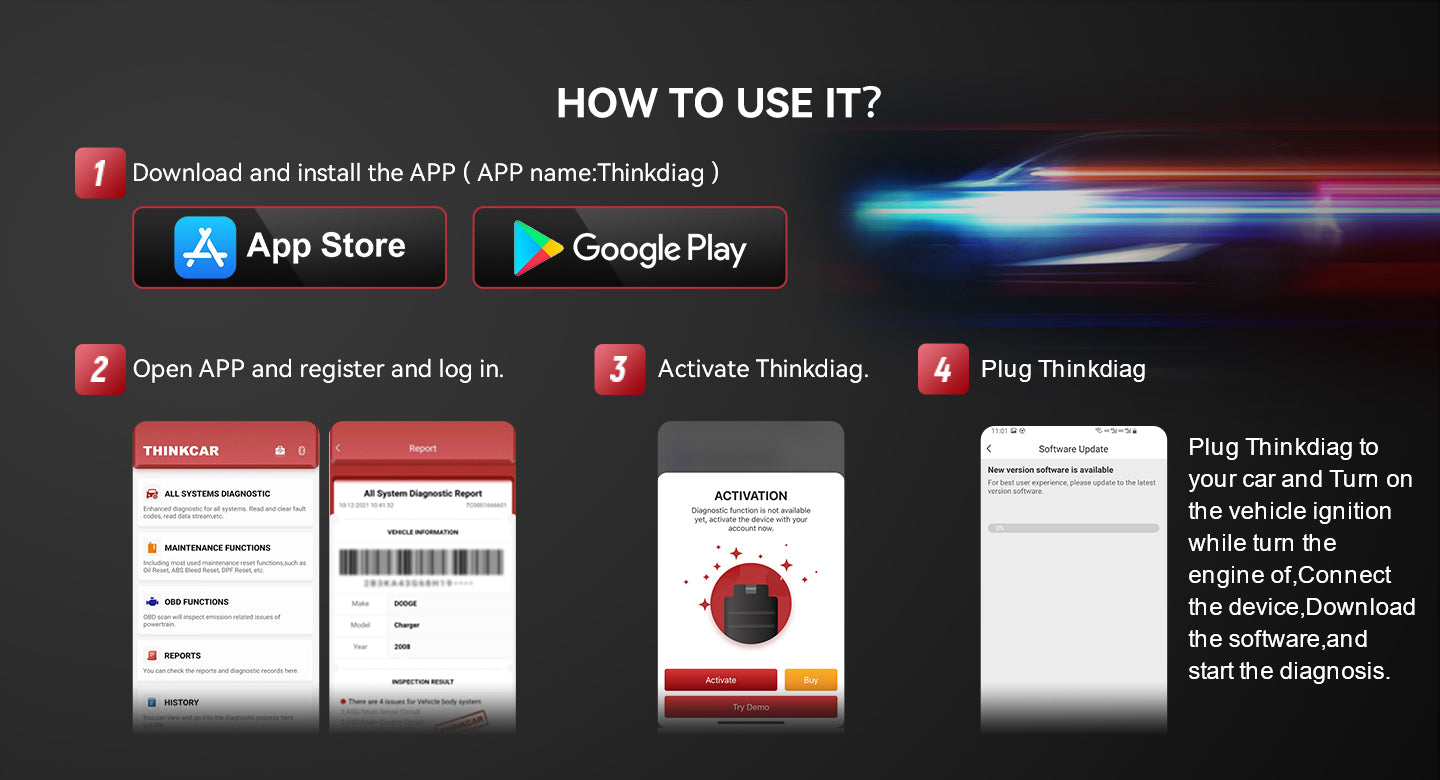
If you want a smaller tool footprint but still care about modern protocols, THINKDIAG 2 emphasizes built-in CAN FD support and app-driven workflows. It targets car owners, DIYers, and smaller shops that want all-system diagnostics and active tests without carrying a tablet tool.
Because it is app-driven, it also aligns well with Mobile App Integration as a 2026 trend. The trade-off is that phone/tablet governance becomes part of your diagnostic quality.
Shop: THINKDIAG 2
Ownership Cost And Update Strategy
Even when you do not discuss pricing, ownership cost is still real. It shows up as downtime, missing coverage, and workflow disruption when updates are confusing.
In 2026, you should think about updates as you think about service information subscriptions: it is part of the repair ecosystem.
The three update questions to ask
- Update cadence: are vehicles and functions added monthly, quarterly, or rarely?
- Update method: Wi-Fi on the tool, app store updates, PC utility, or SD card?
- Lifecycle clarity: does the tool stay useful for your vehicle mix for 3 to 5 years?
Wired vs Bluetooth from an update standpoint
Connection type affects updates indirectly:
- Tablet tools often update over Wi-Fi directly on the device.
- Mobile dongles depend on phone OS updates, app updates, and Bluetooth stack stability.
For a shop, tablet tools can be easier to standardize. For a DIY household, phone-based tools can be convenient because the phone already stays updated.
Product fit: lifetime-update positioning in ThinkScan Series and MUCAR lines
Several THINKCAR and MUCAR devices in this ecosystem emphasize "free lifetime updates" positioning, including THINKSCAN 689, THINKSCAN 689BT, and devices like MUCAR VO8 and MUCAR 892BT. More important than the label is your process:
- Schedule updates weekly (not when you are already behind).
- Keep one device as a known-good version for critical jobs.
- Document update notes if the tool provides a Software Update Notice.
If you want to formalize ownership protection, THINKCAR also offers a 1 Year Extended Warranty option for tools like THINKSCAN 689BT, which can matter in a production environment where downtime is the real cost.
Selection/Decision Guide
Use this decision framework to choose Bluetooth vs wired tools for vehicle repair in 2026. The goal is to map your needs to the simplest setup that still provides repair certainty.
1) Define your use case: DIY vs shop throughput
- DIY focus: prioritize ease, clear live data, and reports you can share with a shop. Bluetooth often feels more natural.
- Shop throughput: prioritize repeatability, stable sessions, fast auto-scans, and consistent report formats. Tablet tools (Bluetooth dongle or wired cable) often win.
2) Confirm coverage: All System Diagnoses for All Cars
Do not accept "works on most cars" as your plan. Confirm that your vehicle mix is covered for:
- Engine, transmission, ABS, SRS, BCM.
- Newer model-year protocol needs (CAN FD, DoIP).
- Gateway-locked workflows when relevant.
A tool can be strong at OBD2 but weak at body systems. That is how comebacks start.
3) Decide function depth: Bidirectional scanner and reset depth
Match tool tier to work type:
- For basic drivability and emissions checks, Code Readers and basic OBD2 tools can be enough.
- For intermittent faults and module work, prioritize a true Bidirectional scanner.
- For routine service work, resets matter: EPB, oil, battery matching, SAS calibration, ABS bleeding, and DPF routines.
4) Choose form factor: app workflow vs standalone tablet
- App workflow (phone-centric): portable, easy to share, but depends on phone stability and permissions.
- Tablet workflow: consistent interface and storage, typically better for long sessions and team use.
Decision table: scenario-based recommendations
| Repair Scenario | Primary Need | Bluetooth Fit | Wired Fit | Recommended Approach |
|---|---|---|---|---|
| Quick triage on multiple cars | Low friction, fast AutoScan | Strong | Strong | Pick the tool with the fastest connect-to-report loop |
| Intermittent electrical fault | Stable long sessions, clean logs | Medium | Strong | Prefer tablet-class tools and consistent logging |
| Service work (resets, relearns) | Reset depth and guided steps | Strong | Strong | Pick based on coverage and reset list, not connection type |
| Secure gateway vehicles | Authorization workflow | Depends on tool | Depends on tool | Prioritize AutoAuth-style support and clear prompts |
| Mobile DIY troubleshooting | Phone-friendly live data | Strong | Medium | Bluetooth dongle plus a stable app workflow |
Common Pitfalls to Avoid
- Leaving Bluetooth dongles installed.
- This increases risk and can create customer complaints about battery drain or unknown devices.
- Mixing unknown apps with shop diagnostic workflows.
- An app that requests broad permissions can create both privacy risk and instability. Keep diagnostic devices clean.
- Coding modules without backups or notes.
- ECU coding can change behavior quickly. Always document original settings and confirm the vehicle support status.
- Clearing codes too early.
- If you clear before capturing freeze frame and readiness status, you can erase the story that tells you the root cause.
- Choosing based on connection type alone.
- A wired tool can still be shallow. A Bluetooth tool can still be advanced. Always choose tier first.
Conclusion
For 2026 repairs, Bluetooth diagnostic tools are often the best choice when workflow speed, mobility, and fast report sharing matter. Wired tools still make sense when you want maximum session stability, minimal pairing overhead, or long diagnostic sessions with fewer variables.
Choose based on three factors: your workflow, your risk tolerance, and your vehicle mix. Then map those needs to the right tier, from Code Readers to a true Bidirectional scanner with modern protocol support.
Official Site: THINKCAR
FAQ
Are there any drawbacks to using Bluetooth diagnostic tools over wired ones in vehicle repair?
Bluetooth adds pairing and security overhead compared with a cable connection. Wireless links can also be less predictable if the shop environment has RF noise or if the phone OS interrupts the app in the background. A Bluetooth workflow depends on device governance, including screen locks, app permissions, and clean pairing lists. For long sessions, a wired setup can feel more stable because it removes the wireless layer. The best mitigation is to dedicate a device to diagnostics and enforce consistent pairing rules.
Are there any affordable diagnostic tools with Bluetooth compatibility?
Many entry and mid-tier tools offer Bluetooth, but affordability should not be your only filter. First, confirm whether you need only OBD2 functions or true all-system diagnostics across ABS, SRS, and body modules. Next, check whether you need bidirectional active tests or only read/clear and live data. Finally, review update terms and vehicle coverage so you do not buy a tool that becomes outdated for your model year. A good low-cost Bluetooth tool can still be effective if it matches the job scope.
How do I select the best Bluetooth scanner for my car’s needs?
Start by listing your vehicle year, make, and the systems you expect to diagnose, such as engine, transmission, ABS, and SRS. Next, decide whether you need service resets like EPB, oil, battery registration, SAS calibration, or TPMS routines. If you plan to troubleshoot intermittent faults, prioritize bidirectional active tests so you can command components and confirm responses. Then verify modern protocol support like CAN FD or DoIP if your vehicle platform uses them. Finally, choose an app workflow that stays stable on your phone and does not require unnecessary permissions.
Which car diagnostic scanner works best with a smartphone for DIY use?
A Bluetooth OBD2 scanner paired with a stable phone app is usually the most natural DIY setup. You should prioritize clear live data, easy code lookup, and the ability to export or share a report if you need to involve a shop. If you work on more than basic engine codes, look for full-system coverage so you can access ABS and SRS faults. If you plan to do functional troubleshooting, choose a tool that supports bidirectional commands rather than only reading data. Also confirm that your phone can maintain a reliable Bluetooth connection without aggressive battery optimization.
Should I prioritize speed or depth of diagnostics when choosing a tool?
Depth should come first when you face intermittent faults, module issues, or any repair where parts swapping is costly. A deeper tool with all-system access and bidirectional tests can reduce comebacks because it helps you confirm the failure mode. Speed matters more for quick triage, routine inspections, and high-volume workflows where you scan many vehicles daily. In practice, the best tools deliver both through AutoVIN, fast AutoScan, and strong reporting. If you must compromise, choose depth if your work includes resets, adaptations, or actuator tests.
What’s the difference between basic and advanced automotive diagnostic tools?
Basic tools focus on OBD2 emissions diagnostics such as reading and clearing engine codes, showing limited live data, and checking readiness monitors. Advanced tools expand to full-system diagnostics across modules like ABS, SRS, BCM, and transmission, with richer OEM-specific data. Many advanced tools also add service functions such as EPB reset, ABS bleeding, SAS calibration, and battery registration. A key leap is bidirectional control, which lets you command components and verify operation instead of guessing. Advanced tools also tend to offer better reporting, update mechanisms, and support for newer protocols.
Table of Contents
- Introduction
- Core Foundations
- Workflow Speed And Bay Efficiency
- Depth Of Diagnostics And Coverage
- Security, Privacy, And Shop Risk
- Modern Vehicle Protocols And Access
- Ownership Cost And Update Strategy
- Selection/Decision Guide
- Common Pitfalls to Avoid
- Conclusion
-
FAQ
- Are there any drawbacks to using Bluetooth diagnostic tools over wired ones in vehicle repair?
- Are there any affordable diagnostic tools with Bluetooth compatibility?
- How do I select the best Bluetooth scanner for my car’s needs?
- Which car diagnostic scanner works best with a smartphone for DIY use?
- Should I prioritize speed or depth of diagnostics when choosing a tool?
- What’s the difference between basic and advanced automotive diagnostic tools?

Share:
Scanning OBD-II Fault Codes: What’s the Best Cost-Effective Tool? (Top 5 List)
Budget-Friendly Diagnostic Tools for Repair Shops: A 5-Step Buying Guide