
Introduction
Why fault codes still feel confusing
A DTC can look simple, but the real fix usually is not. A single code can point to wiring, sensors, vacuum leaks, software, or even a mechanical issue. Therefore, the best Vehicle Scanner & Diagnostic Tool is the one that helps you confirm root cause, not just read and clear codes.
So what does "AI" really mean in 2026 scan tool workflows? In most cases, it means app-based guidance that turns OBD2 Intelligent Diagnosis results into clearer explanations, likely causes, and suggested next steps. Because more tools now use wireless links, cloud lookups, and Mobile App Integration, your scanner can feel "AI-ready" even if the dongle itself is simple.
In 2025, industry research continued to highlight wireless tools, cloud-based solutions, and mobile app workflows as key market trends, including talk of Blockchain Data Security and more remote/real-time updates. Business Wire
The 3 picks that match real DIY and shop needs
These three picks come from the THINKCAR catalog and focus on what actually helps you interpret fault codes faster:
- All-system access (not just basic Code Readers behavior)
- Live data and reports you can share
- Bidirectional scanner capability for "prove it" testing
- Practical reset workflows and update clarity (including T-code/TCODE and Software Renewal)
1: THINKDIAG
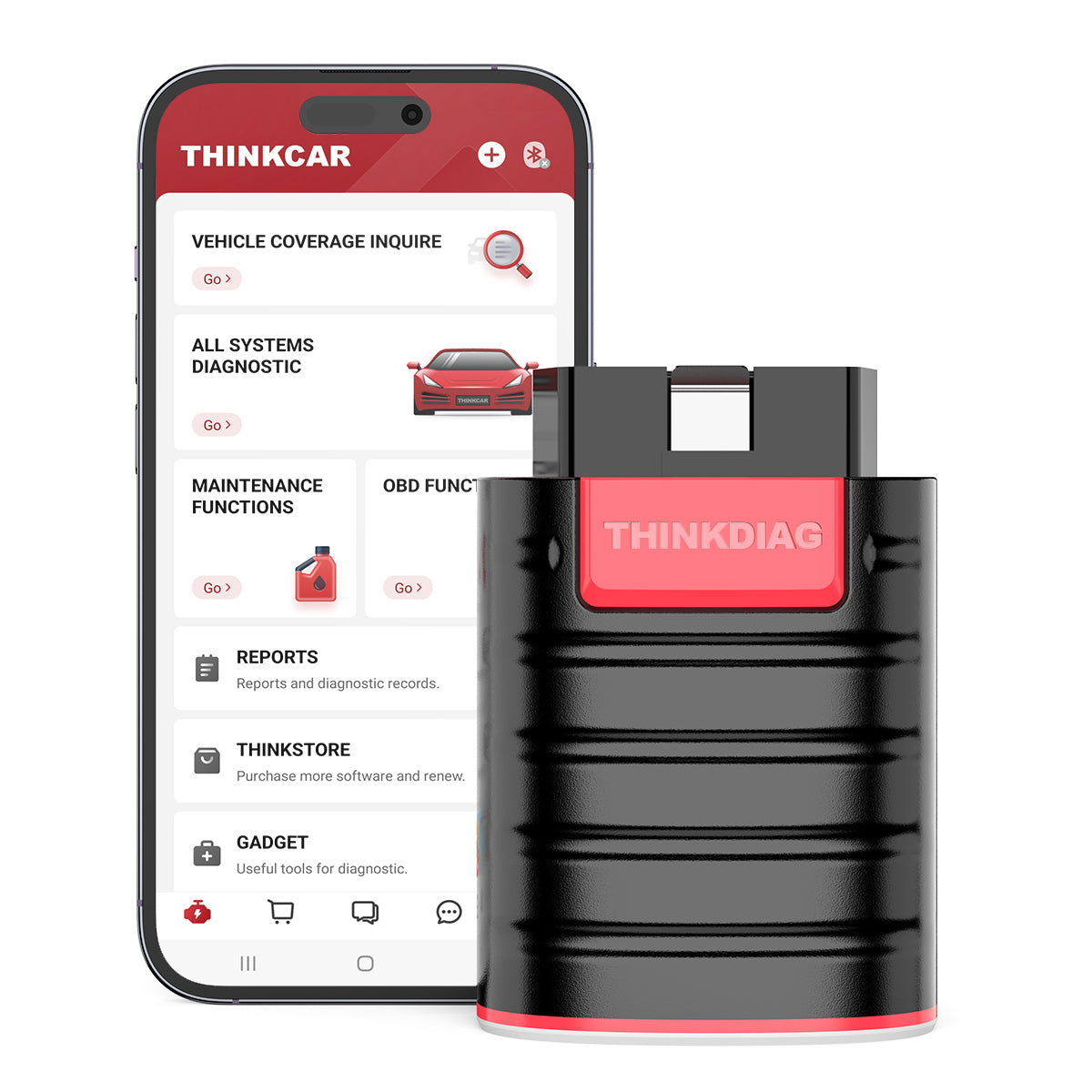
If you want a compact OBD2 Scanner Bluetooth workflow that still feels professional, THINKDIAG is built for DIYers and small repair shops. The phone-first workflow also supports AI-powered Insights style guidance because the app can combine DTCs, live data, and test menus into a single path.
- Best for: DIY troubleshooting plus small-shop throughput when you want app speed and portability.
- Diagnostic depth: Full system diagnostic across common modules (ECM/BCM/SRS/TCM/BMS/TPMS/SAS/A/C, etc.).
- Actionability: Bi-Directional/Active test support, so you can command components and confirm whether a problem is electrical/control vs mechanical.
- ECU functions: ECU coding support is positioned for matching replaced components and unlocking features on certain platforms (vehicle support varies).
- IMMO features: IMMO Key Matching and key-learning style functions are positioned for key-related tasks (vehicle support varies).
- Workflow helpers: Auto VIN plus report generation and sharing style workflow.
- Coverage positioning: Marketed as broad coverage across many brands and post-1996 vehicles.
Why it wins: THINKDIAG is a practical entry into the ThinkScan Series style of OE-level capability without jumping straight to a tablet. Because it combines all-system scans with bidirectional tests, it helps you move from "code found" to "cause verified" faster.
Shop: THINKDIAG
2: THINKDIAG 2
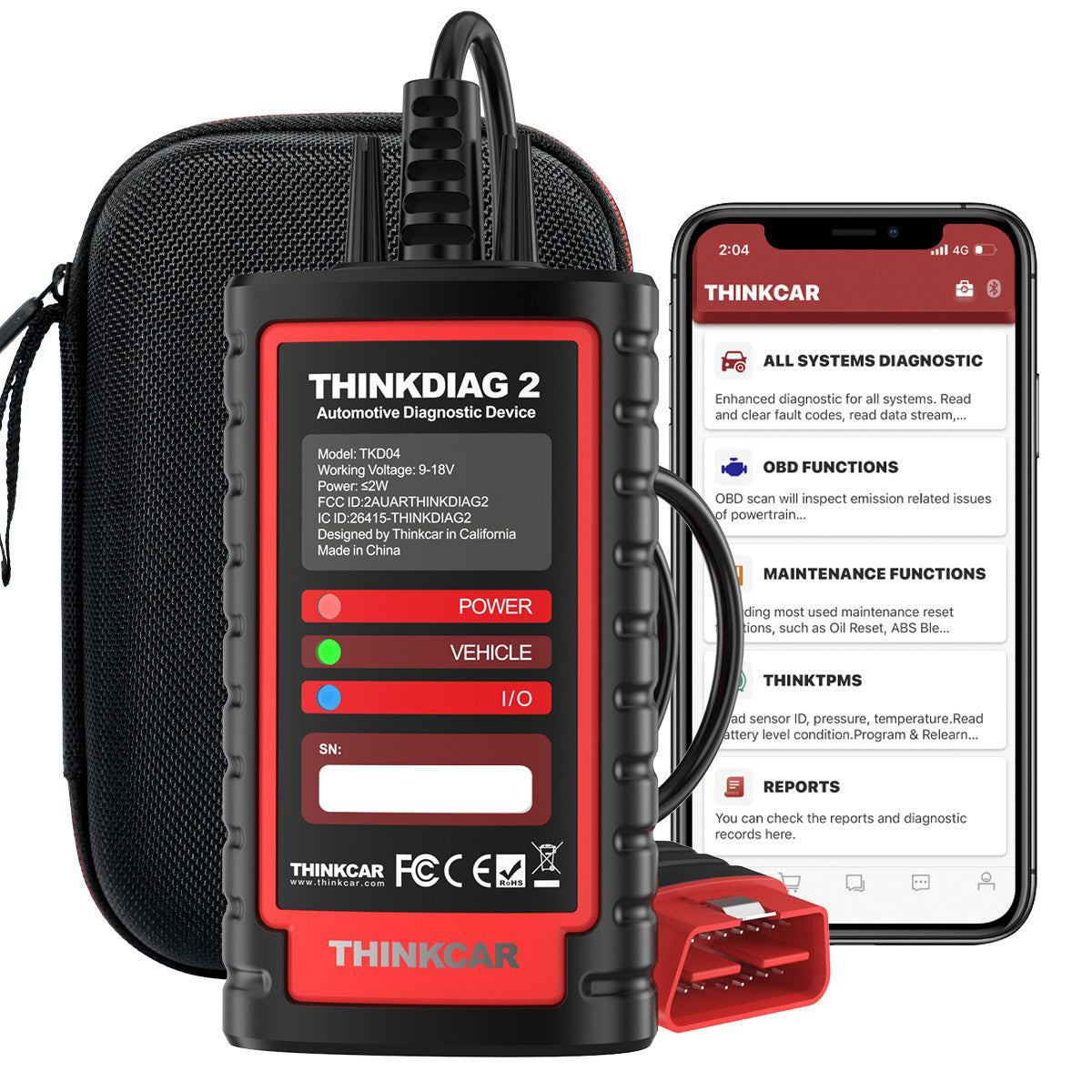
Do you work on newer vehicles and worry about protocol coverage? THINKDIAG 2 is positioned for DIYers and minor repair shops that need modern network support, including CAN-FD.
- Best for: Newer-vehicle diagnostics where CAN-FD matters for access and speed.
- Protocol focus: Built-in CAN-FD support; positioned as compatible with newer GM vehicles (notably 2020+ in its product copy).
- Reset workflows: A separate menu of 15 standard special functions is highlighted (examples include Oil reset, EPB reset, DPF regeneration, SAS calibration, ABS bleeding, injector code, IMMO matching, TPMS reset).
- Deeper functions: Entering all-system diagnostic can unlock more system special functions for resets and relearns (vehicle dependent).
- OBD functions: Highlights "10 OBD2 full function" items such as freeze frame, graph data stream, O2 sensor test, EVAP test, on-board monitor test, read/clear DTCs, VIN info, code lookup, MIL off, and I/M readiness.
- Workflow helpers: Auto-VIN plus "Health Report"-style full scan and report history/sharing.
Why it wins: THINKDIAG 2 is a strong step up when your main pain point is compatibility with newer architectures. In practice, CAN-FD support can be the difference between "tool connects" and "tool actually talks to the module you need" on late-model vehicles.
Shop: THINKDIAG 2
3: THINKSCAN 689BT
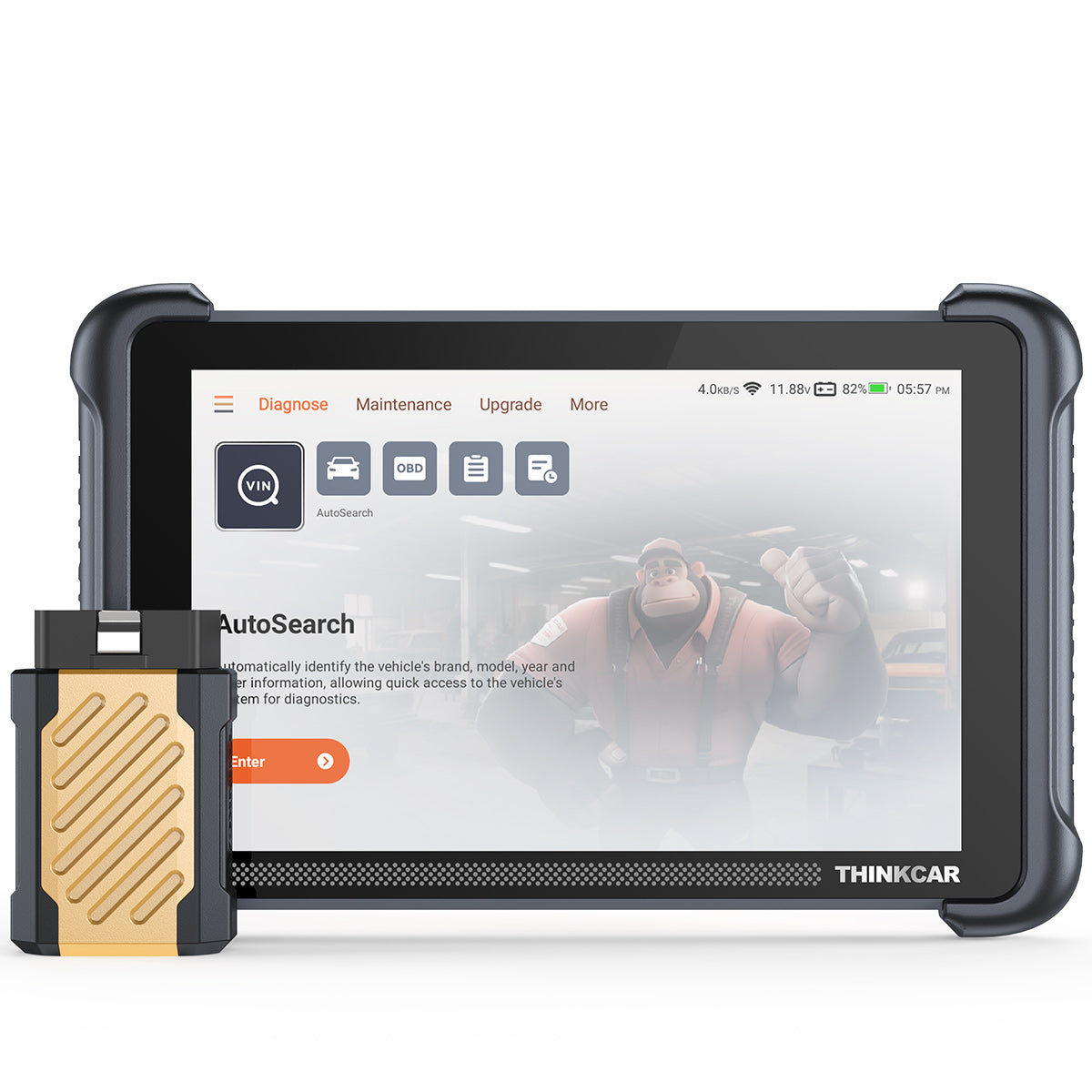
If you prefer a tablet-style Advanced Scanner with a faster, shop-friendly flow, THINKSCAN 689BT is built around an 8-inch touchscreen experience while still using a Bluetooth dongle for vehicle connection.
- Best for: Home garages and shops that want a tablet workflow and faster navigation than phone-only tools.
- Updates positioning: Free Lifetime Software Updates and "no subscription fee" positioning, with monthly upgrades called out.
- Diagnostic depth: All System Diagnostic with AutoVIN and AutoScan for quick triage.
- Actionability: ECU Coding plus Bi-Directional/Active test support to validate suspected faults.
- Protocol support: CAN-FD and DOIP are listed, which matters as more platforms migrate to newer comm standards.
- Reset coverage: 34+ Maintenance Functions are highlighted for service and relearn workflows.
- Expandability: Supports "Tools Expand" features (examples listed include THINKTPMS, endoscopes, and oscilloscopes).
- Hardware callouts: 8-inch touchscreen, WiFi updates (2.4G/5G), and listed memory (RAM 4G, ROM 64G).
Why it wins: THINKSCAN 689BT fits buyers who want the speed of a dedicated device and long-term update simplicity. Because the tool emphasizes bidirectional tests plus broad reset coverage, it can reduce repeat visits by helping you complete the "verify after repair" steps.
Shop: THINKSCAN 689BT
Key factors that decide if AI-like insights help
Choosing a smart diagnostic tool is mostly about matching your real work to the tool depth. Otherwise, AI-powered Insights will not matter because the tool cannot access the modules or run the tests the software recommends.
How much coverage do you really need?
Start with two quick questions.
- Do you mainly service 1996+ OBD II vehicles, or do you work on newer architectures that benefit from CAN-FD and DOIP?
- Do you need just OBD2 functions, or do you need all-system diagnostics for airbag, ABS, BCM, and other modules?
Nearly all 1996 and newer vehicles under 14,000 lbs are equipped with OBD II systems, which is why even basic tools can read many emissions-related codes. California Air Resources Board
When does bidirectional control matter?
Bidirectional scanner functions matter when you want to confirm a diagnosis instead of guessing.
- If the tool can command an actuator (for example, a purge valve, cooling fan, or pump), you can see whether the system responds.
- If the tool can run a relearn or special test, you can verify repairs and reduce comebacks.
In other words, bidirectional control turns your scanner from "reader" into "tester."
Reset functions: which ones save time?
Reset coverage becomes important after you replace parts or complete maintenance.
- Oil and service resets
- EPB, SAS, and DPF-related workflows
- ABS bleeding routines (where supported)
- TPMS Service tasks (TPMS reset or relearn steps)
If your daily work includes tires and sensors, consider keeping a TPMS & Sensor tool in the plan later (examples in this ecosystem include THINKTPMS VENU iPro and THINKCAR VENU 90 TPMS Activation & Diagnostic Tool). However, for this shortlist, the focus stays on the three core diagnostic tools.
Software model: what is the long-term cost?
Long-term usability often depends on how updates work.
- Some tools include a period of updates, then use Software Renewal via T-code/TCODE.
- Some tools emphasize Free Lifetime Software Updates and avoid a recurring Software Subscription.
Before you buy, confirm what "Software Download" looks like, where you see a Software Update Notice, and how renewal is handled for your exact model.
Practical tips before you buy
Want fewer surprises after checkout? Use these checks first, then pick your tool.
- Match the tool to your top 3 jobs. For example, do you mostly do check-engine work, or do you also do ABS/SRS and service resets?
- Make sure your workflow fits. Phone-based OBD2 Scanner Bluetooth tools are portable, while tablet tools are faster for repeated use.
- Verify your vehicle list. Use the brand coverage inquiry tools before you rely on one scanner for every job.
Common mistakes to avoid
A few mistakes show up again and again in real DIY and shop buying.
- Buying for codes only, then realizing you need bidirectional tests to confirm the fix.
- Ignoring CAN-FD needs on newer vehicles, then getting stuck with partial module access.
- Forgetting about updates, then being surprised by Software Renewal via T-code/TCODE later.
- Treating all "AI" claims as the same, even though the real value comes from coverage plus test depth.
Quick side-by-side for shortlist decisions
| Tool | Form factor | Key strengths | Updates model | Notable support |
|---|---|---|---|---|
| THINKDIAG | Bluetooth dongle + app | ECU coding, bidirectional tests, full system diagnostics | Positioned with 1-year free update for all software | Auto VIN, report workflow, broad module access |
| THINKDIAG 2 | Bluetooth dongle + app | Adds CAN-FD focus, all-system scan + 15 special functions menu | Positioned with 1-year software subscription/update model | Auto-VIN, health report workflow, OBD functions list |
| THINKSCAN 689BT | Tablet + Bluetooth dongle | 34+ maintenance functions, bidirectional, shop-speed UI | Free lifetime updates and no subscription fee positioning | CAN-FD and DOIP, expand tools support, 8-inch touchscreen |
Conclusion
Which one should you start with?
If you want the simplest path to app-based OBD2 Intelligent Diagnosis, start with THINKDIAG. Next, if you work on newer vehicles and want CAN-FD coverage, step up to THINKDIAG 2. Finally, if you want a tablet workflow with Free Lifetime Software Updates positioning, shortlist THINKSCAN 689BT.
Official Site: THINKCAR
FAQ
How do I choose an automotive diagnostic tool with AI-assisted capabilities?
AI-assisted capability usually means the software helps translate DTCs into likely causes, test suggestions, and next steps, not just code definitions. First, list what you service most often: basic emissions codes, full-system modules, or bidirectional tests and resets. Next, decide between a phone app workflow and a tablet workflow, because that choice affects speed and how you work at the car. Finally, confirm the update model so the tool stays current with new model years.
How does AI-assisted diagnostics work in automotive scanners?
Most scanners do not run AI inside the dongle itself, so the companion app or cloud database does the heavy lifting. The tool reads DTCs, freeze-frame, and live data, then the software adds interpretation and suggested checks. The best results happen when the scanner also supports bidirectional tests, because you can validate the software guidance with an active test. After any repair, a post-scan and a short road test help confirm the fix.
Is AI-assisted diagnostics better than manual fault code interpretation?
AI-assisted guidance is often better for speed and consistency, especially when you do not work on that exact platform every day. Manual interpretation still matters when the issue is wiring, mechanical timing, or a platform-specific pattern failure that the database does not capture. A practical approach is hybrid: use guidance to plan tests, then confirm with measurements and bidirectional functions where possible. That balance helps you avoid parts swapping and missed steps.
What should I expect when using AI diagnostics for vehicle problems?
Expect faster triage, clearer explanations, and more structured next steps, especially when the scanner supports full systems and live data. Also expect limitations, because software cannot physically confirm a broken wire, low compression, or a restricted exhaust without additional testing. A strong routine is pre-scan, targeted tests, repair, then post-scan and readiness checks. If the vehicle requires relearns or resets, verify that your tool supports them before you start the repair.
Table of Contents
- Introduction
- The 3 picks that match real DIY and shop needs
- Key factors that decide if AI-like insights help
- Practical tips before you buy
- Common mistakes to avoid
- Conclusion
- FAQ
- How do I choose an automotive diagnostic tool with AI-assisted capabilities?
- How does AI-assisted diagnostics work in automotive scanners?
- Is AI-assisted diagnostics better than manual fault code interpretation?
- What should I expect when using AI diagnostics for vehicle problems?

Share:
An Ultimate Guide to Select a Diagnostic Scanner Works with Both Old and New Car Models for DIY Use 2026
How to Choose an Automotive Diagnostic Tool with AI-assisted Capabilities Under $200