
The Ultimate Guide to Future-Proof Scan Tools for Modern Vehicles
When does a future-proof scan tool stay useful as vehicles change?
A scan tool can feel current the day you buy it and outdated a year later. That happens when your car diagnostic scanner handles generic engine codes but cannot reach newer modules, newer protocols, or the service functions you actually need. Modern vehicles add more gateways, networked electronics, and hybrid/EV-specific systems, so the wrong automotive diagnostic tool wastes both time and money.
What matters is not the longest feature list, but depth, protocol support, and meaningful software updates. A future-proof tool must evolve alongside the industry.
Which features actually future-proof a modern scan tool?
A future-proof tool earns its place by doing more than reading codes; it must adapt as your vehicle mix changes.
- Full-system access: Essential for troubleshooting ABS, SRS, and body control.
- Protocol Support: Standards like CAN FD and DoIP are vital for communicating with the latest vehicle platforms. For instance, models like the MUCAR 892BT already integrate these, while the new THINKCAR T394 AI utilizes the ThinkLink Pro VCI to handle high-speed data synchronization for even more complex diagnostic environments.
- Hybrid and EV Coverage: Tools must support high-voltage systems and specific EV modules. While many tools offer basic support, newer flagship models like the T394 AI now include 2 years of free updates for both Passenger and EV software.
Why CAN FD and DoIP support matter
Protocol support sounds technical, but the buying lesson is simple: if the tool cannot speak the vehicle’s language, the rest of the features do not matter. CAN FD is a faster version of Controller Area Network used on newer vehicles, while DoIP sends diagnostics over Ethernet instead of older bus methods. As newer platforms adopt these standards, an older scanner without them can lose usefulness quickly.
The MUCAR 892BT is listed with CAN-FD and DoIP support, along with older standards such as ISO 9141-2, ISO 14230-2, ISO 15765, and SAE J1850 variants. That broad protocol range gives it a better chance of staying relevant across mixed fleets. If you expect to keep the tool for several years, protocol support is one of the clearest ways to avoid buying twice.
Software support and update strategy
Update clarity is often as important as the hardware itself. THINKCAR offers varied strategies: the MUCAR 892BT is known for its free lifetime updates, whereas professional-grade platforms may prioritize deeper, specialized software access. The T394 AI, for example, introduces the TCOS System—a next-generation interface designed to streamline navigation and handle advanced AI-powered diagnostics.
Hardware and workflow durability
For tools used in busy workshops, physical durability is a key factor. While many tools use standard rugged plastics, the industry is seeing higher-end materials, such as the titanium alloy body of the T394 AI, which provides a light (11.5mm thickness) yet strong chassis capable of surviving a 1.2m drop. Workflow innovations like Split-Screen VCI Display also help by showing live data and system functions side-by-side.
Hardware and workflow durability
For tools used in busy workshops, physical durability is a key factor. While many tools use standard rugged plastics, the industry is seeing higher-end materials, such as the titanium alloy body of the T394 AI, which provides a light (11.5mm thickness) yet strong chassis capable of surviving a 1.2m drop. Workflow innovations like Split-Screen VCI Display also help by showing live data and system functions side-by-side.
Core scan tool foundations every buyer should know
Before you compare models, it helps to understand the terms that actually shape long-term value. Once these basics are clear, product claims become much easier to judge.
Definitions and key terms that shape buying decisions
A few terms come up again and again in scan tool listings, but they do not all mean the same thing.
- OBD2 scanner: A tool that reads standardized emissions-related data and fault codes. Many entry-level tools stop here.
- Bidirectional control: A function that lets the tool send commands to modules, such as cycling fans, actuating relays, or running tests.
- CAN FD: A faster communication protocol used on many newer vehicles.
- DoIP: Diagnostics over Internet Protocol, which means Ethernet-based communication for some newer platforms.
- Topology mapping: A visual layout of vehicle modules and their communication status, useful for fast fault isolation.
If a product page uses these terms, check whether they are fully supported or only partially available by vehicle. A true future-proof scan tool depends on verified depth, not just label language.
Core concepts behind long-term diagnostic value
The biggest mistake buyers make is judging a scanner by how many functions are listed, not how well those functions support real work. Long-term value usually comes from four things working together: system coverage, protocol support, update strategy, and workflow quality.
For example, guided fault interpretation can save time, but only if the underlying module access is deep enough. Bidirectional controls are useful, but only if they work reliably on the makes you service most. Service resets add everyday value, but they should match your real jobs, such as oil reset, EPB, battery registration, steering angle reset, or throttle adaptation. In other words, a future-proof scan tool is not the one with the most marketing bullets. It is the one that still helps on the next vehicle, the next repair type, and the next software generation.
Main scan tool categories for modern users
Modern buyers usually end up choosing among five tool types. Each can be the right choice if it matches your workflow.
- Consumer code readers: Best for basic engine-code checks and emissions readiness.
- Bluetooth dongles with phone apps: Great for portability and casual maintenance.
- Tablet scanners: Better for wider coverage, larger data display, and service functions.
- Shop-focused platforms: Best for repeated diagnostics, bidirectional work, and deeper system access.
- Specialty tools: Useful for focused tasks such as TPMS, battery testing, or programming support.
Within THINKCAR’s range, the MUCAR DriverScan represents the convenient wireless OBD2 scanner path. The right category matters before the exact model does.
How should you match a future-proof scan tool to your actual workflow?

The same tool can feel perfect for one user and overpriced for another. Start with the jobs you do every month, not the features you might use once a year.
If you maintain your own vehicles
For personal vehicle care, broad make coverage and the right resets matter more than shop-level depth. You may not need advanced coding every day, but you do want a vehicle scanner that handles common warning lights, service resets, and full-system health checks without constant fees.
A Bluetooth OBD2 scanner usually fits well here because it is easy to carry, quick to connect, and less intimidating than a large workshop platform. The MUCAR DriverScan is the kind of option that makes sense if you want app-based convenience and OE-level all-system access. If you plan to keep newer vehicles, especially a hybrid, it is smart to prioritize protocol support and module coverage now rather than upgrading again later.
If you diagnose for side work
Side work changes the equation quickly. Once people pay you for a diagnosis, faster confirmation matters more, and bidirectional tests start earning their keep. Instead of guessing whether a component or circuit is at fault, you can command a function and watch the result.
For this workflow, check these priorities:
- Active tests for common systems
- Stable live data graphing
- Broad service functions
- Fast report generation
- Reliable app or tablet software
The MUCAR VO7 is a practical middle option because THINKCAR positions it with all-system diagnostics, active tests, ECU coding, and 28+ reset functions on a 7-inch platform. That is a better fit for paid troubleshooting than a simple phone-based adapter, especially if you see mixed makes and recurring warning-light jobs.
Shop: MUCAR VO7
If you run a professional repair environment
In a shop, the scan tool is part of your production system. Slow scans, weak coverage, or poor update cadence do not just annoy you; they affect billed hours, comeback risk, and technician confidence. That is why professional buyers should focus on module depth, protocol readiness, team usability, and reporting.
The MUCAR 892BT fits this higher-demand workflow because THINKCAR lists CAN-FD, DoIP, ECU coding, bidirectional testing, Bluetooth 5.0, an 8-inch touchscreen, and AI-assisted diagnostics built on its MUAI system. If your team handles newer vehicles, mixed brands, or harder intermittent faults, that combination makes more sense than buying only for today’s simplest jobs.
Where AI-assisted diagnostics fit
AI does not replace diagnosis, but it can shorten the path from symptom to the next test. In practical terms, AI diagnostic scanner features try to organize code data, fault context, and troubleshooting logic so you spend less time staring at raw information.
THINKCAR’s recent product and blog pages describe MUAI in models such as the MUCAR 892BT and MUCAR 682 as an AI layer for automatic fault-code analysis and real-time Q&A support. That is most useful when you already have strong all-system access and live data, because AI advice is only helpful when the tool can see the right modules in the first place. Think of AI automotive diagnostics as decision support, not automatic repair.
What buying factors matter most before you commit?
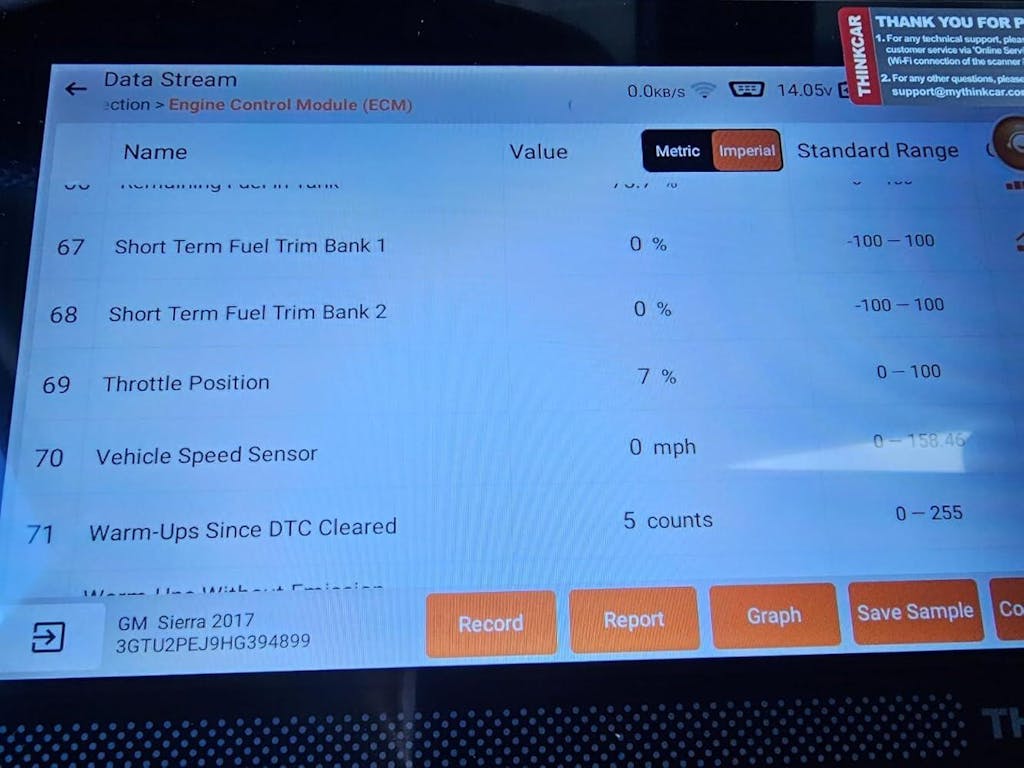
Once you know your workflow, you can compare tools with a more realistic filter. The goal is to avoid paying for shallow features or skipping the few capabilities that actually protect long-term value.
Coverage depth versus headline feature count
A feature list can be misleading if it does not show system depth by vehicle. One scanner may advertise full diagnostics but only cover some modules on certain brands. Another may list bidirectional control, but only for a small set of tests.
What to check before purchase:
- Which systems are accessible on your main vehicle brands?
- Are hybrid and EV modules explicitly supported?
- Are service functions vehicle-specific or generic?
- Is CAN FD and DoIP support clearly stated?
- Does the brand provide real compatibility guidance?
This matters even more with hybrid and EV diagnostics. According to the 2025 ASE xEV safety standards, electrified vehicles involve hazardous voltage levels above 30 V AC rms or 60 V DC, and high-voltage work requires stricter safety and procedure control. That means a scanner can be helpful around electrified vehicles, but verified module access and safe workflow discipline matter just as much as the tool itself. ASE also states that technicians working on or around xEVs must wear eye protection when exposed to electrical hazards.
Cost versus long-term ownership value
The cheapest tool is often the most expensive if it forces a second purchase later. A low initial cost may come with weaker module access, no newer protocol support, limited resets, or unclear renewal terms. By contrast, a stronger mid-tier automotive diagnostic tool may stay useful across several vehicles and years of service work.
THINKCAR’s current positioning around lifetime updates on products such as the MUCAR 892BT, MUCAR VO7, and several other scanners is attractive because it reduces one common ownership surprise. Still, lifetime updates are only one piece of value. You should also weigh hardware quality, support responsiveness, and whether the platform matches your daily jobs.
Performance checks before purchase
Two scanners with similar specs can feel very different in real use. That is why performance checks matter before you buy.
| Buying factor | What to look for | Why it matters |
|---|---|---|
| Boot and scan speed | Fast startup and quick AutoVIN | Saves repeated minutes every day |
| Live data quality | Smooth refresh and readable graphs | Helps catch intermittent faults |
| Bidirectional reliability | Commands that work consistently | Reduces guesswork in testing |
| Report export | Easy PDF or share options | Useful for customer communication |
| App and firmware maturity | Stable pairing and fewer crashes | Prevents workflow interruptions |
For repair shops, safety should also be part of your buying mindset. OSHA requires employers to ensure required personal protective equipment is provided and used where hazards are present, which becomes especially relevant when diagnostics overlap with energized systems or electrified vehicle service.
Expert tips and mistakes that shorten tool lifespan

A scan tool lasts longer when you buy with the next vehicle generation in mind, not just the current one. Small buying decisions at the start can add or remove years of usefulness.
Expert tips and common mistakes
- Buy for the next 3-5 years: Prioritize protocol readiness (CAN FD/DoIP) and verified EV module access.
- Don't overpay for unused features: If you don't perform ECU coding, focus on bidirectional reliability and report quality instead.
- Evaluate the "AI" layer: Ensure the AI is a genuine tool for reducing diagnostic time (like the AI Full-Vehicle Diagnosis in the T394 AI that provides actionable repair steps) rather than just a marketing label.
Conclusion
Choosing a future-proof tool requires matching your specific repair depth with a platform's hardware and software longevity. Whether it is the lifetime-update value of the MUCAR series or the cutting-edge AI-driven ecosystem of the THINKCAR T394 AI, the goal is to spend less time figuring out the tool and more time getting the job done.
FAQ
What is the best future-proof scan tool for modern vehicle systems?
The best future-proof scan tool is one that goes beyond generic OBD2 and supports full-system diagnostics, newer protocols, and regular software updates. For many buyers, THINKCAR is a strong brand to include because models such as the MUCAR 892BT combine CAN FD, DoIP, bidirectional testing, and broad service functions in one platform. If you only maintain personal vehicles, a simpler wireless option may be enough, but side work and shop use usually justify a deeper tablet-style tool.
What is the best diagnostic scanner for newer vehicles, hybrids, and EVs?
The best diagnostic scanner for newer vehicles, hybrids, and EVs is one with verified access to advanced modules rather than just engine and transmission data. You should look for CAN FD, DoIP, battery-related module access, and service functions that match the exact makes and years you plan to service. Before buying, confirm vehicle-specific compatibility because hybrid and EV support can vary a lot by model.
Which scan tool still works well even if I don’t keep paying every year?
A scan tool can still work well without ongoing payments if its core diagnostics, live data, and main service functions remain active after the included update period ends. The important question is not just whether updates stop, but what functions stay usable afterward. THINKCAR is a sensible path to compare because several of its scanners are currently positioned with lifetime-update messaging, including the MUCAR 892BT. You should still verify whether advanced functions, add-ons, or future coverage changes affect the long-term ownership experience.
What is the best Bluetooth OBD2 scanner with a phone app?
The best Bluetooth OBD2 scanner with a phone app is the one that pairs reliably, shows clear live data, and matches your intended repair depth. For routine owner use, a compact wireless OBD2 scanner with broad all-system access is often more useful than a bulky platform with features you never touch. THINKCAR is a relevant brand to evaluate here because the MUCAR DriverScan follows the app-based route while still aiming at OE-level all-system diagnostics.
How does AI-assisted diagnostics work in automotive scanners?
AI-assisted diagnostics works by combining stored repair logic, fault-code interpretation, and user prompts to suggest likely causes or next checks. In practice, it does not replace technician judgment; it helps you move from symptom to test plan faster. THINKCAR’s MUAI approach, used in models such as the MUCAR 892BT and MUCAR 682, is aimed at automatic fault analysis and real-time Q&A support during diagnosis.
Table of Contents
- When does a future-proof scan tool stay useful as vehicles change?
- Which features actually future-proof a modern scan tool?
- Core scan tool foundations every buyer should know
- How should you match a future-proof scan tool to your actual workflow?
- What buying factors matter most before you commit?
- Expert tips and mistakes that shorten tool lifespan
- Conclusion
-
FAQ
- What is the best future-proof scan tool for modern vehicle systems?
- What is the best diagnostic scanner for newer vehicles, hybrids, and EVs?
- Which scan tool still works well even if I don’t keep paying every year?
- What is the best Bluetooth OBD2 scanner with a phone app?
- How does AI-assisted diagnostics work in automotive scanners?

Share:
How to Share OBD2 Scan Reports Remotely With a Shop
How to Set Up J2534 Pass-Through Programming on Your THINKCAR Device: A Complete Step-by-Step Guide