
Introduction
A beginner mechanic usually hits the same wall early: a warning light shows up, the scan pulls codes, but the fix is not obvious. That is where AI-powered Insights and a beginner-friendly Vehicle Scanner & Diagnostic Tool can save time, because the tool can help explain what a code means and what test to run next.
At the same time, scan tools are getting smarter fast. A 2025 market analysis by Research and Markets valued the global automotive diagnostic scan tools market at $36.1B in 2025, with growth tied to AI, wireless tools, and the rising need to diagnose EV and hybrid systems.
So what should you buy first? This list focuses on THINKCAR and MUCAR tools that keep workflows simple, while still offering beginner-friendly features like OBD2 Intelligent Diagnosis, guided AI Q&A, and a bidirectional scanner for active tests.
5 Best Reliable Diagnostic Tools with AI assistance
1: MUCAR 892BT
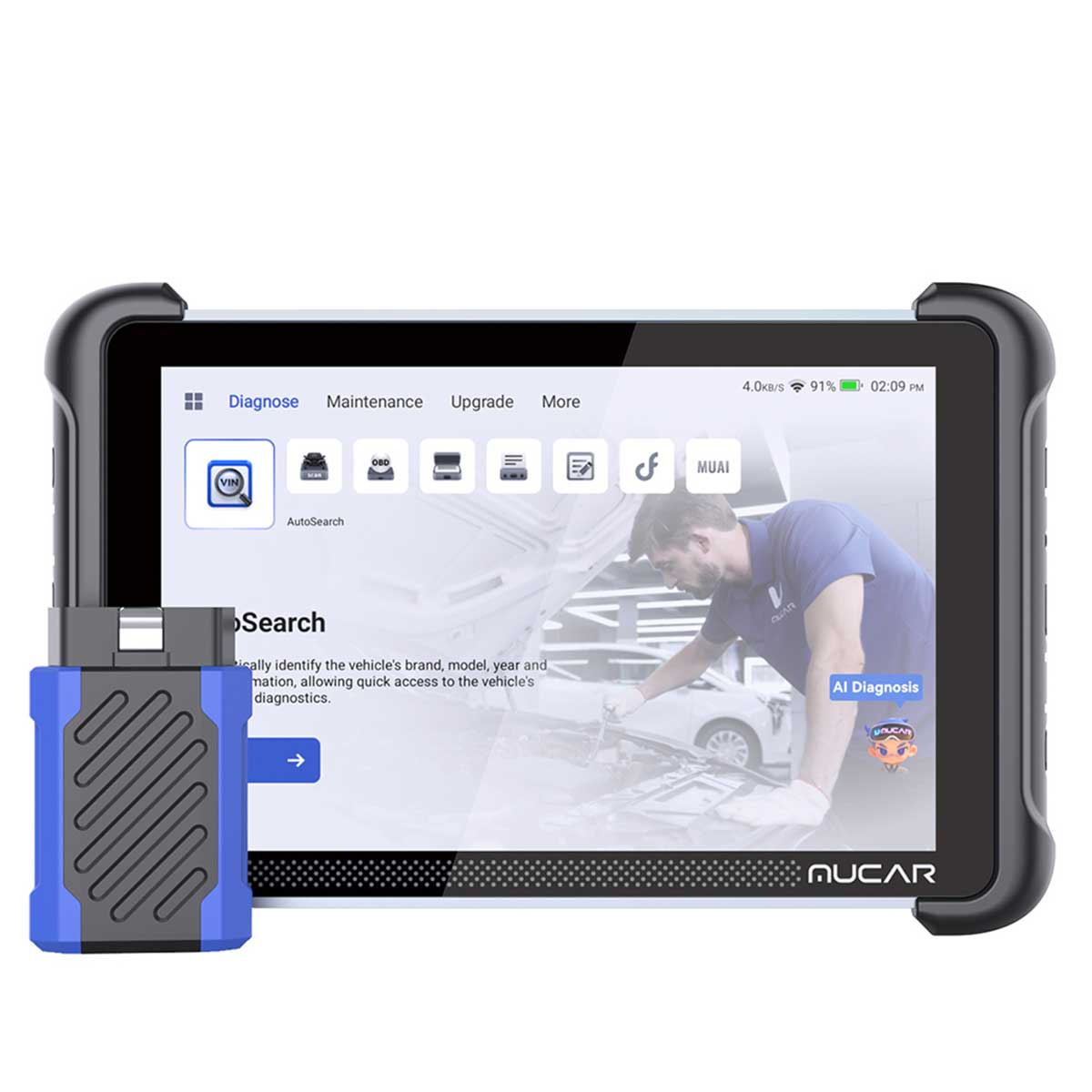
- Best for: beginners who want a first shop-ready Advanced Scanner with an all-in-one workflow (scan, explain, test, confirm).
- AI assistance: AI Intelligent Diagnostic System for automatic fault code analysis and real-time Q&A.
- Diagnostics depth: designed for broader workflows beyond a basic code reader, so you can move from DTCs to a decision.
- Actuation: supports bi-directional test capability so you can command components instead of guessing.
- Service coverage: includes 34+ Maintenance Functions (as listed), helpful when you start doing common reset jobs.
- Ease-of-use: 8-inch touchscreen reduces menu hopping and makes it easier to review results.
Shop: MUCAR 892BT
Why it wins:
- A beginner often needs a tool that not only reads a code, but also explains likely causes and next checks.
- This model pairs AI guidance with deeper functions, so it can grow with you as you start doing more than check-engine work.
2: THINKSCAN 689BT
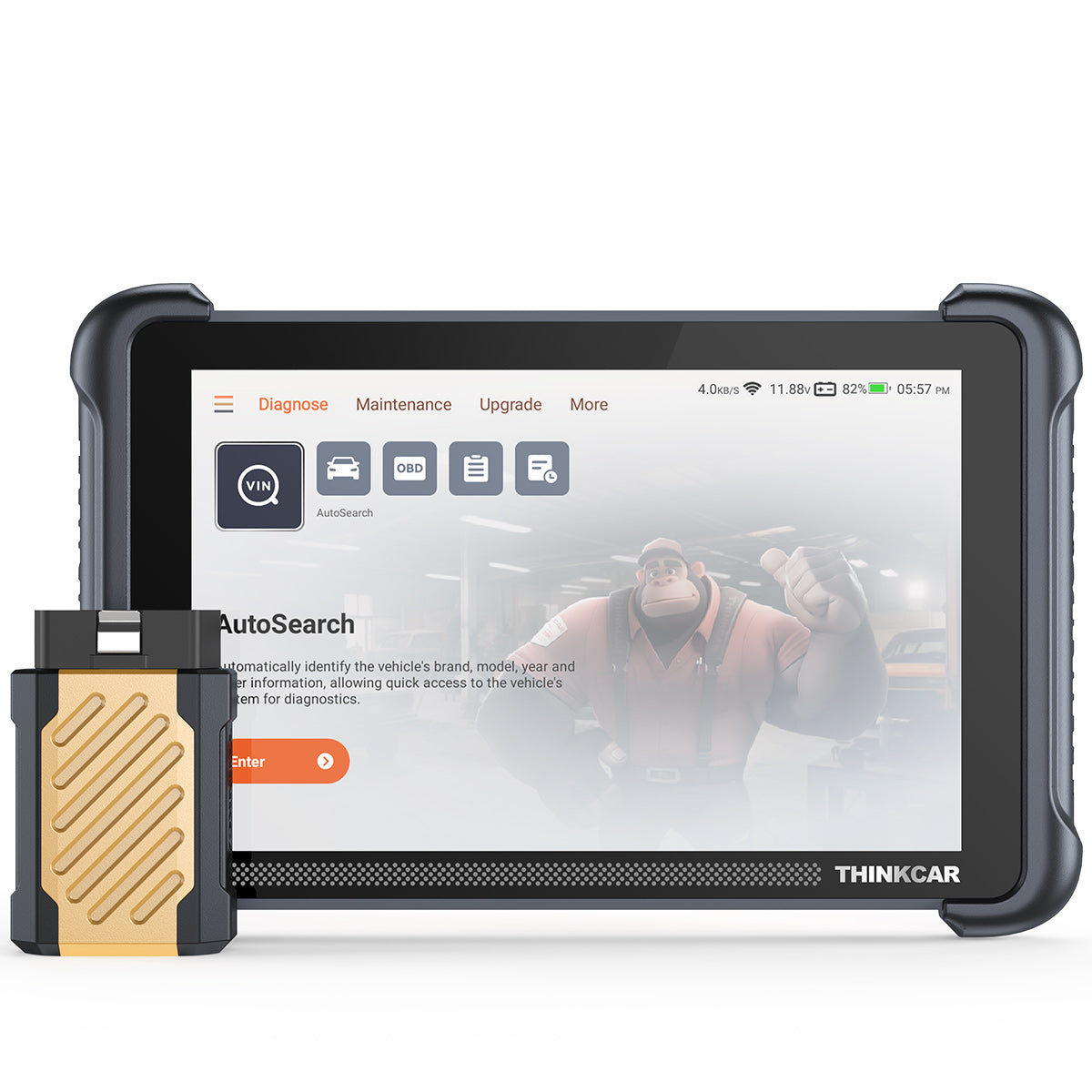
- Best for: a beginner who wants a tablet-style UI plus pro-grade access like CAN-FD and DOIP.
- Workflow speed: AutoVIN and AutoScan help you start a full scan quickly.
- Actuation: ECU Coding plus Bi-Directional/Active test support.
- Maintenance: 34+ Maintenance Functions (as listed) for common service work.
- Protocol support (as listed): CAN-FD and DOIP, plus AutoAuth for FCA SGW.
- Hardware (as listed): 8-inch touchscreen, RAM 4G and ROM 64G.
- Updates: Free Lifetime Software Updates with no subscription fees (as listed).
Shop: THINKSCAN 689BT
Why it wins:
- Beginners learn faster when the tool makes full-system scanning a habit, not a chore.
- This tool is positioned as a strong bridge between a simple Bluetooth dongle and a full shop tablet.
3: MUCAR 682

- Best for: AI Diagnostic Series help without jumping straight to a top-tier tablet.
- AI assistance: AI Intelligent Diagnostic System for automatic fault code analysis and real-time Q&A.
- Actuation: Bi-Directional Test support.
- Service work: 20+ Reset Functions (as listed), which covers many beginner maintenance jobs.
- Vehicle access (as listed): CAN FD and FCA AutoAuth.
- Display (as listed): 6.2-inch anti-glare touchscreen.
- Updates: Lifetime Free Updates with zero costs (as listed).
Shop: MUCAR 682
Why it wins:
- The tool keeps the beginner loop tight: scan, ask AI, run a test, then re-scan to confirm.
- The smaller screen can be a plus if you want something easier to carry than an 8-inch tablet.
4: THINKDIAG 2
- Best for: budget-friendly entry into OE-level style diagnostics in a compact, app-style workflow.
- Protocol support (as listed): Support CAN-FD protocol.
- Core capability: Full system diagnostic (as listed).
- Service work: 15 maintenances (as listed), which fits common beginner service tasks.
- Actuation and coding: ECU coding plus Bi-Directional/Active test (as listed).
- Setup helpers: Adaptation plus IMMO Key Matching plus Auto VIN (as listed).
Shop: THINKDIAG 2
Why it wins:
- If you are learning, full-system scanning matters because engine codes alone rarely tell the full story.
- This is a practical step up from Code Readers, especially if you want bidirectional scanner functions without carrying a full tablet.
5: MUCAR BT200 MAX

- Best for: pocketable OBD2 Scanner Bluetooth convenience that still pushes into full-system and active testing.
- AI assistance: AI Intelligence guides diagnostics and repair steps (as listed).
- Actuation: Bi-directional Control and Actuation Test support (as listed).
- Protocol notes (as listed): CAN-FD protocol plus ELM327 standard compatibility.
- Service coverage: 15+ essential resets (as listed), including common items like Oil Reset, SAS, BMS, TPMS Service, and EPB.
- Diagnostics claim: True Full-System Diagnostics scans Engine, Transmission, ABS, Airbag, and more (as listed).
- Updates: lifetime free updates with monthly compatibility additions (as listed).
Shop: MUCAR BT200 MAX
Why it wins:
- Many beginners want Wireless OBD2 Scanners that are easy to grab for quick checks.
- This model keeps that small-tool convenience, while adding bidirectional control for confirmation testing.
How do you pick the right AI-assisted scanner?
A beginner-friendly purchase decision is easier if you start with your first 90 days of jobs. What will you actually do: basic drivability, intermittent electrical issues, or lots of maintenance resets?
Do you need a bidirectional scanner for active tests?
- If you only want to read and clear codes, a basic tool can work, but it often turns into guesswork.
- If you want to confirm a suspected failed part, bidirectional tests matter because they let you command components.
- As a rule, choose bidirectional early if you plan to diagnose EVAP issues, cooling fans, electronic throttles, ABS functions, or body modules.
Which reset functions matter for your jobs?
- For quick maintenance work, look for resets like Oil Reset, EPB, SAS, BMS, and TPMS Reset.
- If you see a lot of late-model vehicles, more reset coverage can reduce comebacks.
- If you do tire work, consider tools in the TPMS & Sensor and TPMS Programming ecosystem, including options like THINKTPMS VENU iPro or the THINKCAR VENU 90 TPMS Activation & Diagnostic Tool.
Practical tips for beginners
- First, run a full-system scan before you chase a single code. That baseline prevents missed module faults.
- Next, save scan reports early. This helps when a car comes back and you need to compare before/after.
- Then, use live data with one question at a time. For example: Does coolant temperature rise smoothly, or does it jump?
Common mistakes to avoid
- Buying for features you will not use in your first six months.
- Treating AI as the final answer instead of a shortcut to the next test.
- Ignoring update habits, then blaming the tool for missing coverage.
In addition, the OBD2 ecosystem is built around defined diagnostic test modes and message formats used by external test equipment. A 2025 revision of the SAE J1979 standard (J1979_202505, revised May 23, 2025) is listed by SAE International, which highlights how standards continue to evolve across regions and model years.
Comparison table
Quick spec snapshot: which tool fits your workflow?
| Tool | AI assistance (as listed) | Bidirectional tests | ECU coding | Reset functions (as listed) | Protocol notes (as listed) | Update model (as listed) | Screen style | Trade-offs / limitations |
|---|---|---|---|---|---|---|---|---|
| MUCAR 892BT | Yes: AI Intelligent Diagnostic System | Yes | Yes | 34+ maintenance functions | Not specified in key bullets | Free lifetime updates, no subscription fees | 8-inch touchscreen | Larger device than a dongle; may be more tool than you need if you only do basic OBD2 Intelligent Diagnosis. |
| THINKSCAN 689BT | Not specified in key bullets | Yes | Yes | 34+ maintenance functions | CAN-FD, DOIP, FCA AutoAuth | Free lifetime updates, no subscription fees | 8-inch touchscreen | Tablet size takes more space in a small toolbox; advanced ECU coding and bidirectional depth can add a learning curve. |
| MUCAR 682 | Yes: AI Intelligent Diagnostic System | Yes | Not specified in key bullets | 20+ reset functions | CAN FD, FCA AutoAuth | Lifetime free updates | 6.2-inch touchscreen | Smaller screen means more scrolling on long live data lists; fewer listed reset functions than 34+ class tools. |
| THINKDIAG 2 | Not specified in key bullets | Yes | Yes | 15 maintenances | CAN-FD | Not specified in key bullets | Bluetooth tool form | Less tablet-like readability than an 8-inch screen; beginners may prefer a bigger display for training and report review. |
| MUCAR BT200 MAX | Yes: AI Intelligence guides diagnostics | Yes | Not specified in key bullets | 15+ resets | CAN-FD, ELM327 | Lifetime free updates (monthly additions) | OBD2 Scanner Bluetooth form | Dongle-style workflow can feel phone-dependent; smaller form factor can be less comfortable for long diagnostic sessions. |
Conclusion
So which beginner pick makes the most sense? If you want maximum guidance and an all-in-one workflow, start with MUCAR 892BT. If you want a tablet UI plus broader protocols like CAN-FD, DOIP, and FCA AutoAuth, THINKSCAN 689BT is a strong ThinkScan Series option.
If you prefer smaller tools, THINKDIAG 2 and MUCAR BT200 MAX are practical OBD2 Scanner Bluetooth paths. Meanwhile, MUCAR 682 can be a balanced middle step when you want AI Diagnostic Series help with a dedicated touchscreen.
Official Site: THINKCAR Official Shop
FAQ
How do I choose an automotive diagnostic tool with AI-assisted capabilities?
First, decide what you want AI to do: explain DTCs, suggest likely causes, or guide a test plan. Next, confirm the tool still covers the fundamentals like full-system scanning, live data, readiness checks, and common service resets. After that, match the tool form factor to your workflow, because an 8-inch screen reads data very differently than a compact Bluetooth dongle. Last, set realistic expectations: AI should shorten research time, but you still need to validate with measurements and active tests.
How does AI-assisted diagnostics work in automotive scanners?
Most AI workflows begin after the scanner pulls codes and vehicle context such as module information, freeze frame, and live sensor values. The AI then helps interpret patterns and suggests the next verification step, such as an actuation test or a specific data PID to watch. The quality of the output depends on the quality of the input, so a full-system scan and stable live data capture improve results. You should still confirm the repair with a post-fix scan and a road test when possible.
What car diagnostic tools use AI to interpret fault codes?
Tools that advertise AI code analysis or real-time diagnostic Q&A typically use AI to turn a raw code into a guided troubleshooting path. For a beginner, AI is most useful when it is paired with bidirectional tests, because you can quickly validate whether a suggested component actually responds. You should also confirm the tool supports the makes, model years, and modules you will touch, because AI cannot solve missing coverage. Keep in mind that AI guidance is not a substitute for service information and physical inspection.
What is the best Bluetooth scanner for diagnosing car issues without needing technical expertise?
A good OBD2 Scanner Bluetooth for beginners should make it easy to run a full scan, then present results in a clear order that prevents missed modules. Look for guided prompts, readable live data, and at least a basic set of service resets if you plan to do maintenance work. If you want to go beyond reading and clearing codes, make sure the Bluetooth scanner supports bidirectional control so you can test outputs instead of guessing. Finally, practice on known-good vehicles so you can learn what normal data looks like.
How do I find a reliable diagnostic tool with AI assistance for my repair needs?
Start by listing the top jobs you expect in the next month, such as oil service, brakes, battery work, or drivability complaints. Then map those jobs to must-have functions, like oil reset, EPB, SAS, BMS, TPMS resets, and bidirectional actuation tests. After that, choose a tool that you will actually update and carry, because reliability is tied to both coverage and your habits. Finally, confirm repairs by clearing codes, re-running a scan, and checking readiness or live data to reduce comebacks.
Table of Contents
- Introduction
- 5 Best Reliable Diagnostic Tools with AI assistance
- How do you pick the right AI-assisted scanner?
- Comparison table
- Conclusion
- FAQ
- How do I choose an automotive diagnostic tool with AI-assisted capabilities?
- How does AI-assisted diagnostics work in automotive scanners?
- What car diagnostic tools use AI to interpret fault codes?
- What is the best Bluetooth scanner for diagnosing car issues without needing technical expertise?
- How do I find a reliable diagnostic tool with AI assistance for my repair needs?

Share:
5 Steps to Select a Diagnostic Tool that offers Lifetime Updates for Cheap
5 Steps to Select a Diagnostic Tool that offers Lifetime Updates for Cheap