
Why Your Next Scanner Has to Handle More Than Check Engine Codes
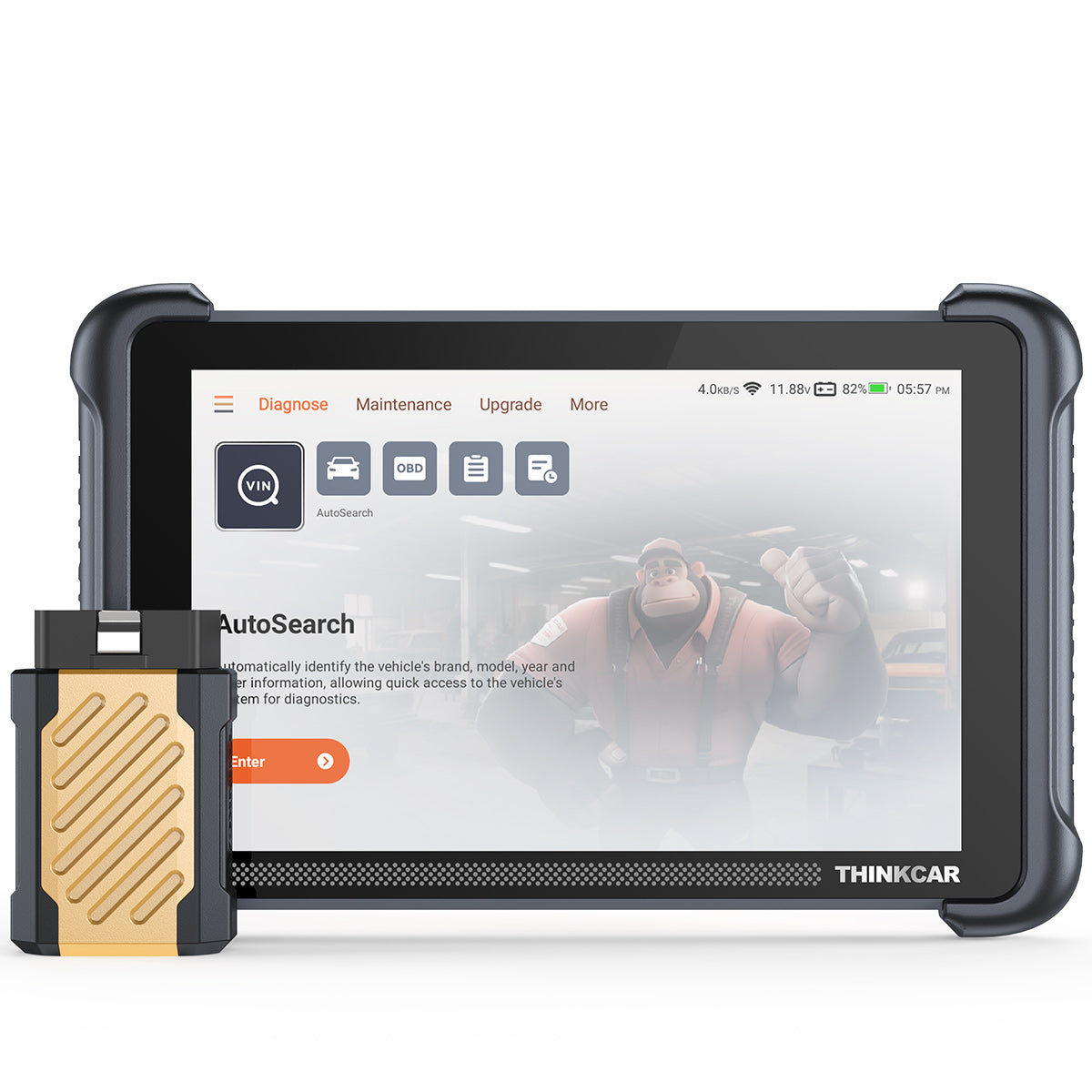
A shop can lose a lot of time on one confusing ticket: a late-model hybrid rolls in with a warning light, the customer needs it back today, and your old OBD2 scanner only shows a generic powertrain code. Now your technician has to guess between a sensor issue, a battery cooling fault, a communication problem, or a module fault. That slows the bay, risks a comeback, and makes a normal repair feel like a specialty job.
The shortlist below focuses on scan tools for shops that need regular gasoline coverage today, hybrid-ready diagnostics tomorrow, and future-proof systems for CAN-FD, remote diagnostics, ADAS calibration prep, TPMS Service, key programming, and AI vehicle diagnostics. It compares THINKCAR, MUCAR, and one Foxwell option by job fit, not hype, so you can match each Vehicle Scanner & Diagnostic Tool to the work your team actually performs.
Top Scan Tools for Shops That Service Gas, Hybrid, and Advanced Vehicles
Modern repair work is moving in two directions at once. Vehicles are staying in service longer, while newer cars bring more modules, secure gateways, connected diagnostics, and driver-assistance systems into everyday repair. The U.S. Energy Information Administration reported that hybrid, battery electric, and plug-in hybrid vehicles made up about 22% of U.S. light-duty vehicle sales in 2025, so hybrid service can no longer sit outside your main workflow.
Meanwhile, ADAS work is becoming more common after glass, suspension, steering, bumper, and collision repairs. NHTSA finalized a rule requiring automatic emergency braking and pedestrian automatic emergency braking on new light vehicles by September 1, 2029, which means more shops will need scan tools that support calibration checks, pre-scans, post-scans, and system verification.
1. THINKDIAG 2

THINKDIAG 2 is the best fit when your shop wants a compact OBD2 Scanner Bluetooth setup that still reaches beyond basic Code Readers. It works well for quick intake scans, mobile checks, and smaller repair bays where a phone-based Bluetooth diagnostic tool is easier to carry than a tablet. The tradeoff is screen dependence: your workflow depends on the ThinkDiag app and the technician’s phone or tablet.
Why it stands out
- Supports CAN-FD protocol, which matters for many newer vehicles, including late-model GM applications.
- Offers ECU coding, bidirectional control, active tests, Auto VIN, and full-system diagnostics.
- Covers 15+ maintenance functions, including Oil Reset, EPB, DPF regeneration, SAS calibration, ABS bleeding, injector coding, IMMO matching, and TPMS reset.
- Supports 10 OBD2 Intelligent Diagnosis functions, including read and clear DTCs, I/M readiness, freeze frame, O2 sensor test, EVAP test, live data graphing, and VIN identification.
- Useful for repair shops that need an Advanced Scanner but do not want every technician tied to a large tablet.
Shop: THINKDIAG 2
2. MUCAR 892BT

MUCAR 892BT is the strongest pick for shops that want an all-in-one tablet from the AI Diagnostic Series. It suits teams that diagnose mixed domestic, Asian, and European vehicles and want guided support when a fault code alone is not enough. The main watch-out is tool depth: because it has many functions, your team should standardize scan, report, reset, and update steps.
Key specs to check
- 8-inch touchscreen with 1280 × 800 resolution.
- 4150 mAh battery, BT5.0, 2.4G/5G WiFi updates, and 9–18V working voltage.An
- AI Intelligent Diagnostic System with automatic fault code analysis and real-time Q&A.
- ECU coding, bidirectional test, and 34+ maintenance functions.
- OE-level full-system diagnosis for 120+ car brands.
- Compatible protocols include CAN-FD, DoIP, ISO 9141-2, ISO 14230-2, ISO 15765, SAE-J1850 VPW, SAE-J1850 PWM, SAE J2610, ISO 11898, and multiple CAN variants.
Best for
- Shops that want AI-powered Insights during diagnostic triage.
- Teams that value Free Lifetime Software Updates and reduced Software Subscription plans.
- Workflows that need health reports, live data, maintenance resets, cloud-based diagnostics, and remote diagnostics.
Shop: MUCAR 892BT
3. THINKSCAN 689BT

THINKSCAN 689BT fits a shop that wants a full tablet-style Bidirectional scanner with stronger hardware, wireless freedom, and expanded service work. It is especially useful when your team performs module checks, actuator tests, reset services, and secure gateway work. The tradeoff is that it is more of a tool than a simple code reader, so assign it to trained technicians who understand ECU coding limits.
Why it wins
- 8-inch touchscreen with 1280 × 800 resolution.
- Cortex-A53 4-core chip, 4G RAM, 64G ROM, and Bluetooth wireless dongle.
- Supports CAN-FD, DoIP, AutoVIN, AutoScan, and AutoAuth for FCA SGW.
- Handles ECU coding, bidirectional active tests, all-system diagnostics, and 35+ maintenance functions.
- Supports expanded tools such as TKEY101 key programmer, THINKTPMS devices, and endoscopes.
Best for
- Shops are adding key programming, TPMS service tool support, and advanced module work.
- Technicians who need active tests for fans, relays, injectors, windows, wipers, ABS pump motors, and cooling fans.
- Hybrid diagnostics, where bidirectional control can command a cooling fan or pump instead of forcing a teardown first.
Shop: THINKSCAN 689BT
4. MUCAR VO8
MUCAR VO8 is a good fit for higher-volume shops that want the VO Series feel: a larger battery, accessory kit, camera, and broad service coverage. It works best when you need one scanner to move between general repair, hybrid checks, guided Volkswagen work, and maintenance resets. The limitation is size and setup; it is better as a main bay tool than a pocket scanner.
Key specs to check
- 8-inch touchscreen, 8MP rear camera, 2G/64GB memory, and 9450 mAh battery.
- 242 mm × 160 mm × 37 mm overall size.
- 15 connectors, a diagnostic extension cable, and an accessory box.
- 34+ maintenance functions, including Oil Reset, ABS bleeding, DPF regeneration, injector coding, TPMS reset, NOx sensor reset, AdBlue reset, and gearbox reset.
- Supports OE-level full-system diagnostics, ECU coding, adaptation, IMMO key matching, Auto VIN, and 28+ languages.
What to watch
- Confirm model-level coverage before promising a reset or key programming job.
- Some secure gateway and TPMS workflows may require extra accounts or accessories.
- Train technicians to save original module data before coding.
Shop: MUCAR VO8
5. MUCAR BT200 MAX
MUCAR BT200 MAX is a smart choice when your shop wants a smaller Bluetooth diagnostic tool for fast full-system checks, AI Diagnostic Series support, and everyday resets. It is not a replacement for a full tablet in every bay, but it is useful for quick pre-scans, second-look diagnostics, and customer intake. The tradeoff is a phone-based workflow and smaller hardware compared with the 8-inch tablets.
Why it stands out
- AI Intelligence guides diagnostics and repair interpretation.
- Supports lifetime updates, CAN-FD, ELM327 compatibility, and bidirectional control.
- Covers 15+ essential resets, including Oil Reset, SAS, BMS, TPMS, EPB, DPF, injector, EGR, gearbox learn, and IMMO.
- Full-system diagnostics include engine, transmission, ABS, SRS, battery, and more.
- Smart Sleep Mode helps prevent battery drain if the adapter remains plugged in.
Best for
- Service writers who need quick scan reports before work authorization.
- Mobile technicians who need compact OBD2 scanner coverage.
- Shops building a layered Diagnostic Tools Guide: small adapters for intake, tablets for deep diagnostics.
Shop: MUCAR BT200 MAX
6. Foxwell NT809BT
Foxwell NT809BT is a fair comparison pick for shops that want a wireless tablet scanner from a known diagnostic brand. It is positioned for busy garages and workshops that need multi-manufacturer coverage, active tests, and common reset services. Its practical limitation is software planning: Foxwell notes 3 years of free WiFi updates, after which the tool can still be used, but software updates require renewal.
Core strengths
- Wireless VCI Foxlink I for cable-free diagnosis.
- Bidirectional active tests for subsystems such as injectors, coolant pumps, windows, and wipers.
- 30+ reset functions, including injector coding, ABS bleeding, TPMS, EPB, SAS reset, Oil Reset, Crank Relearn, Battery Registration, and Idle Relearn.
- 4-in-1 data stream display, AutoVIN, report printing, 24 languages, and broad vehicle coverage.
What to watch
- Compare update terms carefully against Free Lifetime Software Updates from MUCAR and selected THINKCAR tools.
- Confirm CAN-FD, DoIP, secure gateway, and hybrid coverage for your main vehicle mix.
Product reference: Foxwell NT809BT
Quick Comparison for Shop Buyers
| Pick | Best fit | Useful strengths | Real trade-offs |
|---|---|---|---|
| THINKDIAG 2 | Compact shop and mobile Bluetooth diagnostics | CAN-FD, 15+ resets, ECU coding, active test, Auto VIN | Depends on app workflow and phone/tablet screen |
| MUCAR 892BT | Main shop tablet with AI support | 8-inch screen, 34+ functions, 120+ brands, DoIP, CAN-FD | Requires process discipline because feature depth is broad |
| THINKSCAN 689BT | Advanced bay diagnostics and bidirectional work | 35+ resets, 4G/64G, DoIP, CAN-FD, AutoAuth | Better for trained users than casual code checks |
| MUCAR VO8 | High-volume service and accessory-heavy workflows | 9450 mAh battery, 15 connectors, 8MP camera, 34+ functions | Larger tool; some features need extra accessories or accounts |
| MUCAR BT200 MAX | Intake scans and compact full-system checks | AI guidance, CAN-FD, 15+ resets, Smart Sleep Mode | Not as self-contained as an 8-inch tablet |
| Foxwell NT809BT | Wireless competitor tablet option | 30+ resets, active tests, AutoVIN, report printing | Update period differs from lifetime-update models |
How to Choose the Right Scan Tool for Your Shop
The right scanner is not always the most expensive one. It is the one that matches your bay mix, technician skill, and future services. If 70% of your work is quick drivability, maintenance, and inspection, THINKDIAG 2 or MUCAR BT200 MAX can speed up intake. If you handle module replacement, coding, ABS bleeding, hybrid battery cooling checks, or recurring electrical complaints, move toward THINKSCAN 689BT, MUCAR VO8, or MUCAR 892BT.
Match the tool to the job mix
- General repair: prioritize full-system scan, live data, freeze frame, I/M readiness, and report sharing.
- Hybrid repair: look for battery system access, cooling fan active tests, BMS data, and EV battery diagnostics support where available.
- ADAS calibration prep: choose tools that support pre-scan, post-scan, steering angle reset, SAS calibration, and full-system health reports.
- TPMS and sensor work: pair scanners with TPMS & Sensor accessories such as THINKTPMS VENU iPro or THINKCAR VENU 90 TPMS Activation & Diagnostic Tool.
- Key programming: check IMMO, T-code, TCODE, and accessory compatibility before selling the service.
Plan updates before you buy
Software Renewal, Software Download, and Software Update Notice workflows matter because vehicle coverage changes constantly. A scanner with Free Lifetime Software Updates can simplify budgeting, while tools with paid renewal may still make sense if their coverage matches your brand mix. Either way, document the update schedule and assign one person to check it weekly.
Troubleshooting Common Scan Tool Problems
Even a strong scanner can fail if the setup is sloppy. Most issues come from low vehicle voltage, weak Bluetooth pairing, outdated software, wrong vehicle selection, or skipping secure gateway steps. Build a repeatable process before blaming the tool.
Fast fixes
- Scanner will not connect: verify battery voltage is near normal operating range, check DLC pins, and cycle ignition.
- No module communication: confirm the selected year, make, model, engine, and network protocol.
- Bluetooth drops: keep the device within a practical range and reduce interference from other adapters.
- Reset function fails: confirm the vehicle supports that reset, then update the software and retry through the correct system menu.
- Coding result looks wrong: stop, restore original settings if saved, and avoid further changes until module data is reviewed.
FAQ
What is the difference between a code reader and a bidirectional scanner?
A code reader mainly reads and clears diagnostic trouble codes, while a bidirectional scanner can command vehicle components to operate. For example, a bidirectional control test can turn on a cooling fan, cycle an ABS pump, or activate a window motor. That helps you confirm whether the fault is in the command side, wiring, actuator, or module. Shops should choose bidirectional capability when they handle diagnostics beyond basic check engine lights.
Do shops need EV battery diagnostics if they mostly service hybrids?
Yes, shops should plan for EV battery diagnostics if hybrids are already entering the bay. Hybrid systems still use battery management data, cooling fans, relays, sensors, and high-voltage safety logic. Even if your team does not open battery packs, scan data helps identify cooling faults, state-of-charge issues, and communication errors. Start with scan and report capability, then add deeper EV service training as demand grows.
Which reset functions matter most for everyday repair work?
The most useful reset functions are Oil Reset, EPB, SAS calibration, BMS, ABS bleeding, DPF regeneration, injector coding, throttle relearn, TPMS reset, and gearbox relearn. These appear often after maintenance, brake work, battery replacement, steering repair, emissions repair, and drivability service. A 15 Resets Maintenance Function tool can cover many daily jobs, while 28 Reset Function or 35+ reset tools give more room for mixed brands. Always confirm the exact vehicle supports the function before quoting the job.
How often should scanner software be updated?
A busy shop should check for scanner software updates at least once per week. If you work on newer vehicles, hybrids, secure gateway vehicles, or CAN-FD platforms, monthly updates may not be enough. Update before major diagnostic jobs, especially when the vehicle is new to your shop. Keep a simple log with update date, tool name, and technician initials so coverage problems are easier to trace.
Can one scan tool cover regular cars, hybrids, ADAS, TPMS, and key programming?
One scan tool can cover much of that workflow, but accessories and software permissions still matter. For example, TPMS service may require a TPMS activation tool, key programming may require an IMMO accessory or T-code package, and ADAS calibration may need targets and calibration hardware. A tool such as MUCAR 892BT, THINKSCAN 689BT, or MUCAR VO8 can serve as the diagnostic base. Build your system in layers instead of expecting one device to replace every specialty tool.
Table of Contents
- Why Your Next Scanner Has to Handle More Than Check Engine Codes
- Top Scan Tools for Shops That Service Gas, Hybrid, and Advanced Vehicles
- Quick Comparison for Shop Buyers
- How to Choose the Right Scan Tool for Your Shop
- Troubleshooting Common Scan Tool Problems
-
FAQ
- What is the difference between a code reader and a bidirectional scanner?
- Do shops need EV battery diagnostics if they mostly service hybrids?
- Which reset functions matter most for everyday repair work?
- How often should scanner software be updated?
- Can one scan tool cover regular cars, hybrids, ADAS, TPMS, and key programming?

Share:
How to Find a Diagnostic Scanner With Clear Update Policies
Alternator Fault Codes Keep Coming Back During DIY Repairs? Check These Usage Details First