
Introduction
Still swapping parts because the dash lit up on Friday night, and you just need the car running by Monday? That guesswork is exactly how a simple check-engine light turns into a stalled weekend, repeat tows, and a pile of "good" parts that never fixed the root cause.
This guide helps you choose an AI-assisted car diagnostic tool that actually matches your workflow, from basic OBD2 Scanner Bluetooth checks to OE-level, Bidirectional scanner troubleshooting. You will learn how protocols, coverage depth, live data, active tests, and the Software Subscription model change what you can diagnose, then walk through practical modules that mirror real jobs.
AI-Assisted Car Diagnostic Tools Fundamentals
OBD2 basics: connector, modes, and real limits
Before you buy any Vehicle Scanner & Diagnostic Tool, decide what you expect it to do in the first 5 minutes on a problem car. OBD-II is the standardized diagnostic connector and emissions-related data system used on 1996 and newer model year passenger cars and light trucks sold in the US. That standardization is why a simple dongle can read generic codes on many vehicles, but it is also why basic tools hit a ceiling fast. According to the California Air Resources Board, the EPA requires 1996 and newer model year passenger cars and trucks sold in any state to meet US OBD II requirements.
When a listing says it supports "all 10 OBD2 modes," that usually means emissions and powertrain-centric tests, not full access to every module.
- OBD2 connector: physical access to the vehicle network
- Modes: standardized emissions tests and snapshots
- Limitation: many body/chassis modules stay locked
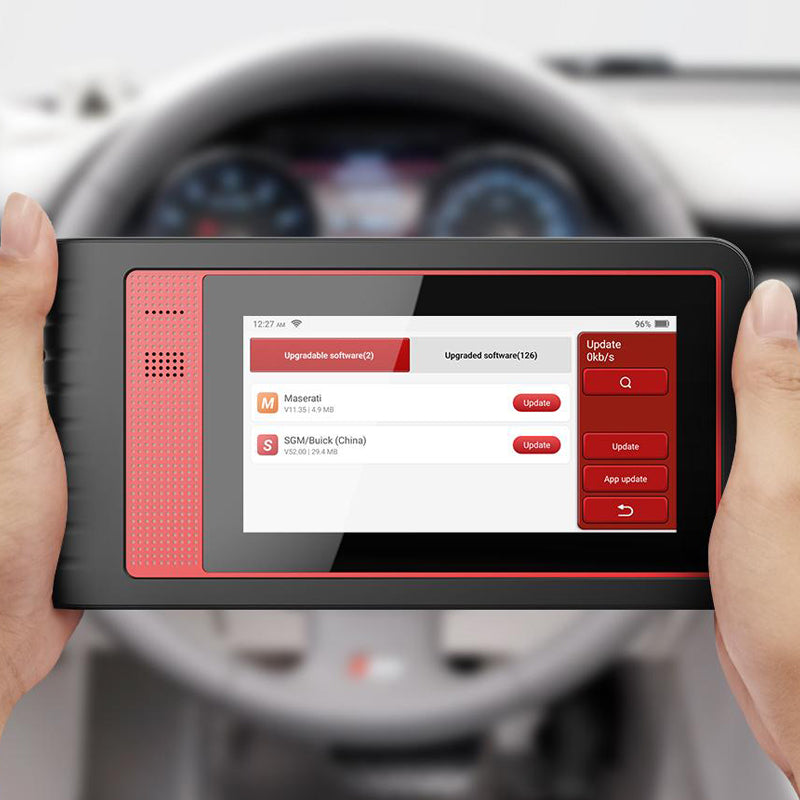
DTC taxonomy: generic vs manufacturer codes
DTCs (diagnostic trouble codes) are not all equal, and misunderstanding them is the fastest route to wasted parts. Generic powertrain codes (P0xxx) are standardized and typically readable by almost any code reader. Manufacturer-specific codes (often P1xxx, plus many U, B, and C codes) can require brand-aware software and deeper module access.
The practical takeaway: if your workflow includes ABS, airbag (SRS), transmission, BCM, or TPMS service troubleshooting, you should treat a generic code reader as a first step, not the whole solution.
- Generic codes: broad compatibility
- OEM codes: more specificity, more context
- Network codes (U-codes): often wiring, gateway, or module comms
System coverage: powertrain vs full modules
Most buying mistakes happen here. People shop by reset-count or marketing labels instead of asking, "Which modules do I need on the cars I actually touch?" Full-system diagnostics means scanning more than the ECM (engine) and often includes TCM (transmission), ABS, SRS, BCM, EPB, HVAC, TPMS, and more.
A quick way to sanity-check coverage is to think through your last 10 issues.
- If 8 out of 10 were check-engine-only, a Code Readers class tool may be enough.
- If you routinely chase intermittent electrical issues, you want all modules + good data logging.
- If you do confirmations after repairs, you want reports and pre/post snapshots.
AI assistance: what it is (and what it is not)
"AI-powered insights" are most useful when it helps you prioritize, not when it pretends to replace diagnosis. In a practical sense, AI in automotive diagnostics usually means the tool organizes trouble-code data, highlights patterns (for example, multiple low-voltage symptoms across modules), and nudges you toward the next test.
You still need fundamentals: verify battery and charging, confirm the complaint, look at freeze frame, and validate with live data and tests. Treat AI as a triage assistant, not the mechanic.
- Good AI use: narrowing test order
- Risky AI use: assuming the first suggestion is correct
- Best workflow: AI hint -> confirm with data
Define your diagnostic scenario with THINKCAR
What you are really buying: speed, certainty, or coverage
Before model names like THINKTOOL MINI or ThinkScan Series even matter, define the scenario you are solving. DIY use usually means quick checks, basic code reads, and simple readiness verification. A shop workflow needs repeatable reports, faster navigation, and fewer "dead ends" when you jump from engine to ABS to SRS.
A clean way to map tool class to tasks is to separate "find" from "prove."
- Find: scan all modules, pull DTCs, capture freeze frame
- Prove: run active tests, confirm sensor behavior, and validate repair
- Deliver: print or export a report so the next tech sees the same facts
THINKCAR and MUCAR products are typically positioned across that ladder, from portable OBD2 Intelligent Diagnosis dongles to Android-based diagnostic tablets.
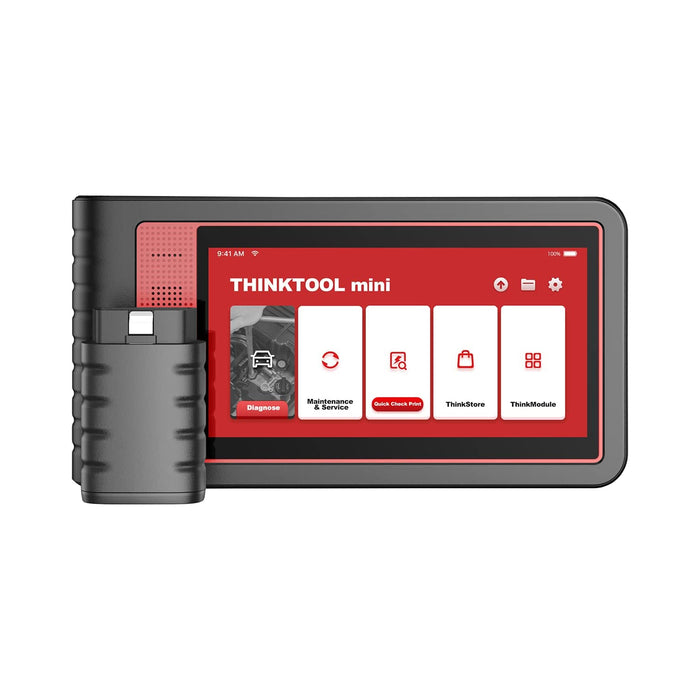
Matching tool class to tasks (simple framework)
Use this simple decision frame to avoid feature-mismatch purchases.
- Basic checks: OBD2 modes, readiness, generic codes
- Deeper diagnostics: full-system scan, enhanced OEM codes
- Repair verification: bidirectional tests, adaptation resets
- Specialty service: TPMS programming, injector coding, IMMO tasks
If you cannot name at least three tasks you will do monthly, you are not ready to choose a tool yet.
Confirm vehicle compatibility and protocols
Start with the year, make, model, and what network the car uses
Compatibility is not just "works on 1996+". Newer vehicles increasingly rely on faster networks and gateway security. That changes whether a tool connects at all, and whether it can perform advanced functions after it connects.
In practical terms, you want three confirmations before you commit:
- Your vehicles appear in the coverage list (year/make/model/engine)
- The tool supports the needed network transport (CAN, CAN FD, DoIP)
- The tool supports any required security access (for example, FCA SGW)
DoIP is especially relevant because it uses Ethernet transport rather than classic CAN. That does not automatically make it "better" for you, but it can be necessary on certain platforms and years.
CAN, CAN FD, and DoIP: what changes in real workflow
Most modern scans still run on CAN, but CAN FD and DoIP show up more as you touch 2020+ platforms.
- CAN: baseline network for many modules
- CAN FD: higher throughput, newer model years
- DoIP: diagnostic transport over IP/Ethernet
A clear mental model is that DoIP is mainly a transport layer for diagnostic messaging. A DoIP-enabled vehicle typically uses a gateway ECU to route diagnostic messages between an Ethernet tester and ECUs on other networks. As explained in an overview of DoIP and ISO 13400 by AutoPi, DoIP is standardized under ISO 13400 as Diagnostics over Internet Protocol.
Why "dead-on-arrival" connections happen
If a scanner will not talk to a car, it is usually one of these:
- Wrong protocol support for that platform year
- Gateway security blocks advanced functions
- The vehicle has low voltage or network faults
- The tool expects Wi-Fi/app pairing that was skipped
This is also why a tool that performs perfectly on a 2012 sedan can feel useless on a 2023 SUV.
Validate core diagnostic capabilities
Full-system scan and Auto VIN are table stakes
For a reliable workflow, your Vehicle Scanner & Diagnostic Tool should do a fast full-system scan and identify the vehicle accurately. Auto VIN is not just a convenience; it reduces wrong-software selection and helps keep reports consistent across jobs.
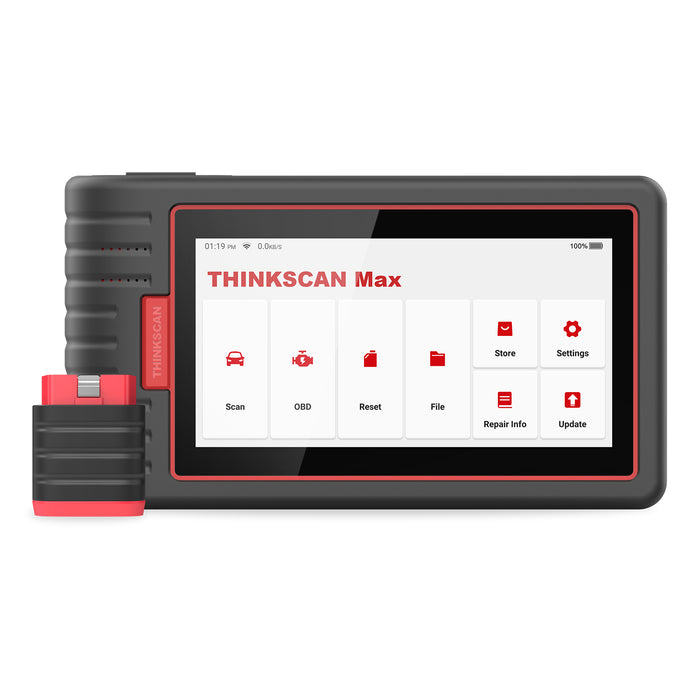
Tools in the ThinkScan Series commonly emphasize quick access features such as Auto VIN, system-wide scanning, and common maintenance resets. For example, THINKSCAN MAX is described as supporting Auto-VIN scan and system-wide code reading, code clearing, and data streaming, with a 5.99-inch touchscreen that improves navigation speed. (thinkcarus.com)
Live data that is usable, not just available
Live data is where most scanners separate into "toy" vs "tool." A good interface lets you graph signals, compare sensors side-by-side, and capture data during the exact moment the fault happens.
Focus on:
- Freeze frame: what conditions existed when the code set
- Readiness monitors: emissions status after repair
- Graphing: spotting dropouts and slow sensors
- Data recording: intermittent faults and road tests
If your workflow includes drivability issues, live data quality is more important than raw code count.
A practical example: misfires vs fuel trim vs O2 data
You can often reduce a multi-hour chase into a 10-minute direction choice if your tool can graph a few related PIDs.
- Misfire counters: cylinder-specific pattern
- Short/long fuel trim: rich/lean correction trend
- O2/A-F sensor signals: response and switching
This is the backbone of "OBD2 Intelligent Diagnosis" when it is done correctly: you let data tell you which subsystem to test next.
Decide on advanced functions (bidirectional and resets)
When a Bidirectional scanner is worth it
Bidirectional control (active tests) means the tool can command an actuator or run a function, not just observe data. That matters because observation can only suggest a fault, while an active test can confirm it.
Use bidirectional control when you need to:
- Command EVAP purge, fuel pump, fans, or A/C clutch
- Cycle ABS valves for bleeding
- Trigger EPB service mode
- Verify a stuck actuator without guessing
A Bidirectional scanner is most valuable for intermittent issues. It helps you reproduce the symptom under controlled conditions.
Resets: maintenance convenience vs diagnostic proof
Reset functions are useful, but they are not repairs. Resets typically clear learned values, service reminders, or adaptation states after the underlying mechanical or electrical fault is corrected.
Prioritize resets that match your real maintenance mix:
- Oil/service reset
- EPB reset and service mode
- SAS (steering angle) calibration
- BMS reset
- TPMS relearn workflows
In the THINKCAR ecosystem, product pages often reference 28 reset function and similar bundles of maintenance services (for example, THINKTOOL MINI lists 28 service resets and lifetime free updates for diagnostic software and resets). (thinkcar.com)

Plan ownership and update lifecycle
The real cost is downtime, not the scanner
People obsess over purchase price and forget the bigger hit: time. If a tool cannot scan a newer vehicle that rolls into your driveway or bay, you lose hours. If it cannot export reports, you lose continuity across visits.
That is why updates matter. The useful question is not "Are updates free?" It is "Will updates keep pace with my vehicle mix for the next 24 months?"
- DIY with one car: updates matter less
- Side-hustle: updates matter a lot
- Shop handling 2018+: updates are non-negotiable
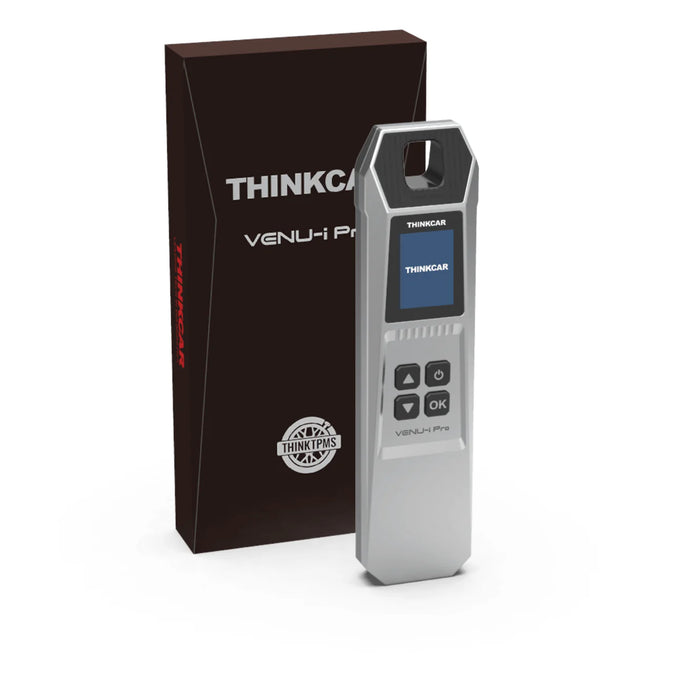
Shop: Thinkcar Venu IPRO - Intelligent TPMS Diagnostic Tool
Quick decision table
| Scenario | Must-have capability | Nice-to-have | Common trade-off |
|---|---|---|---|
| Weekend DIY | OBD2 modes, readiness | Live data graphs | Limited module access |
| Side-hustle | Full system scan | Reports, Auto VIN | Learning curve |
| Small shop | Bidirectional scanner | ECU coding | Update management |
| Tire/TPMS work | TPMS service | Sensor programming | Extra hardware |
| Newer vehicles | CAN FD, DoIP | Gateway access | Coverage variability |
Conclusion
A reliable AI-assisted workflow starts with clarity: what you need to diagnose, which vehicles you touch, and what you must prove before you buy parts. Once you map that reality, choosing between a compact OBD2 Scanner Bluetooth dongle, a ThinkScan Series tablet, or an OE-level THINKCAR platform becomes a straightforward fit decision.
Next, shortlist tools by coverage depth, bidirectional need, and update model, then validate compatibility for your real vehicle list. When you do that, "AI assistance" becomes a speed multiplier, not a source of guesswork.
Shop: THINKDIAG
Frequently Asked Questions
What does "AI-assisted" usually mean in a diagnostic scanner?
AI-assisted means the software organizes trouble codes and live-data context to help you pick your next test faster. It might group related codes, flag patterns like low system voltage, or suggest which subsystem to inspect first. Note: It does not replace real diagnostics. You still need to validate faults using freeze frame, live data trends, and bidirectional tests.
How do I know if a scanner supports full-system diagnostics on my vehicle?
Verify coverage for your specific year, make, model, and engine, and check which modules are included beyond the engine ECU. A true full-system tool should access the TCM, ABS, SRS, BCM, and HVAC. Because gateway configurations vary, always use the Auto VIN feature to ensure you load the correct vehicle profile.
When do I actually need a bidirectional scanner?
You need one when reading code isn't enough to confirm a root cause. Bidirectional control lets you actively command components—like cycling a purge valve, turning on a cooling fan, or commanding an A/C clutch. By comparing the commanded state to sensor feedback, you can immediately see what isn’t responding, which is critical for tracking down intermittent faults.
Are reset functions the same as repairs?
No. Reset functions do not correct mechanical or electrical failures; they simply clear learned values or service reminders after a physical fix. For example, a TPMS relearn will not fix a dead sensor battery. The safe workflow is always: diagnose, repair, then reset and verify.
How should I evaluate software updates and subscriptions?
Match the update policy to the cars you work on. If you regularly touch 2018+ vehicles, updates are crucial due to changing security gateways. Be sure to check if core diagnostics are included for free, or if features like ECU coding and active tests are gated behind a paywall.
Can Bluetooth OBD2 scanners replace Android-based diagnostic tablets?
For basic diagnostics (reading codes, freeze frame, simple live data), yes. However, tablets win when you need stable, full-system scans, detailed reporting, or frequent bidirectional tests. If you do deep shop-style work across multiple vehicle brands, a dedicated tablet provides faster navigation and a better workflow.
What is the difference between CAN, CAN FD, and DoIP for diagnostics?
- CAN: The traditional, standard in-vehicle diagnostic network.
- CAN FD: A faster evolution of CAN that handles larger data payloads, common on newer platforms.
- DoIP: Diagnostics over Internet Protocol, which uses Ethernet/IP for high-speed routing. You need CAN FD and DoIP support to connect reliably to the newest generation of vehicles.
How do I avoid buying the wrong Vehicle Scanner & Diagnostic Tool online?
Write down your top three recurring jobs, your top five vehicle brands, and the oldest/newest model years you touch. Verify the tool supports the specific modules (ABS, SRS, etc.) you need for those exact cars. Finally, check the subscription model so the tool doesn't become a brick in 12 months.
Table of Contents
- Introduction
- AI-Assisted Car Diagnostic Tools Fundamentals
- Define your diagnostic scenario with THINKCAR
- Confirm vehicle compatibility and protocols
- Validate core diagnostic capabilities
- Decide on advanced functions (bidirectional and resets)
- Plan ownership and update lifecycle
- Quick decision table
- Conclusion
-
Frequently Asked Questions
- What does "AI-assisted" usually mean in a diagnostic scanner?
- How do I know if a scanner supports full-system diagnostics on my vehicle?
- When do I actually need a bidirectional scanner?
- Are reset functions the same as repairs?
- How should I evaluate software updates and subscriptions?
- Can Bluetooth OBD2 scanners replace Android-based diagnostic tablets?
- What is the difference between CAN, CAN FD, and DoIP for diagnostics?
- How do I avoid buying the wrong Vehicle Scanner & Diagnostic Tool online?

Share:
Best Smartphone Car Diagnostic Scanners for DIY Use (2026)
Best Smartphone Car Diagnostic Scanners for DIY Use (2026)