
Introduction
You are standing in a seller's driveway, phone in one hand and keys in the other, trying to decide if this car is a deal or a disaster. The problem is that a quick test drive can feel fine while the car is quietly storing faults in ABS, airbags, or the transmission, or it was recently cleared to hide a check-engine light.
If you miss that kind of hidden issue, your "good deal" can turn into a four-figure repair before the first oil change. This list helps you spot red flags fast in 2026 by focusing on what actually matters for inspections: codes, freeze frame, I/M readiness monitors, and (when your budget allows) full-system scans and bidirectional tests. First, I will match each pick to a real driveway use case, then I will show you how to choose without overbuying.
What matters most for a used-car inspection (2026)
In a driveway inspection, you are not trying to be a full shop. You are trying to answer one question: "Is this vehicle hiding something expensive or unsafe?" That means you should prioritize signals that are hard to fake.
- I/M readiness (readiness monitors): A fast way to detect recent code clearing. If multiple monitors are "Not Ready," the ECU often has not completed self-tests since a reset. Many state programs use OBD readiness as part of emissions inspection logic, and "not ready" generally means the system has not finished evaluating that component yet. According to Oregon Department of Environmental Quality, readiness status shows whether each emissions control system has completed its testing.
- Freeze frame data: Your "snapshot" of what the car was doing when a fault set (RPM, load, coolant temp, speed). Great for catching intermittent issues.
- Full-system scan (ABS, SRS, TCM, BCM): A clean engine code screen is not enough. Airbag, ABS, and transmission problems can be stored without turning on the check-engine light.
- Update model (lifetime vs subscription): A budget tool is only a bargain if it stays useful for your next few cars. Confirm whether software updates and reset functions are included, time-limited, or tied to T-code/TCODE renewal.
Product picks by inspection use case
1) Cheapest way to catch the recent code-clearing
If you only want to protect yourself from the most common driveway trick (codes cleared right before you show up), you need a tool that quickly shows I/M readiness, pending codes, and freeze frame. You do not need bidirectional here. You do need something you will actually use in five minutes without fiddling.
Product: MUCAR BT200 (BT200)
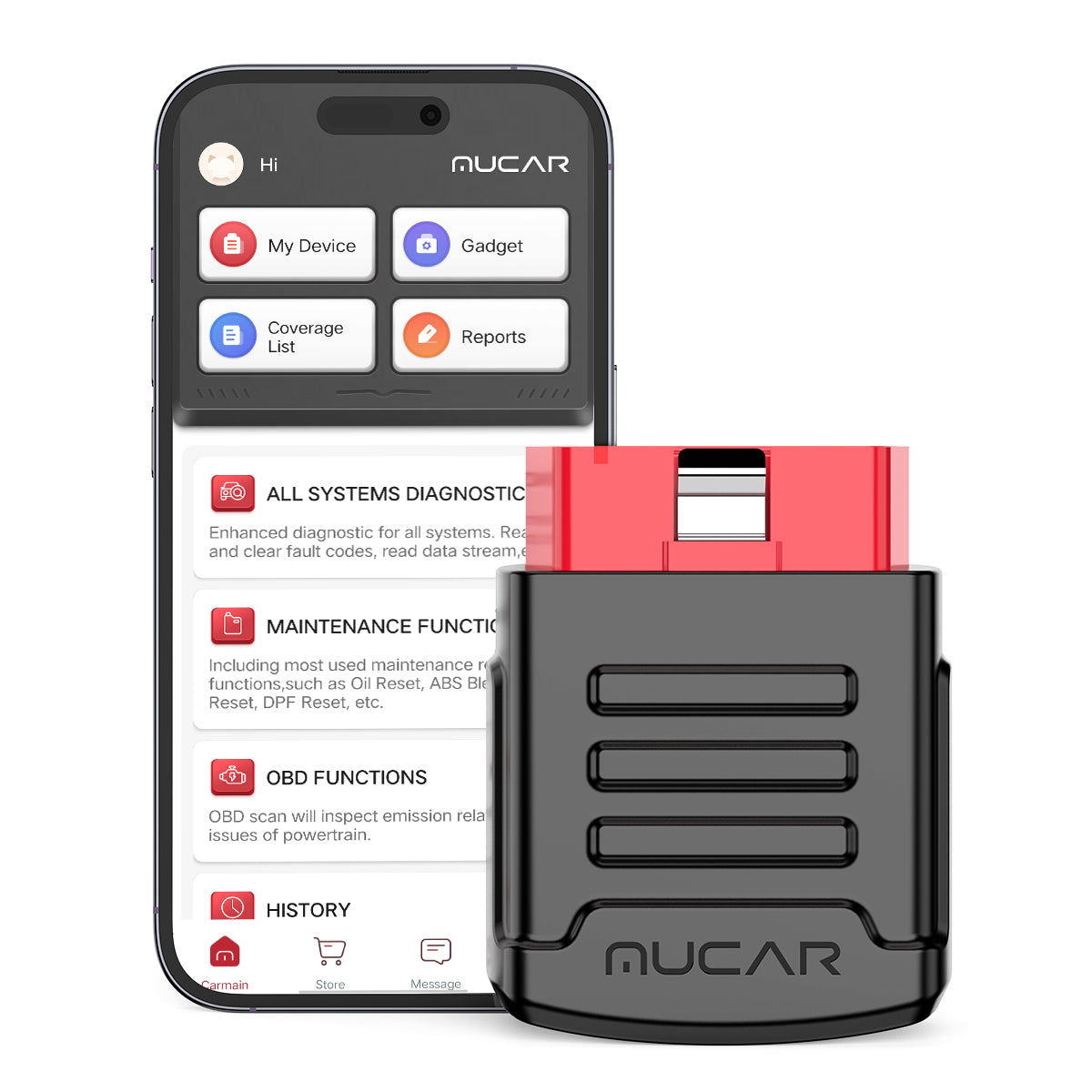
- Best for: first-time buyers who want a fast OBD2 Scanner Bluetooth check
- Inspection focus: I/M readiness, stored and pending codes, freeze frame, live data
- Coverage: full-system access is listed on the product page (brand claim)
- Updates: "Full System Diagnoses" and "Full OBD2 Functions" listed as lifetime free (brand claim)
- Resets: reset service is listed as included (brand claim); BT200 vs BT200 PRO differs by reset count on-page
- Workflow fit: phone-first, quick to use in a driveway, easy to re-scan after a short test drive
Shop: MUCAR BT200
Why it wins: If you keep your inspection simple and repeatable (readiness, codes, freeze frame, short drive, rescan), this is the cheapest way to catch the "recently cleared" pattern without buying a tablet tool.
Product: Autel AutoLink AL319
- Best for: quick, wired, glovebox-ready checks when you only care about engine/emissions basics
- Standout feature: one-click I/M readiness workflow (patented key)
- What it does well: fast readiness status and basic engine drivability checks
- What it will not do: full-system scanning (ABS/SRS/TCM) or bidirectional tests
- Pro fit: good backup for inspections where you mainly want a readiness answer fast
Product Page: Autel AutoLink AL319
2) Best budget Bluetooth dongle for full-system checks
If you have ever bought a car that later needed an ABS module, airbag repair, or transmission work, you already know why full-system matters. In a driveway, the win is not "more features" - it is catching one expensive module fault before you negotiate.
Product: MUCAR BT200 (BT200 PRO)

- Best for: used-car inspections plus basic DIY maintenance
- Inspection focus: full-system scan before the test drive, then readiness and pending codes after
- Resets: page lists a higher reset count for the PRO version and a 1-year free reset service period (brand claim)
- Updates: lifetime-free wording appears on-page for OBD2 functions and full-system diagnosis (brand claim)
- Workflow tip: run AutoVIN, scan all modules, save a report screenshot, then clear nothing during inspection
- Trade-off: phone dongles are fast, but they rely on your phone battery, Bluetooth stability, and app workflow
Shop: MUCAR BT200
Why it wins: For a tight budget, the PRO version is a practical step up if you want the same driveway workflow but with more maintenance-side value after you buy the car.
Product: THINKCAR BD6 OBD2 Bluetooth Dongle

- Best for: buyers who want a Vehicle Scanner & Diagnostic Tool that stays simple
- Inspection focus: full-system diagnostic plus core OBD2 checks (brand claim)
- Resets: "5 Resets lifetime free" is listed on the product page (brand claim)
- Updates model: "Free lifetime updates, no subscription fees" is listed on the page (brand claim)
- Workflow fit: good middle ground when you want more than Code Readers, but you are not ready for a tablet
- Trade-off: still phone-centered; if you inspect weekly, a tablet can be faster for report storage
Shop: THINKCAR BD6
Why it wins: If your goal is reliable full-system scanning without stepping into an "advanced scanner" subscription mindset, BD6 is positioned as a budget-friendly, lifetime-update dongle.
3) Best budget pick when you want AI help interpreting results
If you are new to diagnostics, the hard part is not seeing a code - it is knowing what to do next. AI-style guidance can help you prioritize, but you should still verify with live data, freeze frame, and a rescan after a short drive.
Product: MUCAR BT200 MAX
Best for: beginners who want OBD2 Intelligent Diagnosis guidance, not just raw codes
- Inspection focus: scan all modules, review AI-powered Insights, then verify with live data
- Bidirectional scanner: listed as supporting bi-directional control and actuation tests (brand claim)
- Protocol note: CAN-FD support is listed on-page, helpful when you inspect newer vehicles often (brand claim)
- Resets: 15+ essential resets are listed (brand claim), relevant for ownership maintenance more than driveway checks
- Updates: lifetime free updates are listed on-page (brand claim)
Shop: MUCAR BT200 MAX
Why it wins: If you want AI Diagnostic Series style interpretation to speed up decisions in a driveway, BT200 MAX aims to shorten the gap between "code found" and "is this a walk-away issue?"
4) Best budget pick for CAN-FD coverage on newer cars
If you inspect 2020+ vehicles often, you will eventually hit a tool that connects but cannot access what you need. CAN-FD support reduces those dead ends. However, you should also verify how updates and software renewals work after the free period.
Product: THINKCAR THINKDIAG 2 Bidirectional Scan Tool
- Best for: frequent inspections of newer vehicles where protocol coverage matters
- Protocols: CAN-FD support is listed on the page (brand claim)
- Functions: ECU coding and bidirectional/active tests are listed (brand claim)
- Diagnostics: full system diagnostic plus 15 maintenance items are listed (brand claim)
- Workflow fit: better than basic Bluetooth OBDII dongles when you need deeper module access
- Subscription reality check: confirm THINKDIAG 2 software subscription terms and any T-code/TCODE renewal before relying on it long-term
Shop: THINKCAR THINKDIAG 2
Why it wins: If you keep losing time to "connects but cannot scan" situations on newer cars, THINKDIAG 2 is the budget-oriented move toward broader coverage and deeper tests.
5) Best tablet-style tool when you want fewer phone hassles
If you inspect cars every week, the highest cost is not the tool. It is time, missed notes, and an inconsistent workflow. A tablet-style tool helps because it keeps the process in one device: scan, label by VIN, generate a report, and move on.
Product: THINKSCAN 672
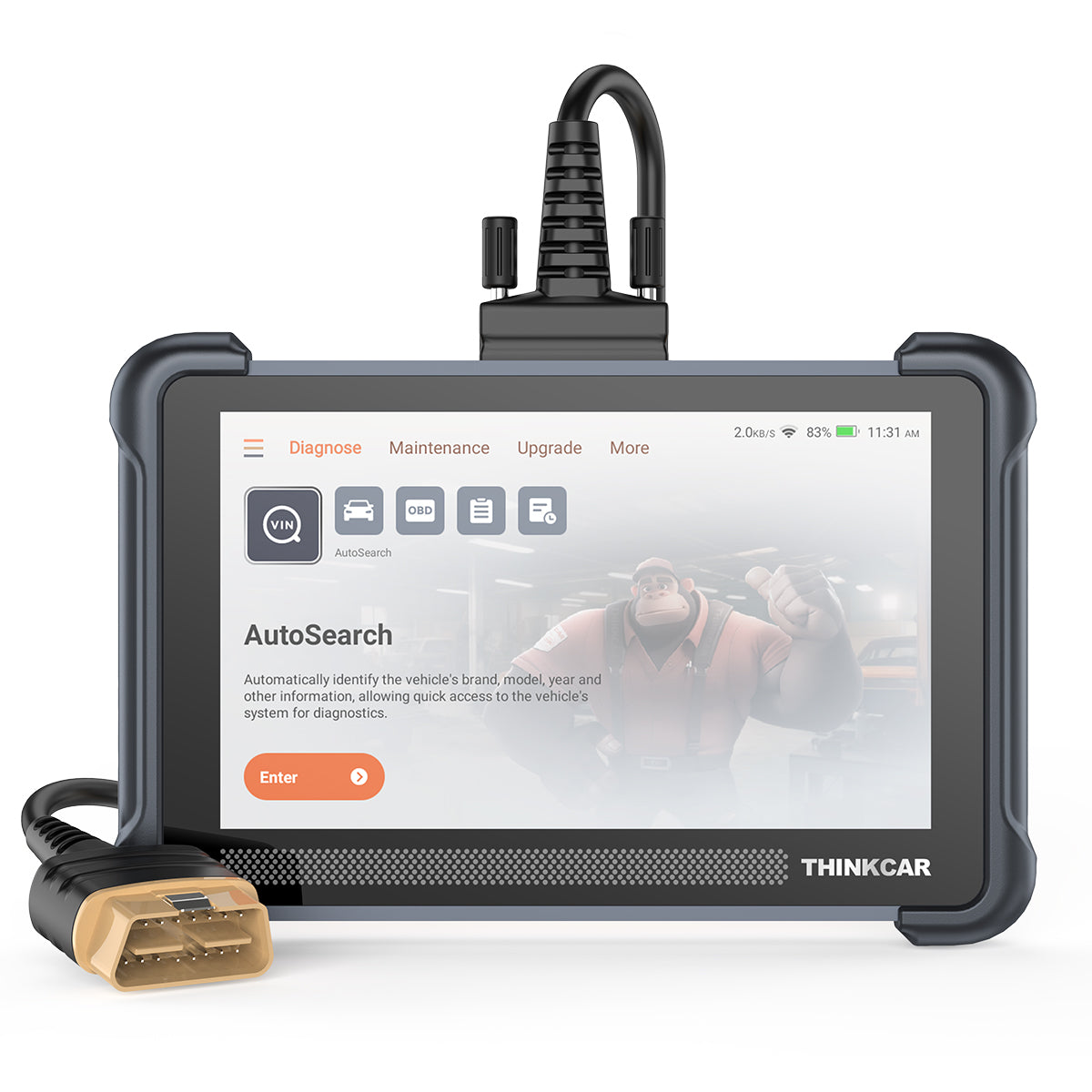
- Best for: repeat inspections where speed and reports matter
- Form factor: Android-based diagnostic tablets workflow (standalone screen)
- Resets: the page highlights "28" reset services (brand claim), aligning with the "28 Reset Function" keyword intent
- Inspection focus: AutoVIN/AutoScan style workflow, full-system scan, saved reports per vehicle
- Practical advantage: less dependence on your phone battery, notifications, and Bluetooth pairing quirks
- Trade-off: bigger device to carry; overkill if you only inspect a few cars per year
Shop: THINKSCAN 672
Why it wins: A tablet tool is the easiest way to keep inspections consistent, because you can run the same steps every time and store VIN-labeled reports without juggling apps.
6) Best for deeper inspection: FCA AutoAuth, DOIP, more resets
If you want to grow into deeper diagnostics (or you inspect enough cars that you are basically doing mini pre-purchase inspections every weekend), protocol support and tool expansion become more valuable than raw code reading.
Product: THINKSCAN 689BT
- Best for: deeper inspections that feel closer to a shop-tool workflow
- Protocols: CAN-FD and DOIP support are listed on the page (brand claim)
- Access: FCA AutoAuth for FCA SGW is listed on the page (brand claim)
- Functions: ECU coding and bi-directional/active test are listed (brand claim)
- Resets: 35+ maintenance functions are listed (brand claim)
- Platform: 8-inch screen with 2.4G/5G WiFi update; memory listed as 4G RAM and 64G ROM (brand claim)
Shop: THINKSCAN 689BT
Why it wins: When you need to validate components quickly (fans, pumps, solenoids) and you want broader protocol coverage, 689BT is the budget-friendly way to stop relying on "codes only" decisions.
Buying guide: how to choose fast (without overbuying)
You can buy the "best" scanner and still miss the point if it does not match how you actually inspect cars. Use this fast decision path so you spend on capability, not hype.
Do you actually need full-system or just OBD2?
If you only scan the engine, you are betting that every expensive problem will trigger the MIL. That is not how real cars behave.
- Choose OBD2-only if you mainly want: readiness monitors, pending codes, freeze frame, basic live data
- Choose full-system diagnosis if you want: ABS, SRS (airbag), transmission (TCM), body modules (BCM), and deeper fault history
- Practical driveway rule: if you are buying a vehicle with advanced safety systems, prioritize full-system even on a budget
Is bidirectional worth it for inspections?
Bidirectional is not mandatory, but it is a confidence booster when a symptom is vague. If the car has a weak A/C complaint or intermittent overheating, an active test can quickly separate "works" from "maybe."
- Worth it when you want to validate components quickly: cooling fan command, EVAP purge, fuel pump control (vehicle dependent)
- Not worth it if you will not use it: readiness and full-system scanning usually catch more inspection red flags per minute
- Driveway reality: you are looking for decision-grade evidence, not a full repair plan
Updates and subscriptions: what to confirm before checkout
Most buyer regret comes from software surprises, not from the scan hardware. Before you commit, confirm what is included and what might require software renewal.
- Ask: Are model coverage updates free lifetime, time-limited, or tied to a TCODE/T-code subscription?
- Ask: Are resets included permanently, or are they a 1-year free period?
- Ask: Does the tool let you export reports or save vehicle history reliably?
For inspection logic, the standardized OBD side matters because I/M readiness is part of how emissions-related self-tests are reported. Standardized OBD test modes and parameters are defined in SAE J1979. (Reference: SAE International)
Common mistakes that waste money
You can avoid most bad scanner purchases by being honest about your workflow.
- Buying a bidirectional scanner, then never using active tests
- Ignoring software renewal terms (TCODE/T-code) until after the first year
- Confusing a basic code reader with a true full-system diagnostic tool
- Clearing codes during an inspection and losing useful evidence
Comparison table
Quick compare: budget inspection fit
| Product | Form factor | Full system | Bidirectional | Updates model | Best for |
|---|---|---|---|---|---|
| MUCAR BT200 (BT200) | Bluetooth dongle | Yes (brand claim) | No | Lifetime free (claim) | Cheapest full-system baseline |
| MUCAR BT200 (BT200 PRO) | Bluetooth dongle | Yes (brand claim) | No | Lifetime diag (claim) | Resets on a tight budget |
| THINKCAR BD6 | Bluetooth dongle | Yes (brand claim) | Not listed | Lifetime free (claim) | Simple full-system + 5 resets |
| MUCAR DRIVERSCAN | Bluetooth dongle | Yes (brand claim) | Yes (claim) | Not stated on page | Active tests on a budget |
| MUCAR BT200 MAX | Bluetooth dongle | Yes (brand claim) | Yes (claim) | Lifetime free (claim) | AI-powered Insights + tests |
| THINKCAR THINKDIAG 2 | Bluetooth dongle | Yes (brand claim) | Yes (claim) | Not stated on page | CAN-FD budget choice |
| THINKSCAN 672 | Tablet | Yes (brand claim) | Not stated on snippet | Not stated on snippet | Frequent inspections, reports |
| THINKSCAN 689BT | Tablet | Yes (brand claim) | Yes (claim) | Lifetime free (claim) | DOIP, AutoAuth, shop-like flow |
| Autel AutoLink AL319 | Wired handheld | Engine OBD2 | No | N/A | Quick readiness-only checks |
Conclusion
If your budget is tight and you want the fastest driveway protection, start with the MUCAR BT200 workflow: readiness, codes, freeze frame, and a quick rescan after the test drive. If you want more help interpreting what you see and you value bidirectional control, step up to the MUCAR BT200 MAX for AI-powered Insights plus active tests. If you inspect vehicles often and you are tired of phone hassles, THINKSCAN 672 is the practical efficiency upgrade, while THINKSCAN 689BT is the deeper option when you want protocols like DOIP and FCA AutoAuth.
Official Site: THINKCAR Official Shop
FAQ
How can I tell if a seller recently cleared codes?
Start by checking I/M readiness monitors, because a recent ECU reset often leaves multiple monitors in a Not Ready state. Next, look for pending codes, since many faults reappear as pending before they become confirmed. Then review freeze frame data for any stored codes so you can see the exact conditions that triggered the fault. Finally, do a 5 to 10 minute test drive and rescan, because some issues return quickly once the system reruns tests.
Is an OBD2 Scanner Bluetooth dongle enough for a serious used-car inspection?
Yes, it can be enough if it reliably shows readiness, stored and pending codes, freeze frame, and live data. The main limitation is that some vehicles store costly problems in modules outside the engine, such as ABS, SRS, and the transmission. If your dongle only reads powertrain data, you can miss faults that do not trigger the check-engine light. For frequent inspections, full-system access is usually the bigger upgrade than adding more reset functions.
What is the difference between full OBD2 functions and full system diagnosis?
Full OBD2 functions focus on standardized emissions-related diagnostics, like reading and clearing generic codes, viewing freeze frame, checking readiness monitors, and basic live data. Full system diagnosis goes further by scanning manufacturer-specific modules like ABS, SRS (airbag), TCM, BCM, and other control units. For used-car inspections, that broader scan can reveal safety or drivability faults that never illuminate the MIL. If you are choosing between the two, prioritize full-system when the vehicle has complex safety and drivetrain electronics.
Do I need a bidirectional scanner for inspecting used cars?
No, you do not need bidirectional for every inspection, because readiness and full-system scans catch many red flags by themselves. Bidirectional becomes valuable when you want to confirm a suspected issue quickly by commanding a component on or off. Examples include checking whether a cooling fan responds, whether an EVAP purge command behaves normally, or whether an actuator changes state as expected. If you inspect cars often, bidirectional can reduce guessing and make your keep-or-walk decision faster.
Why does my scanner show no codes, but the car still feels wrong?
Some problems are intermittent and do not set codes immediately, especially if the fault conditions do not last long enough to mature. In that case, check pending codes and review live data like fuel trims, coolant temperature behavior, and misfire-related data if your tool supports it. Also, check readiness monitors, because a recently reset ECU can temporarily look clean while tests have not been completed. A longer test drive followed by a rescan often reveals what a quick idle scan misses.
Can these tools help with TPMS Service or battery registration (BMS)?
Some scanners include TPMS Service and Battery Management System (BMS) functions, but support varies heavily by year, make, model, and the exact function you are trying to run. A TPMS reset is not the same as TPMS programming, and many vehicles require specific relearn steps or additional hardware. Battery registration is also vehicle-dependent and may require a specific menu path and supported module access. For used-car inspections, treat TPMS and BMS coverage as a bonus, and prioritize readiness plus full-system fault scanning first.
Table of Contents
- Introduction
- What matters most for a used-car inspection (2026)
-
Product picks by inspection use case
- 1) Cheapest way to catch the recent code-clearing
- 2) Best budget Bluetooth dongle for full-system checks
- 3) Best budget pick when you want AI help interpreting results
- 4) Best budget pick for CAN-FD coverage on newer cars
- 5) Best tablet-style tool when you want fewer phone hassles
- 6) Best for deeper inspection: FCA AutoAuth, DOIP, more resets
- Buying guide: how to choose fast (without overbuying)
- Comparison table
- Conclusion
-
FAQ
- How can I tell if a seller recently cleared codes?
- Is an OBD2 Scanner Bluetooth dongle enough for a serious used-car inspection?
- What is the difference between full OBD2 functions and full system diagnosis?
- Do I need a bidirectional scanner for inspecting used cars?
- Why does my scanner show no codes, but the car still feels wrong?
- Can these tools help with TPMS Service or battery registration (BMS)?

Share:
3 Best Future-Proof Scan Tools for Modern Vehicle Systems
Diagnostic Scanner Subscription Models: A Comparison Guide