
Introduction
You are standing in a seller's driveway, the car idles smoothly, and you are getting the usual line: no issues, drives fine, no lights on. Then you plug in an OBD2 scanner and the story starts to change, or worse, nothing looks wrong until two weeks later when a hidden fault turns into a repair that blows up your budget.
This checklist shows you exactly what to read in an OBD2 scan before you buy: DTC types, freeze frame data, readiness monitors, and a few live-data sanity checks. You will follow a step-by-step workflow that helps you spot recent code clearing, confirm the VIN matches the car in front of you, and save a report you can use to negotiate or walk.
Step-by-Step Guide: Used Car OBD2 Scan Checklist
Step 1: Choose the right scanner for a pre-purchase scan
Start by deciding what you need to read, not what you want to buy. For a used-car decision, your minimum is a full scan that reads the powertrain and safety modules like ABS and SRS, not just generic engine codes. If the tool can only do engine-only OBD2, you can miss expensive faults stored elsewhere.
A practical split is:
- Quick driveway check: an OBD2 Scanner Bluetooth dongle-style tool with full OBD2 functions and basic module access.
- Deeper decision check: an Advanced Scanner that supports full-system diagnosis, reports, and a few Bidirectional scanner functions (active tests) to validate suspicious findings.
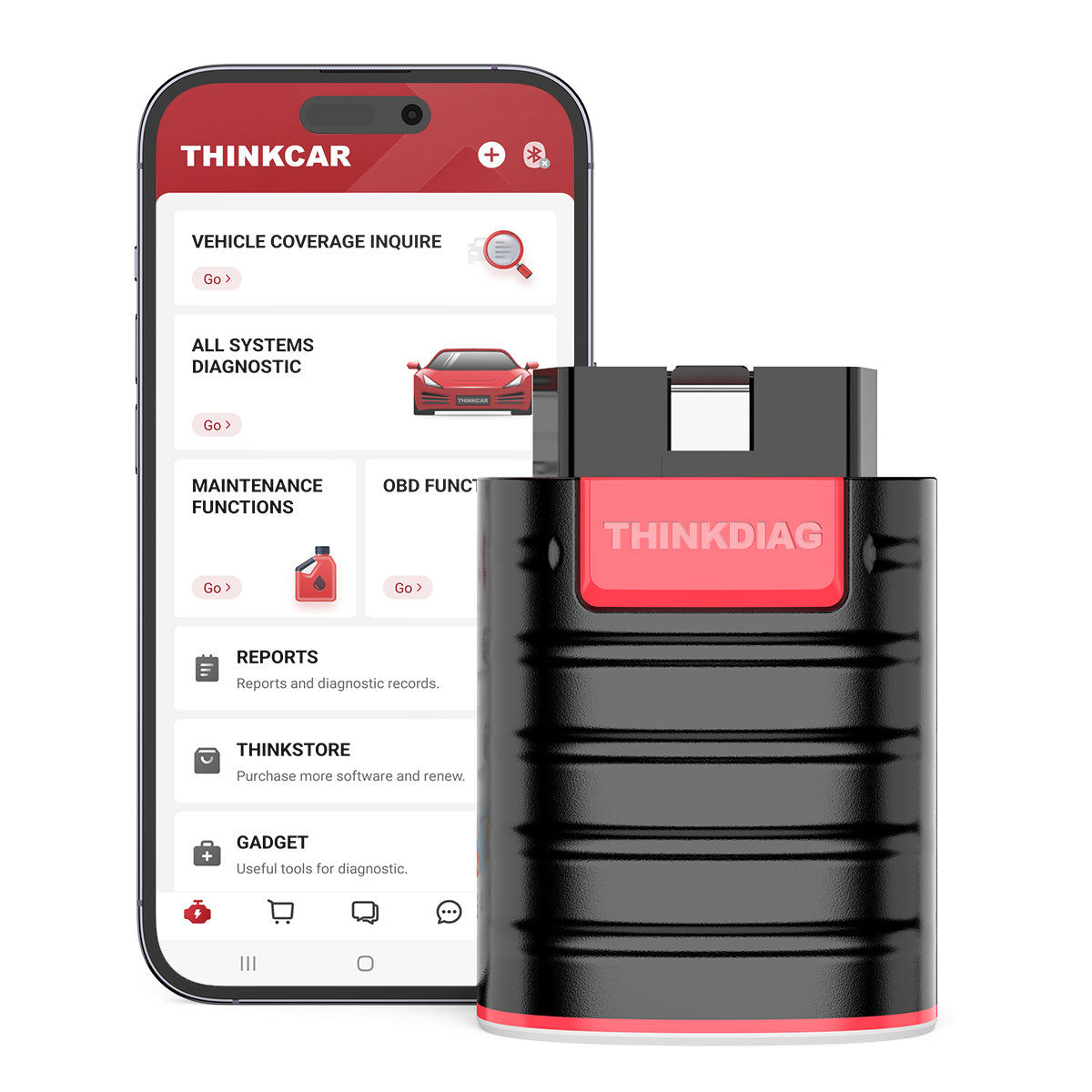
In the THINKCAR lineup, THINKDIAG is positioned as a Vehicle Scanner & Diagnostic Tool that includes full system diagnostic, OBD2 Intelligent Diagnosis, Auto VIN support, plus ECU coding and bi-directional/active tests. That mix matters in a pre-purchase scan because you are not just reading a light; you are validating the seller's story across modules.
Shop: THINKDIAG
Step 2: Connect safely, then confirm AutoVIN matches the listing
Before you plug in, stabilize the basics so your scan does not turn into confusion. Put the vehicle in Park, set the parking brake, and keep accessories off. Plug the scanner into the DLC (usually under the driver's side dash), then switch ignition to Key On Engine Off when the app prompts.
Now lock in identity: run AutoVIN (or read VIN from the ECU) and compare it to the title, listing, and the VIN plate at the base of the windshield. A mismatch can be a paperwork problem, a swapped module, or a rebuilt history you were not told about.
Use this mini-check before you scan modules:
- Battery voltage looks normal in live data
- App stays connected (no dropouts)
- VIN from ECU equals windshield VIN
- The correct model year and engine show up
If you want a fast, phone-first workflow for this step, MUCAR BT200 is built around a Bluetooth scan flow and is marketed for full OBD2 functions plus full-system diagnosis. That is often enough to run AutoVIN and establish that you are scanning the correct car.
Shop: MUCAR BT200
Step 3: Run a full-system scan and save the report before touching anything
Your first scan should be wide and quiet: do not clear codes, do not run resets, and do not start clicking special functions. Run an all-system scan, so you capture what the car is willing to confess right now, including history codes that may not trigger a dash light.
Focus on modules that can hide expensive problems:
- Engine and transmission
- ABS and SRS (airbag)
- Body control (BCM) and immobilizer-related modules
- Battery and charging modules on hybrids
Save or export the report immediately. If the seller pressures you to clear codes to see what comes back, treat that as a red flag. Clearing DTCs erases freeze frame and resets readiness, which removes the context you need to judge whether an issue is real, intermittent, or recently hidden.
If you are scanning with a tablet-style tool, the ThinkScan Series (for example, THINKSCAN 689BT) is positioned for full-system scans plus reporting, and it adds deeper functions like ECU coding and bidirectional control. The practical advantage here is speed: you can scan more modules, faster, and organize the results while you are still standing next to the car.
Shop: THINKSCAN 689BT
Step 4: Read DTC types and look for patterns
Treat the code list like a timeline, not a shopping list. The same code number can mean different urgency depending on whether it is confirmed, pending, or permanent. In plain terms:
- Confirmed: the fault met criteria enough times to set a code (often with MIL).
- Pending: the ECU saw something off but has not fully confirmed it.
- Permanent: the ECU keeps the record until it proves the fix by running its own checks.
What to do with that:
- If you see many pending codes across multiple modules, suspect low voltage, poor grounds, or a car that has been sitting.
- If you see a single confirmed powertrain code plus a related freeze frame, assume you will be repairing that system.
- If permanent codes exist but the seller says the battery was disconnected, ask for the reason and the timeline.
A practical driveway trick: if the scan shows a clean engine module but the transmission, ABS, or SRS stores faults, the seller may have focused on turning off the CEL while ignoring other systems. Full system diagnosis is how you catch that imbalance.
Step 5: Open freeze frame to see what the car was doing when it failed
When you find an emissions-related engine code, open freeze frame. Freeze frame is the snapshot the ECU saved when it decided something was wrong. It can quickly separate a real operating problem from a one-time glitch.
Use this fast read order:
- Coolant temp: Was the engine warm?
- RPM and load: was it idling, cruising, or under acceleration?
- Fuel trims: Were trims already stretched?
- Vehicle speed: Does it match the story (city vs highway)?
Red flags you can interpret on the spot:
- A misfire code with high load and rising coolant temp can point to ignition, fuel delivery, or cooling stress.
- An O2-related code saved at cold start can point to heater circuits or slow sensor response.
- A lean code saved at idle can point to vacuum leaks more than fuel pump issues.
If you are using an app-based tool like THINKDIAG, prioritize viewing freeze frame before you even think about live testing. That single snapshot often tells you which questions to ask the seller next.
Shop: THINKDIAG
Step 6: Verify readiness monitors to spot recent code clearing
Readiness monitors are the fastest way to catch a seller who cleared codes right before you arrived. After codes are cleared or battery power is lost, the car must complete self-tests (monitors) during real driving. If many monitors show Not Ready, your scan is not a complete picture yet.
Do this in order:
- Check MIL status (on/off)
- Check readiness screen (Mode $01)
- Count how many monitors are Not Ready
If you are buying in California, this matters even more because readiness affects smog outcomes. The California Bureau of Automotive Repair explained in Fall 2025 that prior readiness exceptions included: for 2000 and newer gasoline vehicles, only the evaporative (EVAP) monitor may be unset. (bar.ca.gov)
Practical buying rule:
- If more than one monitor is Not Ready on a modern gasoline car, assume a recent reset until proven otherwise.
- If only EVAP is Not Ready and everything else is complete, that can be normal on some vehicles, but you still want to see a clean DTC picture and stable fuel trims.

Shop: MUCAR BT200
Scenario Variations: Adapting the checklist to what you see
If the seller recently cleared codes
If many readiness monitors are Not Ready, postpone the decision or require a re-scan after a documented drive cycle. A fresh reset can hide both MIL history and freeze frame context, which is the exact data you need to judge severity.
If the car has an intermittent CEL history
If the MIL is off but you see pending codes, treat them as active leads. Ask for maintenance records, then verify the same system in freeze frame and live data to see if the numbers still look stressed.
If you are scanning a hybrid or EV
Scan all modules, not just powertrain. Hybrids and EVs can store meaningful faults in battery, inverter, brake-by-wire, and network communication modules that do not always trigger a simple CEL.
Prerequisites and Safety
Required Tools and Materials
Set your workflow up so you can scan and save evidence:
- OBD2 scanner (Bluetooth dongle or tablet)
- Phone or tablet with the app installed
- Stable power: charged phone, optional power bank
- Note-taking method: photos or written notes
- Flashlight for DLC access under the dash
- Paperwork: listing, title, VIN photo
If you want a phone-based workflow, an OBD2 Scanner Bluetooth tool like THINKDIAG or MUCAR BT200 keeps your kit small. If you want a more shop-like workflow, a ThinkScan Series tablet like THINKSCAN 689BT reduces app switching and helps you review results in one place.
Safety Considerations
Keep the scan safe and clean, so you do not create problems during the inspection:
- Do not clear codes during a pre-purchase scan
- Do not run resets (oil, EPB, SAS) on a car you do not own
- Avoid scanning while driving; have a passenger monitor data
- Keep ignition steps correct; follow app prompts
- Watch battery voltage; low voltage causes false codes
Also, keep in mind that modern vehicles include high-current circuits and sensitive modules. NHTSA vehicle safety resources routinely emphasize addressing defects and safety-related issues promptly; treating SRS and ABS codes as serious is the safest buying posture. (static.nhtsa.gov)
Troubleshooting
| Problem | Cause | Solution |
|---|---|---|
| No connection | Ignition state wrong | Key on, retry connect |
| No ECU detected | Wrong protocol | Re-select vehicle, AutoVIN |
| Many low-voltage DTCs | Weak battery | Charge, rescan later |
| Monitors not ready | Recent reset | Postpone, rescan after drive |
| Report looks empty | Engine-only scan | Run full-system scan |
Use a simple retest rule: if you see network or low-voltage codes across many modules, do not negotiate off that scan alone. First, stabilize the voltage and repeat the scan, because those codes can be noise. If you see the same code returning in the same module after a clean retest, treat it as a real fault.
Conclusion
Trust patterns, not one scary code. A clean purchase decision comes from reading DTC types, checking freeze frame, verifying readiness, and then confirming the car behaves normally in a few live data checks. Save the report, ask better questions, and use the results to negotiate with facts or walk away quickly.
FAQ
Can an OBD2 scan detect a recently cleared problem?
Yes, you can often detect a recent clear by checking readiness monitors and the absence of stored history that should exist on an older vehicle. If multiple monitors show Not Ready, the car has not completed its self-tests since a reset or battery disconnect. You should also look for missing freeze frame data on a car that supposedly had a recent check engine light. When in doubt, rescan after a verified drive cycle so you are not buying blind.
Should I clear codes to see what comes back?
No, you should not clear codes during a pre-purchase scan because clearing erases context you cannot get back. It wipes freeze frame snapshots and resets readiness monitors, which can make a problem look temporarily clean. If a seller insists on clearing, treat that pressure as a process red flag and keep your scan report as evidence. A better approach is to document what is there, then decide whether to walk or negotiate.
What is the difference between pending and confirmed codes?
Pending codes are early detections where the ECU saw a fault condition but has not met the threshold to confirm it. Confirmed codes indicate the fault has occurred enough times under the required conditions to be stored as a true DTC and often to trigger the MIL. You should treat repeated pending codes as meaningful, especially if they appear again after a short warm-up. Pair the code type with freeze frame and live data to judge whether the issue is active.
What does it mean if readiness monitors are not complete?
It means the vehicle has not finished the required self-tests since codes were cleared, the battery was disconnected, or modules lost power. You should assume you are looking at an incomplete diagnostic picture, even if the dash has no warning lights. If only one monitor is incomplete, that can be normal on certain vehicles, but multiple incomplete monitors usually suggest a recent reset. The safest move is to postpone the decision until the car completes monitoring and you can rescan.
Is an engine-only scan enough before buying a used car?
Usually not, because expensive faults can be stored in ABS, SRS, transmission, and body modules without lighting the check engine light. An engine-only scan can miss crash-related SRS faults, ABS sensor issues, or network problems that affect drivability and safety. You should run a full-system scan and save the report so you can compare modules for consistent history. If the tool cannot scan other modules, you are taking on extra risk.
Table of Contents
- Introduction
-
Step-by-Step Guide: Used Car OBD2 Scan Checklist
- Step 1: Choose the right scanner for a pre-purchase scan
- Step 2: Connect safely, then confirm AutoVIN matches the listing
- Step 3: Run a full-system scan and save the report before touching anything
- Step 4: Read DTC types and look for patterns
- Step 5: Open freeze frame to see what the car was doing when it failed
- Step 6: Verify readiness monitors to spot recent code clearing
- Scenario Variations: Adapting the checklist to what you see
- Prerequisites and Safety
- Troubleshooting
- Conclusion
- FAQ

Share:
5 Steps to Choose Best Wireless Scan Tools for Mobile Mechanics Without a Shop
Bluetooth OBD2 Scanners That Do More Than Check Engine Codes: 2026 Checklist