
Introduction
Still guessing at a used car because the seller says the check engine light was "just old gas"? That kind of shortcut gets expensive fast. In an auction lane, dealer lot, or private-party driveway, you rarely get much time, and the wrong scanner can miss hidden faults, cleared emissions codes, or warning signs that turn a cheap buy into a repair project. For beginners, the hard part is not finding a scanner. It is knowing which features actually protect your money.
This guide shows you how to choose a budget scanner for used car inspections without overpaying for shop-level extras you may not need yet. You will learn the basics of OBD2 Scanner use, how Bluetooth OBDII tools fit a beginner workflow, when a Bidirectional scanner becomes worth it, and where THINKCAR, MUCAR, the ThinkScan Series, and the Official Shop lineup fit into a smart upgrade path.
OBD2 Scanner Fundamentals for Used Car Inspections
What a budget scanner can and cannot tell you
Before you compare models, get the principle right: a scanner does not replace a full mechanical inspection, but it does help you reduce blind spots. An OBD2 Scanner reads trouble codes, emissions status, and selected live data from the vehicle's computer network. For a used-car buyer, that matters because sellers can clear codes shortly before a showing, while deeper problems may still leave clues in pending codes, monitor status, fuel trims, or module communication.
A basic scanner is strongest at first-pass screening. It can quickly tell you whether the powertrain system has active or pending faults, whether readiness monitors are complete, and whether live values look believable. What it cannot do by itself is prove engine compression, suspension wear, flood damage, or body repair quality. Therefore, your goal is not to find a magic tool. Your goal is to buy a Vehicle Scanner & Diagnostic Tool that helps you ask better questions before money changes hands.
Why live data matters more than many beginners expect
Many first-time buyers focus only on code reading. That is useful, but live data often gives you a better story. If short-term and long-term fuel trims swing too high, coolant temperature never stabilizes, or misfire counters rise during load, the car may have a problem even when no hard fault code is stored. That is why live data speed and graphing matter so much in a used-car inspection workflow.
Readiness monitors matter too. The EPA explains that readiness monitors are self-checks that the vehicle runs on emissions-related systems, and incomplete monitors can mean the car has not finished its tests since codes were cleared. That is a major clue during pre-purchase screening, especially when a seller says the car is "fine now." According to the EPA, readiness status is a core part of OBD inspection and maintenance performance.
Budget scanner categories beginners should understand
Before you shop, sort the market into three beginner-friendly groups:
- Code Readers: fastest for basic emissions and powertrain checks
- OBD2 Scanner Bluetooth dongles: portable, phone-based, strong value
- Entry bidirectional tablets or dongles: deeper confirmation tools
That framework keeps you from overbuying. If you inspect one or two cars a month, a Bluetooth OBDII dongle may be enough. If you flip higher-mileage vehicles or inspect mixed inventory, all-system access starts to matter. If you regularly suspect fan, pump, throttle, or actuator faults, a Bidirectional scanner becomes much more useful.
Recall checks belong in the same workflow
A scanner is only part of the decision. Safety recalls can change the value and risk of a used car even when it drives normally. NHTSA states that recalls are issued when a manufacturer or NHTSA determines a vehicle or equipment creates an unreasonable safety risk or fails to meet minimum safety standards, and its VIN tool lets you check open recalls directly by vehicle. According to NHTSA, VIN-based recall lookup is a practical step before you close a deal.
Pre-Purchase Code Check
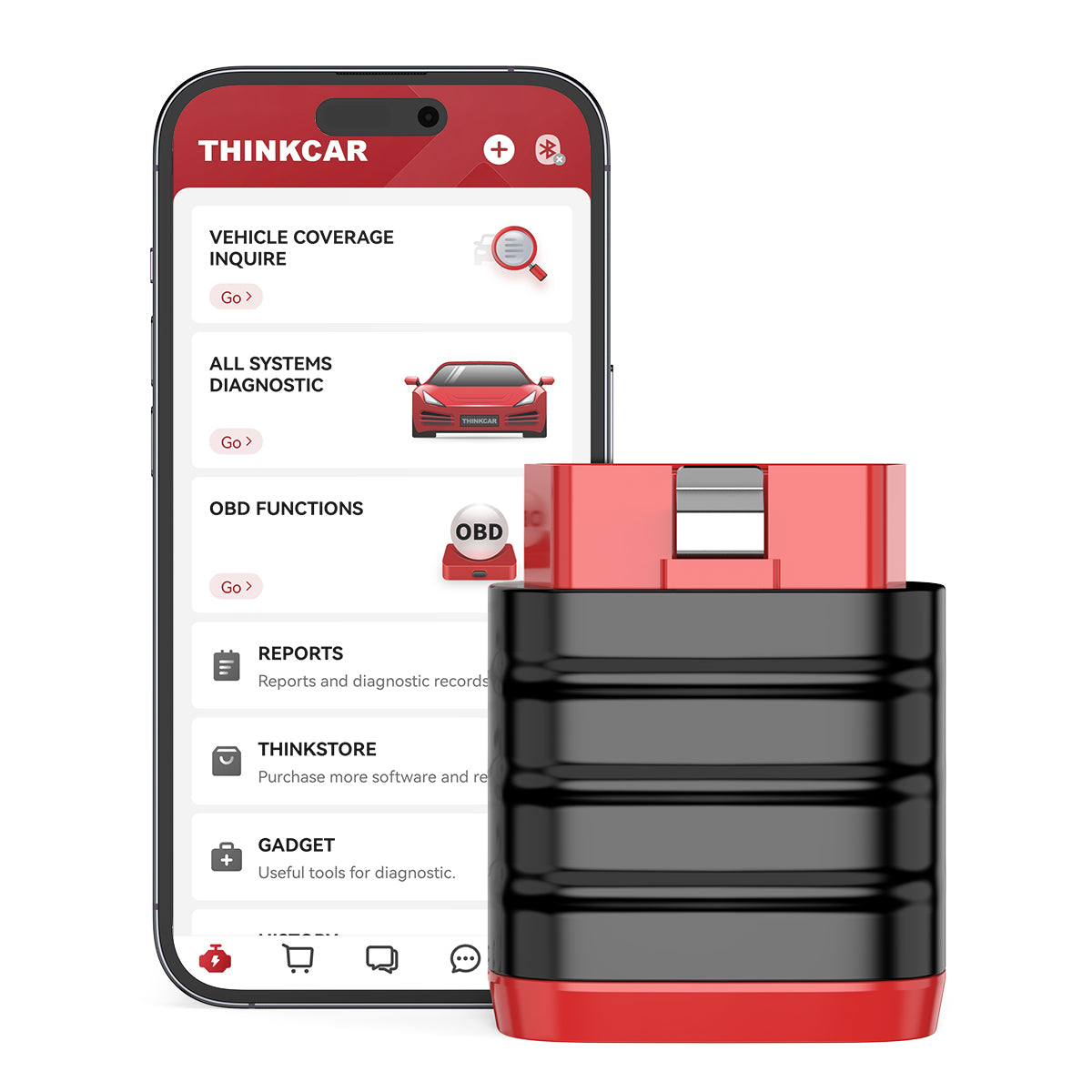
Start here because this is the fastest way to avoid obvious mistakes. On a used car, your first scan should read stored codes, pending codes, permanent codes if available, freeze-frame data, and I/M readiness. Stored codes tell you what the car already knows is wrong. Pending codes tell you what may be developing. Freeze-frame data shows the conditions when a fault was triggered. Readiness status helps you see whether someone may have recently cleared faults to hide a problem.
In practice, this takes only a few minutes. Plug in the tool before the car is fully warm if possible, turn the ignition on, and scan before a long test drive changes the conditions. If the monitors are not ready, ask why. If the seller says a battery was replaced, that may be true, but you still need to treat incomplete monitors as a signal to slow down. If the check engine light is off, yet the monitors are incomplete, the car has not finished proving itself.
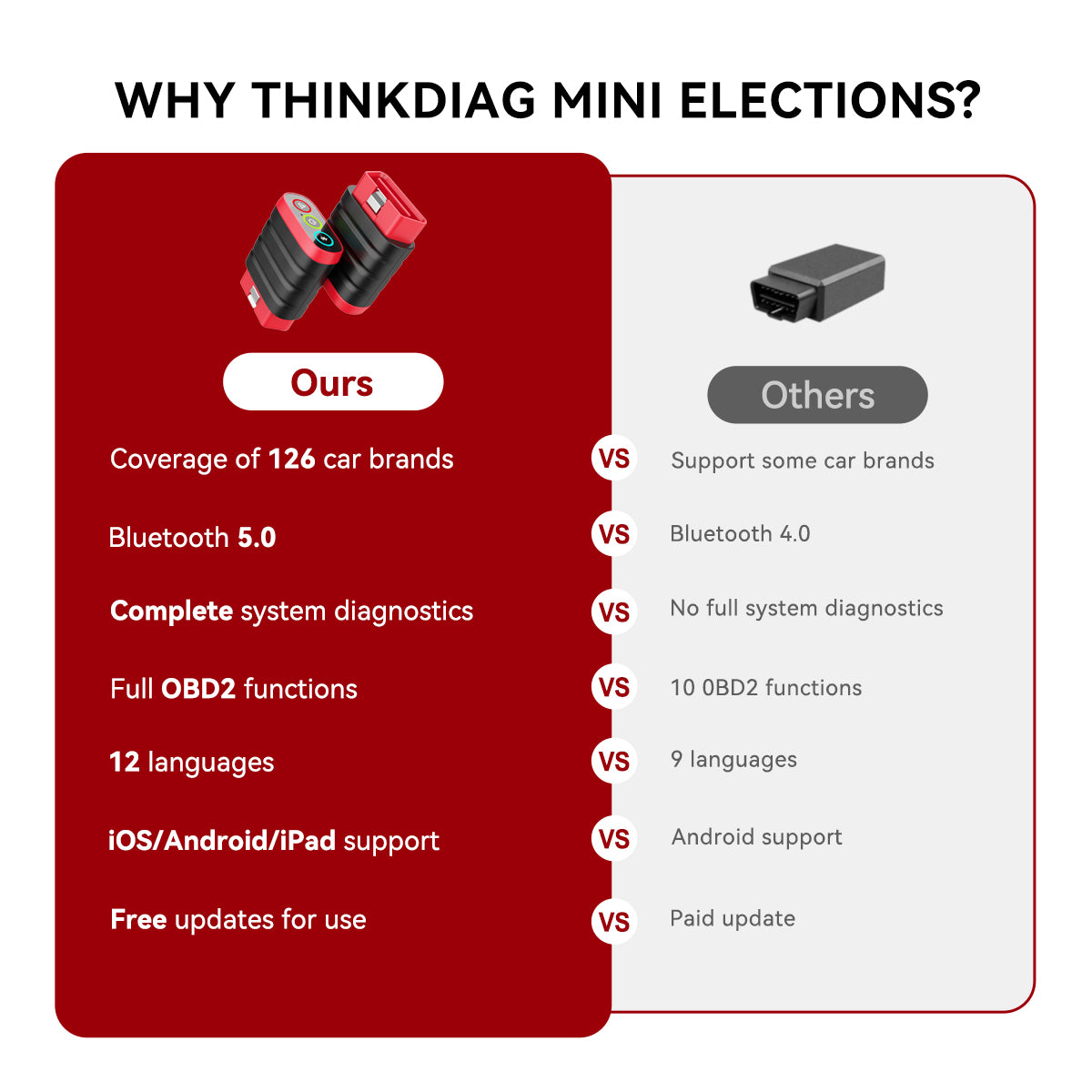
For this module, THINKCAR BD6 and THINKDIAG MINI fit the beginner workflow well because both sit in the OBD2 Scanner Bluetooth category and work through app-based inspection. The ThinkDiag+ app supports ThinkCar BD6 and ThinkDiag MINI, which makes report saving and mobile use simple for lot-side checks. THINKDIAG MINI lists Bluetooth dual mode support, a compact 60 mm x 48.5 mm x 22.5 mm body, and a 12-month warranty. That compact format matters when you want a scanner that lives in your glovebox instead of your garage. Compared with many basic Code Readers, phone-based reporting is easier to save and review later. Autel also offers entry code-reading tools, but if your priority is portability plus app workflow, THINKCAR and MUCAR give beginners a clearer upgrade path inside the same ecosystem. (mythinkcar.com)
Shop: THINKCAR BD6
Live Data Road Test
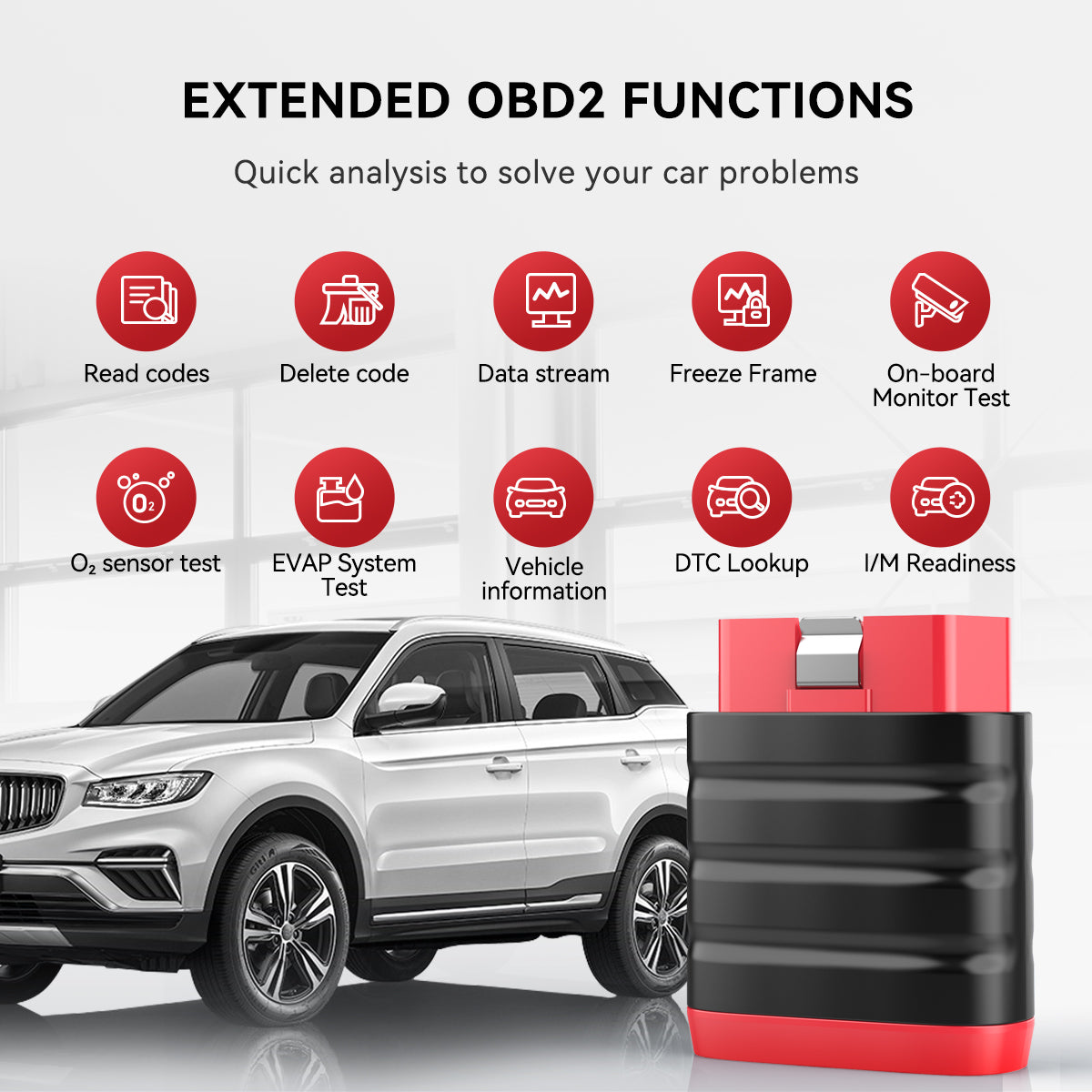
If code reading is your filter, live data is your lie detector. A used car can drive smoothly for ten minutes and still have weak sensors, lazy thermostat behavior, trim imbalance, or intermittent misfire activity. During a road test, watch coolant temperature, intake air temperature, short-term fuel trim, long-term fuel trim, O2 sensor activity where supported, calculated load, and misfire data if your tool exposes it. Compare idle, light cruise, and moderate acceleration. Patterns matter more than a single number.
For example, a car that idles roughly with fuel trims heavily positive may have a vacuum leak. A car that runs rich under load may have fuel delivery or sensor issues. A car that never reaches normal temperature may be hiding a thermostat problem, which affects fuel economy and emissions. If your scanner graphs data, use that feature. Graphs make drifting sensors easier to spot than static number lists.
This is where beginner buyers often outgrow the cheapest dongle. THINKDIAG adds all-system diagnostics, live data, control module information, actuation tests, and maintenance functions for modules such as ECM, BCM, SRS, TCM, BMS, TPMS, SAS, and A/C. That wider view matters because expensive used-car problems are not always engine-only. The same product page states coverage for most vehicles after 1996 across 120-plus brands, which makes it more suitable when your target list includes multiple makes. If you want a little more flexibility without jumping into a large tablet, THINKDIAG 2 and THINKDIAG MINI represent a practical middle ground in the Diagnostic Tools Guide path. Autel's midrange Bluetooth units can be competitive, but the stronger reason to choose an ecosystem like THINKCAR is that your learning flow, Software Download process, and future upgrades stay more consistent. (mythinkcar.com)
Shop: THINKDIAG
Service History Verification
A scanner cannot read every receipt, but it can help you test whether the story makes sense. Sellers often say a battery, oxygen sensor, ignition part, or EVAP item was just replaced. Sometimes that is true. Sometimes the reset happened without a full repair. Your job is to look for digital clues that support or weaken the claim.
Start with module health and readiness. If monitors are incomplete after a claimed repair, the car may not have been driven enough to confirm success. Check battery-related clues such as low voltage behavior, charging values, and whether modules report communication interruptions. Look at adaptation-related symptoms too. A smooth idle after reset does not always mean the repair was correct. During the road test, return to trims and temperature data after fifteen to twenty minutes to see whether the car stays stable.
For broader screening, all-system access matters more than many beginners expect. Airbag, ABS, body, or communication faults can turn a "good engine car" into a bad purchase. The MUCAR and THINKSCAN families give you multiple growth steps here. The site groups the ThinkScan Series around models like THINKSCAN 689BT, THINKSCAN 689, THINKSCAN 672, THINKSCAN 662, THINKSCAN MAX, and THINKSCAN PLUS S7, while the MUCAR side includes MUCAR 892BT, MUCAR VO8, MUCAR 682, MUCAR 632, MUCAR CDE900, and MUCAR CDE900 PRO. If you inspect mixed inventory and want more than emissions checks, this is where entry tablets begin to justify themselves. The Official Shop also separates T-code options such as 28 Reset Function, 4 System T-code, All System Diagnosis for All Cars, and Selected Car Brand Full Functions, which is useful if you want to expand capability gradually instead of buying everything upfront. (mythinkcar.com)
Shop: THINKSCAN collection
Bluetooth App-Based Inspection
For many beginners, this is the smartest place to start. A Bluetooth OBDII tool is small, easy to carry, and usually less intimidating than a full tablet. You plug in the dongle, pair it with your phone, run guided scans, and save the report before the seller can rush you past the details. That workflow fits private-party viewings, auction previews, and weekend dealer visits especially well.
The real benefit is not just portability. It is repeatability. If your app saves reports with time stamps and VIN-linked history, you can compare several cars without relying on memory. That makes negotiating easier because you can point to readiness status, pending codes, or system coverage gaps instead of vague impressions. It also helps you learn faster, because your mistakes become reviewable.
THINKCAR BD6 is built for that low-cost, carry-everywhere role. The product page positions it as a full-system Bluetooth dongle, and the ThinkDiag+ app supports it alongside ThinkDiag and ThinkDiag 2. If you need a step up, MUCAR BT200 MAX adds Bluetooth 5.2, 9 to 18 V working voltage, current draw of 130 mA or less, iOS 13 and Android 5.0 support or later, and a 12-month warranty. Its product page also highlights bidirectional control and AI-powered Insights through cognitive assistance. That makes it relevant when you want app convenience but also want to move toward Advanced Scanner capability. MUCAR DriverScan goes further into active-test territory, and states support for 98 percent of car models in its advanced-function positioning, though coverage depth still varies by vehicle. For beginners, the lesson is simple: choose an OBD2 Scanner Bluetooth tool if you want the best budget-to-feature balance, but check the app ecosystem, Software Subscription rules, and Software Renewal terms before you commit. (mythinkcar.com)
Shop: MUCAR BT200 MAX
How to Choose an OBD2 Scanner for Your Inspection Workflow
Match the tool to your vehicle mix
Before you compare features, ask what you inspect most often. If you only check common 2005-2018 gas vehicles, basic Code Readers or a simple OBD2 Scanner Bluetooth dongle may be enough. If you inspect mixed inventory with newer safety systems, hybrids, or higher-mileage imports, prioritize all-system access and stronger manufacturer coverage.
Decide how much confirmation power you need
Some buyers only need a fast pass-fail screen. Others need enough data to estimate repair risk. Use this ladder:
| Inspection need | Best format | Why it fits | Trade-off |
|---|---|---|---|
| Fast emissions check | Code Readers | Quick startup | Limited depth |
| Portable lot checks | Bluetooth OBDII | Phone reports | App dependence |
| Deeper used-car screening | ThinkScan Series | More modules | Higher spend |
| Suspected actuator faults | Bidirectional scanner | Active tests | More learning |
| Growth into shop work | Android-based Diagnostic Tablets | Expandable path | Too much for starters |
Focus on ownership cost, not only purchase cost
A cheap tool becomes expensive if coverage requires frequent Software Subscription payments or confusing Software Download steps. On the THINKCAR site, some products emphasize Free Lifetime Software Updates, while others use T-code or renewal-based expansion. That is not bad by itself, but beginners should know what they are buying. Check whether updates cover bug fixes only, whether new brands require extra activation, and whether Software Update Notice pages are easy to follow. Reuters has continued to report on repair-cost pressure in the broader auto market, which is one reason better screening tools can pay for themselves when they help you avoid even one major mistake. According to Reuters, repair and ownership cost trends remain an important factor in used-car decisions.
Buy one level above your current skill, not three levels above it
A beginner usually benefits more from strong live data, AutoVIN, saved reports, and clear app flow than from ADAS Calibration, ECU Coding, Telematics, or Key Fob Programming. Those are real functions, but they do not belong at the top of a used-car inspection checklist unless your workflow already demands them.
Conclusion
The best beginner scanner is not the one with the longest feature list. It is the one that helps you make better used-car decisions quickly and consistently. For most first-time buyers, that means strong code reading, readiness checks, useful live data, saved reports, and an app flow that does not slow you down.
If you start there, THINKCAR and MUCAR offer a clear path from simple Bluetooth OBDII tools such as THINKCAR BD6, THINKDIAG MINI, MUCAR BT200, and MUCAR BT200 MAX into broader platforms like the ThinkScan Series, VO Series, CS Series, CDE900 Series, and even AI Diagnostic Series or Android-based Diagnostic Tablets later. Choose workflow first, then expand only when your inspections start demanding more confirmation power.
FAQ
What should a beginner scanner read first?
A beginner scanner should read stored codes, pending codes, readiness monitors, and basic live data first. Those four checks reveal many common used-car risks in only a few minutes. Stored codes show current known faults, while pending codes can expose problems that have not matured into a full warning yet. Readiness monitors help you see whether someone has recently cleared codes. Basic live data then helps you decide whether the car's actual behavior matches the seller's story.
Is a Bluetooth OBD2 scanner enough for used-car inspections?
Yes, a Bluetooth OBD2 scanner is enough for many beginner inspections if it reads codes reliably, shows live data, and saves reports. That setup works especially well for private-party visits and auction previews because it is portable and fast to deploy. The limit appears when you need deeper module coverage, faster data on more systems, or active tests for components like cooling fans and pumps. If you mainly inspect ordinary daily drivers, a good OBD2 Scanner Bluetooth tool is usually the best value. If you start checking more complex vehicles, you may want to step up later.
When is a bidirectional scanner worth paying for?
A bidirectional scanner becomes worth it when passive code reading is not enough to confirm a fault. This often happens on higher-mileage vehicles with electrical complaints, intermittent cooling issues, or suspected actuator problems. Active tests let you command certain components and see whether they respond, which can reduce guesswork. That is useful when you are deciding whether a problem is minor, wiring-related, or more expensive. For a true beginner, it is usually a second-step purchase rather than the first one.
Are free lifetime software updates important?
Yes, Free Lifetime Software Updates can matter a lot because long-term software costs can change the value of a scanner. However, you still need to read the fine print. Some products include broad updates, while others separate bug fixes, model coverage, T-code functions, or brand-specific access. Beginners should check whether updates apply to their core inspection workflow or only to optional features. A low upfront cost is less attractive if Software Renewal becomes necessary before the tool is truly useful.
Should beginners prioritize all-system diagnosis?
Usually yes, especially if you are shopping for modern used cars with more than basic engine electronics. A powertrain-only tool can miss ABS, SRS, body, and communication faults that may be expensive to repair. Even if the engine feels healthy, those non-engine problems can change the real value of the vehicle. That said, not every beginner needs full shop depth on day one. If your budget is tight, start with the strongest scanner you can afford that adds at least some broader system visibility.
What is the difference between a code reader and an all-system scanner?
A code reader focuses on generic OBD2 functions, mostly around the powertrain and emissions side of the car. It is ideal for quick first-pass checks because it starts fast and is easy to learn. An all-system scanner reaches deeper into modules such as ABS, airbag, body, transmission, and service systems. That broader access is much more useful on newer vehicles, where expensive faults may not trigger a basic engine warning. For used-car buyers, the difference often comes down to whether you want simple filtering or deeper risk screening.
Table of Contents
- Introduction
- OBD2 Scanner Fundamentals for Used Car Inspections
- Pre-Purchase Code Check
- Live Data Road Test
- Service History Verification
- Bluetooth App-Based Inspection
- How to Choose an OBD2 Scanner for Your Inspection Workflow
- Conclusion
-
FAQ
- What should a beginner scanner read first?
- Is a Bluetooth OBD2 scanner enough for used-car inspections?
- When is a bidirectional scanner worth paying for?
- Are free lifetime software updates important?
- Should beginners prioritize all-system diagnosis?
- What is the difference between a code reader and an all-system scanner?

Share:
Bluetooth OBD2 Scanners That Do More Than Check Engine Codes: 2026 Checklist
Bluetooth OBD2 Scanners That Do More Than Check Engine Codes: 2026 Checklist