
Introduction
You fix the issue, clear the light, and feel like you won the weekend. Then the same warning pops back on the next morning, and now you are stuck guessing: bad part, bad data, or a scan tool that cannot run the right test.
Choosing the wrong scanner costs you twice, because you pay for the tool and still end up paying for a shop to do the active test, the reset, or the deeper module scan you could not access. This list helps you match update policy, bidirectional scanner needs, and service/reset coverage to the way you actually work in your driveway. To keep it simple, these four picks are sorted by the most common DIY paths: value + lifetime updates, a step-up ThinkScan Series option, an app-assisted handheld, and a high-end tablet for advanced workflows.
The 4 Picks: Diagnostic Scanners That Stay Current
1: THINKSCAN 662
If you want a Vehicle Scanner & Diagnostic Tool that keeps getting better without turning into a Software Subscription headache, the THINKSCAN 662 is the cleanest fit for most DIY workflows. It is built around the jobs you actually do at home: confirm the fault, validate the fix with live data, and run a few key active tests when a part is intermittent.
- Best for: DIYers who want regular updates with no ongoing fees
- Update model: Free Lifetime Software Updates; the product page positions updates as monthly enhancements (think: coverage and feature refinements) (Over-the-Air (OTA) Updates style experience in practice, even if delivery is not described as OTA on the page)
- Diagnostics scope: 4 primary systems (ECM, TCM, ABS, SRS) for 140+ brands
- Bidirectional scanner use-case: Bi-Directional Control & Active Tests for common component checks (fans, pumps, actuators)
- Service coverage: 12 critical service resets (includes items like oil reset, SAS reset, ABS bleeding, battery matching, DPF regeneration, TPMS reset, airbag reset)
- Workflow helpers: Auto VIN, CAN FD support, touchscreen-first UI
Why it wins: For DIY car repair, the real value is confidence over time. Free Lifetime Software Updates matter because coverage gaps show up years later, not on day one, and this tool is positioned to keep pace with newer vehicles through ongoing releases. It also stays focused: you get the modules and tests that solve most at-home jobs without dragging you into a complicated tablet ecosystem. (mythinkcar.com)
Shop: THINKSCAN 662
2: THINKSCAN 672
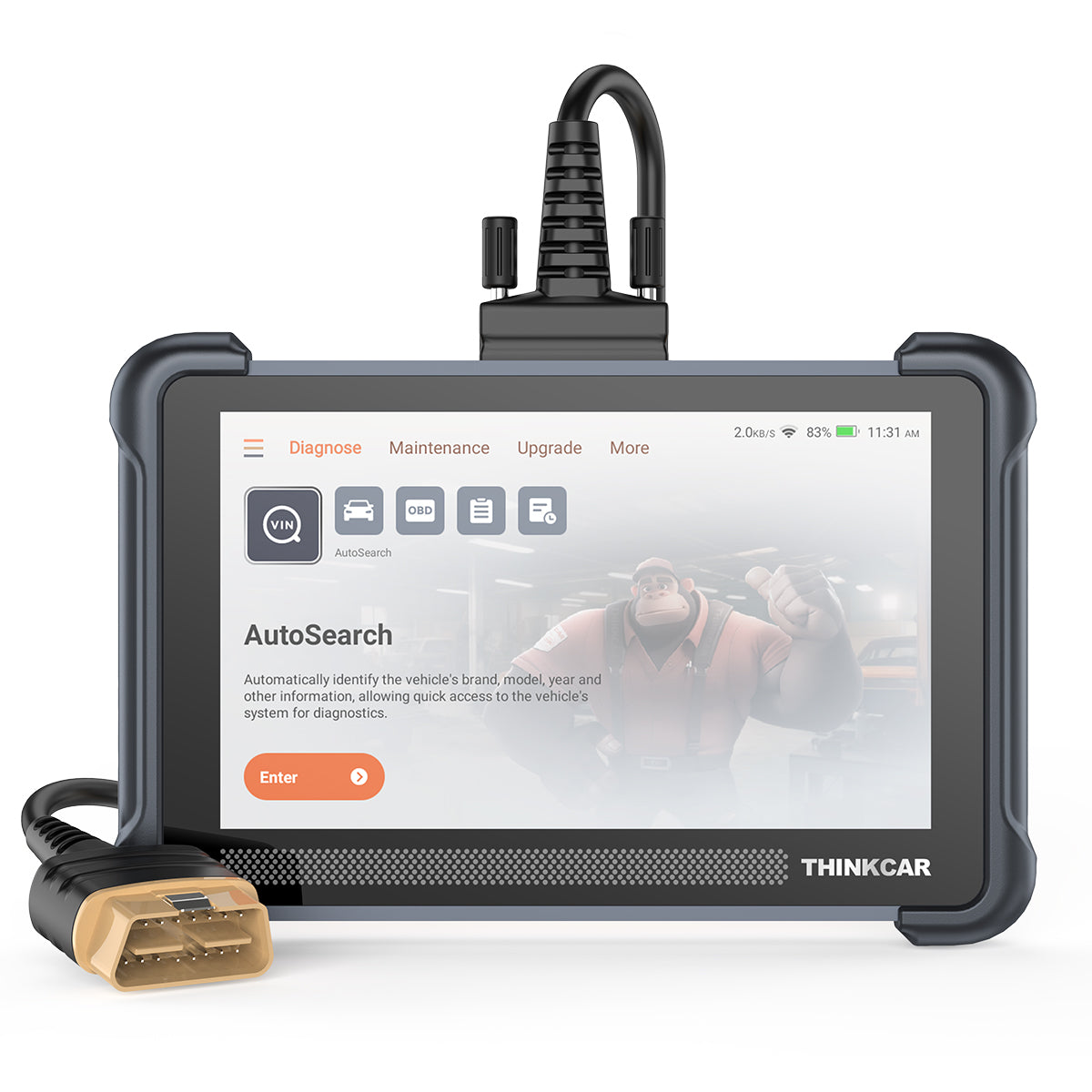
When your DIY projects go beyond the basics, the biggest pain is not reading code; it is getting stuck right after the repair. You replace a part, but the module needs a relearn, a calibration, or a specific reset. The THINKSCAN 672 is the ThinkScan Series step-up that is designed for that exact moment.
- Best for: DIYers who need more service functions and broader module access
- Update model: Free lifetime updates, no subscription fees (on-page claim)
- Diagnostics scope: Full systems diagnostics for 140+ brands (engine, chassis, body, A/C, and more)
- Bidirectional Control Scanners benefit: 3000+ bi-directional control/active tests (on-page claim)
- Service coverage: 28 reset functions (a long list including ABS bleeding, AdBlue reset, battery matching, brake reset, DPF regen, injector coding, TPMS reset, and more)
- Compatibility and updates: CAN FD support; WiFi update support (2.4G/5G)
Why it wins: If you have ever finished a brake job and then realized you cannot put EPB/service mode back correctly (or you cannot complete a relearn), you already understand why a step-up tool matters. The THINKSCAN 672 aims to reduce those dead-ends by pairing all-system access with a bigger service menu, while keeping the updated story simple for long-term ownership. (mythinkcar.com)
Shop: THINKSCAN 672
3: Innova 5610
If you like a handheld tool but still want bidirectional control and app-assisted guidance, the Innova 5610 is a strong DIY-friendly format. The frustration it solves is the classic: you can see the code, but you cannot prove the actuator works or confirm the fix without a command test.
- Best for: App-assisted fixes plus deeper module access in a handheld form
- Update model: No update fees; free updates are emphasized by Innova
- Diagnostics scope: Positioned as accessing OEM-specific modules (beyond generic OBD2)
- Bidirectional scanner capability: Bidirectional control/active tests (example commands include ABS pumps or fuel injectors)
- Data workflow: Live data stream is a core feature; pairs with the optional RepairSolutions2 app
Why it wins: As a DIY tool, the Innova 5610 is compelling because it leans into usability and ownership cost predictability. You get bidirectional tests in a simple handheld device, and you are not buying into an annual renewal just to stay current. (innova.com)
Shop: Innova 5610
4: TOPDON Phoenix Max
The Phoenix Max is for the serious DIYer who is basically running a mini shop workflow at home, especially if you want topology (a network map of modules) and a tablet-style experience. The main frustration it solves is time: when multiple modules are involved, you need a fast way to see what is online, what is failing, and what changed after the repair.
- Best for: Advanced workflows like topology-based diagnostics and broader programming/coding options
- Update model: 2 years of free software upgrades (with renewal costs after that)
- Diagnostics scope: Full-system diagnostics with topology mapping and broad protocol support
- Bidirectional control: Active tests supported
- Advanced integration: MDCI Pro VCI with protocols like J2534, DoIP, and CAN FD support
Why it wins: If you work on newer vehicles with more modules (and more gateway/security behavior), a topology view can speed up diagnosis because you see relationships at a glance instead of hunting through menus. The trade-off is long-term update cost planning, because the tool is built around a time-limited free-upgrade window. (topdon.us)
Shop: TOPDON Phoenix Max
Buying Guide: What to Look For (So Updates Actually Help You)
Update policy: Free lifetime, limited years, or paid?
The painful surprise is not the first scan; it is year three when you buy a different vehicle or a new model-year ECU variant shows up. Before you buy, treat updates like part of the tool, not a bonus.
- Ask: Does the tool keep core diagnostics after updates end, or do features get locked?
- Verify: How updates install in real life (WiFi on-tool, PC updater, or app-based)
- Look for clarity: Terms like Free Lifetime Software Updates vs. a fixed window like 2 years.
- Watch-outs: Renewal models that keep the tool usable but freeze coverage without payment
THINKCAR also uses T-code/TCODE and renewal concepts on other lines (for example, some tools or software packages use subscription-style renewals), so it is smart to confirm the exact update policy for the exact model you are buying, even within the same brand ecosystem. (mythinkcar.com)
Bidirectional tests: Do you need active control?
If your workflow is mostly check-engine lights, you can often get by with code readers and live data. The moment you are chasing an intermittent fault, a bidirectional scanner becomes the difference between diagnosis and guessing.
- You need bidirectional control when: you want to command components on purpose (cycle an ABS pump, trigger a fan, run an EVAP test)
- You can skip it when you only need to read/clear codes and check basic emissions readiness.
- The practical check: confirm active tests exist for your year/make/model, not just the scanner marketing list
A common DIY win is using active tests to separate wiring faults from failed parts: if the command works but the sensor feedback looks wrong, you narrow the problem quickly.
System and service coverage: More than engine codes
DIY pain usually shows up after you do real maintenance: brakes, steering work, battery replacement, DPF-related issues, or a TPMS & Sensor problem after tire work. That is why resets and module coverage matter as much as reading P-codes.
- Modules to prioritize: ABS and SRS (airbag) at a minimum for many warning lights
- Service functions to prioritize: oil reset, SAS calibration, ABS bleeding, battery matching, DPF regen, TPMS service resets
- Coverage reality: resets can vary by year, trim, and module supplier, so the same make/model can behave differently
If you think you will expand later, note how the broader THINKCAR and MUCAR ecosystem is organized (ThinkScan Series, AI Diagnostic Series, VO Series, CS Series, CDE900 Series, plus Code Readers and TPMS Service tools). This helps you pick an upgrade path without rebuying everything.
Compatibility basics: OBD-II port and power
Most DIY scanning assumes a standard OBD-II connector, but the real-world gotcha is power and communication readiness. If the vehicle battery is weak or a module is offline, even a great scanner will look broken.
- Connector expectation: The SAE J1962 interface defines the standard 16-pin diagnostic connector used for OBD-II access. (saemobilus.sae.org)
- Model year reality: In the US, OBD-II is broadly associated with 1996-and-newer light-duty vehicles, but edge cases exist (imports, motorcycles, specialty vehicles). (theicct.org)
- Quick driveway checks: verify the port has power, verify ignition state requirements, and confirm the scanner cable seats fully
Comparison Table
Quick side-by-side (updates, tests, use case)
| Pick | Best for | Update model | Diagnostics scope | Active tests | Notable notes |
|---|---|---|---|---|---|
| THINKSCAN 662 | Value DIY, long ownership | Lifetime free updates | 4 major systems | Yes | Monthly enhancements claim |
| THINKSCAN 672 | More resets and modules | Free lifetime updates | Full systems | Yes | WiFi updates; 28 resets |
| Innova 5610 | Handheld + app guidance | Free updates | OEM modules supported | Yes | Optional RepairSolutions2 |
| TOPDON Phoenix Max | Advanced tablet workflows | 2 years free upgrades | Full-system + topology | Yes | Renewal cost after window |
Conclusion
If you want one scanner that will still feel like a smart buy years from now, start by choosing an update policy you can live with. For many DIYers, that means prioritizing Free Lifetime Software Updates and enough bidirectional control to prove parts work before you replace them.
For a straightforward DIY garage setup, the THINKSCAN 662 hits the sweet spot: core modules, common resets, and active tests with a simple ownership story. If your repairs routinely involve calibrations, relearns, and a longer reset list, the THINKSCAN 672 is the ThinkScan Series move that reduces the odds you get stuck mid-job.
Official Shop: THINKCAR
FAQ
What does "regular updates" actually change on a scan tool?
Regular updates usually expand vehicle coverage, improve how the tool identifies ECUs, and add or refine special functions like resets and active tests. They can also fix communication bugs where a tool fails to connect to a specific module or protocol on certain model years. In practice, updates matter most when you buy a newer vehicle later, or when you run into a trim-level ECU that older databases do not recognize. If you keep a scanner for several years, consistent updates often beat having the most features on day one.
Do I need a bidirectional scanner for DIY repairs?
You need bidirectional control when you want to command a component to verify it works, like cycling an ABS pump, commanding a cooling fan, or triggering an EVAP purge test. If your workflow is mostly reading and clearing engine codes and checking readiness monitors, you can often skip it. However, for intermittent faults, active tests reduce guesswork because you can separate a bad part from a wiring or control issue. A practical rule is this: if you replace parts based on symptoms more than once a year, bidirectional capability usually pays for itself in time saved.
Why can two scanners show different results on the same car?
Two scanners can differ because they do not support the same modules, they decode manufacturer-specific codes differently, or they map live-data PIDs in different ways. One tool may pull mostly generic OBD2 data, while another reaches deeper into OEM modules like body control or advanced ABS. Updating databases also matters because a newer ECU variant might be recognized by one tool and not the other. If results disagree, compare which module each tool is actually talking to, not just the code text shown on screen.
What should I confirm before buying a scanner for ABS and airbag lights?
Confirm the scanner supports ABS and SRS for your exact year, make, model, and engine, because coverage can change across trims and generations. Make sure it can read codes and clear codes for those modules, not only the engine ECU. If you expect to do procedures like ABS bleeding, also confirm the tool lists that specific function for your vehicle. Finally, check that the tool can show live data for wheel speed sensors and other key inputs, because that is where diagnosis usually gets real.
Can a diagnostic scanner fix the problem by itself?
A scanner does not repair anything by itself, but it can dramatically narrow the fault to a system, sensor, circuit, or control behavior. The best DIY workflow is scan, confirm with a test (live data or active test), repair, then rescan to verify the fix. This matters because clearing a code without fixing the cause often resets monitors and hides the real problem until it returns. Use the scanner as your decision tool, not just a light reset button.
Will a scan tool work if the car will not start?
It depends on whether the vehicle can power the diagnostic port and wake up the modules with the key in the correct position. Many cars will communicate with the ignition even if the engine will not crank, but low battery voltage can make communication fail or create misleading codes. If you see random module errors, check battery voltage first and aim for a stable 12.4V or higher before deep diagnosis. If the port has no power at all, you may be dealing with a blown fuse or a wiring issue feeding the DLC.
Table of Contents
- Introduction
- The 4 Picks: Diagnostic Scanners That Stay Current
- Buying Guide: What to Look For (So Updates Actually Help You)
- Comparison Table
- Conclusion
-
FAQ
- What does "regular updates" actually change on a scan tool?
- Do I need a bidirectional scanner for DIY repairs?
- Why can two scanners show different results on the same car?
- What should I confirm before buying a scanner for ABS and airbag lights?
- Can a diagnostic scanner fix the problem by itself?
- Will a scan tool work if the car will not start?

Share:
Affordable Diagnostic Tools for Repair Shops: A Step-by-Step Price Guide
Best Budget Diagnostic Tools: Buying Guide for DIY Car Repairs (Beginner Friendly)