
Understanding Subscription-Free Scan Tools
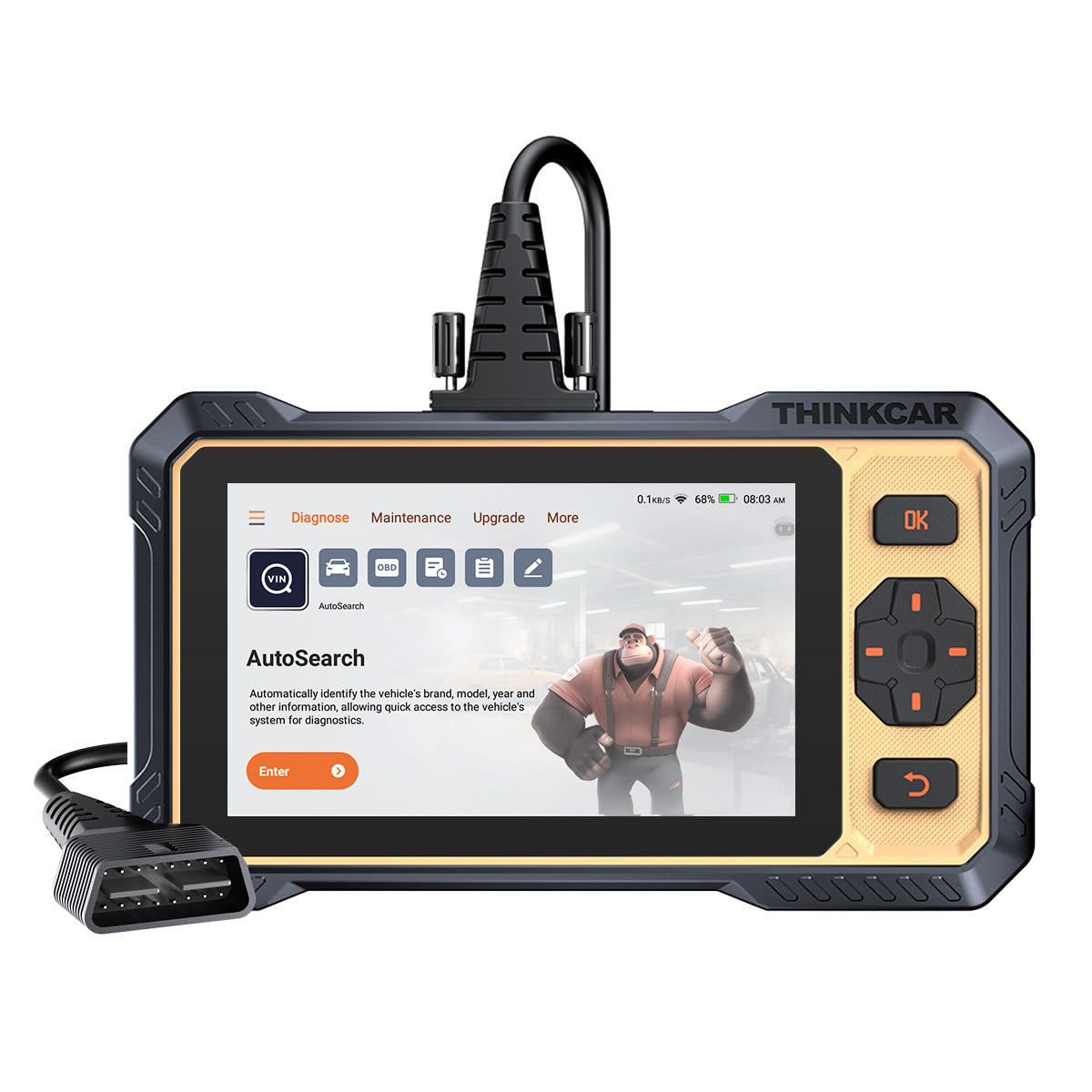
Buying a scan tool without subscription often happens under pressure. A check-engine light appears, you need answers fast, and many listings make every tool sound equally capable. That is where people overspend or, worse, buy a reader that only clears basic codes and cannot reach ABS, SRS, or service menus. A better approach is to compare the full ownership picture before you buy: vehicle coverage, protocol support, update policy, diagnostic depth, and how the tool fits your real repair routine.
For 2026, the smart way to evaluate a scan tool without subscription is to treat it as a workflow tool, not a gadget. The goal is not just to avoid annual fees. You also want a tool that stays useful across newer vehicles, common maintenance jobs, and more advanced troubleshooting. That is why this guide focuses first on compatibility and feature fit, then on long-term value, with ThinkCar’s MUCAR 892BT used as the main brand example.
What Should You Verify Before You Buy?
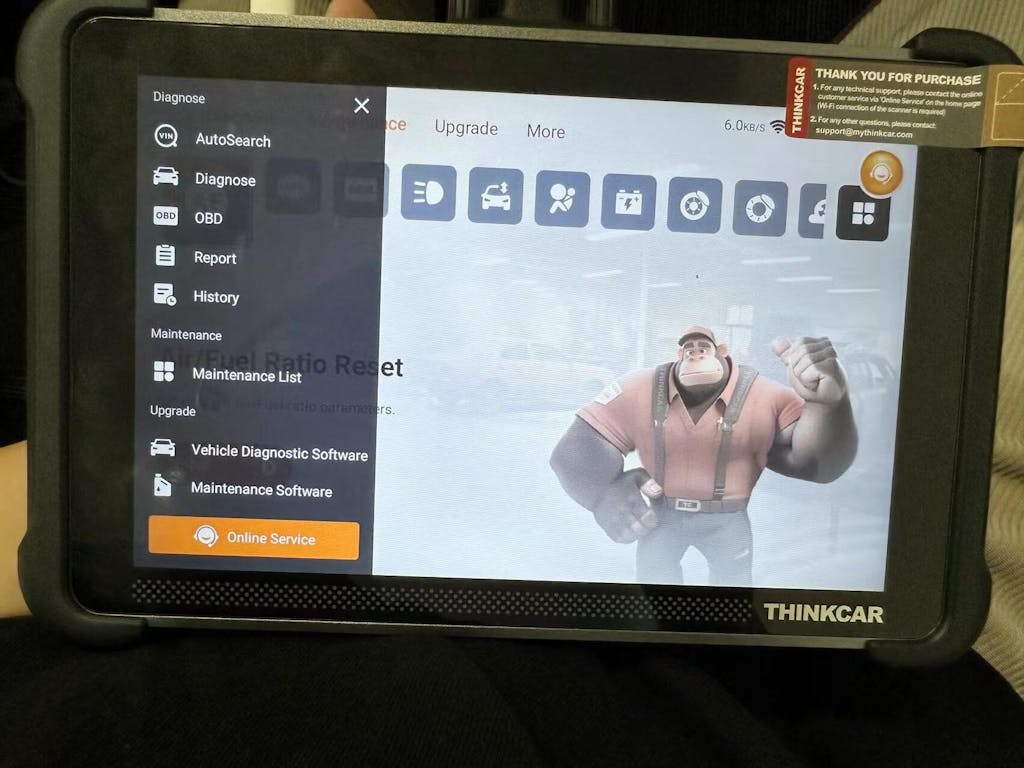
The first filter is simple: make sure the scanner can actually talk to the vehicles you own or plan to keep. A cheap OBD2 scanner no ongoing fees is only a good deal if it supports your model years, fuel types, and newer communication standards. The reference ThinkCar buying guide stresses the same point: compatibility, depth, and update structure should come before price because they determine whether the tool remains useful after the first repair. On the MUCAR 892BT page, ThinkCar positions the unit with free lifetime updates, OE-level full-system diagnostics, and support for CAN-FD and DOIP, which are important for newer vehicle communication needs. According to the EPA, OBD monitor readiness remains central to inspection and maintenance workflows, so incomplete scanner access can create real delays when you are diagnosing or preparing for emissions checks.
Confirm vehicle and protocol coverage
Start with a written list of what is in your driveway and what might be there next year.
- Year, make, and model
- Gas, diesel, or hybrid powertrain
- US-market or import-specific needs
- CAN-FD or DOIP requirements on newer vehicles
- Whether you need all-system access or only emissions data
ThinkCar states that the MUCAR 892BT supports diagnostics for 120+ car brands and lists CAN-FD, DOIP, ISO 9141-2, ISO 14230-2, ISO 15765, and multiple SAE protocols. That matters because a tool can be called “OBD2” and still fall short on modern module communication.
Define your real diagnostic depth
Many buyers say they only need a simple scanner, but their actual jobs say otherwise. If you handle battery replacement, brake service, steering calibration, airbag faults, or transmission issues, a basic code reader becomes limiting very quickly.
Use this ladder to decide what depth you need:
- Code reader: generic engine codes and readiness checks
- Enhanced OBD2 tool: better live data, freeze frame, and reports
- Full-system automotive scanner: engine, ABS, SRS, transmission, body, and more
- Bidirectional scan tool: active tests that command components during diagnosis
ThinkCar markets the MUCAR 892BT as an all-system platform with AI-assisted diagnostics, ECU coding, active testing, and 34+ or 35+ maintenance functions depending on the page section. That places it far beyond a basic code reader and squarely in the full-system automotive scanner category.
Check the update model and its limits
A diagnostic tool lifetime updates claim is valuable only when you understand what is covered. Some brands mean core software only. Others add fees later for advanced functions, add-ons, or brand unlocks.
Before you buy, check these points:
- Is the update promise written clearly on the product page?
- Does it mention free lifetime updates or only limited-term updates?
- Are special functions bundled or sold separately?
- Is the workflow app-based, tablet-based, or dependent on add-on licenses?
ThinkCar explicitly states on its product page that the MUCAR 892BT includes lifetime free software upgrades and no subscription fees. That makes it relevant for anyone searching for a diagnostic tool lifetime updates option rather than a lower-priced tool that becomes expensive later.
How Does the Selection Process Work?
Choosing the right scan tool without subscription gets easier when you stop comparing ads and start comparing jobs. In practice, your repair workflow tells you more than feature badges do. If your normal tasks are emissions checks and code clearing, your needs stay modest. If you diagnose intermittent faults, test actuators, or perform service resets across more than one vehicle, the right tool changes quickly. This is also where tablet-style tools and Bluetooth-only tools begin to separate.
Step 1: Map your repair workflow
Start with the jobs you actually do at home or in your small shop.
- Read and clear engine codes
- Check I/M readiness before inspection
- Diagnose ABS or airbag warnings
- Perform oil, EPB, BMS, or SAS resets
- Test components during troubleshooting
- Handle several vehicles across different years
If your list stops at emissions checks, a smaller tool may work. If your list includes brake bleed support, battery registration, or module diagnostics, you need more than a simple dongle.
Step 2: Match features to real use cases
This is where you separate useful features from marketing noise.
What to check
- Live data for sensor comparison in real time
- Freeze-frame data for fault context
- Full-system scanning for non-engine modules
- Active tests for confirming part response
- ECU coding only if you truly need configuration work
ThinkCar says the MUCAR 892BT offers AI diagnostics, precision active testing, ECU coding, full OBD2 functions, and 35+ reset services. Its hardware specs also include an 8-inch 1280×800 display, Bluetooth 5.0, a 4150 mAh battery, a 9 to 18 V working voltage, and a 12-month warranty. Those details make it a more self-contained option for users who prefer a dedicated screen instead of relying on a phone every time.
Step 3: Estimate ownership efficiency
A one-time purchase matters, but repeated use matters more. A more capable OBD2 scanner no ongoing fees often saves time because it reduces tool switching, app dependence, and second-guessing.
A quick ownership check looks like this:
- How often will you use the tool per month?
- Will it cover your next vehicle, not just your current one?
- Can it handle service resets that would otherwise require another visit or tool?
- Does the update model keep the software current without renewal costs?
That is why a tablet-style bidirectional scan tool can make sense for multi-vehicle households or serious DIY users. If you only plug in a tool twice a year, portability may matter most. If you diagnose often, interface quality and system depth matter more.
Which Decision Factors Matter Most?
Most buyers compare price first, but that is usually the wrong order. The better sequence is fit, depth, usability, then cost. A cheaper unit that misses modules or lacks support for newer protocols is not truly cheaper when it causes repeated guesswork. This matters even more in 2026 because newer vehicles increasingly depend on broader module communication and software-driven diagnostics.
Coverage versus price
A low sticker price can hide a narrow tool.
| Decision factor | Why it matters | What to look for |
|---|---|---|
| Vehicle coverage | Prevents unsupported vehicles | Year, make, model, region checks |
| System access | Expands troubleshooting range | Engine, ABS, SRS, transmission, body |
| Protocol support | Needed for newer communication | CAN-FD, DOIP |
| Update model | Controls long-term ownership cost | Lifetime updates, no renewal fees |
| Reset functions | Adds service value | Oil, EPB, SAS, BMS, TPMS, bleed functions |
ThinkCar states that the MUCAR 892BT covers 120+ brands and supports modern protocols such as CAN-FD and DOIP, which gives it stronger long-term fit than entry-level readers that focus mainly on generic OBD2 data.
Hardware and usability
The best scanner is one you will actually keep using. A tablet can be easier during longer sessions because you do not need to manage phone battery, incoming calls, or app switching.
Key specs or signals
- 8-inch display for graphing and menu navigation
- Wi-Fi or straightforward software update path
- Stable Bluetooth connection to the VCI
- Good battery capacity for driveway use
- Clear menus for system scans and service functions
The MUCAR 892BT uses an 8-inch display and a magnetic dongle design stored on the back of the unit. That is a practical detail, not just a cosmetic one, because loose dongles are easy to misplace.
Brand ecosystem and support
Support matters more than many buyers expect. Diagnostics often fail because of vehicle-specific limits, gateway restrictions, or a misunderstood function, not because the scanner is defective.
ThinkCar lists 24/7 remote diagnosis support and a 12-month warranty for the MUCAR 892BT. By comparison, the competitor set in this market varies in emphasis. LAUNCH is often associated with broad shop-level capability and strong protocol support in higher-tier tools. Innova positions the Innova 5610 around all-system scans and bidirectional tests, while BlueDriver is commonly compared for app-led simplicity and portability. The fair takeaway is that each brand can suit a different workflow: tablet-first independence, app convenience, or more advanced shop-oriented depth.
Common Pitfalls and Expert Shortcuts
A lot of scanner regret comes from one mistake: treating every OBD2 tool as interchangeable. They are not. The difference between a code reader, an enhanced OBD2 device, a full-system automotive scanner, and a bidirectional scan tool is the difference between seeing a fault and actually proving what caused it. On top of that, many buyers read “lifetime updates” too loosely and never verify whether the statement applies to the software they will actually use.
Do this first
Use this checklist before checkout:
- Verify supported systems, not just “OBD2 compatible” wording
- Confirm CAN-FD and DOIP support if you service newer vehicles
- Read the update wording carefully and save a copy
- Buy for next-year vehicle needs, not only today’s car
- Match the tool to your real job list, not marketing labels
If you perform any work around a running engine bay, batteries, or moving components, use proper PPE. OSHA states that safety glasses with side protection should be worn during activities requiring eye protection, and OSHA guidance also notes that eye and face protectors should meet relevant ANSI standards.
Avoid these mistakes
The most common errors are predictable:
- Buying on price alone
- Confusing a code reader with a scanner that reaches all modules
- Ignoring newer protocol compatibility
- Overpaying for coding features you will never use
- Assuming active tests work on every vehicle the same way
An expert shortcut is to compare tools by failure risk instead of by feature count. Ask: What is this tool most likely to leave me unable to do? That question quickly shows whether you need a minimal reader, a mid-level OBD2 scanner no ongoing fees, or a fuller tablet-based platform.
Best Practices and Pitfalls
Once you narrow the field, a few habits will help you make a more durable choice. The first is to separate “must-have” functions from “nice-to-have” ones. The second is to measure how often you will use those functions. A scan tool without subscription is most valuable when it removes friction repeatedly, not when it merely looks impressive on a feature grid.
Best Practices
- Choose compatibility before price
- Prefer written, visible update terms over vague promises
- Match scanner depth to your actual repair goals
- Keep one level of headroom for future vehicles or more complex jobs
- Favor a larger screen if you run long diagnostic sessions
For example, a user maintaining two newer family vehicles and doing brake, battery, and drivability work will usually gain more from a full-system automotive scanner with resets and active tests than from a basic emissions-focused dongle.
Common Pitfalls to Avoid
- Assuming all “lifetime” language means the same thing
- Buying a tablet when a simple reader would cover your needs
- Buying a simple reader when you already know you need module access
- Ignoring support quality and warranty details
- Forgetting that vehicle-specific function support can vary
In other words, the best value is not the most features or the lowest cost. It is the tool that continues to solve the jobs you actually face without adding recurring fees or forcing a second purchase too soon.
Choosing the Right No-Subscription Fit
If you want one practical framework, use this: compatibility first, workflow second, update model third, price last. That order prevents most bad purchases. For buyers who want a tablet-style scan tool without subscription, ThinkCar’s MUCAR 892BT stands out in this guide because it combines lifetime free updates, all-system diagnostics for 120+ brands, CAN-FD and DOIP support, an 8-inch display, active testing, ECU coding, and 35+ maintenance services in one dedicated unit. That makes it a stronger fit for users who want broader long-term capability without recurring software fees.
Competitors such as LAUNCH, Innova, and BlueDriver remain valid comparison points, but they should be judged by the same criteria: coverage, protocol support, system depth, update policy, usability, and support. When you compare that way, the best choice becomes much clearer.
FAQ
What is the difference between a code reader and a full-system scan tool?
A code reader usually focuses on generic powertrain codes, readiness monitors, and a limited set of live data. A full-system scan tool can access additional modules such as ABS, SRS, transmission, body, and chassis systems, which matters when the warning is not engine-related. In practical terms, a code reader is fine for simple check-engine light work, while a full-system tool is better for broader troubleshooting and service resets. If you regularly work on brakes, steering, batteries, or airbag faults, the full-system option is usually the better long-term fit.
Are lifetime updates always truly free?
No, not always in the broadest sense. Some brands use “lifetime updates” for core software only, while advanced functions, accessories, or brand-specific add-ons may still have limits or conditions. You should read the product page carefully and confirm whether the update promise covers diagnostics, resets, and future vehicle additions. Saving a screenshot or PDF of the update language before you buy is a smart step.
When does bidirectional control matter most?
Bidirectional control matters when you need to command a component and confirm its response during diagnosis. That includes jobs like cycling a cooling fan, triggering an EVAP-related action, testing relays, or checking whether an actuator responds on command. It is especially useful when you want to reduce guesswork and separate a failed part from a wiring, power, or control issue. For occasional code clearing, you may not need it, but for hands-on repair it becomes much more valuable.
How do newer vehicle protocols affect scanner choice?
Newer protocols affect scanner choice because an older or limited tool may connect only partially or fail to reach certain systems. CAN-FD and DOIP support can be important on newer vehicles, especially when you want more than generic engine data. If the scanner lacks the required protocol support, you may miss modules, service functions, or deeper diagnostic access. That is why protocol checks should happen before you compare prices.
Is a tablet-style scanner better than a Bluetooth dongle?
It depends on how you work. A tablet-style scanner often gives you a larger display, a more self-contained workflow, and easier navigation for longer sessions, while a Bluetooth dongle usually wins on portability and storage. If you scan vehicles often, graph live data, and use reset functions regularly, the tablet format usually feels more efficient. If your use is lighter and mostly limited to quick checks, a dongle can still be the right choice.
How should I compare scan tool brands fairly?
You should compare brands using the same checklist every time. Focus on vehicle coverage, supported systems, protocol support, update terms, active tests, reset functions, warranty, and ease of use instead of headline marketing claims. That makes it easier to compare brands such as ThinkCar, LAUNCH, Innova, and BlueDriver without bias. A fair comparison is really about job fit, not just feature volume.
Table of Contents
- Understanding Subscription-Free Scan Tools
- What Should You Verify Before You Buy?
- How Does the Selection Process Work?
- Which Decision Factors Matter Most?
- Common Pitfalls and Expert Shortcuts
- Best Practices and Pitfalls
- Choosing the Right No-Subscription Fit
-
FAQ
- What is the difference between a code reader and a full-system scan tool?
- Are lifetime updates always truly free?
- When does bidirectional control matter most?
- How do newer vehicle protocols affect scanner choice?
- Is a tablet-style scanner better than a Bluetooth dongle?
- How should I compare scan tool brands fairly?

Share:
5 Steps to Choose a Future-Proof Scanner for Newer Cars
Wireless OBD2 Scanners With Fast Reports and Remote Sharing