
Introduction
A wrong scan tool can send you down the wrong repair path fast. You read a code, replace the part it seems to point to, clear the light, and then the same fault comes back because the real problem was wiring, a sensor signal pattern, or a system condition the tool never explained. That kind of mistake costs labor, parts, and trust, especially when your workflow depends on quick first-pass decisions from AI diagnostic tools and every OBD2 scanner claims to be smarter than the last one.
This guide sorts out what actually matters when you choose a tool to interpret fault codes well. First, it breaks down how code logic works in real-world diagnosis. Then it shows how AI diagnostic tools, live data, guided workflows, and service functions fit into a better decision process. Along the way, you will see where an OBD2 scanner adds value, where AI helps, and where your testing process still has to do the heavy lifting.
AI Diagnostic Tools Fundamentals
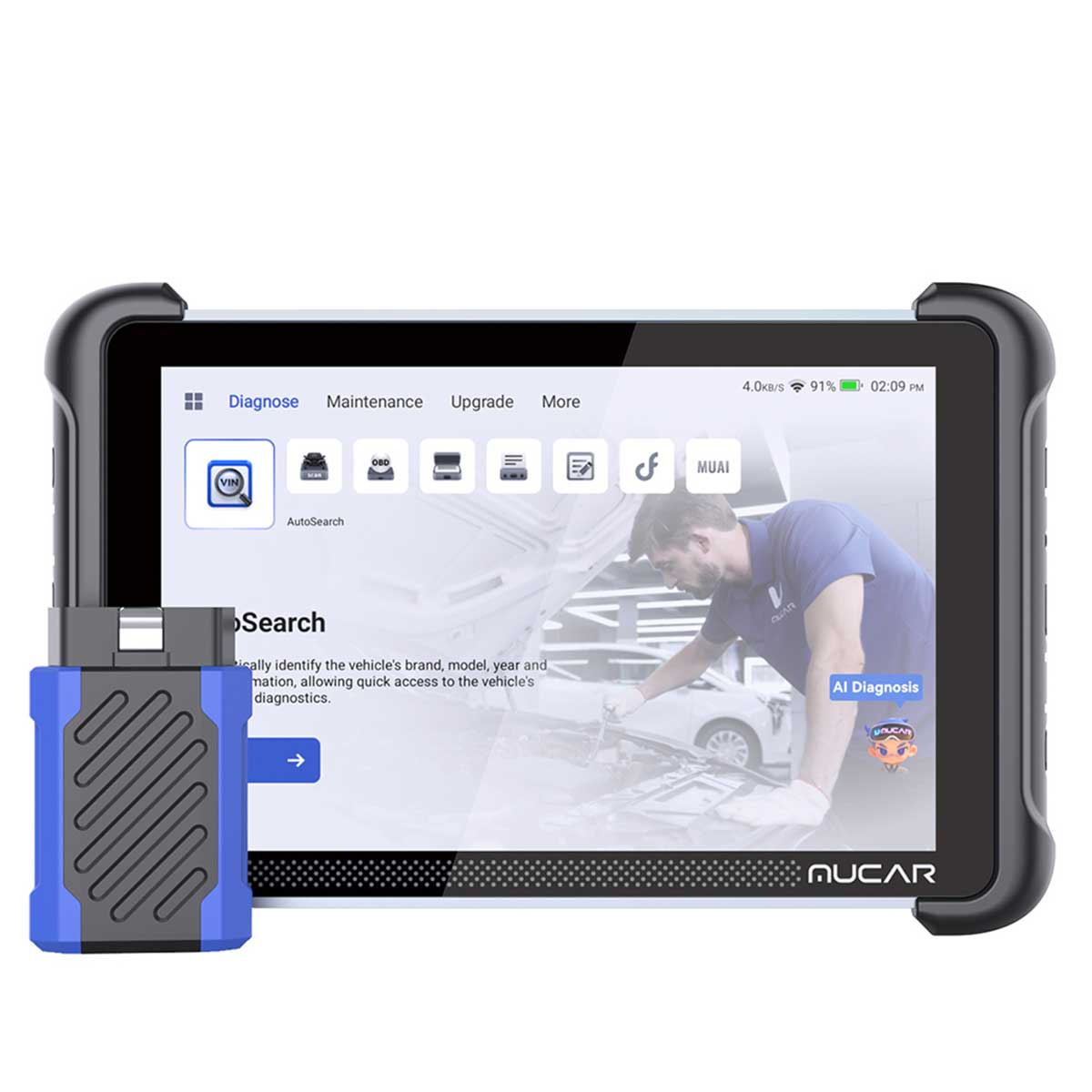
Choosing well starts with one simple idea: fault codes are clues, not conclusions. AI diagnostic tools can speed up interpretation, but they only become useful when you understand what kind of clue a code really is and how much context your OBD2 scanner can access.
What OBD-II actually gives you
OBD-II is the baseline language your vehicle uses to report emissions-related and many system-level faults. SAE's J2012 standard defines standardized diagnostic trouble codes, and SAE revised that standard again in September 2025, which is a good reminder that code structure is stable but supporting definitions and digital annexes continue to evolve. According to SAE International, J2012 defines the standardized DTCs that onboard diagnostic systems report and also reserves ranges for manufacturer-specific usage. That matters because an OBD2 scanner may read the same code string across vehicles while the useful depth behind that code still differs by make and system.
- OBD-II gives you a starting point
- It does not guarantee root-cause accuracy
- Coverage depth changes by vehicle and module
- Better tools add live data and guided context
Generic vs manufacturer-specific fault codes
The next buying filter is code depth. Generic codes usually begin with a shared structure and appear across many vehicles, while manufacturer-specific codes go deeper into brand-specific logic, thresholds, and subsystem behavior. If your tool only translates the text label, you may get a neat sentence but not a useful repair path. If it adds freeze-frame data, symptom patterns, and likely test order, you get something closer to diagnostic help.
What this means for your workflow:
- Generic codes help with broad compatibility
- OEM-level detail helps with accuracy
- More modules usually mean better context
- Plain-language summaries save time only if they stay tied to data
What AI adds and what it cannot do
AI diagnostic tools do not replace testing. What they do well is compress information. A strong system can group code families, explain likely system interactions, suggest what to inspect first, and reduce the time you spend jumping between menus, repair notes, and forums. The risk is that marketing often treats AI as certainty when it is really a prioritization layer.
Why it matters:
- AI can rank likely causes
- AI can rewrite code text into plain English
- AI can shorten manual research time
- AI cannot verify a failed part by itself
- AI cannot see mechanical damage without supporting data
Why current data quality matters more than AI branding
A flashy interface means little if the tool is slow, outdated, or limited in data access. In practice, a reliable OBD2 scanner for fault codes needs stable communication, current coverage, readable live data, and enough system access to connect a code to real behavior. NHTSA continues to publish technical service bulletins and related data feeds, and its datasets were updated as recently as April 5, 2026, which shows how quickly service information around faults can keep moving. According to NHTSA, manufacturer communications and technical service data are collected and updated in public datasets, reinforcing why current software support matters for diagnosis quality.
- Fast hardware reduces menu friction
- Updates protect long-term usefulness
- Vehicle coverage matters more than hype words
- AI is only as good as the code and data it sees
Fault Code Interpretation
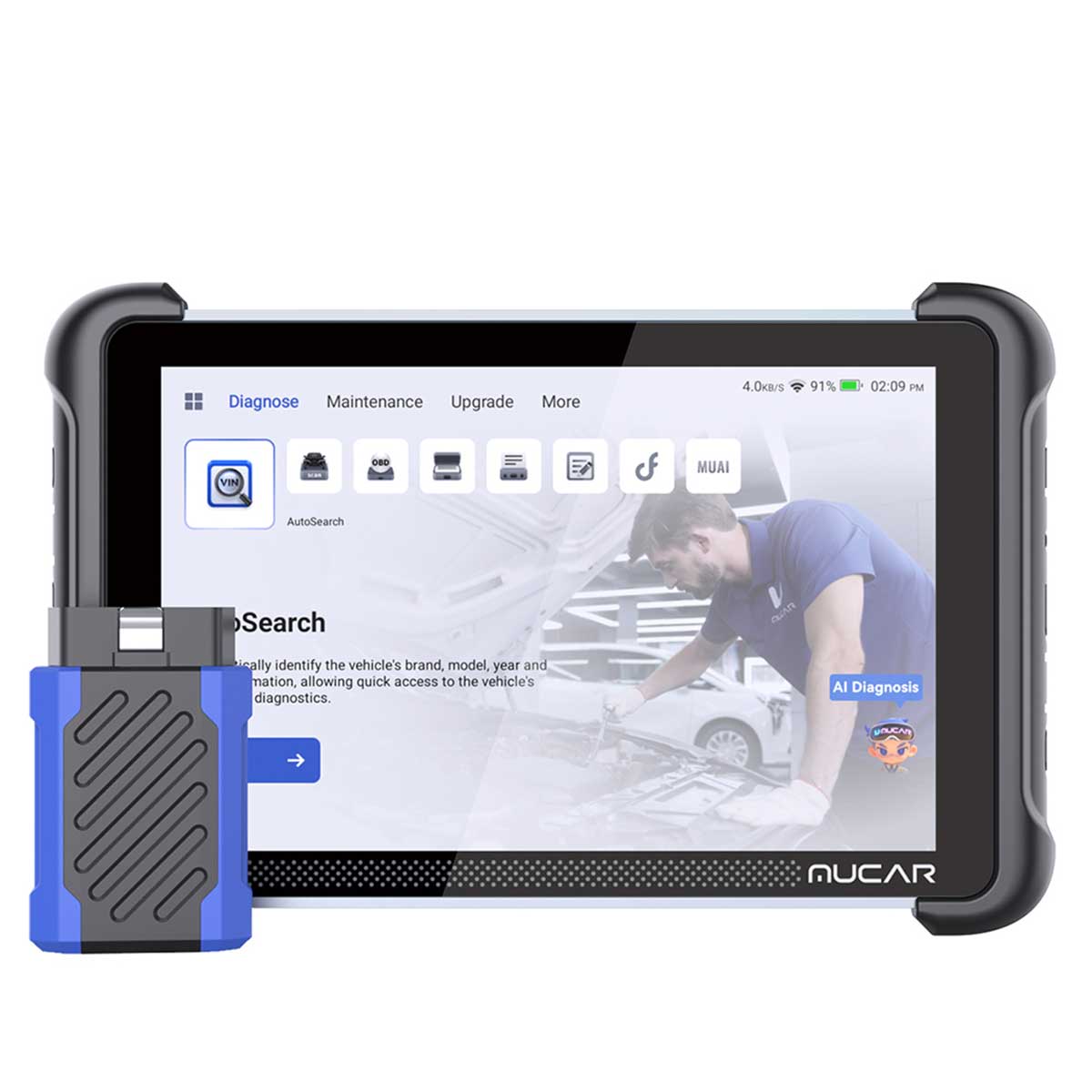
The first real test of AI diagnostic tools is not whether they can read a code. Almost any modern OBD2 scanner can do that. The better question is whether the tool helps you understand the code in system context. A good interface should move from raw DTC to plain-language explanation, then to probable causes, then to the first checks that actually separate one cause from another.
With the ThinkCar MUCAR 892BT, that positioning is built around its AI Intelligent Diagnostic System and MUAI workflow. On the official product page, ThinkCar says the tool provides automatic fault code analysis, real-time Q and A, and intelligent diagnostic reporting, while also framing the system as a domain-focused assistant rather than a generic chatbot. In plain workshop terms, that means the product is trying to reduce the gap between seeing P0171 or P0301 and knowing which tests you should run before ordering parts.
What to check in this module:
- Can the tool explain code families clearly
- Does it distinguish generic and OEM detail
- Can it surface likely cause chains
- Does it support freeze-frame review
- Is the explanation tied to actual test steps
Key specs or signals from MUCAR 892BT:
- AI Intelligent Diagnostic System
- Automatic fault code analysis
- Real-time Q and A support
- All-systems diagnostic positioning
- Free lifetime updates on the product page
Compared with brands such as Autel, TOPDON, Foxwell, and Innova, the practical difference is not that one brand reads codes and another does not. The difference is how much context each tool adds after code retrieval, how readable that context is, and how often that workflow saves you from replacing the wrong part.
Shop: MUCAR 892BT
Live Data Context
If you stop at fault codes, you are still guessing. Live data is what turns a stored complaint into a pattern you can evaluate. For example, a lean-condition code means something very different when short-term fuel trim spikes only at idle versus across the whole RPM range. The same is true for oxygen sensor response, coolant temperature plausibility, misfire counters, or rail pressure behavior during load. That is why AI diagnostic tools become more valuable only when they sit next to usable graphs, stable refresh speed, and freeze-frame access.
The MUCAR 892BT looks built for that kind of workflow rather than quick code clears alone. ThinkCar lists an 8-inch display, 1280 x 800 resolution, Bluetooth 5.0, 4150 mAh battery capacity, Android 10.0, 4 GB RAM, and 64 GB ROM on the product materials. Those specs do not diagnose the car by themselves, but they do reduce friction when you need to compare live values, switch systems, and keep the tool running through a longer test drive or intermittent fault hunt.
What this means:
- Bigger screens help with graph review
- Better hardware improves scan speed
- Stable wireless connection matters on road tests
- Freeze-frame plus live data beats code text alone
Common mistake:
- Clearing a code before checking fuel trims
- Treating one sensor reading as proof
- Ignoring intermittent patterns under load
- Buying AI features without checking data usability
For comparison, many competing tools from Autel or TOPDON also perform well when live graphing and all-system access are priorities, while Foxwell and Innova often appeal to buyers who want simpler workflows. The right pick depends less on brand name and more on whether your daily vehicles demand deep graphing and system-level context.
Shop: MUCAR 892BT
Guided Repair Workflow
Choosing AI diagnostic tools becomes much easier once you ask a practical question: will this tool help you decide what to test next? That is the real value of guided workflow. A strong tool does not just describe the fault. It suggests an order. It helps you move from symptom to probable causes, then from probable causes to checks that rule things in or out.
ThinkCar positions the MUCAR 892BT around that exact problem. The page describes full-stack diagnostics and analysis, root-cause analysis, repair guidance, circuit diagnostics, component testing support, maintenance strategy optimization, and parts replacement decision support. Those claims should still be treated as assistance rather than proof, but they are relevant because they match how real diagnosis works. In a shop, saving ten minutes of search time on every tricky fault adds up fast, especially when the AI guidance helps a less experienced user avoid jumping straight to the most obvious component.
Why it matters:
- It cuts down manual research time
- It helps newer users form a test order
- It supports consistency across technicians
- It reduces first-pass misdiagnosis risk
Best fit:
- Mixed shop environments
- Advanced DIY users handling multiple vehicles
- Mobile technicians who need faster triage
- Teams that want one tool to bridge code reading and guided testing
A fair note on competitors: Autel and TOPDON are often evaluated for broad professional workflows, while Foxwell and Innova are frequently considered by buyers who want easier entry points. The right comparison is not who has the biggest feature list. It is who gives you the shortest reliable path from code to confirmed fix in your actual workflow.
Shop: MUCAR 892BT
Service Functions And Resets
Many buyers overfocus on fault code reading and undercheck service functions. That creates a different kind of workflow problem. You diagnose correctly, replace the failed part, and then realize your OBD2 scanner cannot complete the reset, relearn, or adaptation the vehicle needs afterward. For some users, that is a minor nuisance. For others, it breaks the job.
ThinkCar lists ECU coding, bi-directional test capability, and 34+ maintenance functions for the MUCAR 892BT. That is a strong sign the tool is aimed beyond entry-level code reading. Bi-directional control matters because it lets you command certain components or actuators for verification, while maintenance functions matter after repair because resets are often required for battery systems, oil service, steering angle, electronic parking brake, or other learned values. According to Reuters, broader industrial AI adoption still depends heavily on domain-specific workflows and reliable operational data, which is a useful reminder here: service functions only add value when they match your actual vehicle mix and repair tasks.
What to check:
- Which resets you really use weekly
- Whether the tool supports your vehicle years
- Whether bi-directional tests are central to your work
- Whether ECU coding is basic or deeper platform support
Common mistake:
- Confusing reset coverage with fix confirmation
- Paying for coding tools you never use
- Assuming all service functions work on all brands
- Skipping post-repair verification after the reset succeeds
Autel and TOPDON are common comparison points in this category because both are often associated with deeper professional functions. Foxwell and Innova may fit users who need selected service routines without building a full advanced diagnostic workflow.
Shop: MUCAR 892BT
Shop And DIY Fit
The best AI diagnostic tools are not the ones with the longest spec sheet. They are the ones that fit your skill level, vehicle mix, and repair pace. A DIY owner who maintains two family vehicles needs something different from a mobile technician, and both need something different from a busy independent shop that sees multiple makes every day.
The MUCAR 892BT sits in an interesting middle-to-upper position based on the official page. It combines tablet-style hardware, all-system framing, AI support, lifetime updates, ECU coding language, bi-directional testing, and broad maintenance functions. That makes it more than a simple code reader, but also easier to understand than some systems that assume a fully professional diagnostic environment from the first menu. ThinkCar also highlights a magnetic-design dongle, built-in PDF reader, and technician community features, which suggest the product is trying to support both practical workflow and learning.
Best fit by user type:
- DIY owner: needs clarity, not maximum depth
- Serious enthusiast: wants all-systems access
- Mobile tech: needs wireless speed and portability
- Independent shop: needs breadth and guided workflow
What to watch:
- Do not overbuy for occasional oil-light resets
- Do not underbuy if you service modern vehicles often
- Check support, updates, and training resources
- Match the tool to your hardest common jobs, not your easiest ones
Compared with Innova and Foxwell, buyers often weigh simplicity and familiarity more heavily. Compared with Autel and TOPDON, they may weigh depth, coding range, and ecosystem support more heavily. Your best choice depends on the jobs you repeat every week.
Shop: MUCAR 892BT
How to Choose AI Diagnostic Tools That Help Interpret Fault Codes
A smart selection process starts with your repair workflow, not the marketing page. If you mainly need fast fault code interpretation, good live data, and dependable resets, your ideal tool is different from one built around advanced coding and extensive bi-directional routines.
Vehicle coverage and code depth
Start here because everything else depends on it. A tool with slick AI is not useful if it lacks strong support for your brands, years, or modules.
- Check vehicle makes and model years
- Confirm all-system coverage, not just engine
- Look for generic plus OEM-level code detail
- Verify support for common problem vehicles in your shop
AI guidance quality
Not all AI diagnostic tools explain well. Some restate code text. Better systems rank likely causes and suggest a logical next test.
- Plain-language code translation
- Likely-cause prioritization
- Guided test sequence
- Clear repair notes without hype
Hardware and update model
Fast hardware reduces friction every day. Updates protect your tool after the first year and matter more as vehicle software keeps changing.
- Screen size and readability
- Wireless stability
- Battery life for long sessions
- Update terms and support life
Service function fit
Extra functions are useful only when they match your work. Buy for the repairs you actually perform, not the badge list.
| Decision factor | What to check | Best for | Trade-off |
|---|---|---|---|
| Vehicle coverage | Brands, years, modules | Mixed fleets | More verification needed |
| Code depth | Generic plus OEM detail | Repeat fault work | Higher complexity |
| AI guidance | Explanations, next tests | Faster triage | Not proof alone |
| Live data | Graphs, freeze-frame, speed | Intermittent faults | Better hardware needed |
| Service functions | Resets, coding, active tests | Post-repair workflow | Easy to overbuy |
| Updates and support | Lifecycle, help, training | Long-term value | Ongoing evaluation |
Best Practices & Pitfalls
Good outcomes come from process, not just tool choice. Even the best OBD2 scanner and the most polished AI diagnostic tools can still lead you wrong if the testing habit is weak.
Best Practices
- Verify every stored code with freeze-frame and live data.
- Compare code output with the symptom the driver reported.
- Use AI suggestions to prioritize tests, not skip them.
- Confirm whether you need bi-directional control before purchase.
- Recheck the system after repair and after any reset or adaptation.
Why it matters:
A code becomes useful only when it matches behavior. If the customer reports a hot-soak stall, review what the vehicle was doing when the code set. If the code suggests mixture imbalance, compare trims, load, RPM, and sensor response before replacing parts. This method slows you down for a few minutes but often saves hours later.
Common Pitfalls to Avoid
- Trusting one code as the final answer
- Clearing faults before saving supporting data
- Confusing successful reset with successful repair
- Overpaying for functions you rarely use
- Ignoring update support and coverage limits
Common mistake:
Many buyers choose by headline features alone. They see AI, bi-directional test, or ECU coding and assume the tool is automatically the best value. In practice, unused depth becomes clutter, while missing coverage becomes downtime. The goal is not to own the most advanced scanner on paper. The goal is to improve diagnosis quality in your real workflow.
Conclusion
The best AI diagnostic tools do not win because they sound futuristic. They win because they help you read fault codes in context, connect them to live behavior, and decide what to test next with less wasted time. A capable OBD2 scanner should support that full chain, from code retrieval to verification to post-repair reset.
If you compare tools this way, the buying decision gets clearer. Match code depth, live data quality, service functions, update support, and hardware speed to the vehicles and repair patterns you actually see. When a tool fits your workflow, it does more than decode fault codes. It helps you make better repair decisions.
FAQ
What are the limitations of AI-assisted diagnostics for automotive fault detection?
AI-assisted diagnostics can speed interpretation, but it cannot confirm a failed part on its own. The output depends on the quality of the stored code, the live data available, and the accuracy of the vehicle coverage behind the tool. In many cases, AI is best used as a triage layer that narrows possibilities and suggests a test order. It can miss wiring faults, intermittent issues, mechanical failures, or system interactions that need hands-on inspection. You should treat it as a guide for investigation, not as the final diagnosis.
How accurate is AI-assisted diagnostics for resolving vehicle faults?
Accuracy varies widely because the tool only sees what the vehicle reports and what the software can interpret. A tool will usually perform better when it has broad module coverage, strong freeze-frame access, stable live data, and clear OEM-level detail. Accuracy also rises when you compare the AI suggestion against symptoms, service history, and physical inspection. In other words, the scanner can improve your first-pass direction, but your confirmation tests still determine whether the repair is correct. The more complex the fault, the more important that verification step becomes.
What features help an AI diagnostic tool interpret fault codes better?
The most useful features are code explanations, freeze-frame data, live data graphing, all-system access, and a guided next-step workflow. Those features matter because a plain code label often tells you where the complaint appeared, not why it happened. Bi-directional tests and service functions also help when you need to verify component response or complete a post-repair relearn. Fast hardware and a readable screen matter more than many buyers expect because slow menus break concentration during diagnosis. Update support is also essential because vehicle coverage and software logic keep changing.
How can AI-assisted diagnostics improve vehicle fault interpretation?
AI improves vehicle fault interpretation by turning raw trouble codes into structured context. Instead of giving you only a code number and short definition, a better system can group related causes, suggest likely tests, and connect the fault to the subsystem involved. That shortens manual research time and helps less experienced users avoid jumping straight to parts replacement. It also helps experienced users move faster when they are handling a mixed schedule of vehicles. The gain is usually not magical accuracy but better prioritization and less wasted search time.
How do I choose an automotive diagnostic tool with AI-assisted capabilities?
Start by listing the vehicles you actually service, the systems you need to reach, and the service functions you use most often. Then compare code depth, live data usability, update support, wireless stability, and whether the AI gives test-oriented guidance instead of generic explanations. If you often chase intermittent faults, prioritize graphing, freeze-frame access, and hardware speed. If you mostly handle maintenance and light diagnosis, you may not need the deepest coding functions. The right tool is the one that improves your most common repair decisions, not the one with the longest feature banner.
Which features are essential in an automotive diagnostic tool?
The essential features are reliable code reading, live data access, freeze-frame review, readiness status, and stable software support. Those are the minimum tools needed to move from fault detection to real interpretation. For many users, all-system coverage is also essential because body, transmission, ABS, and other modules often add the context that engine codes alone cannot provide. Advanced users may also need bi-directional tests, maintenance resets, and some level of coding support. If your workflow includes modern multi-system faults, those advanced functions stop being optional very quickly.
What is the difference between reading a fault code and diagnosing a fault?
Reading a fault code means the tool retrieved the vehicle's stored complaint from one or more control modules. Diagnosing a fault means you used that complaint, plus live data, freeze-frame information, symptoms, and testing, to determine the actual cause. A code may point to a circuit, a sensor range issue, or a system imbalance, but it rarely proves which part failed. That is why replacing the part named in the code description often leads to repeat repairs. Diagnosis starts with the code, but it is completed only after verification.
When should I choose a higher-end OBD2 scanner instead of a basic one?
You should move up to a higher-end OBD2 scanner when your work regularly goes beyond simple engine-code checks. If you service several makes, need all-system access, rely on live graphs, or perform resets and active tests, a basic tool will slow you down or leave gaps in the job. Higher-end tools also make more sense when you diagnose intermittent faults, because those jobs need better data handling and faster workflow navigation. For occasional code checks on one or two vehicles, a simpler scanner may be enough. Once your repairs depend on interpretation quality, deeper tools usually return that value in saved time and fewer misdiagnoses.
Table of Contents
- Introduction
- AI Diagnostic Tools Fundamentals
- Fault Code Interpretation
- Live Data Context
- Guided Repair Workflow
- Service Functions And Resets
- Shop And DIY Fit
- How to Choose AI Diagnostic Tools That Help Interpret Fault Codes
- Best Practices & Pitfalls
- Conclusion
-
FAQ
- What are the limitations of AI-assisted diagnostics for automotive fault detection?
- How accurate is AI-assisted diagnostics for resolving vehicle faults?
- What features help an AI diagnostic tool interpret fault codes better?
- How can AI-assisted diagnostics improve vehicle fault interpretation?
- How do I choose an automotive diagnostic tool with AI-assisted capabilities?
- Which features are essential in an automotive diagnostic tool?
- What is the difference between reading a fault code and diagnosing a fault?
- When should I choose a higher-end OBD2 scanner instead of a basic one?

Share:
Diagnostic Tool Features Compared: What Really Matters in 2026
How to Select a Diagnostic Tool that Offers Lifetime Updates for Cheap