
Check your real diagnostic job before you compare features
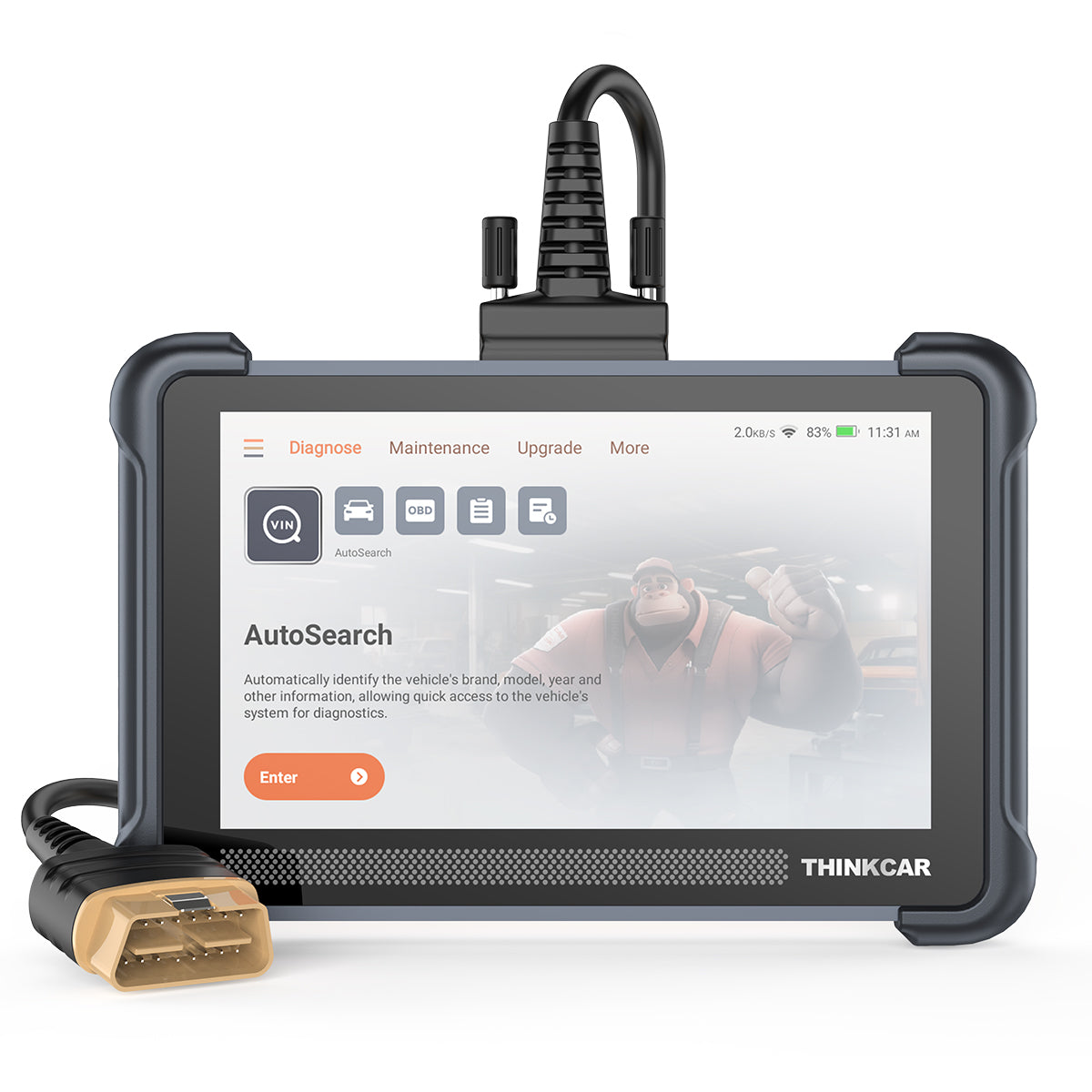
A scanner that only spits out a fault code can leave you in the same place you started: the warning light is on, the code is visible, and you still do not know what to test next. That gap is where many buyers waste money on parts they did not need, clear a code only to have it come back, or pay for repeat shop visits. When you compare AI vehicle diagnostic tools, the goal is not to buy the longest feature list. It is to find a Vehicle Scanner & Diagnostic Tool that explains fault codes clearly, fits your vehicle, and supports the level of repair work you actually plan to do.
That is especially important if you are deciding between simple Code Readers, an OBD2 scanner, or a more advanced Bluetooth diagnostic tool. In the THINKCAR ecosystem, products range from compact app-based options like THINKDIAG and THINKDIAG 2 to handheld models in the ThinkScan Series, plus workshop-oriented lines such as the AI Diagnostic Series, VO Series, CS Series, and CDE900 Series. The smart move is to sort your use case first, then match AI-powered Insights, system coverage, bidirectional control, and software support to that use case.
Step 1: Define the job you need the tool to do
Before you compare model names, pin down the exact work you expect the scanner to handle. A daily driver owner who wants faster check-engine-light answers needs something very different from a small shop that wants active tests, key programming, or TPMS Service. Once you define the job, you can avoid overbuying or ending up with a scanner that explains codes well but cannot complete the next step in your workflow.
What to do
- List your top 3 diagnostic tasks, such as reading engine codes, checking ABS or SRS modules, running service resets, or confirming actuator operation.
- Decide whether you need basic OBD2 Intelligent Diagnosis or All System Diagnosis for All Cars.
- Separate home-use needs from shop-use needs. DIY users often value portability and easier setup, while shops usually need deeper module access.
- Note any future jobs that matter, such as TPMS & Sensor work, key programming, EV battery diagnostics, or ADAS calibration.
Why this matters
- Basic Code Readers usually handle emissions-related engine and transmission codes.
- A stronger OBD2 Scanner Bluetooth tool can add full-system access, app workflow, and shareable reports.
- A Bidirectional scanner adds active tests, which let you command parts like fans, pumps, or actuators to verify a diagnosis before buying parts.
- Workshop-tier tools may expand into T-code, TCODE, Selected Car Brand Full Functions, or specialty service paths.
What jobs usually separate entry-level tools from smarter diagnostic tools?
- Basic code lookup: good for check-engine faults only
- Full-system diagnosis: better for ABS, SRS, TPMS, body, and transmission modules
- Service resets: useful for oil, EPB, SAS, DPF, and battery matching tasks
- Bidirectional control: useful when you need proof, not guesswork
- Advanced functions: key programming, remote diagnostics, cloud-based diagnostics, or shop workflow tools
If you mostly want a portable scanner with a strong mobile workflow, THINKDIAG and THINKDIAG MINI fit the OBD2 Scanner Bluetooth category. If you want a handheld jump in function depth, models like THINKSCAN 662, THINKSCAN 672, THINKSCAN 689, THINKSCAN 689BT, THINKSCAN MAX, and THINKSCAN PLUS S7 sit higher in the ladder. Buyers looking at MUCAR options will also see neighboring families like MUCAR BT200, MUCAR BT200 MAX, MUCAR DRIVERSCAN, MUCAR 632, MUCAR 682, MUCAR 892BT, MUCAR VO8, MUCAR CDE900, and MUCAR CDE900 PRO.
Match AI vehicle diagnostics to real diagnostic depth
A lot of tools now claim AI-powered Insights, but not all of them actually help you diagnose the car. Some simply restate a generic DTC description in cleaner words. A better AI workflow connects the fault code to freeze-frame data, system context, likely causes, and the next test you should run. That is the difference between reading a code and moving toward an answer.
Step 2: Check whether the AI explains codes or just rewrites them

When you compare scanners, focus on what happens after the code appears on screen. If the tool only says “cylinder misfire detected,” you still have to decide whether the problem is ignition, fuel, compression, wiring, or a sensor input issue. A more useful scanner narrows that path with guided analysis, health reports, and follow-up prompts that reduce trial-and-error.
What to look for
- Plain-language fault explanations instead of code dictionary text only
- Health reports that summarize multiple system findings in one scan
- Freeze-frame and live-data links that help you read the code in context
- Real-time Q&A or guided troubleshooting prompts
- Report sharing for follow-up work or second opinions
- Remote diagnostics support for off-site review or team workflows
How THINKCAR fits this step
THINKCAR positions THINKDIAG 2 as an upgraded app-based scanner with Auto VIN, health reports, remote diagnosis, CAN-FD support, all-system diagnostics, and bidirectional testing. The product page also describes OE-level access to systems such as ABS, SRS, transmission, TPMS, battery, cruise control, and parking sensors, plus 15 maintenance functions. THINKCAR also frames parts of its broader AI Diagnostic Series and newer AI-focused content around automatic fault-code analysis and real-time Q&A, which is closer to useful OBD2 Intelligent Diagnosis than a basic code-definition screen.
Used well, this kind of setup helps you answer better questions. Did the code happen during a cold start? Does the freeze-frame show a voltage drop? Are there supporting faults in another module? That is where AI vehicle diagnostics can save time.
Common mistake
- Buying a scanner because it says “AI” without checking whether it links the code to live data, report generation, or next-step testing.
Shop: THINKDIAG 2
Make sure the scanner fits your vehicle, workflow, and device setup
Even a strong scanner is a bad buy if it does not match your car, phone, or software expectations. Compatibility is more than “works on OBD2 vehicles.” You need to confirm model-year support, protocol coverage, app support, update policy, and any activation or subscription structure before you buy. This step prevents the most frustrating ownership surprises.
Step 3: Confirm compatibility, connection type, and update model
Start with the basics: your vehicle year, make, and the systems you want to scan. Then move into setup details, including whether you prefer a wired handheld or an OBD2 Scanner Bluetooth workflow on iPhone or Android. Finally, look at ownership terms such as Software Renewal, Software Subscription, Software Download access, and any Software Update Notice process that affects long-term use.
Fit checkpoints
- Confirm the vehicle supports standard OBD2, especially if it is near the 1996 transition period.
- Check whether the tool supports newer protocols, such as CAN-FD, if you work on newer vehicles.
- Verify iPhone and Android compatibility for app-based tools.
- Look for Auto VIN if you scan multiple cars and want faster setup.
- Review whether advanced functions require activation, T-code packs, or software renewals.
- Check whether the model includes Free Lifetime Software Updates or uses a paid renewal path.
Why this matters with THINKCAR models
THINKDIAG is positioned as a Bluetooth diagnostic tool with all-system diagnostics, bidirectional support, and maintenance functions through the app workflow. THINKDIAG 2 adds CAN-FD support, Auto VIN, health reports, and remote diagnostics on its product page, which matters if you want broader late-model compatibility and faster entry into scans. On the handheld side, THINKSCAN 662 and THINKSCAN 672 suit buyers who prefer a dedicated screen, while THINKSCAN 689 and THINKSCAN 689BT move further into professional territory. THINKTOOL MINI is the better fit when your workflow is getting closer to shop-level use.
Safety and readiness checks before using any scanner
A scan tool is low-risk compared with power tools, but the wrong procedure can still create problems. OSHA lists electrical, battery, and vehicle-service hazards among commonly cited issues in automotive repair settings, which is a good reminder to treat diagnostic work as real service work, not just screen time. You should also avoid long sessions on a weak battery, especially when running active tests, coding, or key functions.
- Check the vehicle battery condition before deep scans or bidirectional control
- Keep ignition-state changes deliberate so you do not interrupt communication
- Do not run unfamiliar active tests on safety-critical systems
- Avoid key programming or immobilizer functions unless you understand the effect
- Use the Official Shop for activation clarity, support details, and software questions
Choose the right feature tier instead of overbuying
Feature inflation is common in this category. Many buyers see a long list of resets or workshop functions and assume more is always better. In practice, the best-value scanner is the one that fits your repair confidence and your actual vehicle tasks. That means comparing tiers by workflow, not by hype.
Step 4: Compare function tiers by repair confidence, not just price
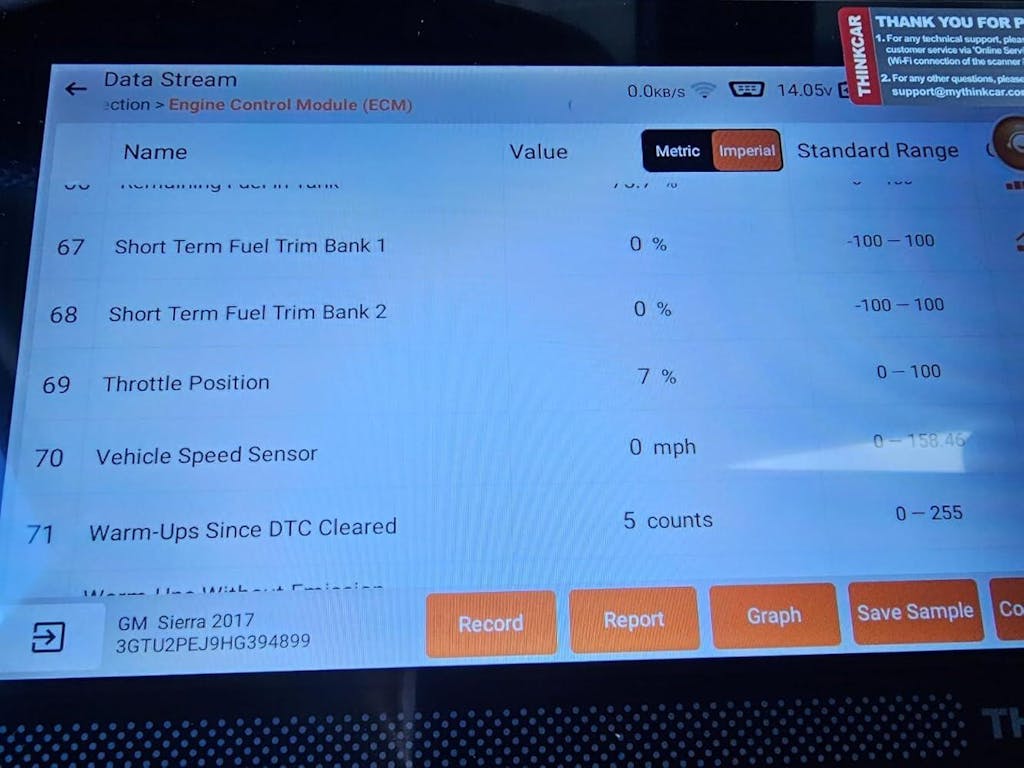
Think of scanners as four practical tiers. This makes it much easier to decide whether you need a code reader, an app-based Bluetooth diagnostic tool, a full-system handheld, or a bidirectional scanner. Once you see the tiers clearly, you can spend where the function jump really matters.
Tier framework
- Tier 1: Code Readers
- Best for check-engine-light basics
- Good for read/clear, I/M readiness, and simple code lookup
- Not enough for module-level troubleshooting
- Tier 2: OBD2 Scanner Bluetooth tools
- Best for portable app workflow
- Better for report sharing and guided use
- Good fit for THINKDIAG, THINKDIAG MINI, and some MUCAR app-based models
- Tier 3: Full-system handheld scanners
- Better for users who want built-in screens and broader service functions
- ThinkScan Series options like THINKSCAN 662, THINKSCAN 672, and THINKSCAN 689 fit here
- Better for repeat home use or enthusiast maintenance
- Tier 4: Bidirectional scanner and advanced shop tools
- Best for active tests, ECU coding, remote diagnostics, key programming, and specialty workflows
- THINKSCAN 689BT, THINKTOOL MINI, and broader AI Diagnostic Series or workshop lines fit here
- Often, the better fit for shops and high-volume users
What to watch
- A long reset list does not mean broad vehicle coverage for every make
- “28 Reset Function” or “15 Resets Maintenance Function” claims should be checked against your vehicle
- A bidirectional tool is only worth it if you will actually use active tests
- Expansion into TPMS Service, TPMS & Sensor work, or ADAS calibration matters more for future workflow than one-time fault clearing
A Reuters report on connected and software-defined vehicles notes that modern cars rely on increasing software complexity, which helps explain why deeper diagnostics and update support matter more now than they did a few years ago. That trend makes full-system access, better reports, and protocol support more valuable over the life of the tool.
Buy with a future-use lens, not just today’s fault code
A scanner often gets bought for one urgent problem, but the smarter choice is the one that still helps six months later. If your needs may grow into service resets, tire-sensor work, immobilizer functions, or EV checks, you should factor that in now. Long-term value usually comes from expandability, software support, and a product ecosystem that gives you a clear upgrade path.
Step 5: Evaluate expandability and long-term ownership value

Look past the current warning light and map the next two or three jobs you may want to handle yourself. If you own several cars, help friends, or plan to keep vehicles longer, the scanner should grow with that workflow. This is also the stage where service add-ons and software structure become practical buying factors instead of fine print.
Questions that help future-proof the decision
- Will you eventually need bidirectional control?
- Do you expect to scan multiple makes regularly?
- Could TPMS Service or a TPMS service tool matter later?
- Will key programming or 4 System T-code functions become relevant?
- Do you want remote diagnostics or cloud-based diagnostics support?
- Would EV battery diagnostics or ADAS calibration matter in your next vehicle cycle?
How the ecosystem matters
Within THINKCAR and MUCAR, the catalog extends beyond one scanner class. The Software Download structure referenced by THINKCAR content groups products into OBD2 Scanner Bluetooth, OBD2 Intelligent Diagnosis, TPMS Service, Code Readers, T-code, MUCAR VO Series, MUCAR CDE900 Series, and MUCAR CS Series. That broader ecosystem is useful if you want one buying path that can grow from THINKDIAG to ThinkScan Series tools, then into TPMS & Sensor products such as THINKTPMS VENU iPro or the THINKCAR VENU 90 TPMS Activation & Diagnostic Tool, and later into accessories, Software Renewal, or a 1 Year Extended Warranty.
For buyers who want a nearby upgrade path, names worth knowing include THINKCAR BD6, THINKTOOL MINI, MUCAR VO8, MUCAR 892BT, MUCAR CDE900, and MUCAR CDE900 PRO. The point is not to buy the biggest device now. It is to choose a system that will not trap you when your needs move beyond one fault code.
Prerequisites and common buying mistakes to catch early
A good Diagnostic Tools Guide should also show you what deters scanner buyers before they even start diagnosing. Most mistakes happen before the first scan: unclear use case, poor compatibility checks, or misunderstanding the update model. A short review now can save you from owning a tool that feels impressive but does not fit your car or your workflow.
Common selection mistakes and how to fix them
| Problem | Likely Cause | Solution |
|---|---|---|
| AI feels generic | DTC definitions only | Choose guided analysis |
| Modules are missing | Coverage mismatch | Confirm all-system support |
| Extra costs appear | Renewal not checked | Review software terms |
| Tool feels too complex | Wrong feature tier | Match skill to workflow |
| Active tests unavailable | Vehicle-specific limits | Verify make-model support |
Why THINKDIAG is often the practical starting point
If your goal is to move beyond basic code readers without jumping straight into a bulky tablet, THINKDIAG is the practical middle ground. It fits the app-based OBD2 Scanner Bluetooth workflow, supports all-system diagnostics, and sits in a broader ecosystem that can scale up later. For many buyers, that balance matters more than having the most advanced hardware on day one.
Where it fits best
- DIY users who want more than engine-code checks
- Multi-car households that want one compact scanner
- Buyers who prefer the app workflow over a dedicated handheld
- Users who may later upgrade to THINKDIAG 2 or ThinkScan Series hardware
What to watch before buying
- Confirm your phone platform and app comfort level
- Check whether your vehicle needs CAN-FD support, which can favor THINKDIAG 2
- Review activation and update terms carefully
- Make sure your “must-have” service functions are supported on your vehicle
If you want the cleaner upgrade path, THINKDIAG 2 is the stronger fit when Auto VIN, health reports, remote diagnostics, and newer protocol support matter. If you prefer a standalone handheld, models such as THINKSCAN 662, THINKSCAN 672, or THINKSCAN 689BT may feel more natural in use.
Shop: THINKDIAG
FAQ
How do AI-powered car diagnostic tools explain fault codes better than basic code readers?
AI-powered tools explain fault codes better by adding context, not just definitions. A basic code reader may show P0301 and stop there, while a stronger scanner can connect that code to freeze-frame data, live values, system health reports, and likely next tests. That gives you a shorter path from warning light to actual diagnosis. In practice, the best AI vehicle diagnostics tools help you decide what to test first instead of pushing you toward random parts replacement.
Do I need a bidirectional scanner, or is an OBD2 scanner enough for home use?
An OBD2 scanner is enough for home use if you mainly read and clear codes, check readiness monitors, and review basic live data. You should move to a bidirectional scanner when you need active tests, such as turning on a fan, commanding an actuator, or confirming a module response before buying parts. For many home users, full-system coverage plus 15 to 28 reset functions is a bigger upgrade than bidirectional control alone.
What should I check before buying a Bluetooth diagnostic tool for multiple vehicles?
You should check vehicle coverage, protocol support, app compatibility, and software terms before buying a Bluetooth diagnostic tool for multiple vehicles. Start with model year, make coverage, and whether you need all-system access instead of engine-only scanning. Then verify iPhone or Android support, Auto VIN convenience, and whether newer vehicles require CAN-FD support. Finally, review Software Subscription, Software Renewal, and activation details so the ownership model is clear from day one.
Are software updates, renewals, or subscriptions important when choosing a scanner?
Yes, software updates and renewals are important because a scanner is partly a hardware device and partly a software platform. Vehicle coverage, special functions, and bug fixes often depend on update access, so a tool with weak support can feel outdated long before the hardware wears out. You should always check whether the model includes Free Lifetime Software Updates, a paid Software Subscription, or a limited renewal period. That one detail can change the real value of the scanner more than a longer feature list.
How can I future-proof a scanner purchase if I may need TPMS or key functions later?
You can future-proof the purchase by choosing a platform with a clear upgrade path instead of buying only for the current fault code. Check whether the ecosystem expands into TPMS Service, TPMS & Sensor tools, key programming, T-code functions, EV battery diagnostics, or ADAS calibration. It also helps to confirm whether the brand offers software add-ons, separate service categories, and support options such as a 1 Year Extended Warranty. That way, your first tool stays useful even as your repair work gets more advanced.
Table of Contents
- Check your real diagnostic job before you compare features
- Match AI vehicle diagnostics to real diagnostic depth
- Make sure the scanner fits your vehicle, workflow, and device setup
- Choose the right feature tier instead of overbuying
- Buy with a future-use lens, not just today’s fault code
- Prerequisites and common buying mistakes to catch early
- Why THINKDIAG is often the practical starting point
-
FAQ
- How do AI-powered car diagnostic tools explain fault codes better than basic code readers?
- Do I need a bidirectional scanner, or is an OBD2 scanner enough for home use?
- What should I check before buying a Bluetooth diagnostic tool for multiple vehicles?
- Are software updates, renewals, or subscriptions important when choosing a scanner?
- How can I future-proof a scanner purchase if I may need TPMS or key functions later?

Share:
MUCAR 892BT MUAI: The DeepSeek-Powered AI Diagnostic System Explained
Affordable Scan Tools With Features Similar to Costlier Models