
Introduction
A comeback car with a mystery code ruins your day—especially when a flaky scanner turns diagnostics into guesswork and costs you billable hours.
This 5-step guide helps you buy a budget-friendly diagnostic scanner with zero surprises. You will learn to: verify vehicle coverage, confirm protocols (OBD2/CAN-FD), choose the right function depth (code readers vs. bidirectional tools), audit subscription terms, and match your real shop workflow. We’ll also highlight exactly where THINKCAR and MUCAR product lines (ThinkScan, AI Diagnostic, VO, CS, CDE900, and TPMS tools) deliver the best value.
How to Buy Budget-Friendly Diagnostic Tools Step by Step
Step 1: Lock your vehicle coverage scope
Before you compare features, write down what actually rolls into your shop. List your top 15 makes, the oldest and newest model years you see, and which drivetrains show up often (gas, diesel, hybrids, and Electric Vehicle (EV) Diagnostics). Then add the job types you diagnose most: no-start, ABS, SRS, transmission complaints, and emissions. This simple inventory prevents the most common budget-tool failure: buying a scanner that is impressive on paper but weak on your bread-and-butter vehicles.
To make this actionable, use a two-column list for the next 30 repair orders: (1) vehicle, (2) what system you needed to access. If you keep seeing body modules, gateway issues, or service functions (oil reset, EPB, ABS bleeding), you are past basic Code Readers. You need an all-system diagnosis for all cars, or at least strong coverage for your common platforms.
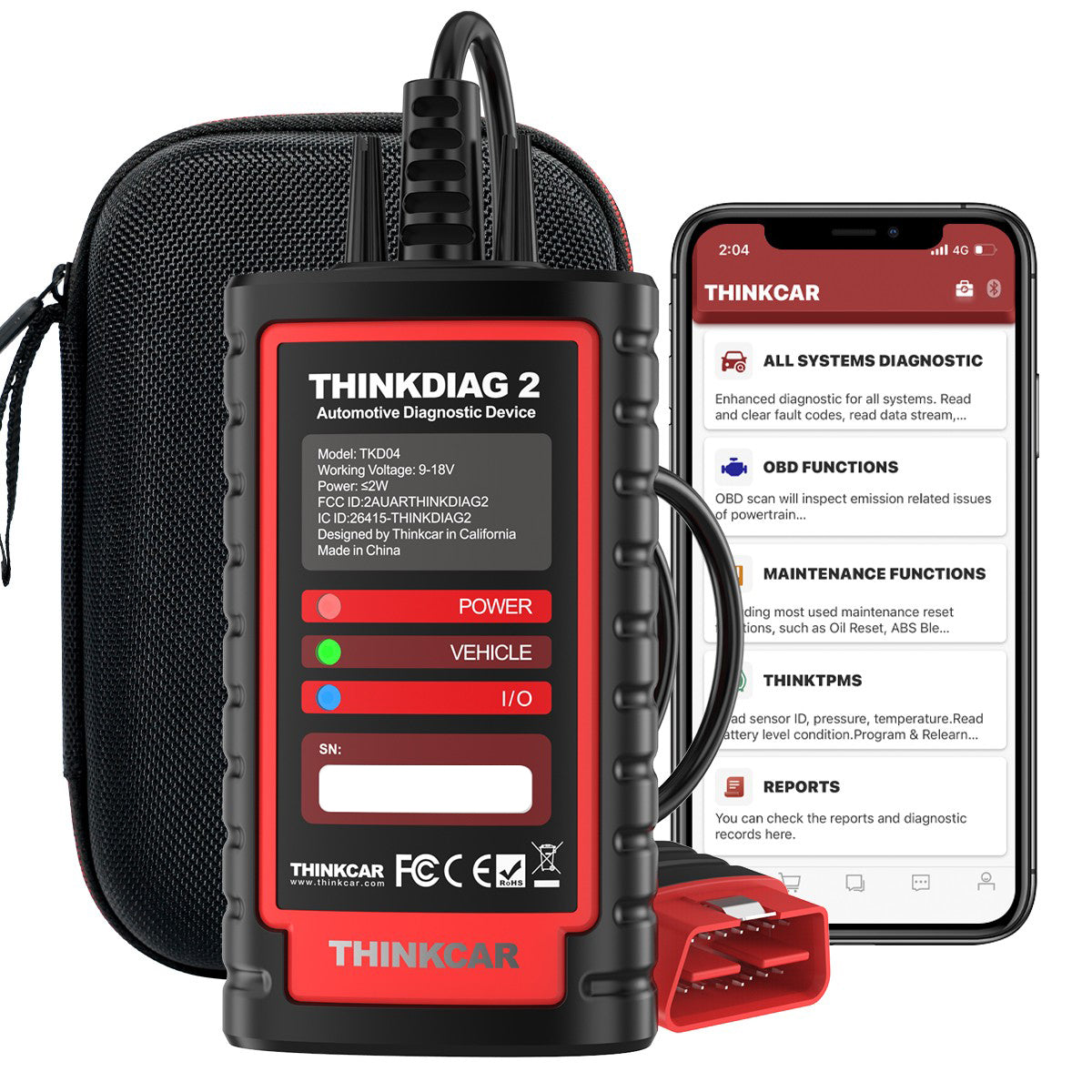
If you want a phone-based Advanced Scanner that aims for broad coverage in a compact tool, THINKDIAG 2 is positioned as a full-system option with ECU coding and active tests, plus built-in CAN-FD support to reach newer platforms (for example, late-model GM after 2020 is a common pain point for older dongles).
Shop: THINKDIAG 2
Step 2: Confirm OBD2 and protocol needs
Do not wait until a 2022-2026 vehicle is on your lift to discover your tool cannot talk the right language. First, confirm you need core OBD2 Intelligent Diagnosis (read/clear codes, live data, freeze frame, I/M readiness), then check the protocols your customer base demands. Most shops still need the common OBD2 protocol set, but more late-model vehicles also push newer networks such as CAN-FD. If your tool cannot handle the network, you can lose the entire session before you even start diagnosing.
A fast sanity check is to pick three late-model vehicles you see often (for example, a GM after 2020, a VW/Audi, and a late-model Asian platform) and ensure your prospective tool explicitly supports the required communication standard. Texas inspection guidance is a reminder of how long OBD has been a real-world requirement: OBD II systems were required on all model year 1996 or newer vehicles, and many state programs still rely on OBD data for emissions workflows. (dps.texas.gov)
For an OBD2 Scanner Bluetooth workflow, THINKDIAG 2 emphasizes Bluetooth connectivity plus CAN-FD capability. In practice, that means you can keep a small dongle in your pocket for quick triage, but still reach newer networks that older Bluetooth readers may not support.
Step 3: Decide the needed function depth
Start by deciding what you must do on day one, because function depth drives everything else: speed, training time, and long-term costs. If your shop mainly needs check-engine triage, readiness checks, and basic graphs, a Code Readers class tool can be enough. But if you sell diagnostics, you will usually need full-system scanning and a Bidirectional scanner for active tests (actuating components to verify the circuit and the part). This is where budget tools vary the most: many read codes, fewer do consistent active tests across many platforms.
Use this quick decision tree:
- Choose Code Readers if you mostly need:
- Global OBD2 codes and readiness
- Basic live data and freeze frame
- Fast customer check-in triage
- Choose a Bidirectional scanner if you routinely need:
- Active tests (fans, purge valves, EPB motors)
- Special functions and resets
- ECU adaptations or relearns after repairs
In THINKCAR and MUCAR lines, THINKDIAG 2 is positioned for full system diagnostics, ECU coding, and Bi-Directional/Active test workflows using a mobile app. If your team prefers an all-in-one tablet style with a larger screen for long sessions, products in the ThinkScan Series like THINKSCAN 689BT are positioned as a shop-friendly format with bidirectional controls and many maintenance functions.
Shop: THINKSCAN 689BT
Step 4: Audit update and subscription costs
A budget diagnostic tool can become expensive if its update model doesn't match your shop's reality. Your goal is predictable ownership: you should know what happens after the first year, which functions are included, and which are locked behind a software renewal or subscription. Do this audit before checkout, not after the tool is already trained into your workflow.
Here is a practical checklist you can run in 10 minutes:
- Write down what must keep working for your shop:
- All-system scanning on your top makes
- Active tests on common failures
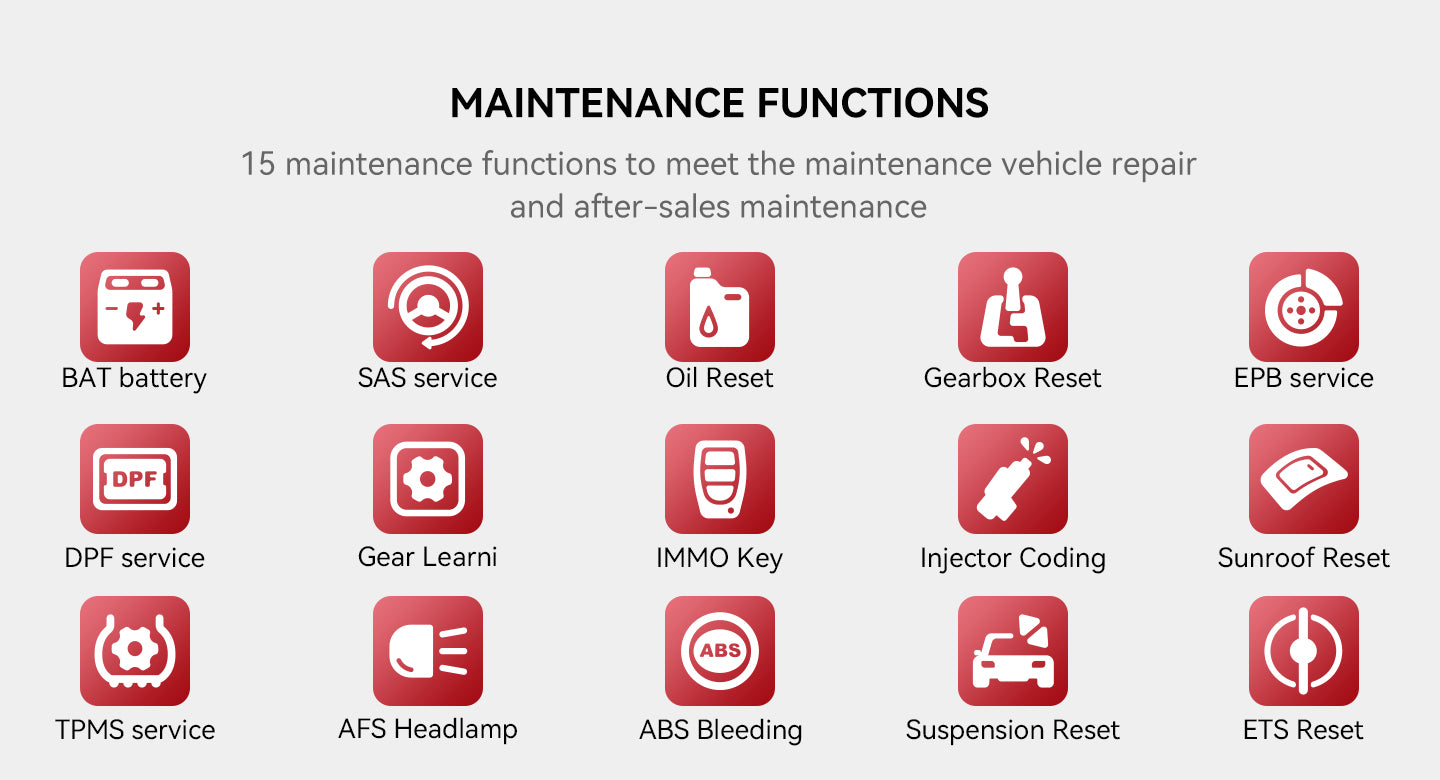
- Service resets you sell weekly (oil, EPB, SAS, DPF)
- Confirm the update model:
- Free Lifetime Software Updates vs time-limited updates
- Whether updates affect coverage, features, or both
- Confirm how updates are delivered:
- In-app Software Download and one-click updates
- Whether you need shop Wi-Fi and a stable login
- Confirm what happens when software expires:
- Can you still read code?
- Do advanced functions lock?
In the MUCAR VO Series, MUCAR VO8 is explicitly positioned as having no subscriptions and free lifetime updates, with tablet hardware (8-inch screen, 2G/64GB memory, and a large battery). That may be the right call if your budget is focused on long-term stability rather than the lowest upfront entry.
Shop: MUCAR VO8
Step 5: Validate workflow fit and support
A scanner that looks good on a spec list can still fail in a real bay if it slows your workflow. Validate fit by walking through a real diagnostic session: connect, identify VIN, run a health scan, pull live data, save a report, and confirm how your techs share results. The goal is to reduce setup time and make results repeatable across different skill levels.
Run this workflow test:
- Check connection flow
- Can a new tech connect in under 60 seconds?
- Does the tool stay connected during a road-test?
- Check reporting
- Can you generate and share a health report?
- Can you capture before/after data for comebacks?
- Check shop support
- Is there a Support Center and clear troubleshooting steps?
- Is remote diagnosis available for stuck cases?
THINKDIAG 2 is designed around a mobile app workflow, which can be faster for quick check-in lanes if your team already works from phones. If you prefer a dedicated device and consistent UI across techs, a tablet style like THINKSCAN 689BT or a higher-end Android-based diagnostic tablet can reduce friction during long sessions.
Shop: THINKDIAG 2
Adapting Your Approach in Different Scenarios
Quick triage bay: Code Readers focus
If your main goal is fast intake, prioritize a simple connection flow, quick read/clear, freeze frame, and I/M readiness. Keep an OBD2 Scanner Bluetooth option available so you can scan in the parking lot and decide whether the car goes straight to diagnostics.
Diagnosis bay: Bidirectional scanner required
If you sell diagnostics, prioritize active tests, full system coverage, and stable live data graphing. This is where bidirectional controls pay off, because you can confirm an actuator and circuit before ordering parts.
Maintenance lane: TPMS Service priority
If you do tire work, TPMS & Sensor capability matters as much as engine codes. A dedicated TPMS tool can speed up sensor checks at the wheel while your main scanner handles system-wide faults.

Mixed fleet: all-system coverage needs
If you see many brands and model years, favor broad coverage and predictable updates. Tablet tools with strong coverage lists and easier report workflows can reduce technician variability.
What You Will Need Before You Start
Required Tools and Materials
- Compatible smartphone or shop tablet
- Stable Wi-Fi for Software Download
- Reliable 12V power during scans
- OBD2 port access (under-dash)
- Vehicle Scanner & Diagnostic Tool account login
- Battery maintainer for long sessions
- Notepad template for coverage audit
Safety Considerations
- Wear safety glasses with side shields when working around batteries, connectors, and under-dash trim; NIOSH notes ANSI/ISEA Z87.1 impact protection requires wrap-around coverage or side shields. (cdc.gov)
- Use a battery maintainer during module programming, adaptations, or long active-test sessions to avoid low-voltage faults.
- Do not run active tests near moving components (fans, throttle, EPB) unless the area is clear and the vehicle is secured.
- Confirm ignition state (KOEO, engine running) matches the test you are performing to avoid false failures.
Troubleshooting Guide
| Problem | Cause | Solution |
|---|---|---|
| No connection | Low battery voltage | Use maintainer 13.2-14.4V |
| Missing modules | Wrong vehicle selection | Recheck VIN and profile |
| Features locked | Subscription expired | Verify Software Subscription |
| Slow scans | Weak phone or Wi-Fi | Use stronger device/Wi-Fi |
| Dropped Bluetooth | Interference or sleep | Disable sleep, stay near car |
Conclusion
Buy budget-friendly diagnostic tools the same way you buy any shop-critical equipment: lock coverage, confirm protocols, choose function depth, audit update costs, then validate workflow. When you do those five steps in order, you stop chasing features and start buying predictable throughput. A phone-based Advanced Scanner like THINKDIAG 2 can be a strong fit for quick bays that still need bidirectional capability, while tablet workflows in the ThinkScan Series or MUCAR VO Series can reduce friction on longer diagnostic sessions.
Official Site: THINKCAR THINKDIAG 2
Frequently Asked Questions
How do I choose a diagnostic tool for a repair shop?
Start by listing the makes, model years, and systems you touch every week, then match your tool to that reality instead of a generic feature list. Next, decide whether you need only OBD2 Intelligent Diagnosis or full-system access with active tests. Confirm that your workflow can produce repeatable reports and saved sessions, because that reduces comebacks.
How do I find budget-friendly diagnostic tools for my repair shop?
Define your must-have functions first, such as full-system scanning, key service resets, or bidirectional controls, and ignore everything else until those are covered. Compare tools by total ownership behavior: what still works if you stop renewing, and what locks behind a plan. Ask whether updates are delivered smoothly through Wi-Fi or app downloads, because friction here becomes daily wasted time.
How does a budget-friendly diagnostic tool perform compared to premium models?
A good budget tool can handle core code reading, live data, many resets, and even some ECU coding, but the gaps usually show up in coverage depth and speed. Premium tools often have broader OEM-level routines, faster topology scans, and more consistent active tests across obscure modules.
How do I select a diagnostic tool with predictable update costs?
Ask what happens when the included update period ends: which features remain usable without a renewal? Calculate your total cost over a 24- to 36-month window. Confirm if the tool offers Free Lifetime Software Updates or a time-limited plan. Finally, check how Software Update Notices are delivered to avoid surprise lockouts during a busy rush.
Which features are essential in an automotive diagnostic tool?
At a minimum, you need code read/clear, freeze frame, live data, and I/M readiness for basic OBD2 Intelligent Diagnosis. For a shop, full-system scanning is essential since many problems sit outside the engine ECU. Add bidirectional active tests to confirm component failures faster. Finally, ensure it covers the service resets you sell weekly (oil reset, EPB, SAS, DPF, ABS bleeding, and TPMS).
Table of Contents
- Introduction
- How to Buy Budget-Friendly Diagnostic Tools Step by Step
- Adapting Your Approach in Different Scenarios
- What You Will Need Before You Start
- Troubleshooting Guide
- Conclusion
-
Frequently Asked Questions
- How do I choose a diagnostic tool for a repair shop?
- How do I find budget-friendly diagnostic tools for my repair shop?
- How does a budget-friendly diagnostic tool perform compared to premium models?
- How do I select a diagnostic tool with predictable update costs?
- Which features are essential in an automotive diagnostic tool?

Share:
Bluetooth Diagnostic Tools Over Wired Ones in Vehicle Repair: Which to choose in 2026?
Best Diagnostic Tools for Modern Cars with Bluetooth Wireless Connectivity in 2026